CP-6-series Mechanical Reference.pdf - 第85页
<5000 type> 1. Press [LOADER] - [LOADER PSTN] followed by the START button to move the XY-table to the loading position. 2. Press [LIFTER ▲ ] to raise the XY-table to the same height as the in/out-conveyor. 3. Pres…
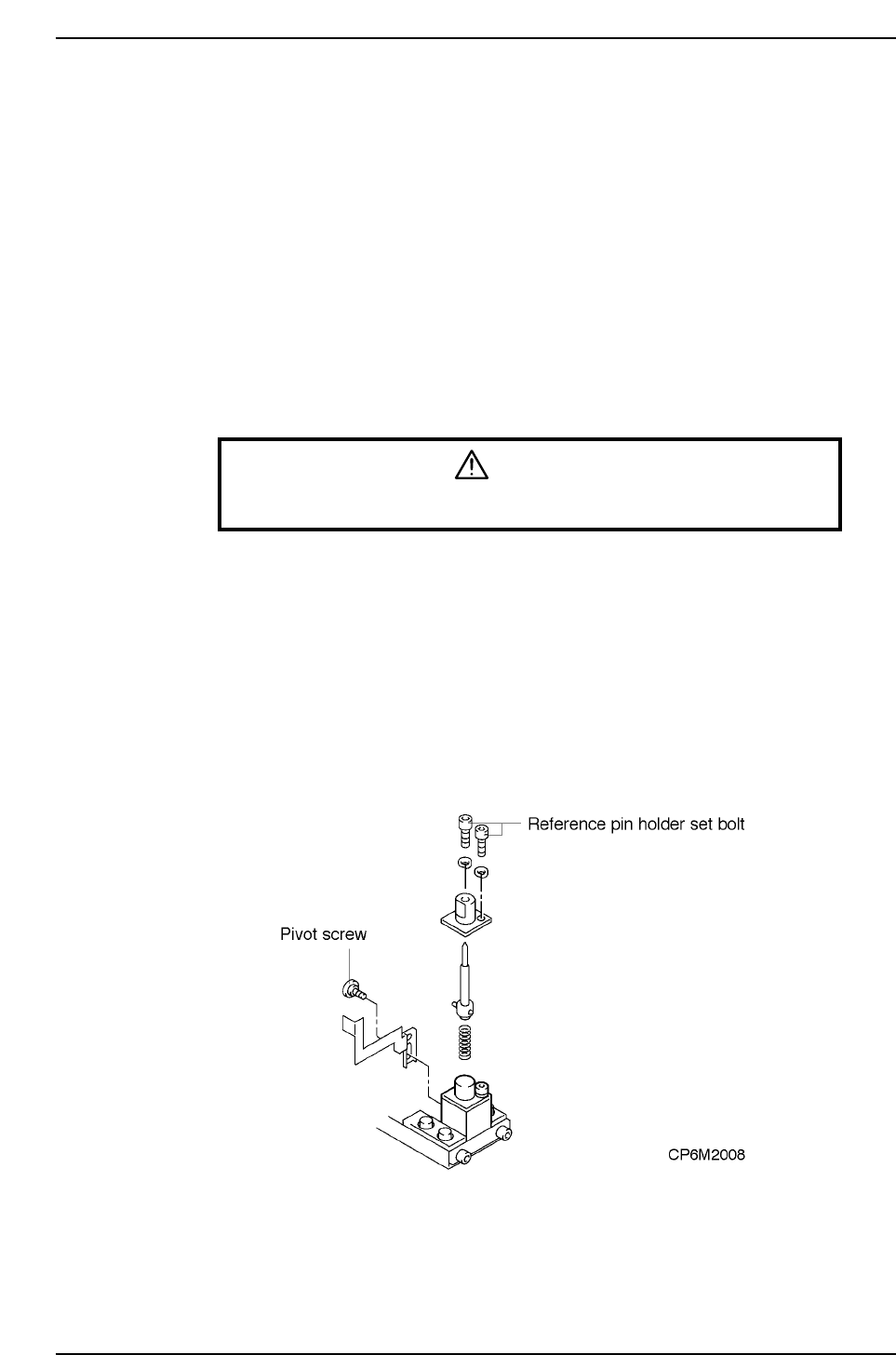
4.2 Reference Pin Changeover (When Changing Pin
Diameter)
Caution: When replacing pins, never loosen the securing bolt on the pin block. If this block is
loosened, the X0/Y0 Proper values will change and part placement will be misaligned.
Procedure
<4000 type>
1. Press [LOADER] - [LOADING PSTN] and START.
The XY-table moves to the loading position.
2. Press [LIFTER ▲]. The XY-table is raised to the same height as the in/out-
conveyor.
3. Press the EMERGENCY STOP button.
WARNING
Turn off the 200 V servo power before carrying out this work.
4. Unscrew the pivot screw. (Models other than CP-642, CP-642M, CP-643E, and
CP-643ME)
5. Unscrew the pin holder set bolt.
6. Remove the pin and holder from the block. Be careful that the spring loaded
beneath the pin does not shoot the pin out.
7. Change the pins.
8. After changing the pins, check to see if the spring pin which is attached to the
bottom of the reference pin is inserted in the hole of the dog. Repeat the steps
given thus far in reverse order to reattach the pin.
9. Press [LIFTER ▼]. The XY-table is lowered to the height for placing.
Part 2 Chapter 4 Board Positioning Pins
Edition 1.0 2-4-2 CP-6-series Mechanical Reference
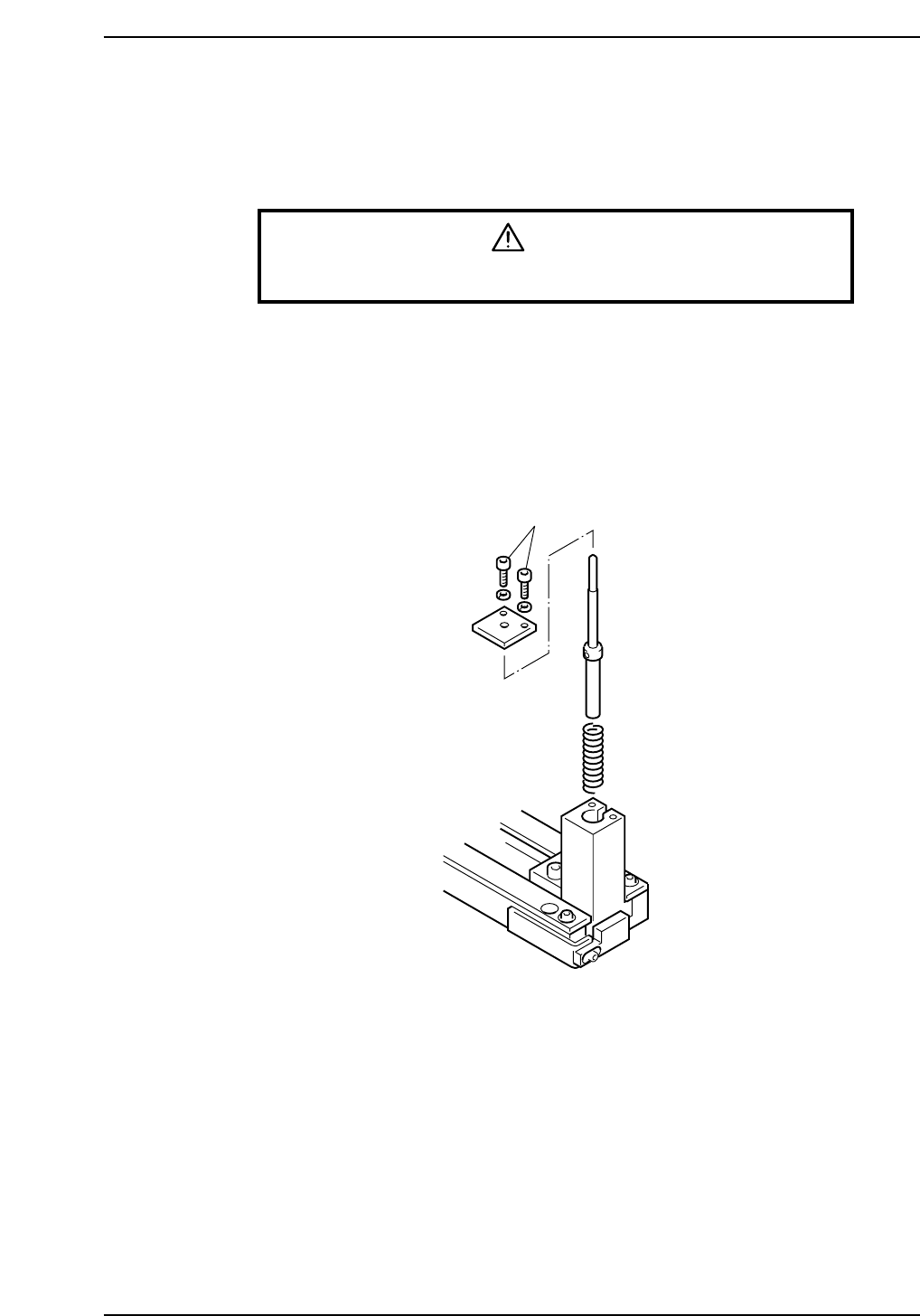
<5000 type>
1. Press [LOADER] - [LOADER PSTN] followed by the START button to move the
XY-table to the loading position.
2. Press [LIFTER ▲] to raise the XY-table to the same height as the in/out-conveyor.
3. Press the EMERGENCY STOP button.
WARNING
Turn off the 200 V servo power before carrying out this work.
4. Unscrew the pin holder bolts.
5. Remove the pin and holder from the block. Be careful that the spring beneath the
pin does not shoot the pin out.
6. Change the pin.
7. After changing the pin, repeat the steps given thus far in reverse order to install
the new pin.
8. Press [LIFTER ▼] to lower the XY-table.
Bolt
CP6M2009
Part 2 Chapter 4 Board Positioning Pins
Edition 1.0 2-4-3 CP-6-series Mechanical Reference
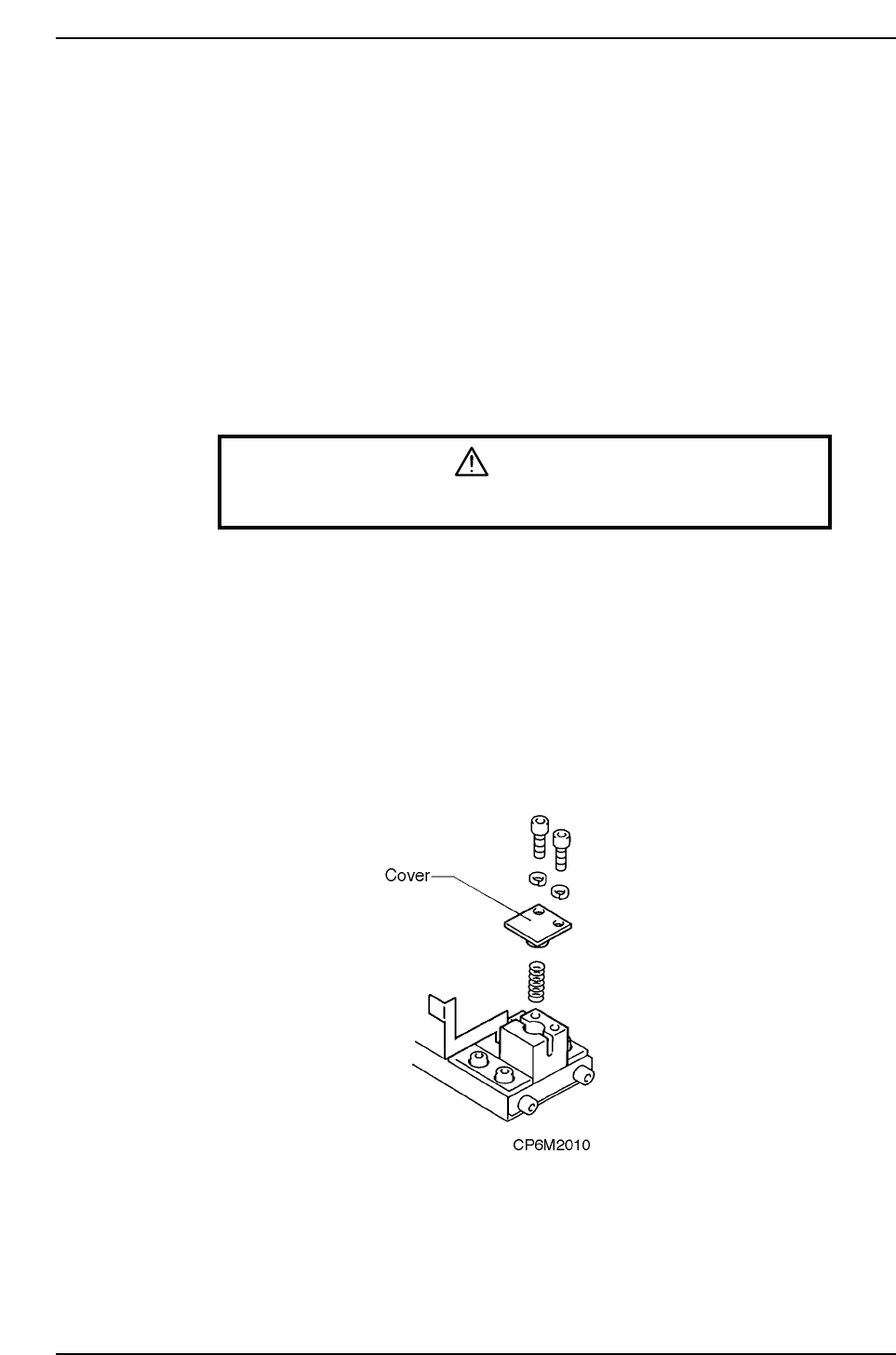
4.3 Settings for Fiducial Mark Reference
Point
When the reference and follow-up pins are not used, and the machine only uses the
fiducial marks as a reference, follow the steps listed below.
Procedure
<4000 type>
1. Select [LOADER] - [LOADING POSTN], and press the START button to move the
XY-table to the loading position.
2. Press [LIFTER s] and the XY-table is raised to the same height as the in- and out-
conveyors.
3. Press the EMERGENCY STOP button.
WARNING
Turn off the 200 V servo power before carrying out this work.
4. Unscrew the pivot pin. (Models other than CP-642, CP-642M, CP-643E, and
CP-643ME)
5. Unscrew the pin holder set.
6. Remove the pin and holder from the block. Be careful that the spring loaded
beneath the pin does not shoot the pin out.
7. While the spring is in the block, attach the cover to the reference pin block. While
the dog is attached, check to see if the spring pin (attached to the cover) is in the
slot cut in the metal dog. Attach the cover.
8. It is not necessary to remove the follow-up pin. The pin can be moved outside the
size of the board that is being produced.
Part 2 Chapter 4 Board Positioning Pins
Edition 1.0 2-4-4 CP-6-series Mechanical Reference