00196743-01 - Install Guide SIPLACE Explorer 2.7_en.pdf - 第29页
In stal la tion an d Conf ig ura tion Gui de SIP LACE Ex pl orer 3 I ns talli ng SIP LACE Ex pl orer Edi t ion 03 /201 0 EN 3.1 Ini t ial I ns tal la tion of SIPLA CE Expl ore r 2 .7 29 → Selec t SI PLA CE Ex pl orer 2. …
3 Installing SIPLACE Explorer Installation and Configuration Guide SIPLACE Explorer
3.1 Initial Installation of SIPLACE Explorer 2.7 Edition 03/2010 EN
28
NOTE
Before you install SIPLACE Explorer V2.7, make sure that Java 1.6 has been installed on
your computer. Install this software component via the support media DVD. 3
(3)SIPLACE Explorer V.2.7 options:
The options SIPLACE Traceability Option V2.0 and SIPLACE Maintenance Manager V1.0 are
not included in the SIPLACE Explorer V2.7 delivery package and must be ordered (installed)
separately. 3
3.1.1 Installation of SIPLACE Explorer 2.7 - Initial Installation
NOTE
You must have Windows administrator privileges to perform installation. 3
→ Place the support media DVD in your DVD drive. Follow the instructions in the document
“Navigation Guide for the Installation Procedure of SIPLACE Software Systems” (Art.No.
00195050-xx).
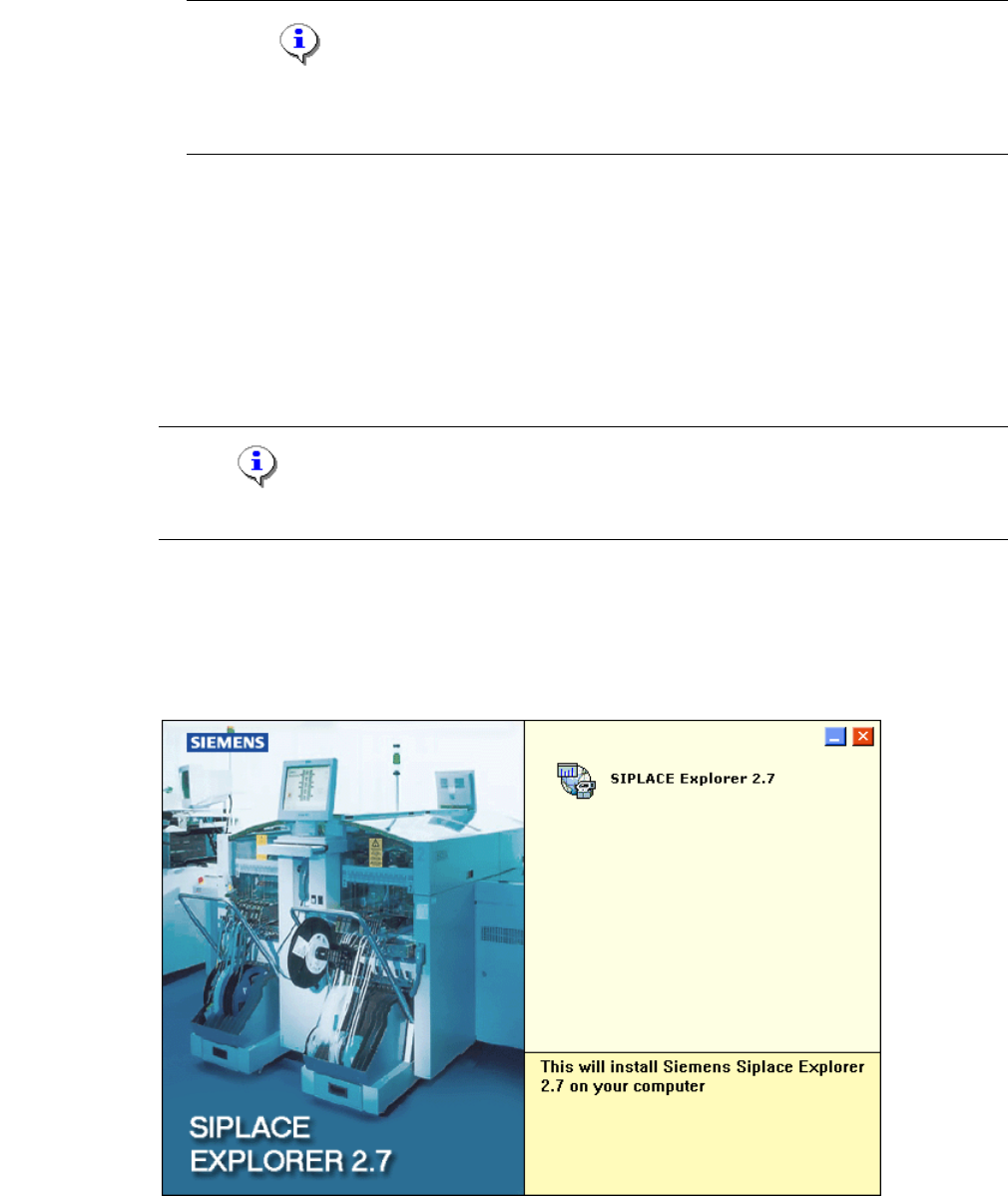
→ Place the SIPLACE Explorer CD in your CD-ROM drive. The Start screen will open.
3
Fig. 3 - 1 SIPLACE Explorer setup - Start screen
Installation and Configuration Guide SIPLACE Explorer 3 Installing SIPLACE Explorer
Edition 03/2010 EN 3.1 Initial Installation of SIPLACE Explorer 2.7
29
→ Select SIPLACE Explorer 2.7.
→ You will be guided through the SIPLACE Explorer installation procedure.
3
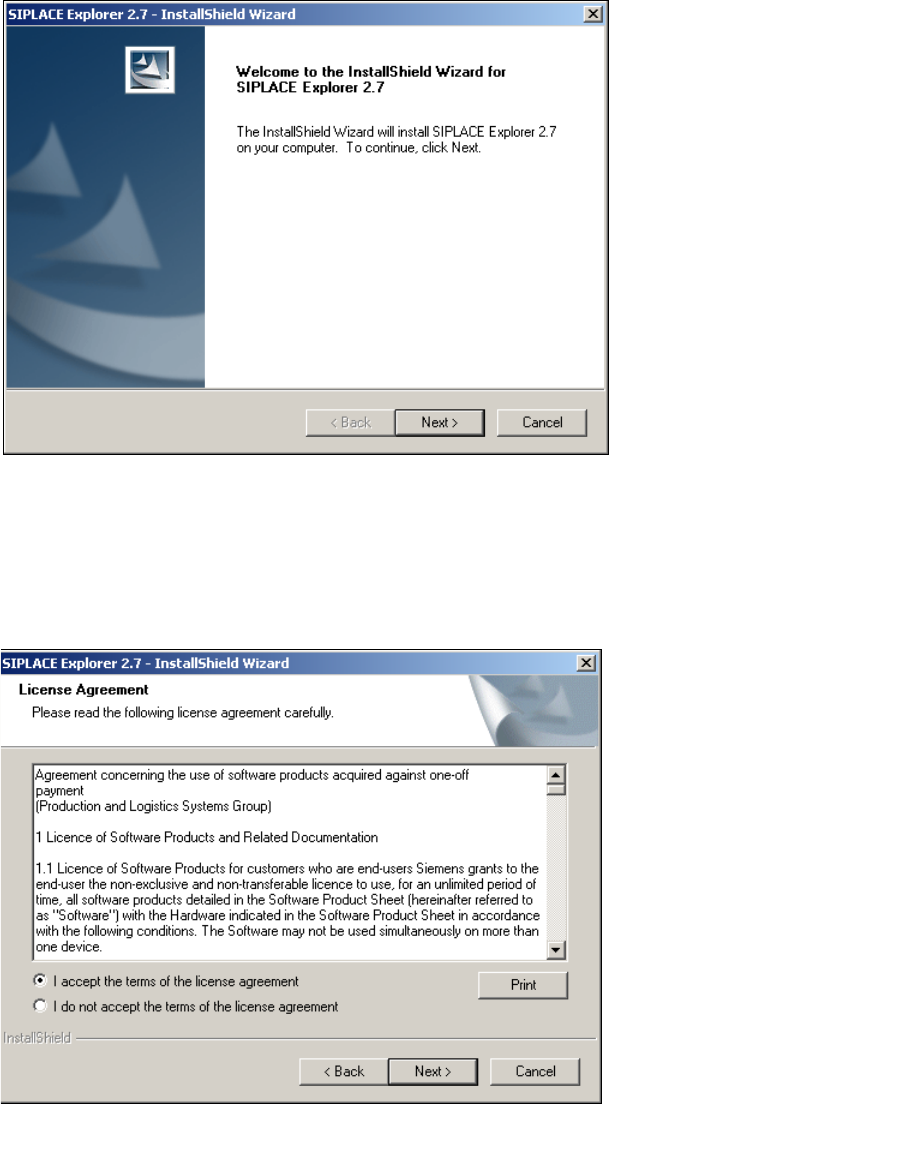
Fig. 3 - 2 SIPLACE Explorer welcome
→ Exit all other programs and then click on Next. The License Agreement dialog box will open.
→ Read the license agreement. If you agree with the conditions, click I accept ..., otherwise, click
on I do not accept .... If you select I do not accept ..., the installation procedure will be
terminated.
3
Fig. 3 - 3 SIPLACE Explorer setup - license agreement
→ Confirm your selection with Next.
3 Installing SIPLACE Explorer Installation and Configuration Guide SIPLACE Explorer
3.1 Initial Installation of SIPLACE Explorer 2.7 Edition 03/2010 EN
30
→ Before you can run SIPLACE Explorer, J2SE Runtime Environment 6.0 update 1 or higher
must be installed on your PC. If it is already installed on your PC, installation will begin
automatically.
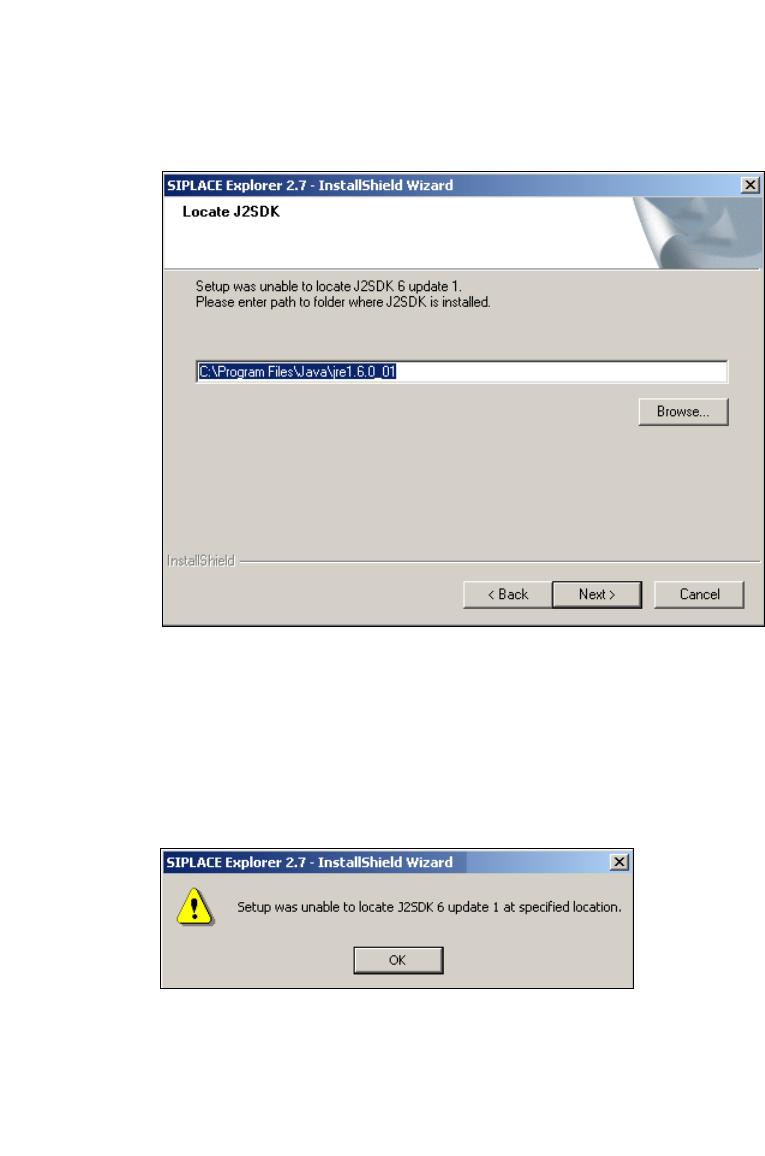
→ However, if the installation procedure is unable to find J2SE 6.0. update 1, the Locate J2SDK
dialog box will appear on your screen.
3
Fig. 3 - 4 SIPLACE Explorer setup - locate JAVA 2 SDK
→ In this case, you can either enter the path to the J2SE Runtime Environment 6.0 update 1 folder
directly into the text field or click on the Browse button and use the Open File dialog box to
find the J2SE Runtime Environment 6.0 update 1 folder.
→ If you failed to correctly specify the path to the folder in which J2SE Runtime Environment 6.0
update 1 is installed, you will see the following message.
3
Fig. 3 - 5 SIPLACE Explorer setup - unable to locate J2SE
→ Click OK to return to the previous screen. SIPLACE Explorer requires J2SE Runtime
Environment 6.0 update 1 to be installed prior to installation of SIPLACE Explorer.
→ At this point, you can either try to specify the J2SE Runtime Environment 6.0 update 1 folder
again, or click Cancel to exit the installation of SIPLACE Explorer.