00196743-01 - Install Guide SIPLACE Explorer 2.7_en.pdf - 第46页
3 In st alli ng SIPLA CE Expl ore r Ins ta llat i on and Con fi gur ati on Gu id e SI PLA CE Exp lo rer 3. 5 Tom cat Conf igu rat ion Ed ition 03 /201 0 EN 46 3. 5 T o mca t Co nfigu ratio n 3. 5. 1 U si ng W ind o ws 20…
Installation and Configuration Guide SIPLACE Explorer 3 Installing SIPLACE Explorer
Edition 03/2010 EN 3.4 MS SQL Server Configuration
45
3
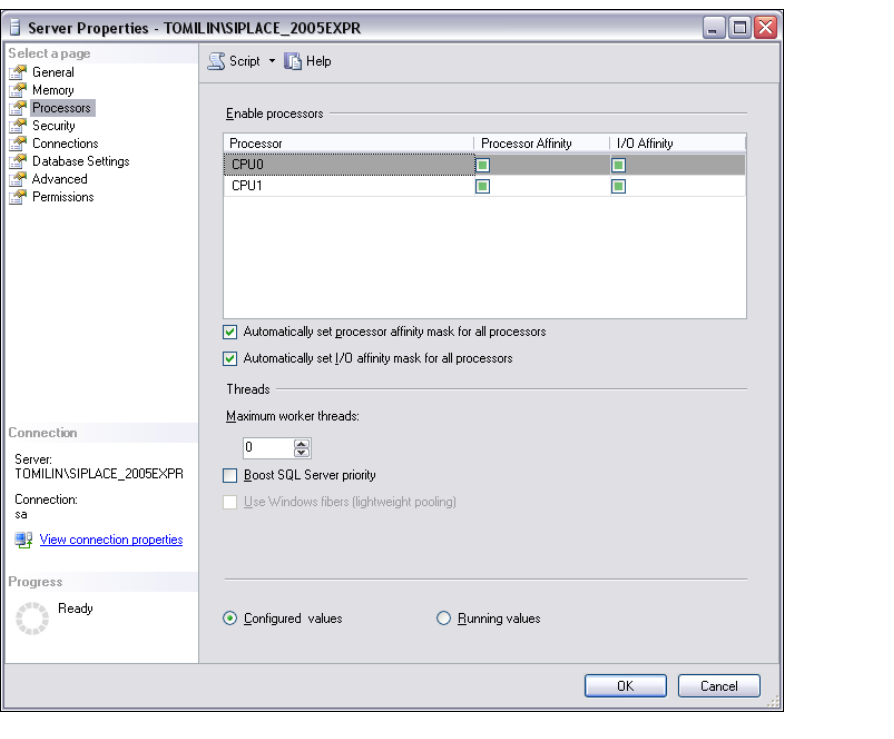
Fig. 3 - 24 MS SQL Server Properties
→ Select Processors.
→ Enable the following check boxes:
– Automatically set processor affinity mask for all processors
– Automatically set I/O affinity mask for all processors
→ Confirm with OK.
→ Start the MS SQL Server again.
3 Installing SIPLACE Explorer Installation and Configuration Guide SIPLACE Explorer
3.5 Tomcat Configuration Edition 03/2010 EN
46
3.5 Tomcat Configuration
3.5.1 Using Windows 2003 Server
If you have installed Windows 2003 Server as your operating system, you will need to reconfigure
the web server (Tomcat) before using SIPLACE Explorer V2.7. This configuration will be done via
Internet Explorer. 3
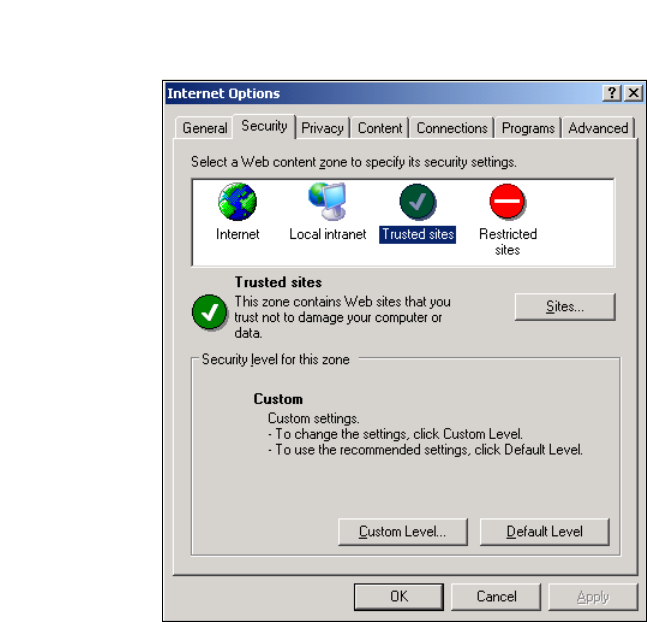
→ Select the menu Tools → Options.
→ The Internet Options dialog box will open:
3
Fig. 3 - 25 Internet Options
→ Select the Security tab.
→ Click on the Trusted Sites icon and click on Sites.
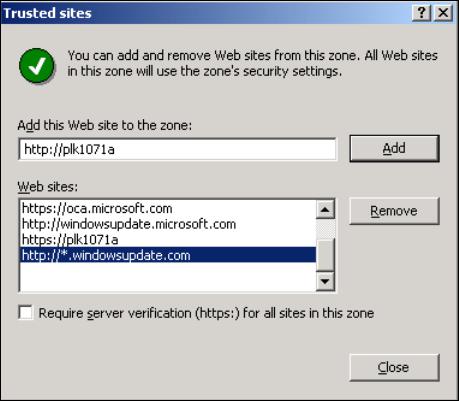
→ The Trusted Sites dialog box will open:
Installation and Configuration Guide SIPLACE Explorer 3 Installing SIPLACE Explorer
Edition 03/2010 EN 3.5 Tomcat Configuration
47
3
Fig. 3 - 26 Internet Options
→ Specify the URL or the web server (Tomcat) name. Confirm with Add.
→ Close the Trusted Sites dialog box with Close.