00196743-01 - Install Guide SIPLACE Explorer 2.7_en.pdf - 第87页
Ins ta llat i on and Con fi gur ati on Gu id e SI PLA CE Exp lo rer 4 Co nfig ur ati o n Edi tio n 03 /201 0 E N 4.2 Conf i guri ng th e F acto ry C onfi g urat ion Uti lit y 87 4.2. 7 DB Maintenan ce Define the ma int e…
4 Configuration Installation and Configuration Guide SIPLACE Explorer
4.2 Configuring the Factory Configuration Utility Edition 03/2010 EN
86
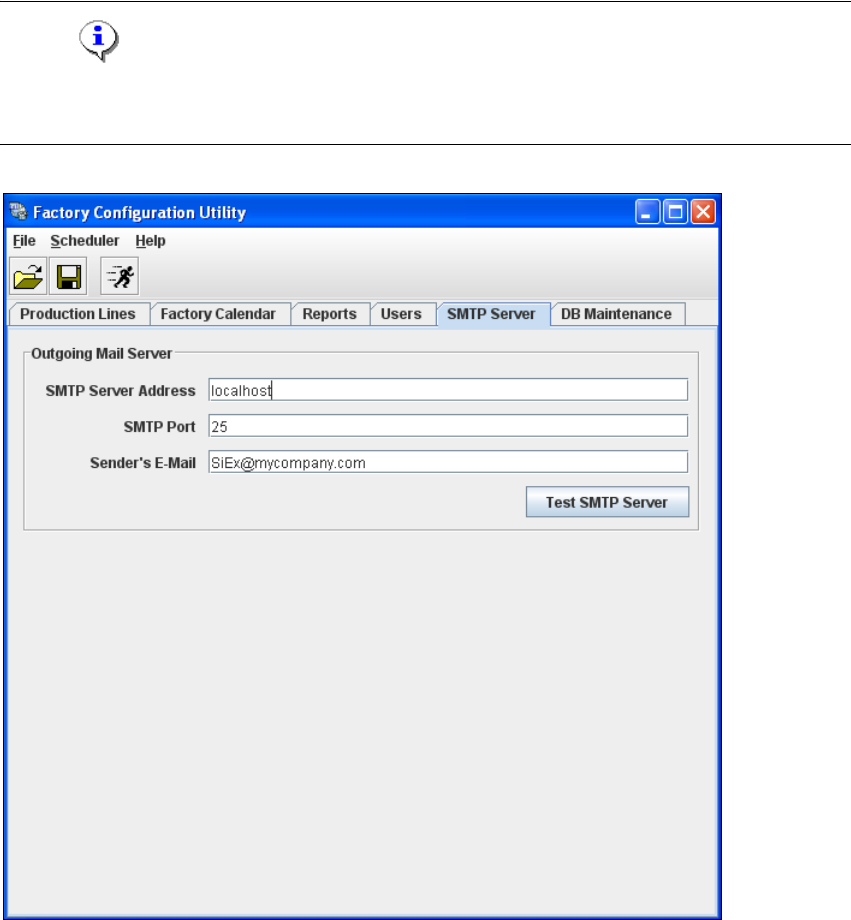
4.2.6 SMTP Server
The mail server configuration can be defined here. 4
NOTE
The mail server configuration should only be set by a system administrator as incorrect
configuration can lead to system conflicts. 4
4
Fig. 4 - 48 Factory Configuration Utility - SMTP server
Installation and Configuration Guide SIPLACE Explorer 4 Configuration
Edition 03/2010 EN 4.2 Configuring the Factory Configuration Utility
87
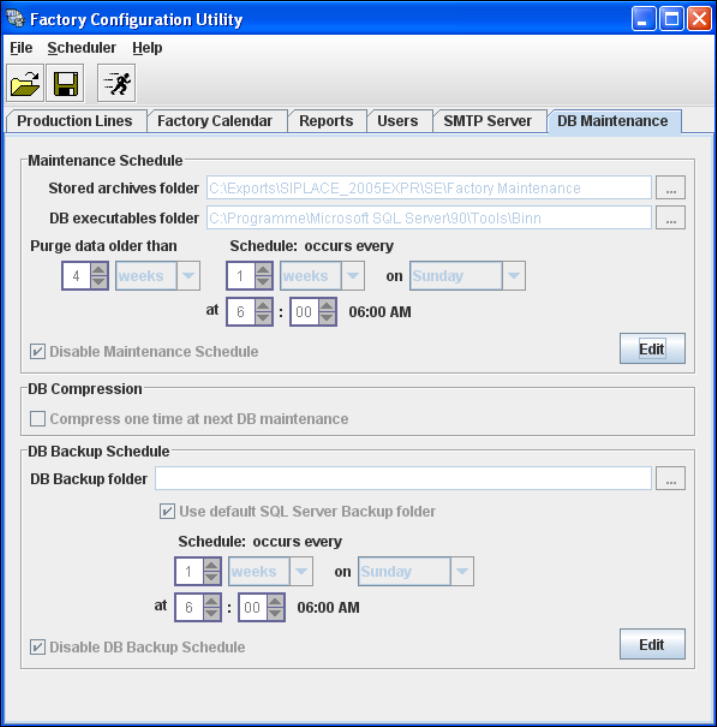
4.2.7 DB Maintenance
Define the maintenance schedule for the factory database, here. 4
→ Select the DB Maintenance tab.
4
Fig. 4 - 49 Factory Configuration Utility - DB maintenance
→ Before you can enter data you must log yourself in as database administrator. In the
Maintenance Schedule panel click on the Edit button.
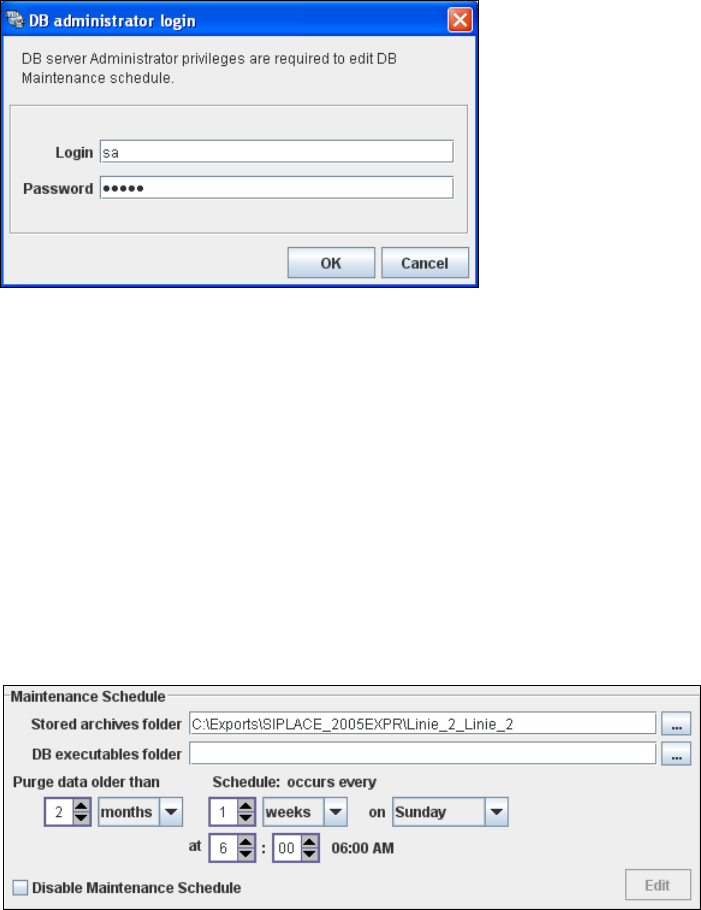
→ The DB Administrator Login dialog box will open.
4 Configuration Installation and Configuration Guide SIPLACE Explorer
4.2 Configuring the Factory Configuration Utility Edition 03/2010 EN
88
4
Fig. 4 - 50 DB administrator login
→ Enter the access data here and confirm your entries with OK.
→ The input fields in the DB Maintenance dialog box will be enabled. The following details can
be defined:
– The file and path for the archived data
– A schedule specifying the intervals and times when data is to be removed from the line
system database and stored in the archive.
– When to execute the maintenance schedule.
– The archiving schedule defined here will be stored in the database and can be called up
when required.
4
Fig. 4 - 51 DB maintenance
→ In the DB Backup Schedule panel click on the Edit button.
→ The DB Administrator Login dialog box will open.