00196743-01 - Install Guide SIPLACE Explorer 2.7_en.pdf - 第93页
Ins ta llat i on and Con fi gur ati on Gu id e SI PLA CE Exp lo rer 4 Co nfig ur ati o n Edi tio n 03/201 0 E N 4.3 D ata ba se Se tti ngs 93 → S etup and configuration of the system database consists of a simple three-s…
4 Configuration Installation and Configuration Guide SIPLACE Explorer
4.3 Database Settings Edition 03/2010 EN
92
→ If enabled, before performing the compression, the system creates a backup file of the
database. Specify the folder for this file in the Folder for database backup field. Click on the
Browse ... button to select an existing folder.
→ Confirm your choice with OK. The DB compression and the Factory website generation will
begin.
The factory website is the single entry point" for all production line websites. This means that
you can navigate directly from the factory website to all other production line websites which
have been configured with the Factory Configuration Utility. 4
→ Start the Microsoft Internet Explorer. Enter the HTTP address of the factory website in the
Address field.
→ The login page will open. For a detailed description of the factory website, please see the SMA
Guide.
4.3 Database Settings
4.3.1 Database Connection Wizard
The Database Connection Wizard is started if the system is unable to establish a connection to
the database. This could occur in the following cases: 4
– Runtime Environment:
Step 5 - Configure System Database page 59
– Factory Configuration Utility
Loading the DB settings on Factory Configuration Utility start, page 71
Installation and Configuration Guide SIPLACE Explorer 4 Configuration
Edition 03/2010 EN 4.3 Database Settings
93
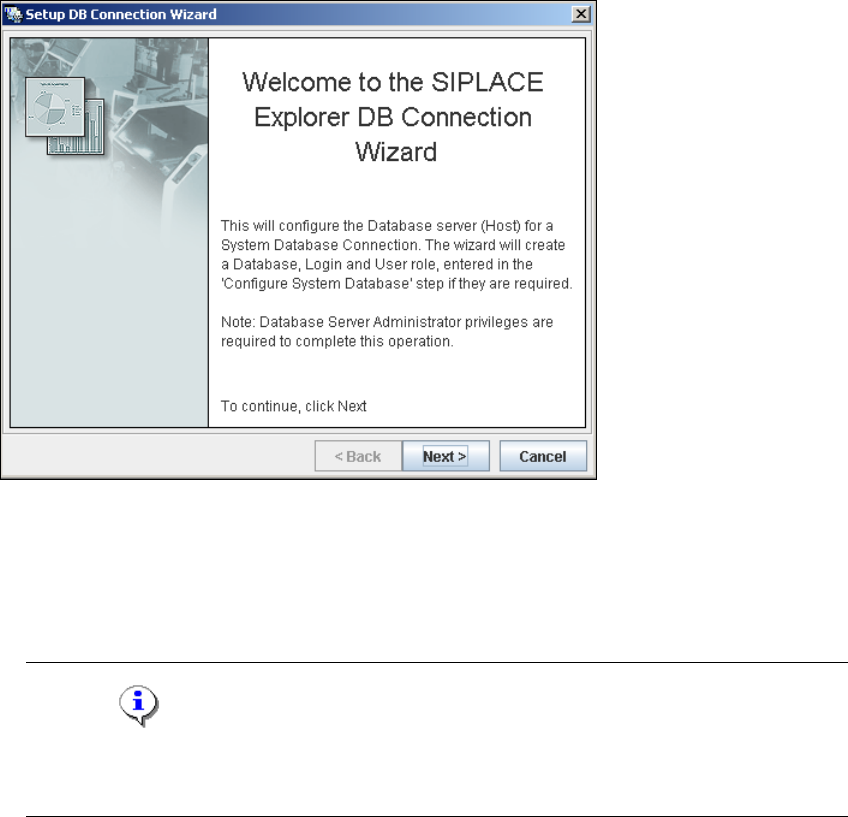
→ Setup and configuration of the system database consists of a simple three-step procedure.
Click on Next to continue.
4
Fig. 4 - 57 Welcome screen - database connection wizard
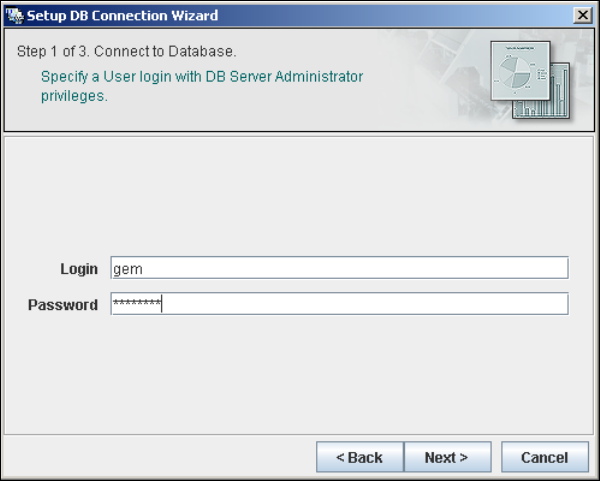
– Step 1- Connection to Database
→ At Step 1 you will need to specify your login and password to access the MS SQL Server.
Click on Next to continue.
NOTE
Please note that users must have DB administrator privileges to perform the necessary tests
and configuration. 4
4 Configuration Installation and Configuration Guide SIPLACE Explorer
4.3 Database Settings Edition 03/2010 EN
94
4
Fig. 4 - 58 Step 1- database connection wizard
At this point, the wizard will connect to the MS SQL Server and run tests to identify whether
the specified database, login and user roles exist. You will see a list of changes that the
wizard will undertake, in order to perform setup and configure the system database. 4