Cleaning SIPLACE Vision camera systems - 第14页
ASMP T GmbH & Co KG Rupert - Mayer - St raße 48 81379 Munich, Germany Subject to c hange without notice TI2024 - 03E09.doc 09.04.2025 Page 14 - 18 ENABLING THE DIGIT AL WORLD 4.8 Cleaning t he came ras SST 34 / SST34…
ASMPT GmbH & Co KG
Rupert-Mayer-Straße 48
81379 Munich, Germany
Subject to change without notice
TI2024-03E09.doc
09.04.2025
Page 13 - 18
ENABLING THE DIGITAL WORLD
4.7 Cleaning the stationary camera SST56
The construction of the SST56G (03271606-xx) is basically identical to that of the above-mentioned
types of stationary camera.
The splitting mirror can be cleaned as described above for the SST33.
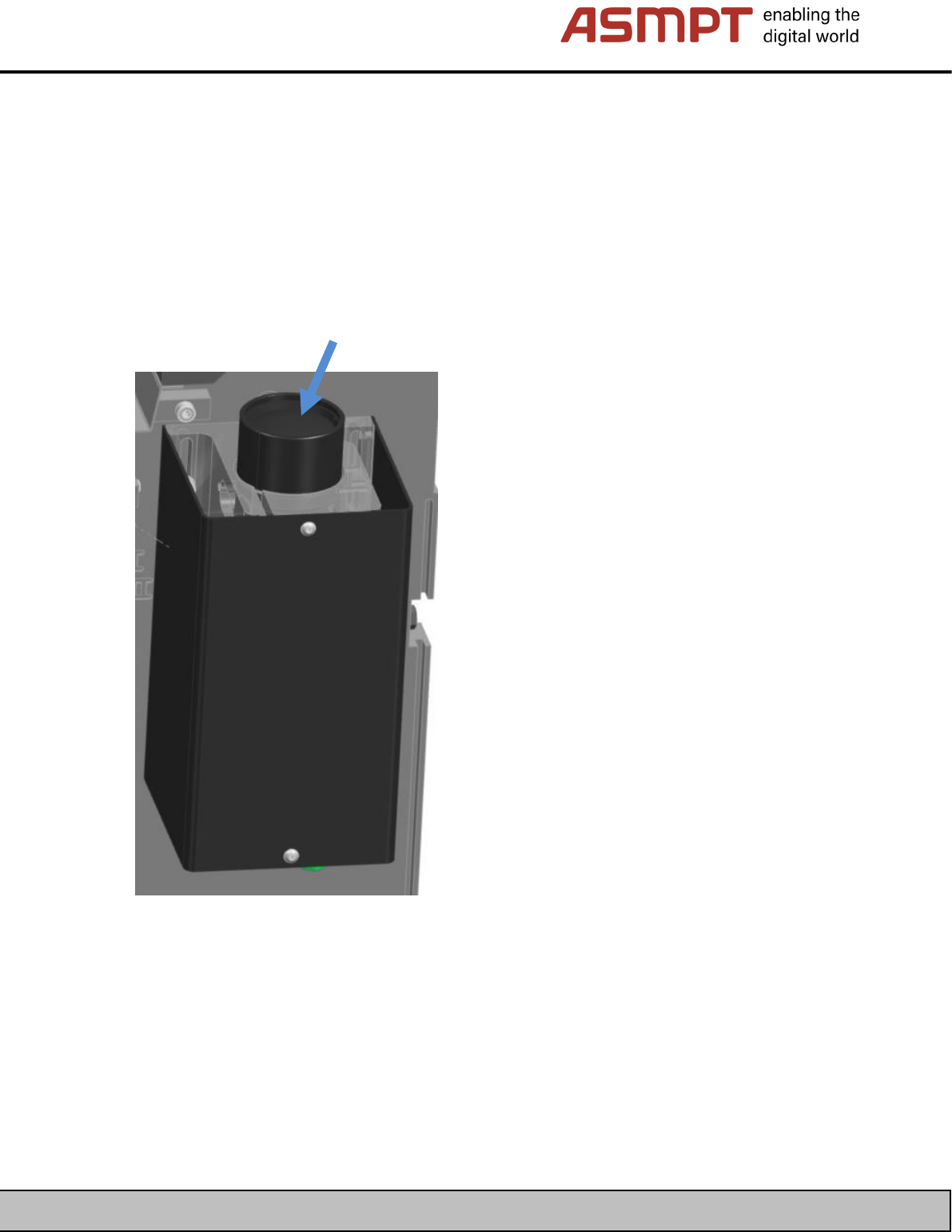
The area of the camera with the lens assembly is covered by a protective shield which also seals the
area against contamination.
You can clean the lens of the optics module from the top.
ASMPT GmbH & Co KG
Rupert-Mayer-Straße 48
81379 Munich, Germany
Subject to change without notice
TI2024-03E09.doc
09.04.2025
Page 14 - 18
ENABLING THE DIGITAL WORLD
4.8 Cleaning the cameras SST34 / SST34G (board cameras)
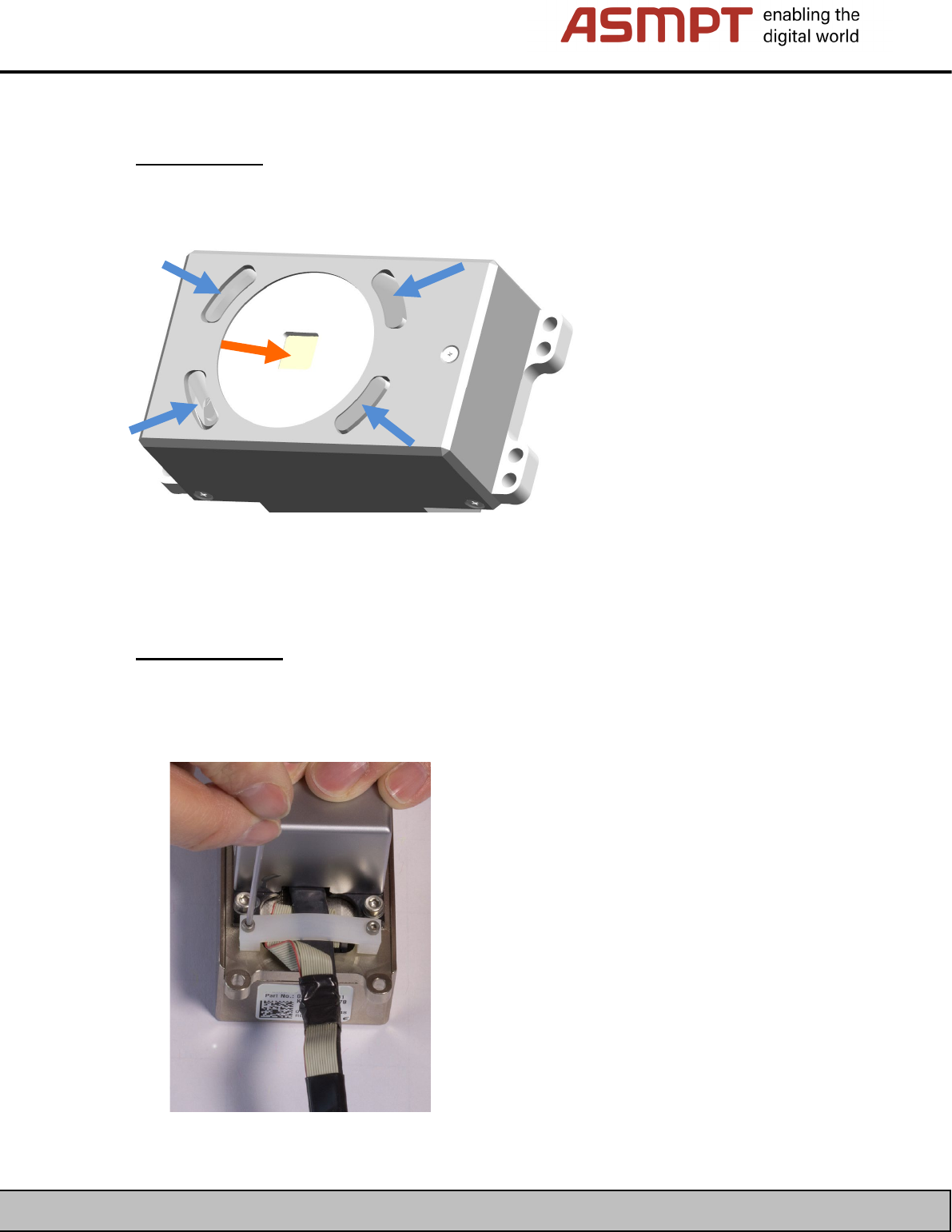
Simple cleaning:
Simple cleaning of the board camera involves cleaning the optical system from the outside without
removing the housing.
Clean the optical system (orange arrow) and the fiber-optic cable (blue arrow) using the appropriate
tools.
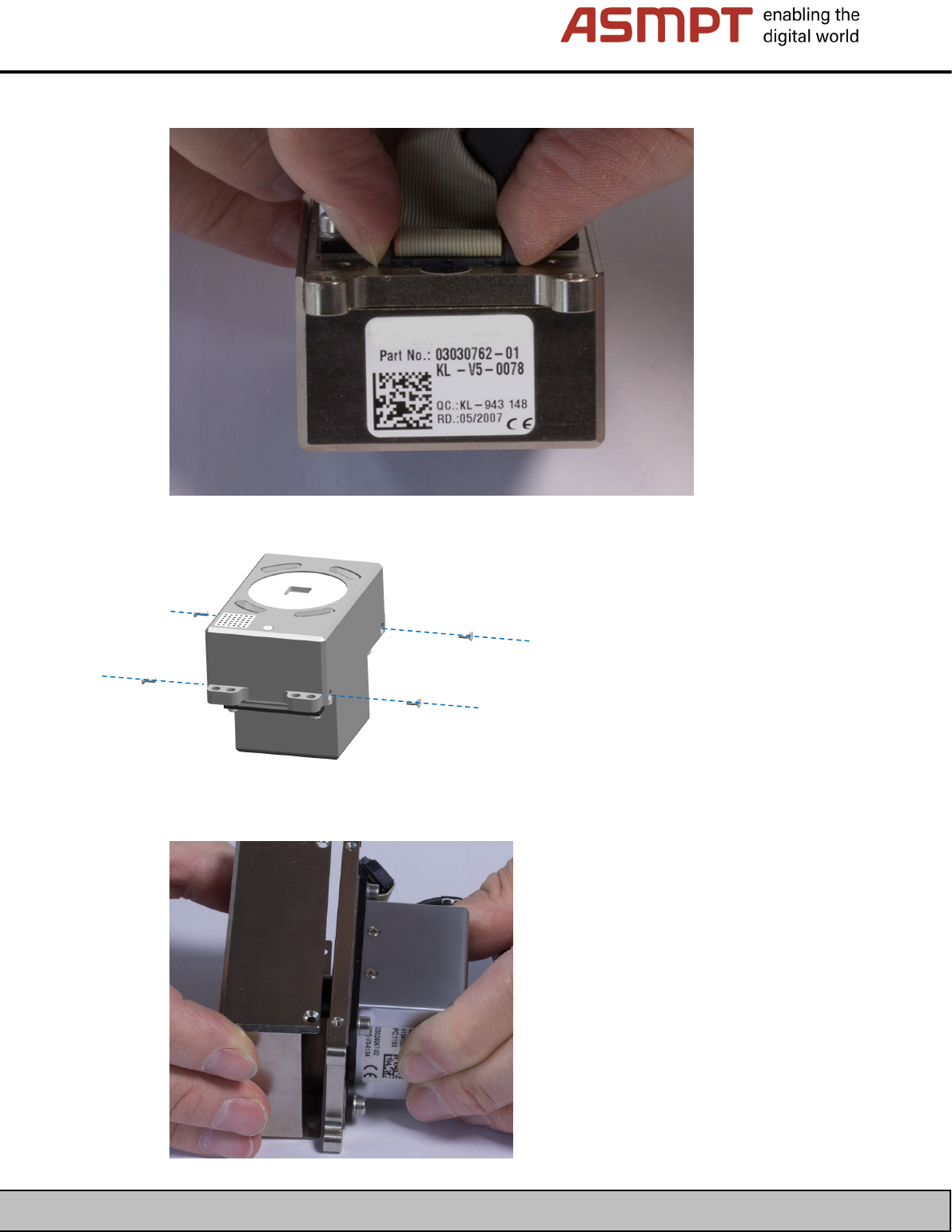
Complete cleaning:
To perform complete cleaning of the board camera, it is necessary to remove the housing and the
illumination board.
• First, remove the cable’s strain relief clamp.
ASMPT GmbH & Co KG
Rupert-Mayer-Straße 48
81379 Munich, Germany
Subject to change without notice
TI2024-03E09.doc
09.04.2025
Page 15 - 18
ENABLING THE DIGITAL WORLD
• Disconnect the cable’s connector for the illumination board.
• Now release the four screws on the housing.
• Carefully pull the housing off in a straight line.