Cleaning SIPLACE Vision camera systems - 第17页
ASMP T GmbH & Co KG Rupert - Mayer - St raße 48 81379 Munich, Germany Subject to c hange without notice TI2024 - 03E09.doc 09.04.2025 Page 17 - 18 ENABLING THE DIGIT AL WORLD • Y ou can n ow clean the inte rior of t …
ASMPT GmbH & Co KG
Rupert-Mayer-Straße 48
81379 Munich, Germany
Subject to change without notice
TI2024-03E09.doc
09.04.2025
Page 16 - 18
ENABLING THE DIGITAL WORLD
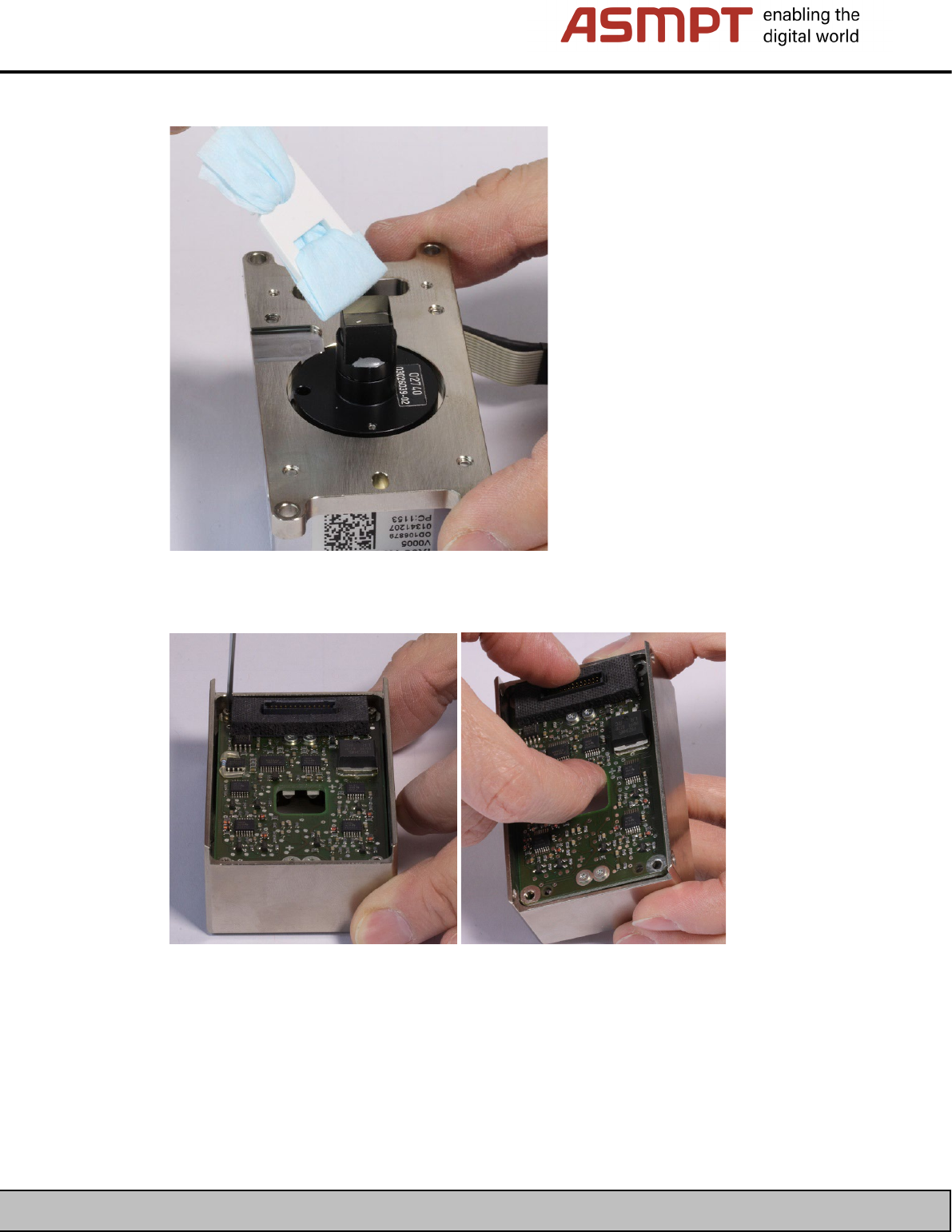
• You can now carefully clean the optical system (sensor).
• Release the four hexagonal socket head screws in the corners of the housing in order to remove
the illumination board.
ASMPT GmbH & Co KG
Rupert-Mayer-Straße 48
81379 Munich, Germany
Subject to change without notice
TI2024-03E09.doc
09.04.2025
Page 17 - 18
ENABLING THE DIGITAL WORLD
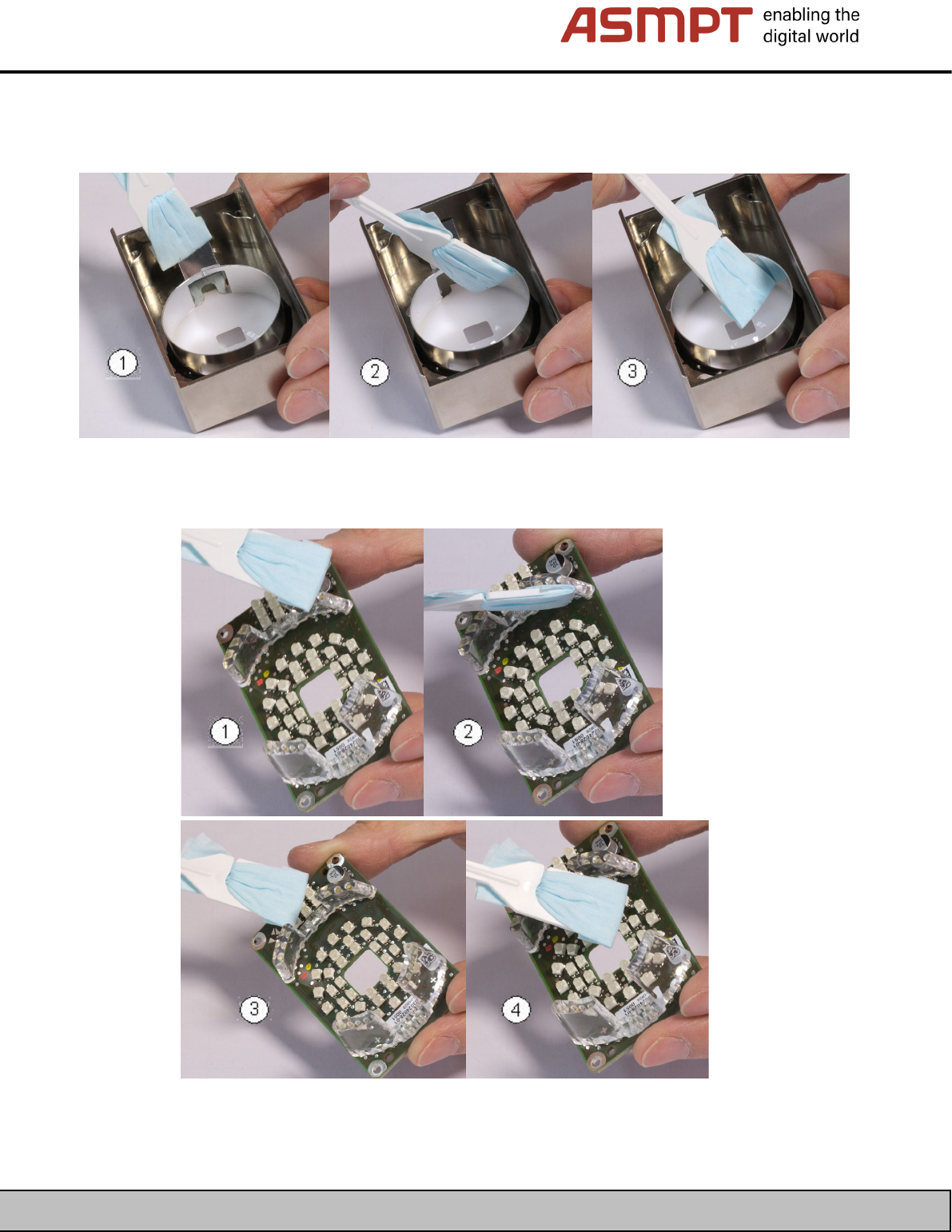
• You can now clean the interior of the housing by first using a vacuum to clean the entire interior.
It is then particularly important to clean the deflection mirror for 90° illumination (1), the reflection
ring (2) and the translucent glass disk (3) from the inside.
• Next clean the top (1) and side (2) fiber-optic cables at the illumination board,
and the LEDs for 90° illumination (3) as well as the other LEDs (4).
ASMPT GmbH & Co KG
Rupert-Mayer-Straße 48
81379 Munich, Germany
Subject to change without notice
TI2024-03E09.doc
09.04.2025
Page 18 - 18
ENABLING THE DIGITAL WORLD
4.9 Cleaning the SST54G camera (board camera)
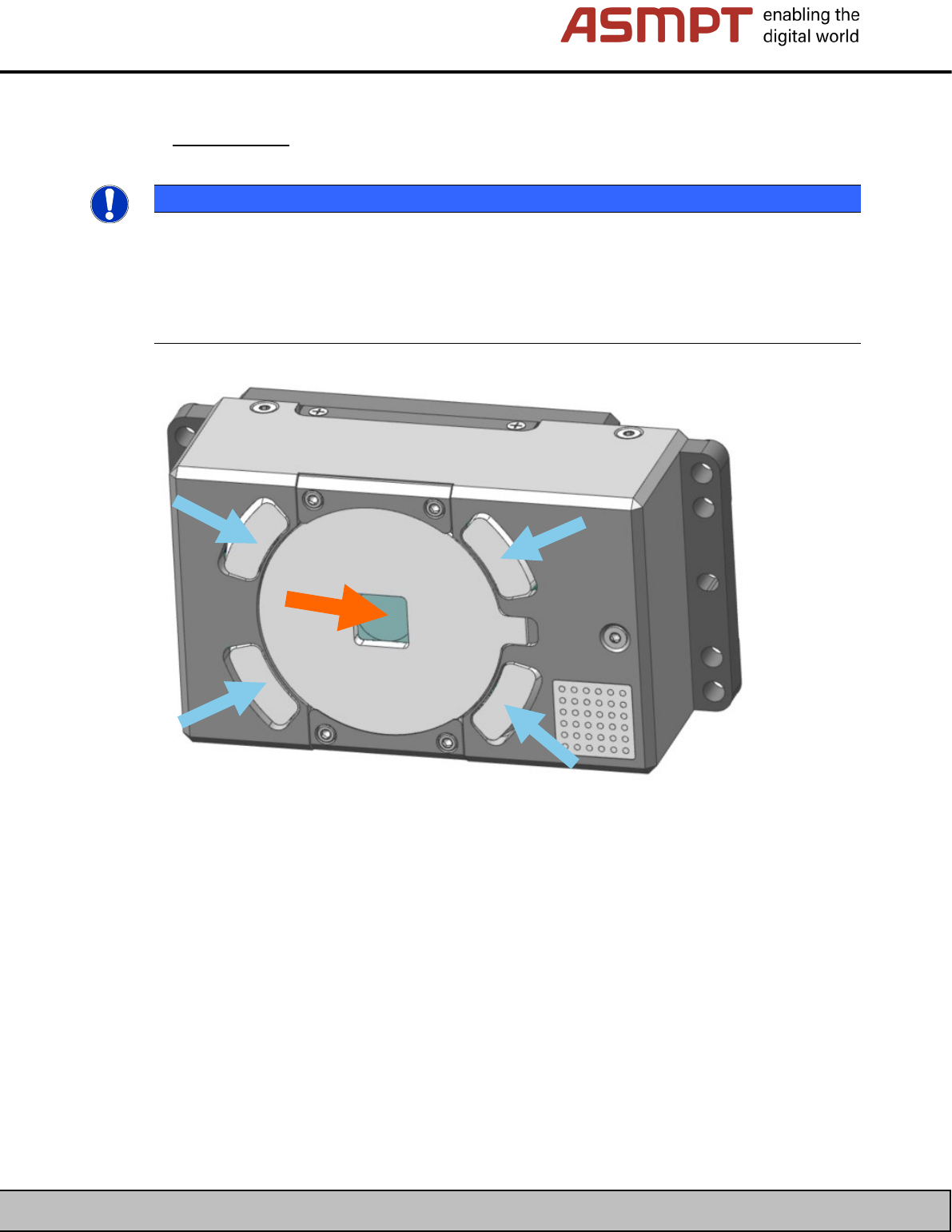
Only Simple Cleaning can be performed at the SST54G board camera.
Clean the optical system (orange arrow) and the fiber-optic cable (blue arrow) in the sequence
described and using the appropriate tools.
NOTE
The SST54G board camera must not be opened
The housing of the SST54 must not be removed.
It may not be possible to replace it securely again due to the internal plug connection between two
boards.
The camera may be irreparably damaged by short-circuits.