Cleaning SIPLACE Vision camera systems - 第4页
ASMP T GmbH & Co KG Rupert - Mayer - St raße 48 81379 Munich, Germany Subject to c hange without notice TI2024 - 03E09.doc 09.04.2025 Page 4 - 18 ENABLING THE DIGIT AL WORLD 4. Cleaning SIPLA CE Visi on camer a syst …
ASMPT GmbH & Co KG
Rupert-Mayer-Straße 48
81379 Munich, Germany
Subject to change without notice
TI2024-03E09.doc
09.04.2025
Page 3 - 18
ENABLING THE DIGITAL WORLD
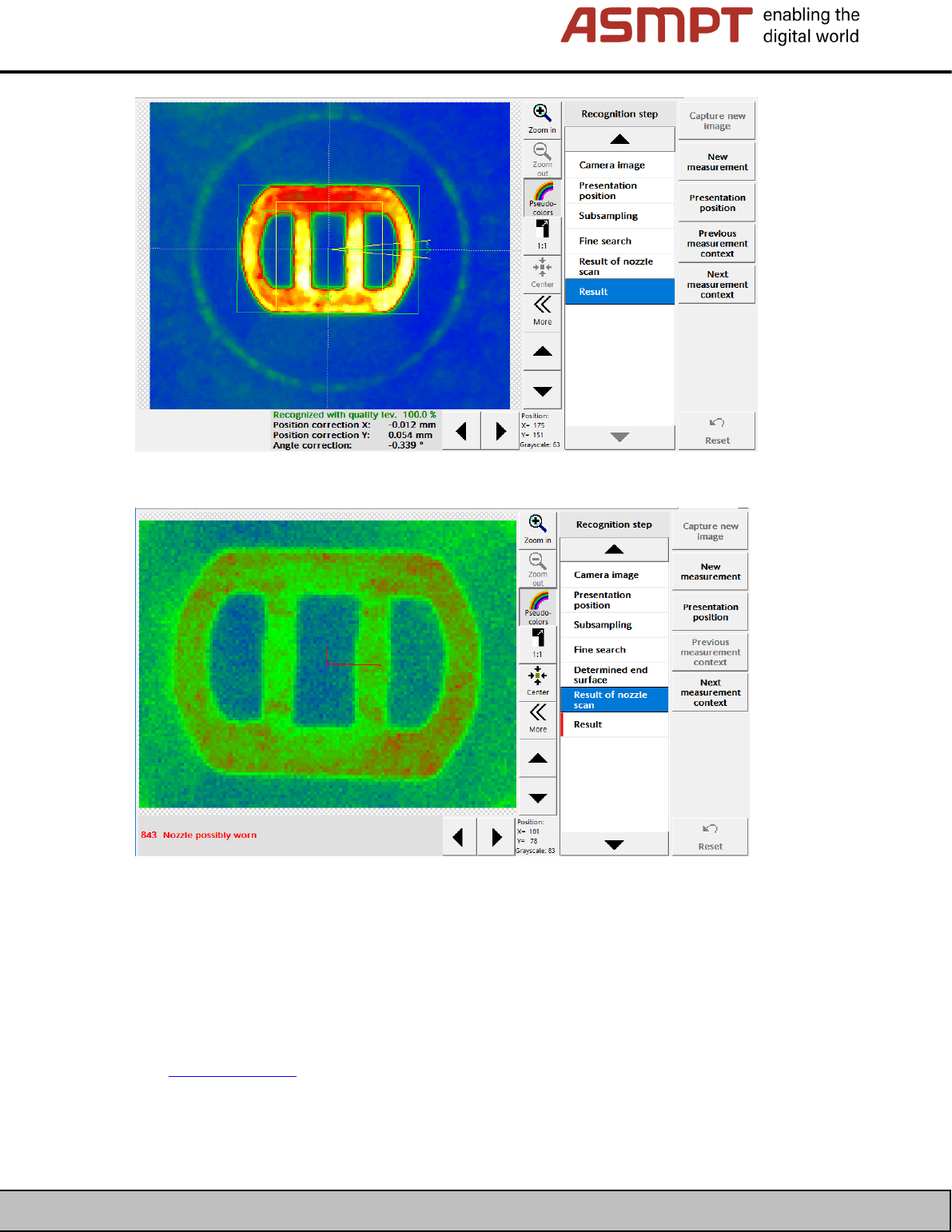
Figure 3: Nozzle scan, example of a slightly soiled camera!
Figure 4: Nozzle scan, example of a heavily soiled camera!
3.2 As of station software 712.1
The new function “Check for camera soiling” has been introduced in Version 712.1 of the station
software. This requires additional measurement tools.
See TI2019-02E06.pdf
ASMPT GmbH & Co KG
Rupert-Mayer-Straße 48
81379 Munich, Germany
Subject to change without notice
TI2024-03E09.doc
09.04.2025
Page 4 - 18
ENABLING THE DIGITAL WORLD
4. Cleaning SIPLACE Vision camera systems
It is generally recommended that you send the cameras to ASM AS for maintenance (cleaning) and
carry out a 1:1 replacement with a returned part credit note.
It is not always possible to access the locations that need cleaning on all cameras.
The possibilities for cleaning the individual camera types are described below.
WARNING
The camera can be permanently damaged!
If you wish to clean the camera yourself, make sure that you handle it carefully.
! Use only very gentle pressure when using the cleaning tools!
! Where possible, remove any heavy soiling (with an air blower), before using the
soft cleaning cloth!
4.1 Tools required
Many tools for cleaning SLR cameras are available on the Internet.
Only ever use tools designed for cleaning cameras.
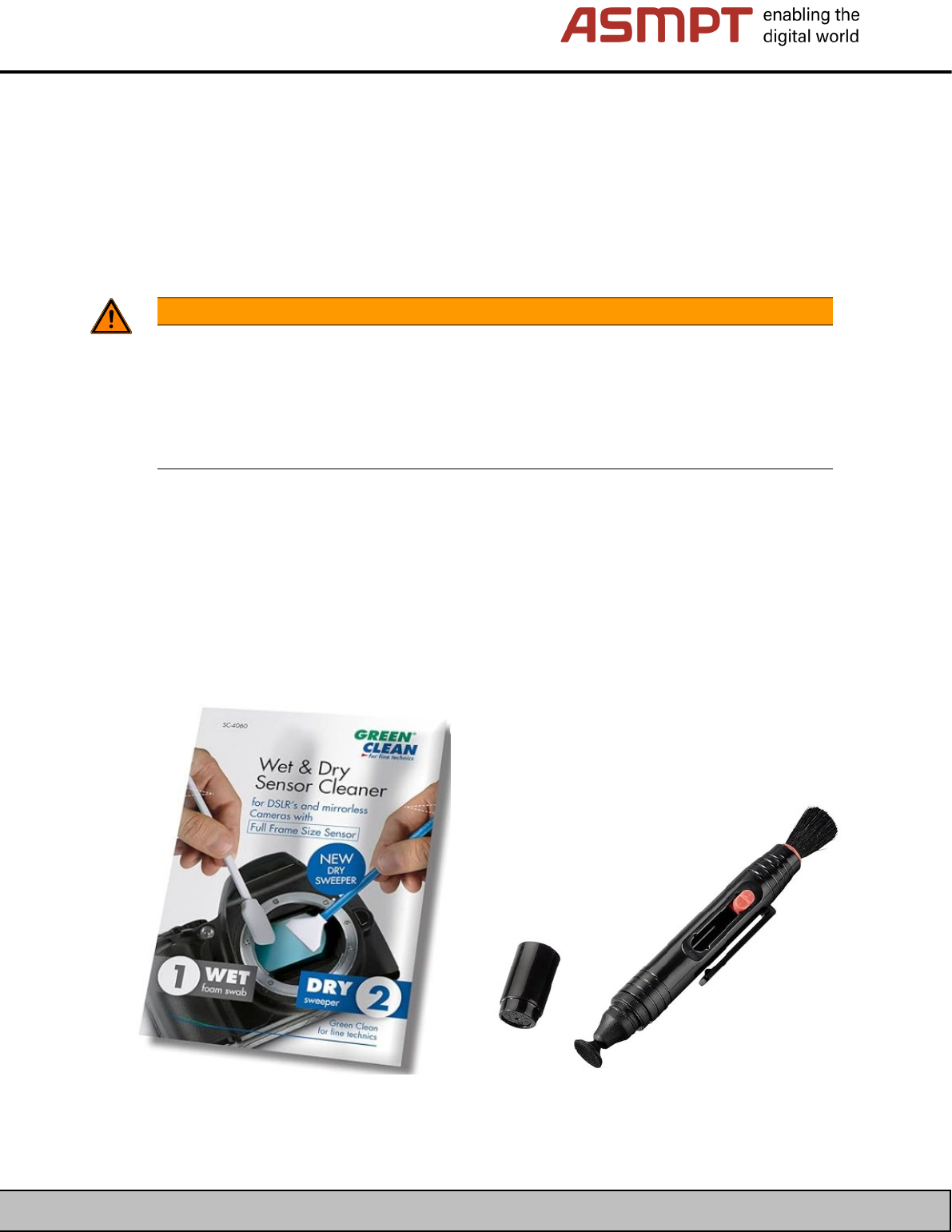
As an example of a kit for damp cleaning and subsequent dry wiping, we recommend the “GREEN
CLEAN Sensor Cleaner” below; for dry cleaning, we recommend, a Hama Lenspen cleaning pen for
cleaning the lens and filter.
ASMPT GmbH & Co KG
Rupert-Mayer-Straße 48
81379 Munich, Germany
Subject to change without notice
TI2024-03E09.doc
09.04.2025
Page 5 - 18
ENABLING THE DIGITAL WORLD
4.2 Cleaning the cameras SST23 / SST41 / SST23G / SST41G / SST48G / SST49G (C&P20x head)
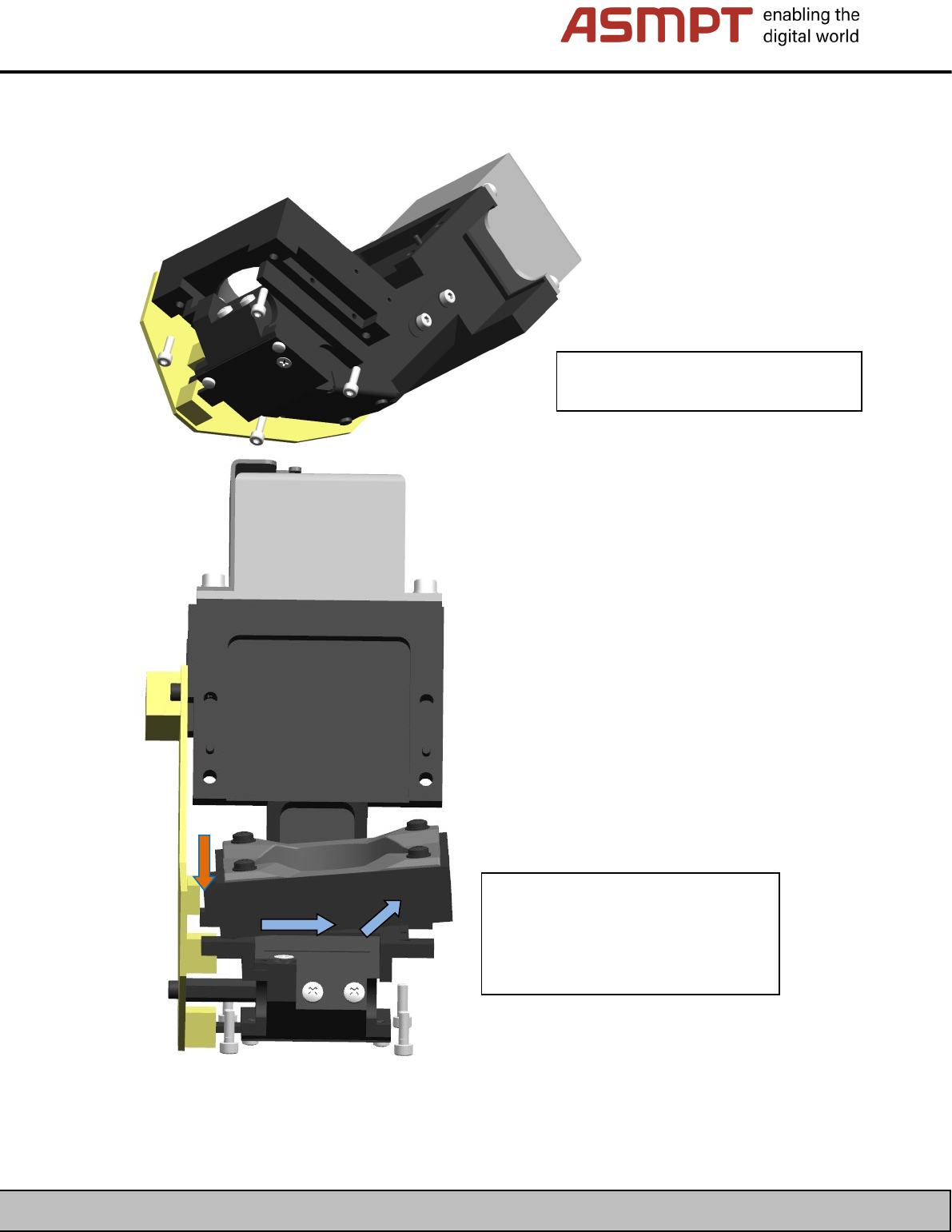
On the cameras for C&P20x heads, you can remove the illumination unit to clean the cover glass.
Release the 4 screws securing the
illumination unit to the camera.
Remove the illumination unit from the
connector on the board (orange
arrow) by first pulling it straight up
from the board and then twisting it
upwards (blue arrows).