SM482PLUS_Maintenance(Eng_Ver2.7).pdf - 第12页
Chap ter 1 This Chapter describes the work environment and working tools for the maintenance of the machine. Conditions fo r Main t e nanc e Multi -Func tional Placer SM482PLUS Maintenance Handbo ok 1-3 Common W orking P…
Chapter 1
This Chapter describes the work environment and working tools for the maintenance of
the machine.
Conditions for Maintenance
Multi-Functional Placer
SM482PLUS Maintenance Handbook
1-2
Common Working Procedure before Maintenance
Conditions for Maintenance
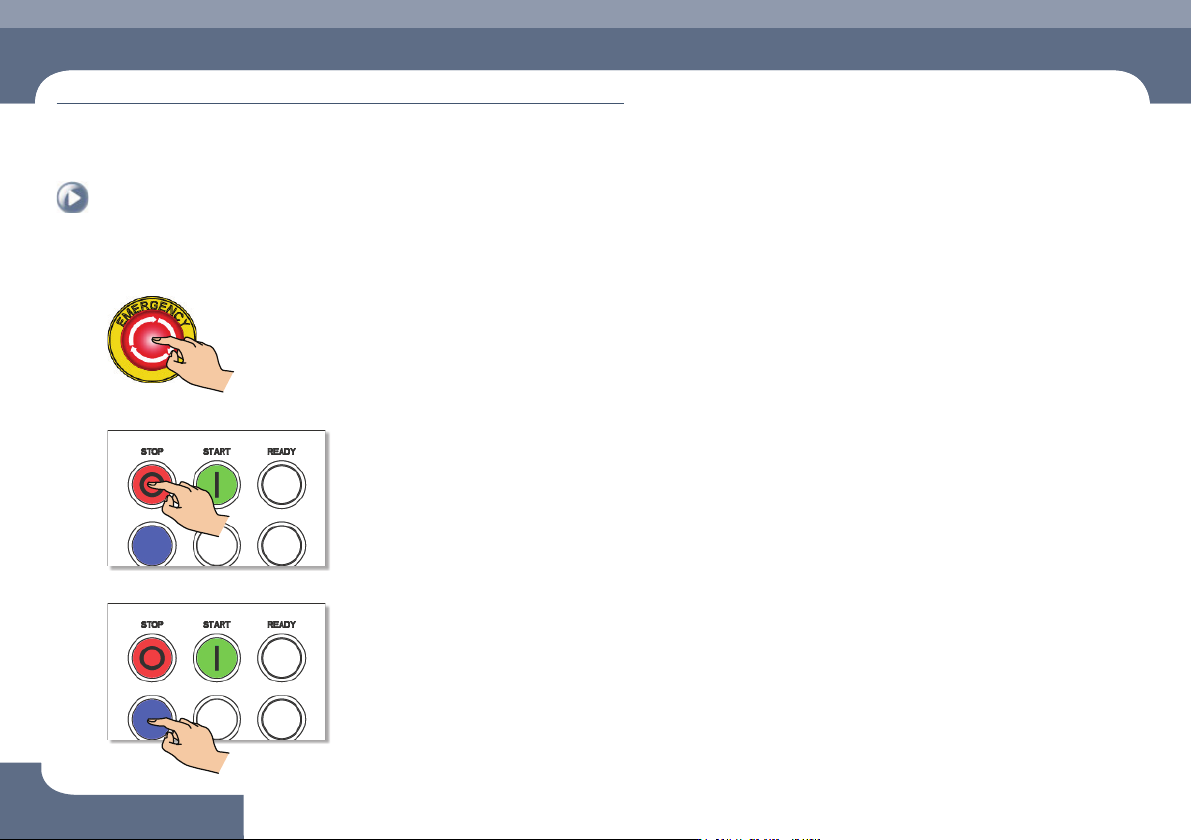
2. How to perform emergency stop
Step 1.
Press the 'EMG' switch
Step 2.
Press the 'STOP' button
Step 3.
Press the 'RESET' button
Chapter 1
This Chapter describes the work environment and working tools for the maintenance of
the machine.
Conditions for Maintenance
Multi-Functional Placer
SM482PLUS Maintenance Handbook
1-3
Common Working Procedure before Maintenance
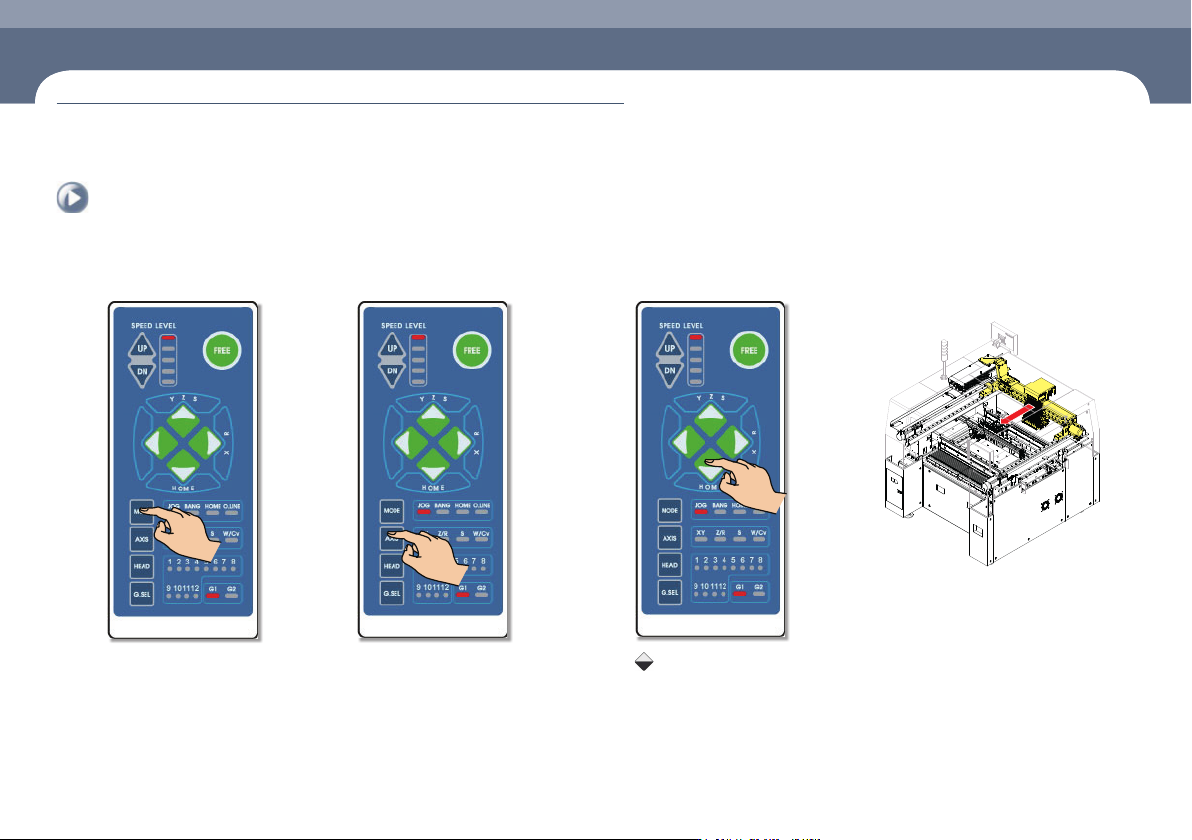
1. Press the 'MODE' button
Select JOG
2. Press the 'AXIS' button
Select XY
3. Press the 'Direction' button
Press the Key
Keep pressing the key until
the X-frame move to the
desired position.
4. Forward movement of the
X-frame
3. Forward movement of the X-frame
Chapter 1
This Chapter describes the work environment and working tools for the maintenance of
the machine.
Conditions for Maintenance
Multi-Functional Placer
SM482PLUS Maintenance Handbook
1-4
Common Working Procedure before Maintenance
Conditions for Maintenance
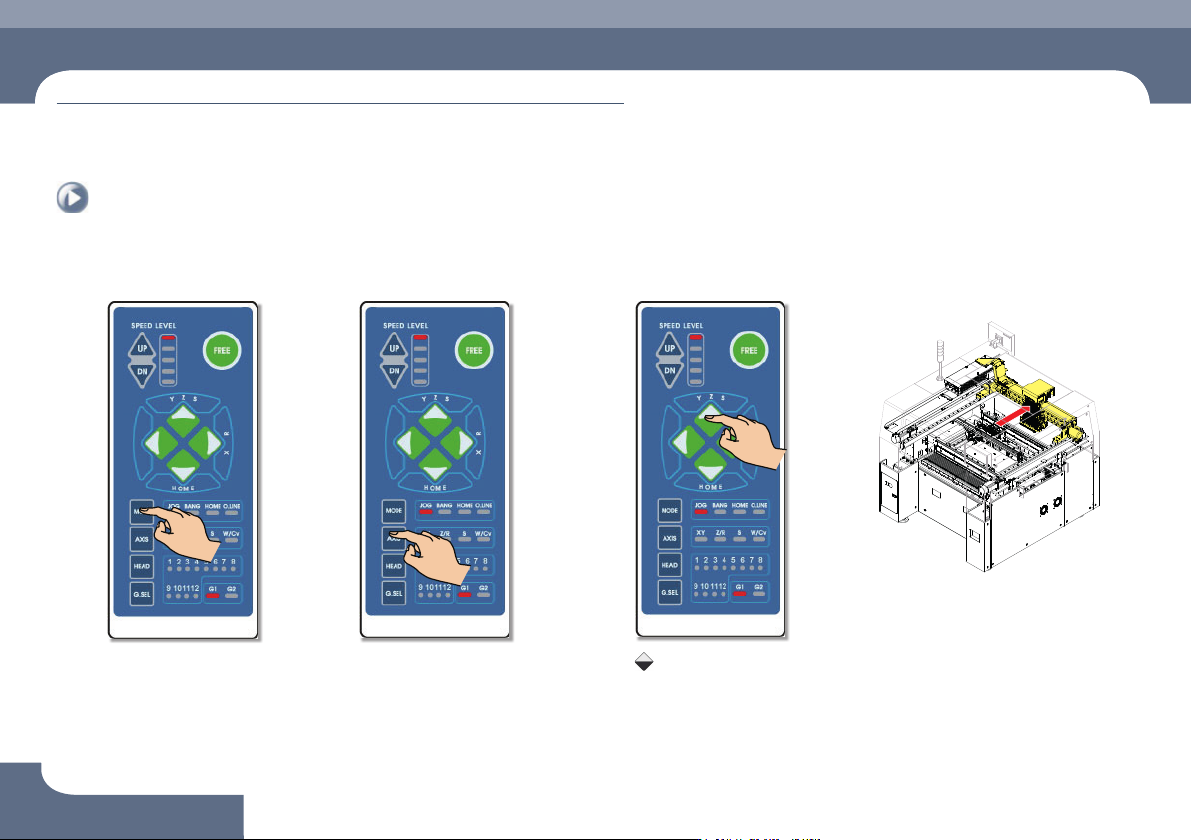
1. Press the 'MODE' button
Select JOG
2. Press the 'AXIS' button
Select XY
4. Backward movement of the X-frame
3. Press the 'Direction' button
Press the Key
Keeppressingthe'▲'key
until the X-frame move to
the desired position.
4. Backward movement of
the X-frame