SM482PLUS_Maintenance(Eng_Ver2.7).pdf - 第48页
W ee kly Inspe ction Chap ter 4 Multi -Func tional Placer SM482PLUS Maintenance Handbo ok 4-1 Cleaning the Head Fly Camera Lens T ool for M aintenanc e Air spray , Ethyl alcohol, Cotton swab Measures Step 1. Move t he X …
SM482PLUS Maintenance Handbook
3-14
Chapter 3
Daily Inspection
Multi-Functional Placer
Checking and replacing the Mist Separator Filter
Daily Inspection
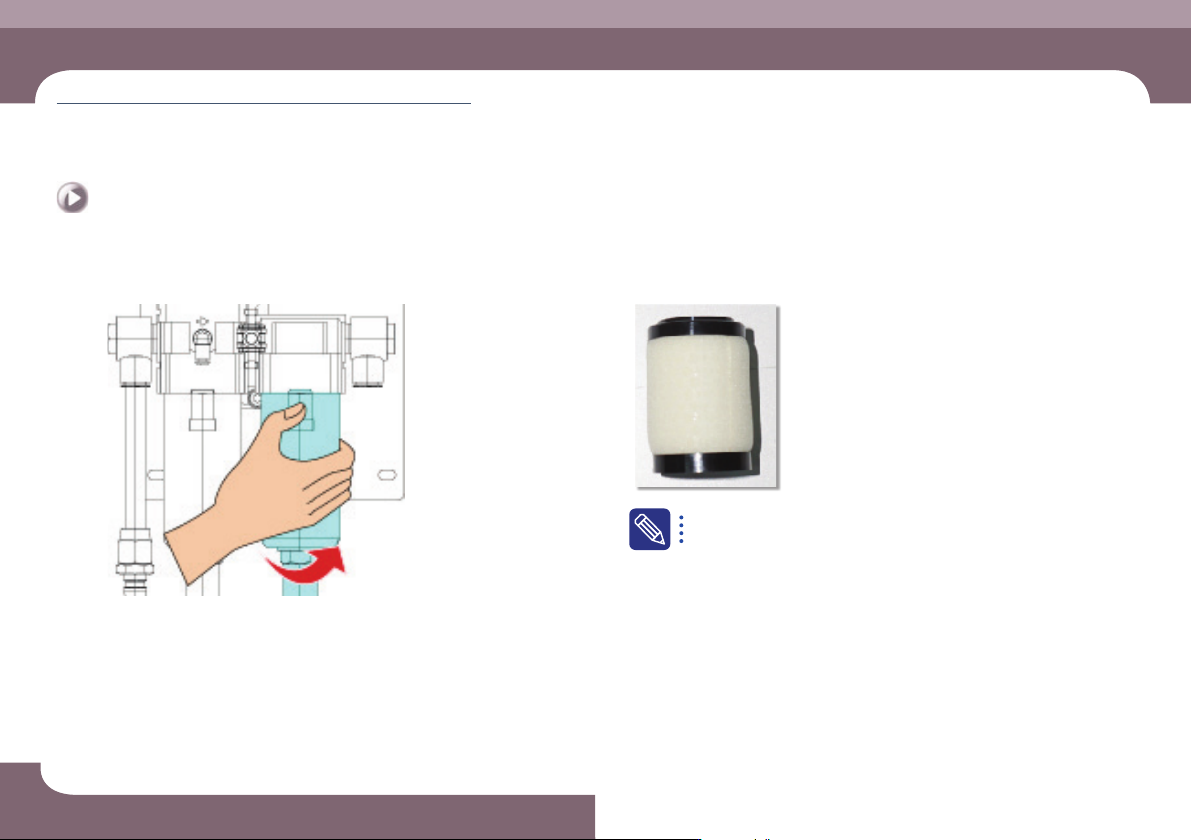
Step 5.
Separate the container by turning it counterclockwise
Step 6.
Turn the filter clockwise to separate it.
Dispose of contaminated filters removed from the equipment
immediately as they cannot be reused and improper use may cause
problems with product performance.
Step 7.
Release the emergency stop as described in “Releasing
‘Emergency Stop’ mode” on page 1-6 and perform the
operation again.
Weekly Inspection
Chapter 4
Multi-Functional Placer
SM482PLUS Maintenance Handbook
4-1
Cleaning the Head Fly Camera Lens
Tool for Maintenance
Air spray, Ethyl alcohol, Cotton swab
Measures
Step 1.
Move the X Frame to front by referring to “Forward
movement of the X-frame” on page 1-3.
Step 2.
Press the 'STOP' and 'RESET' buttons in order after
pressing the 'EMG' button on the OP panel to stop
operation.
For more details, refer to “How to perform emergency stop” on page
1-2.
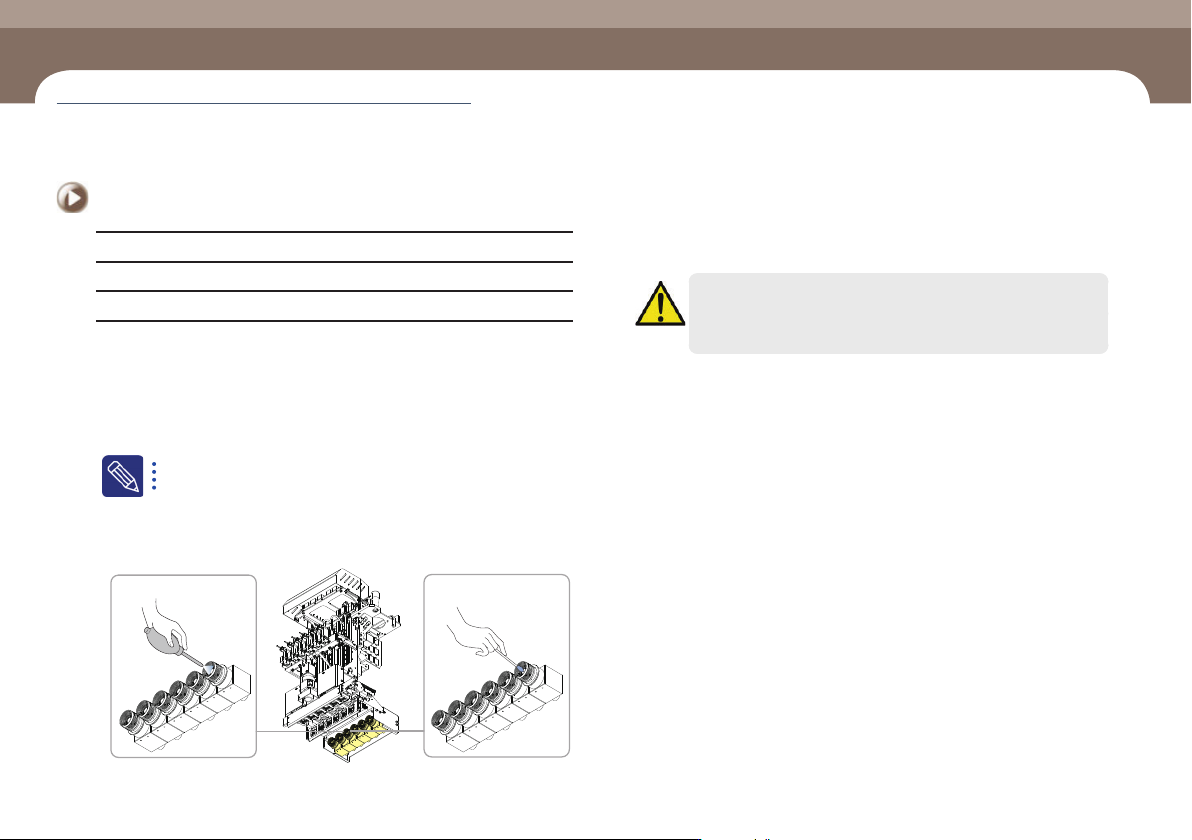
Step 3.
Remove any dust on the lens using an air spray. If
foreign materials are not removed completely, clean the
lens with a cotton swab slightly wetted with alcohol.
Caution
Cleaning the lens by exerting force may damage the surface of the
lens.
Step 4.
Release the emergency stop as described in “Releasing
‘Emergency Stop’ mode” on page 1-6 and perform the
operation again.
Cleaning the Head Fly Camera Lens
Chapter 4
Weekly Inspection
(Time required: 5min / No. W-1)
Weekly Inspection
Chapter 4
Multi-Functional Placer
SM482PLUS Maintenance Handbook
4-2
Cleaning the Head Mirror
Weekly Inspection
Tool for Maintenance
Air spray, Ethyl alcohol, Ultra-fine fiber cloth
Measures
Step 1.
Move the X Frame to front by referring to “Forward
movement of the X-frame” on page 1-3.
Step 2.
Press the 'STOP' and 'RESET' buttons in order after
pressing the 'EMG' button on the OP panel to stop
operation.
For more details, refer to “How to perform emergency stop” on page
1-2.
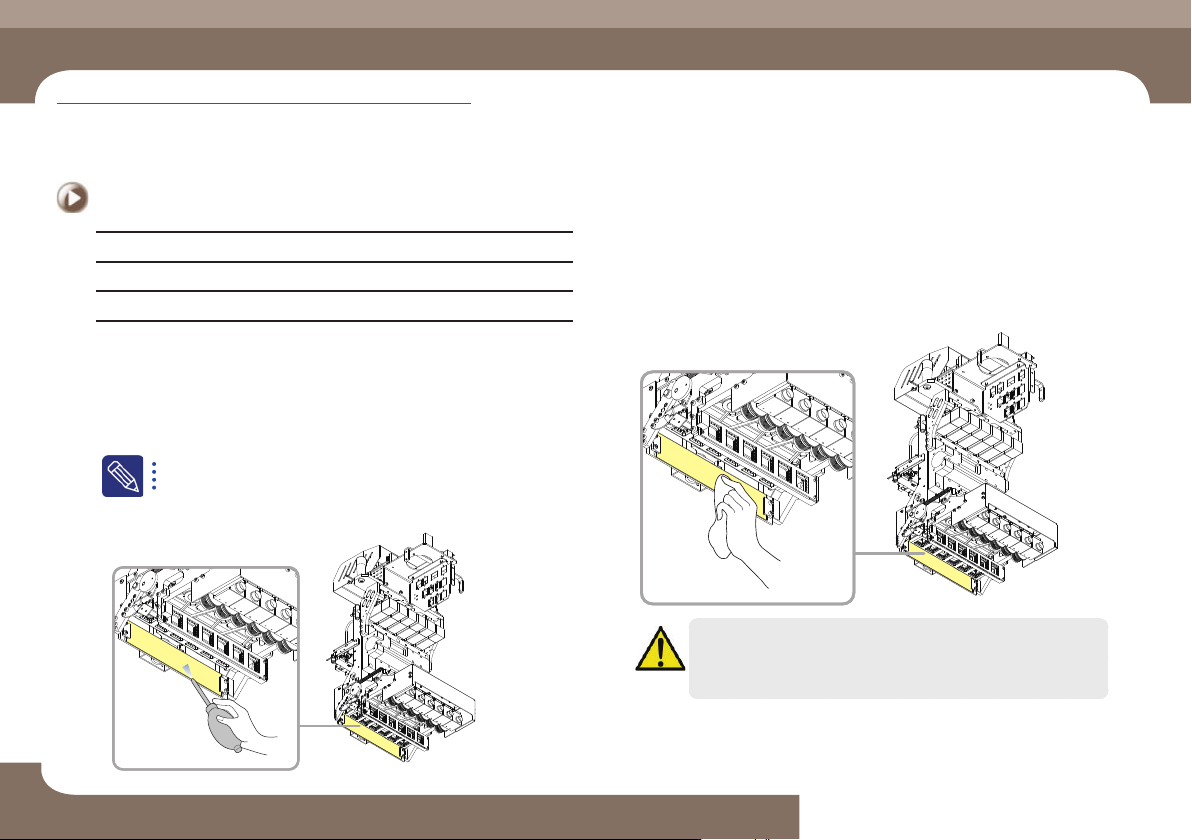
Step 3.
Remove the dust from the mirror using an air sprayer.
Step 4.
If the foreign material is not removed completely, clean
the mirror using a ultra-fine fiber cloth smeared with
alcohol.
Caution
Cleaning the lens by exerting force may damage the surface of the
lens.
Step 5.
Release the emergency stop as described in “Releasing
‘Emergency Stop’ mode” on page 1-6 and perform the
operation again.
Cleaning the Head Mirror
(Time required: 5min / No. W-2)