1022330_6 Edison Safety 3 Dec 2015.pdf - 第29页
. . . . . SAFETY (EDISON) Overview 1022330_6 29 Section E: . . . . . . . . . . . . . . . . . . . . . . . . . . . . . . . . . . . Lockout/T agout Recommendations Overview Introduction In order to ensure complete safety wh…

Safety (Edison) 28
This Page Intentionally Blank
. . . . .
SAFETY (EDISON)
Overview
1022330_6 29
Section E:
. . . . . . . . . . . . . . . . . . . . . . . . . . . . . . . . . . .
Lockout/Tagout Recommendations
Overview
Introduction In order to ensure complete safety when maintaining and/or repairing the Edison
printer, Speedline strongly recommends adherence to approved lockout/tagout
practices. In addition to local procedures, Speedline recommends the following.
Pneumatics Pressing the Emergency Stop button automatically removes air from the printer (up to
the main air regulator).
Procedure Lockout your Edison printer as follows:
Step Action
1 Set the Main Circuit Breaker/Disconnect Switch to O (off).
2
Electrical Hazard
WARNING. Main Disconnect terminals are live. Speedline
recommends that the printer’s power cord be unplugged
from its power source for added safety.
Unplug the power cord from its power source.
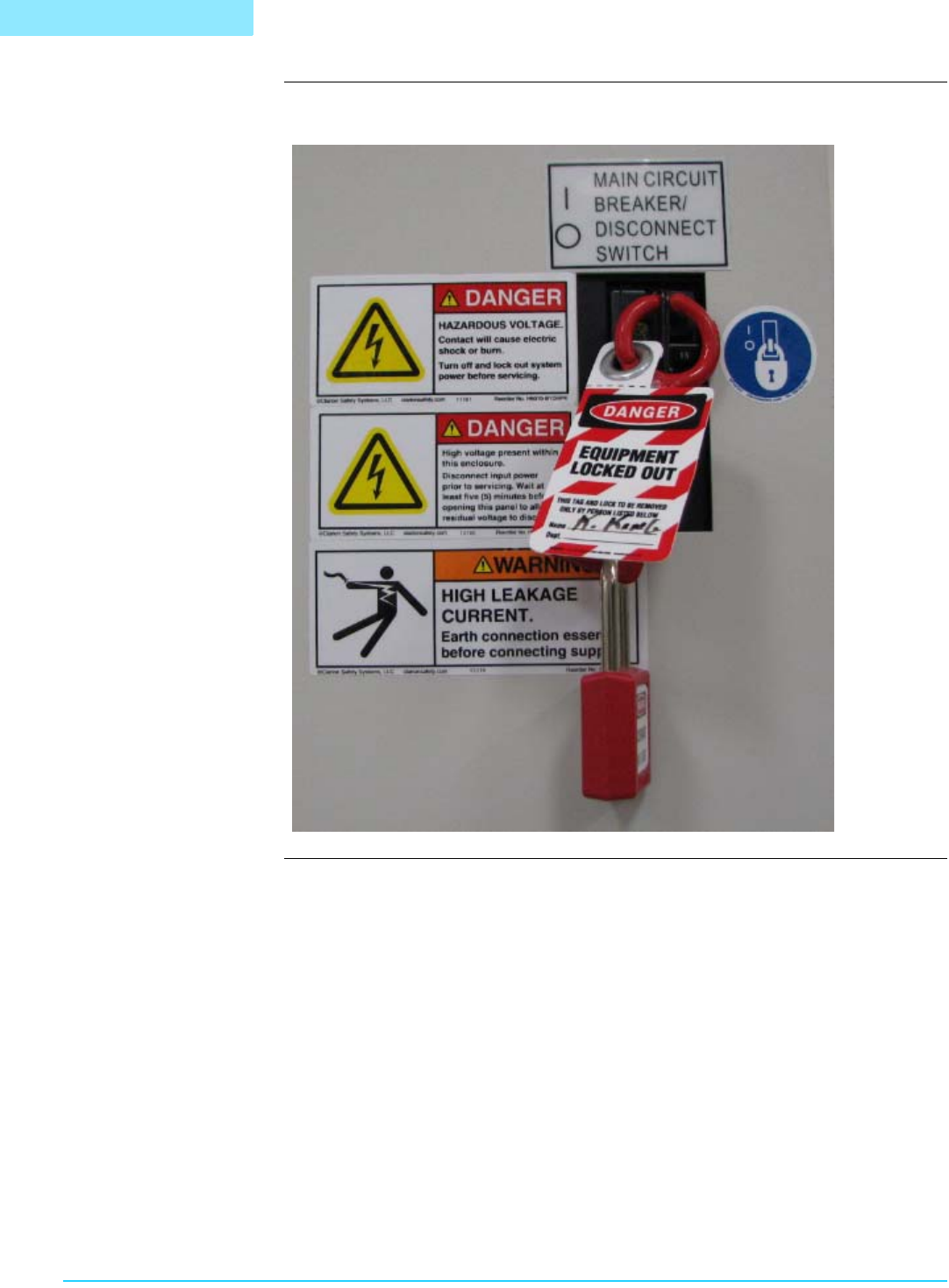
3 Apply locking device and tags to the Main Disconnect switch. See
“Sample Lockout” on page 30.
ATTENTION
The Edison printer is designed to effectively dissipate stored
energy when power is removed. Once power is removed and
the system is locked and tagged, there is no danger of
electrical shock due to stored energy.
SAFETY (EDISON)
Overview
30 Safety (Edison)
Sample Lockout Following is a sample lockout configuration:
B
A