1022330_6 Edison Safety 3 Dec 2015.pdf - 第6页
Safety (Edison) 6 This Page Intentionally Blank
. . . . .
SAFETY (EDISON)
Operating Precautions
1022330_6 5
Operating Precautions
Safe Operation Do not operate the printer unless it is properly installed and is functioning normally.
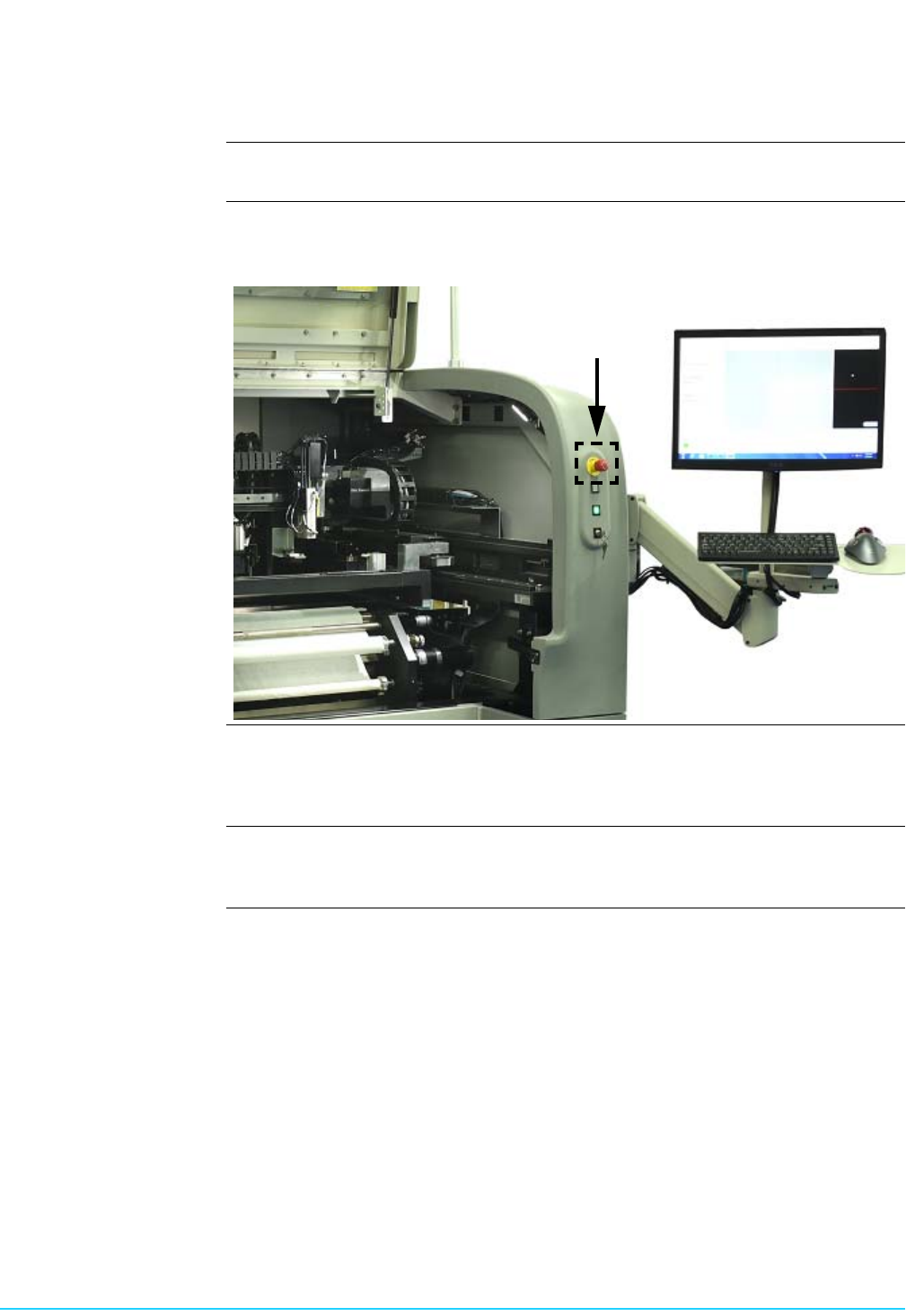
Printer Malfunction Never reach into the printer while it is operating. Should a malfunction occur, press the
red Emergency Stop switch located at the front right of the printer.
Safety Interlocks The system is equipped with safety interlocks which prohibit all movement within the
printer when the front hood is opened. Do not attempt to operate the system with
doors open or attempt to defeat the interlocks.
Compressed Air Compressed air should never be used to clean or dry printer components. Dirt and/or
debris may become dislodged under pressure causing injury to skin or eyes.

Safety (Edison) 6
This Page Intentionally Blank
. . . . .
SAFETY (EDISON)
Overview
1022330_6 7
Section B:
. . . . . . . . . . . . . . . . . . . . . . . . . . . . . . . . . . .
Hazard Labeling
Overview
Introduction Safety labels attached to the printer in specific locations alert users to potential
hazards. It is important to understand the meaning of these labels.
Classification of
Hazards
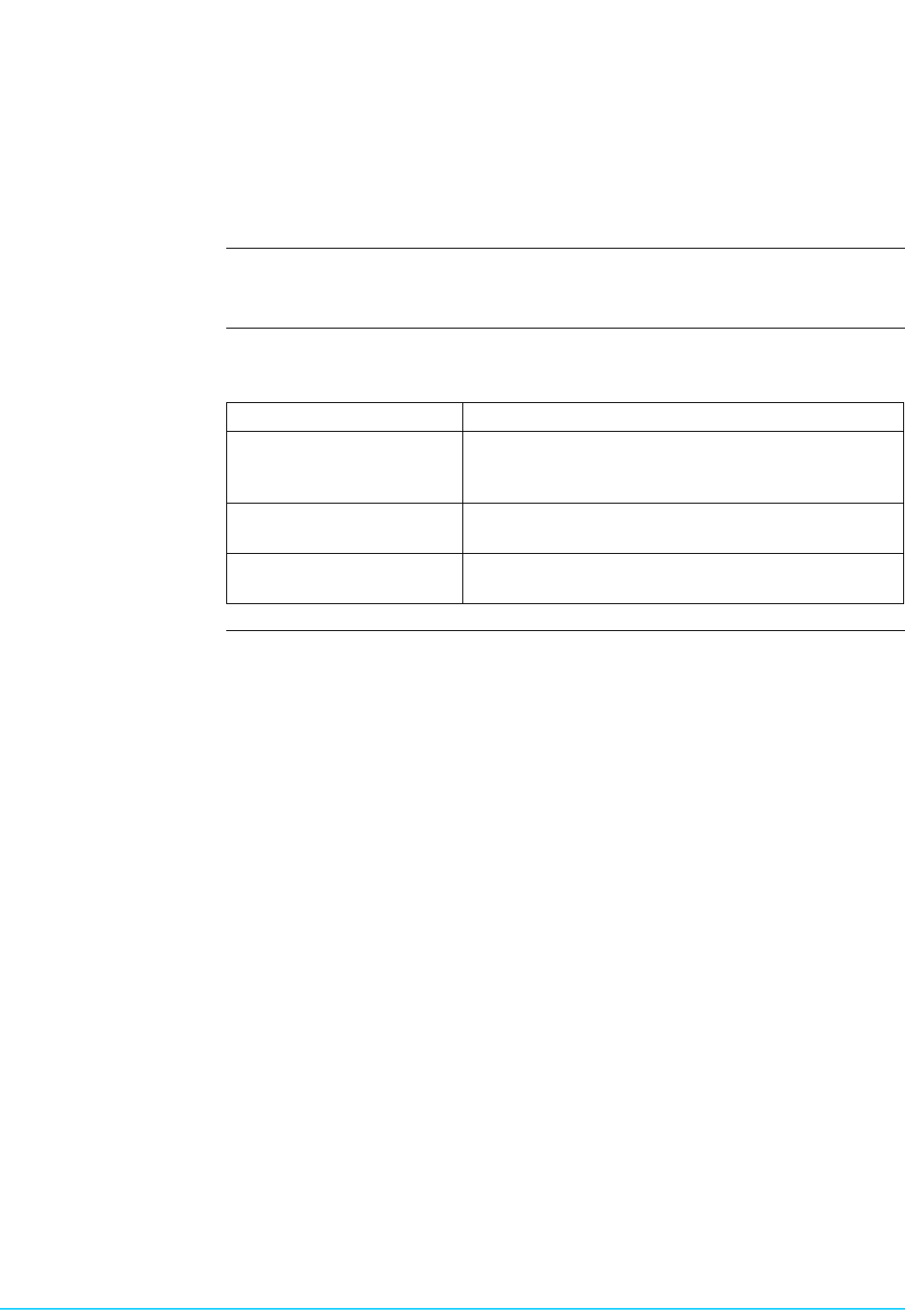
The following Signal words are used on safety labels and are defined by SEMI S13-
0298 as follows:
Signal Word Description
Caution Indicates a potentially hazardous situation which, if
not avoided, may result in minor or moderate injury. It
may be used to identify unsafe practices.
Warning Indicates a potentially hazardous situation which, if
not avoided, could result in death or serious injury.
Danger Indicates a potentially hazardous situation which, if
not avoided, will result in death or serious injury.