00198351-01_AI_Location 2 Upgrade Kit_E by SIPLACE_en.pdf - 第8页
1 Introduction 1.1 Safety Instructions Assembly Instructions E by SIPLACE Location 2 Upgrade Kit 04/2017 8 1.1.8 Laser Classification NOTICE Laser class 1 and 1M Modules in laser classes 1 and 1M are not labeled. 1.1.8.1…
Assembly Instructions E by SIPLACE
Location 2 Upgrade Kit 04/2017
1 Introduction
1.1 Safety Instructions
7
1.1.4 Safety Instructions for the Compressed Air Supply
CAUTION
Risk of injury from compressed air!
Risk of injury when disconnecting the compressed air lines.
► NEVER disconnect compressed air lines while they are still pressurized.
CAUTION
Prolonged interruptions to the compressed air supply can cause damage.
When the machine is switched on, do not use the shutoff valve to interrupt the compressed
air supply for more than 30 minutes.
► If you need to shut off the compressed air system for longer in order to carry out your
work, you must switch the placement system off at the main switch and disconnect it
from the power supply.
1.1.5 Safety Instructions for Work on the Cutting Device
WARNING
Risk of injury when working near the tape cutter.
When working in the area of the tape cutter, move the component trolley out of the machine
and disconnect the machine from the mains supply and the compressed air supply.
► Wait until the operating pressure has dropped to 0 MPa.
► Always secure the machine against unauthorized reactivation.
► Do not reach into the tape cutter.
CAUTION
Risk of injury when performing service work on the tape cutter.
Never support the tape cutter on your body, e.g. on your knees or thighs. Do not place your
feet under the tape cutter.
► Wear appropriately thick protective gloves.
► When removing/fitting the tape cutter, hold it only outside on the left and right.
1.1.6 Safety Instructions for the Gantry
CAUTION
Moving the gantry can damage the placement head.
When moving the gantry, observe the following:
► NEVER move the gantry by pushing with your hands against the placement head.
► NEVER push the gantry while the Z axis is lowered.
1.1.7 Safety Instructions on Hazardous Materials
CAUTION
Observe the safety data sheets
Observe the applicable safety data sheet, when handling hazardous materials (e. g. Loctite
241, ethanol).
1 Introduction
1.1 Safety Instructions
Assembly Instructions E by SIPLACE
Location 2 Upgrade Kit 04/2017
8
1.1.8 Laser Classification
NOTICE
Laser class 1 and 1M
Modules in laser classes 1 and 1M are not labeled.
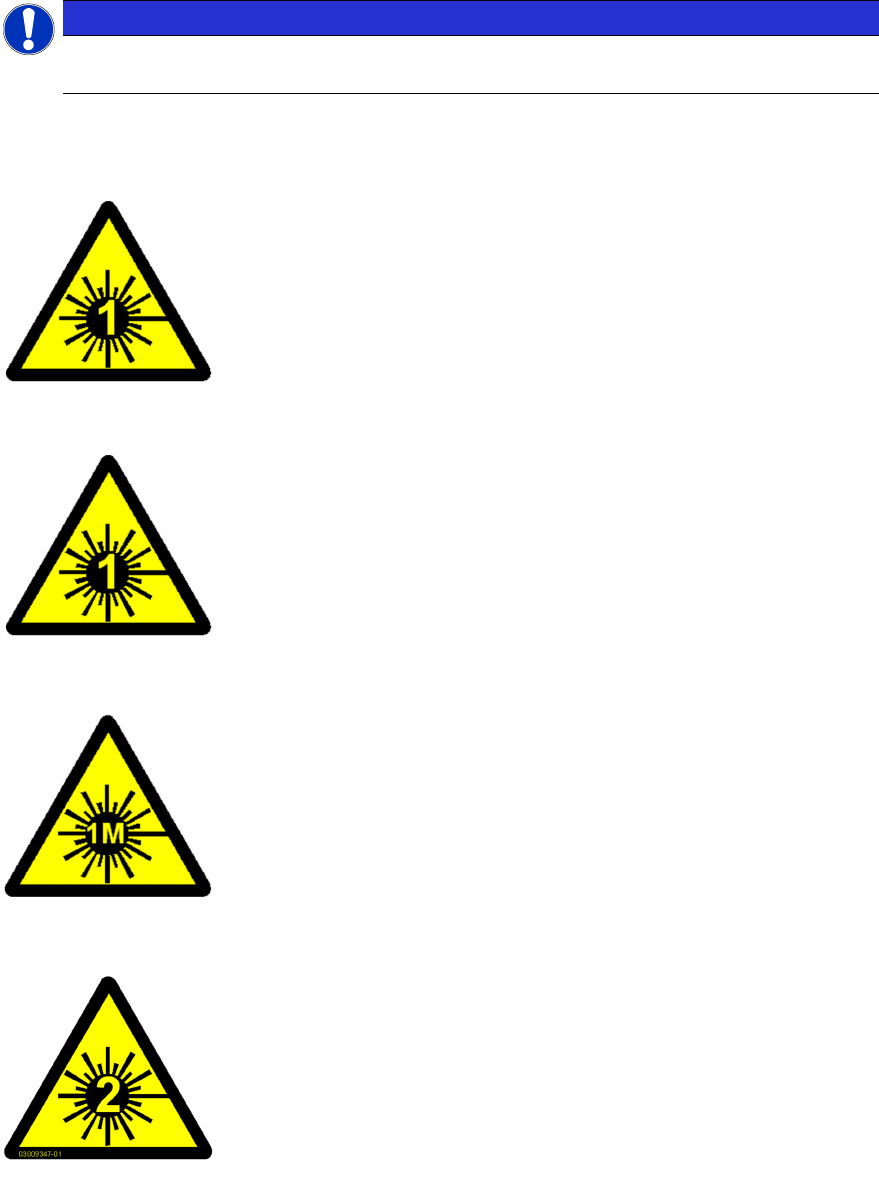
1.1.8.1 Laser Class 1
Classification of the Whole Machine
All installed camera systems and the whole machine (when ready for
operation) are assigned to laser class 1.
The laser classes are determined according to DIN EN 60825-1:2001.
Classification of the Camera Systems
The following camera systems are assigned to laser class 1:
●
Stationary component cameras for the SIPLACE TwinStar (Twin-
Head) and the SIPLACE Multistar (CPP)
●
Component camera, stationary, P&P, type 33, 55 x 45, digital
●
Component camera, stationary, P&P, type 25, 16 x 16, digital
●
Component camera, stationary, P&P, type 36, 32 x 32, digital
1.1.8.2 Laser Class 1M
Do not look directly at this with optical instruments!
The following camera systems are assigned to laser class 1M:
●
CO camera C&P, type 23, 6 x 6 on the SpeedStar
●
CO camera C&P, type 41, 6 x 6 on the SpeedStar
●
CO camera C&P, type 30, 27 x 27 on the MultiStar
●
CO camera C&P, type 30, 18 x 18 on the 12-segment Col-
lect&Place head
1.1.8.3 Laser class 2
Laser radiation
Do not look into beam!
The following modules are assigned to laser class 2:
●
PCB barcode scanner
●
Component sensor on the SpeedStar
●
Component sensor on the MultiStar
The entire machine is classified as laser class 2 if the coplanarity laser
module option is installed.
Assembly Instructions E by SIPLACE
Location 2 Upgrade Kit 04/2017
1 Introduction
1.2 Preparatory Work...
9
1.2 Preparatory Work...
Purpose and Scope
Before performing any preventive maintenance work, conversion work or service work, a procedure
of locking and tagging must be followed and warning signs must be attached if not stated other-
wise. If it is not necessary to switch off the machine, it is explicitly mentioned.
The procedure, when followed correctly, eliminates the possibility of an employee being injured.
NOTICE
Additional safety measures
These procedures represent the minimum lock/tag out requirements for the machine during
preventive maintenance work and service work. Any additional safeguards needed to com-
plete work safely can be specified by facilities supervision, the safety officer, the safety
committee and the health department.
Description
Whenever it becomes necessary to isolate, control and release energy, the following procedure is
to be followed.
► Notify affected employees.
► Switch off the machine and all additional devices. Carry out all normal stopping procedures:
ð Press the STOP button.
ð Shut down the station computer.
ð Switch the machine off at the main switch.
► Isolate the machine from all its energy sources:
ð Shut off the compressed air supply.
ð Shut off the main power supply.
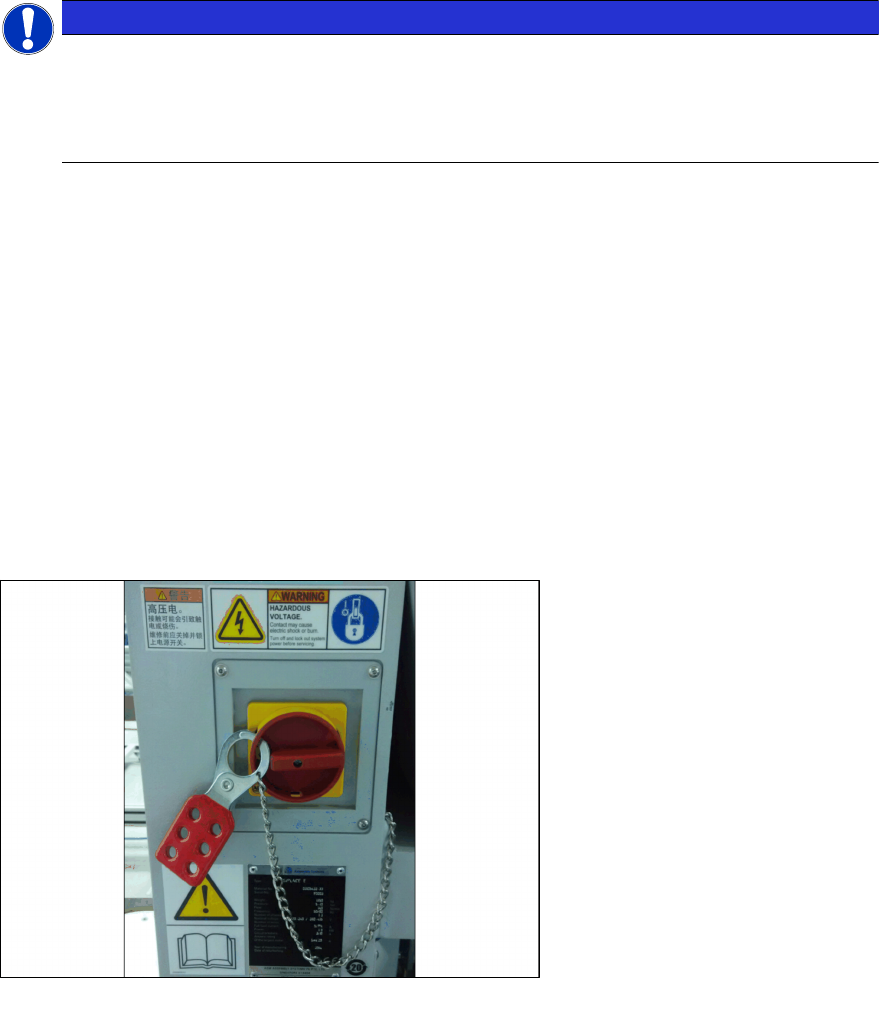
► Lock out the machine.
ð Attach a lock wherever possible (e.g. to the main power switch or the motor contactor).
Fig.1: Lock on main power switch
Example
► Alternative: attaching warning signs
If a machine can be locked, it must be. However, there are situations where energy isolating
devices cannot accommodate locks. In these cases, the energy isolating devices must be
tagged to warn employees that the machine is de-energized for servicing. The tag or label
must be securely fastened, it must be placed in a position visible to all and it may only be re-
moved by the person who attached it.