PS288_PS388_PS588_981-0424-002D - 第107页
■ Administrator Functions ◘ Teaching the Reference Vision File PS Series Owner’s Manual 3—37 back Figure 3-29: The Go T o Vision butt on on the Go T o tab. 5c. Click Go T o Vision : opens the Vision System dialog. V e ri…
Operation ■ Administrator Functions
3—36 Data I/O • 981-0424-002
back
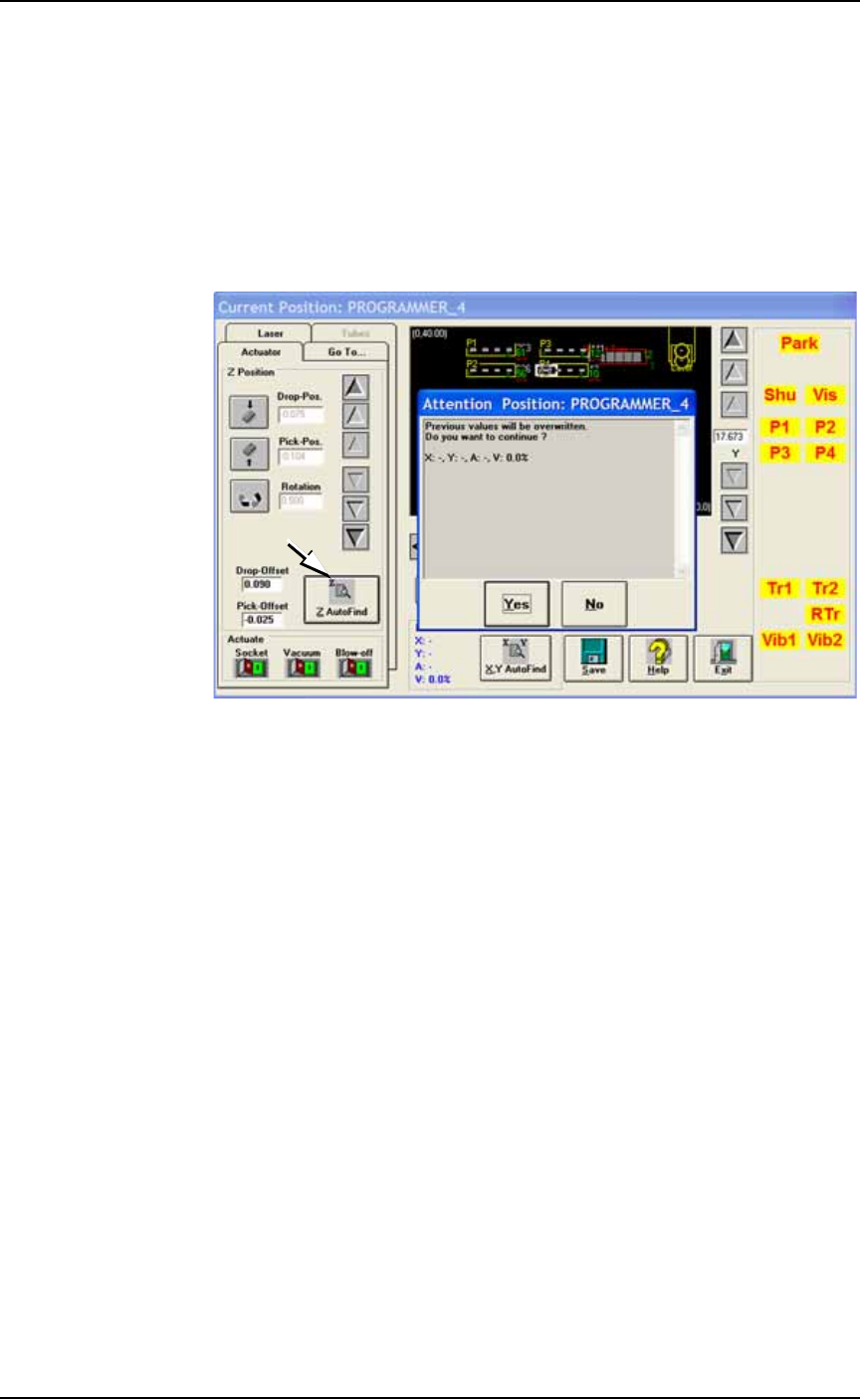
4. Teach the Z-value (pick height)—
4a. Click Z AutoFind: the probe lowers to the device (to set the vertical
distance) and then click Yes.
4b. Right-click on Pv (using the Track Pad buttons) to pick up the
device and visually verify center.
4c. If it is not centered, right-click again to replace the device. Then
repeat the centering process with the X and Y-axis arrows. Click
Save. Pick the device again to recheck center.
If it is centered, right-click again to replace the device.
Figure 3-28: The ZAutoFind button is on the Actuator tab of the Gantry
Window. It uses the probe to determine the Z-value, or height, of a
component. (PS388 shown.)
5. Teach the vision system—
5a. With a device still in socket 1 of the programmer nearest the
vision camera (we’ll call it Pv), right-click label Pv to pick up the
device.
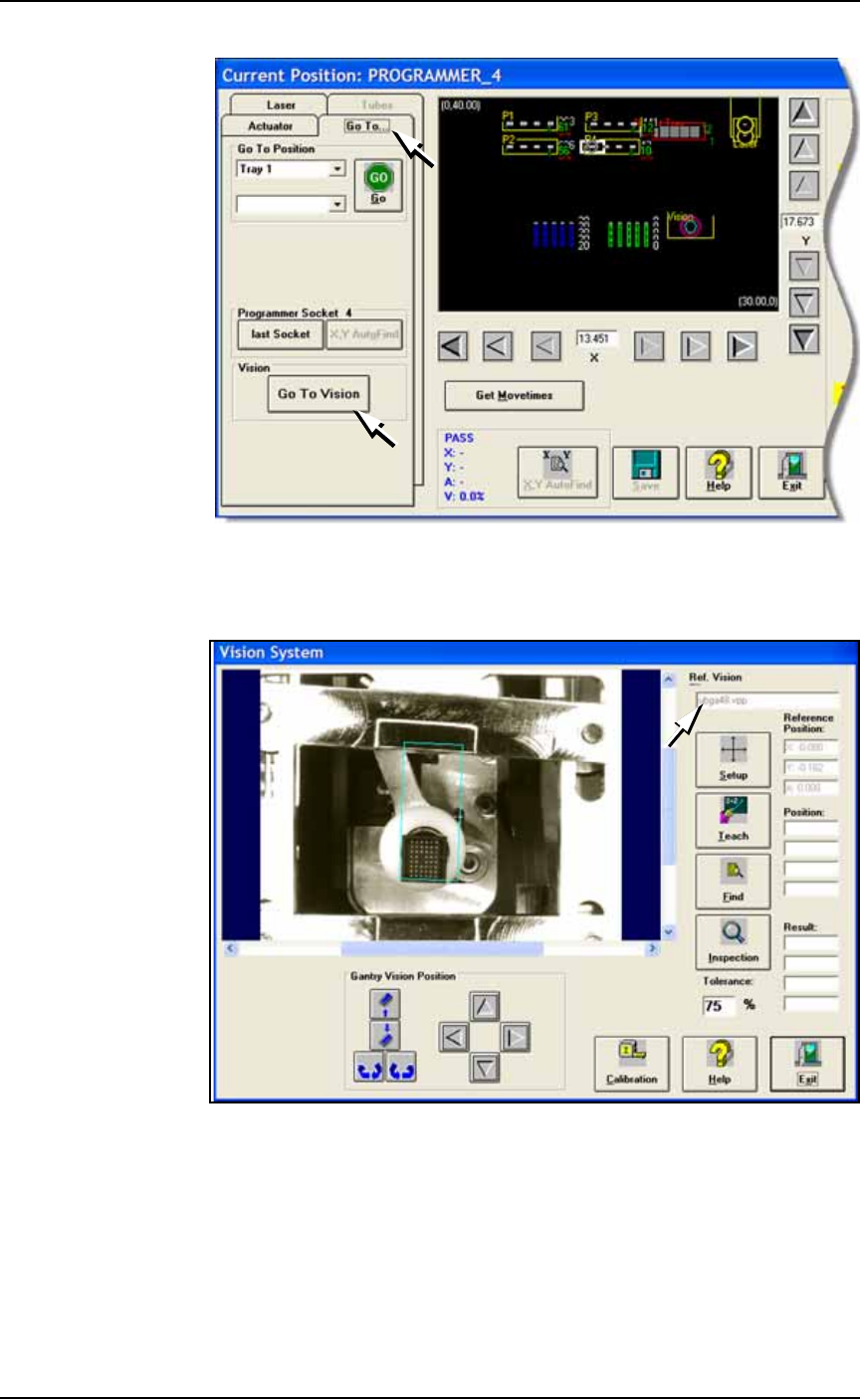
5b. Click the Go To tab.
■ Administrator Functions ◘ Teaching the Reference Vision File
PS Series Owner’s Manual 3—37
back
Figure 3-29: The Go To Vision button on the Go To tab.
5c. Click Go To Vision: opens the Vision System dialog. Verify your
new file name in the file name field.
Figure 3-30: The Vision System dialog displays the name of the current
vision file (arrow).
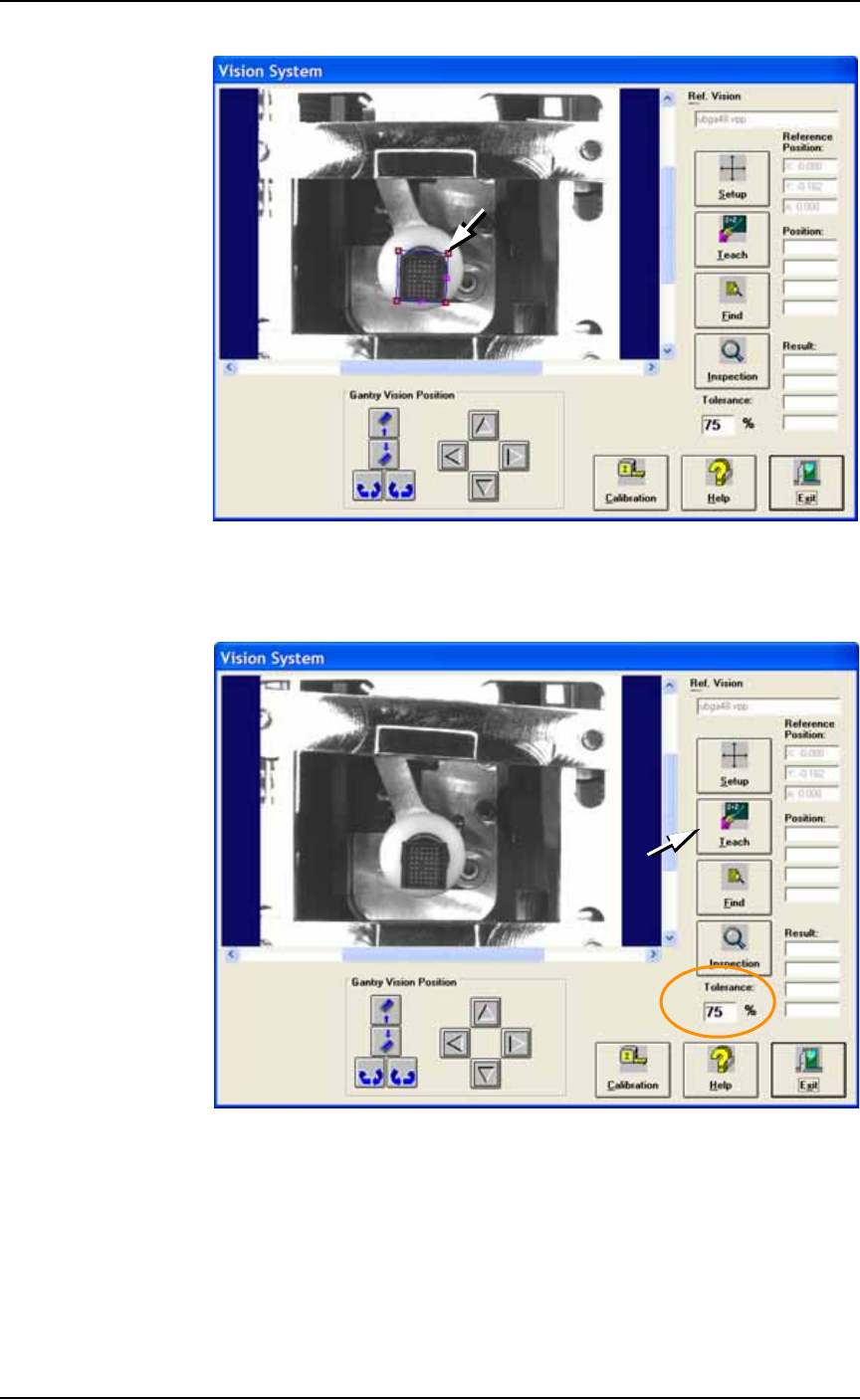
5d. Click Setup.
5e. Click the blue box in the image to select it. Click one of the cor-
ners and drag it to fit around the device.
Operation ■ Administrator Functions
3—38 Data I/O • 981-0424-002
back
Figure 3-31: The Vision System dialog. Resize the blue box by dragging
the handle.
5f. Click Teach.
Figure 3-32: The Vision System dialog. The Tolerance is set to 75%
(circled). Click Teach.
5g. Click Find.
5h. Verify that the device is within the green box and that the ‘V’
value is greater than the tolerance percentage. The V value
should be between 0.900–1.000. For QFPs or very small devices,
the V value may deviate from this range.