PS288_PS388_PS588_981-0424-002D - 第123页
■ Administrator Functions ◘ Monitoring Statistics PS Series Owner’s Manual 3—53 back Figure 3-45: PS Rem ote Monit oring is optional software which includes the Enhanced Statistic Pr ocess utility . T askLink Session Dat…
Operation ■ Administrator Functions
3—52 Data I/O • 981-0424-002
back
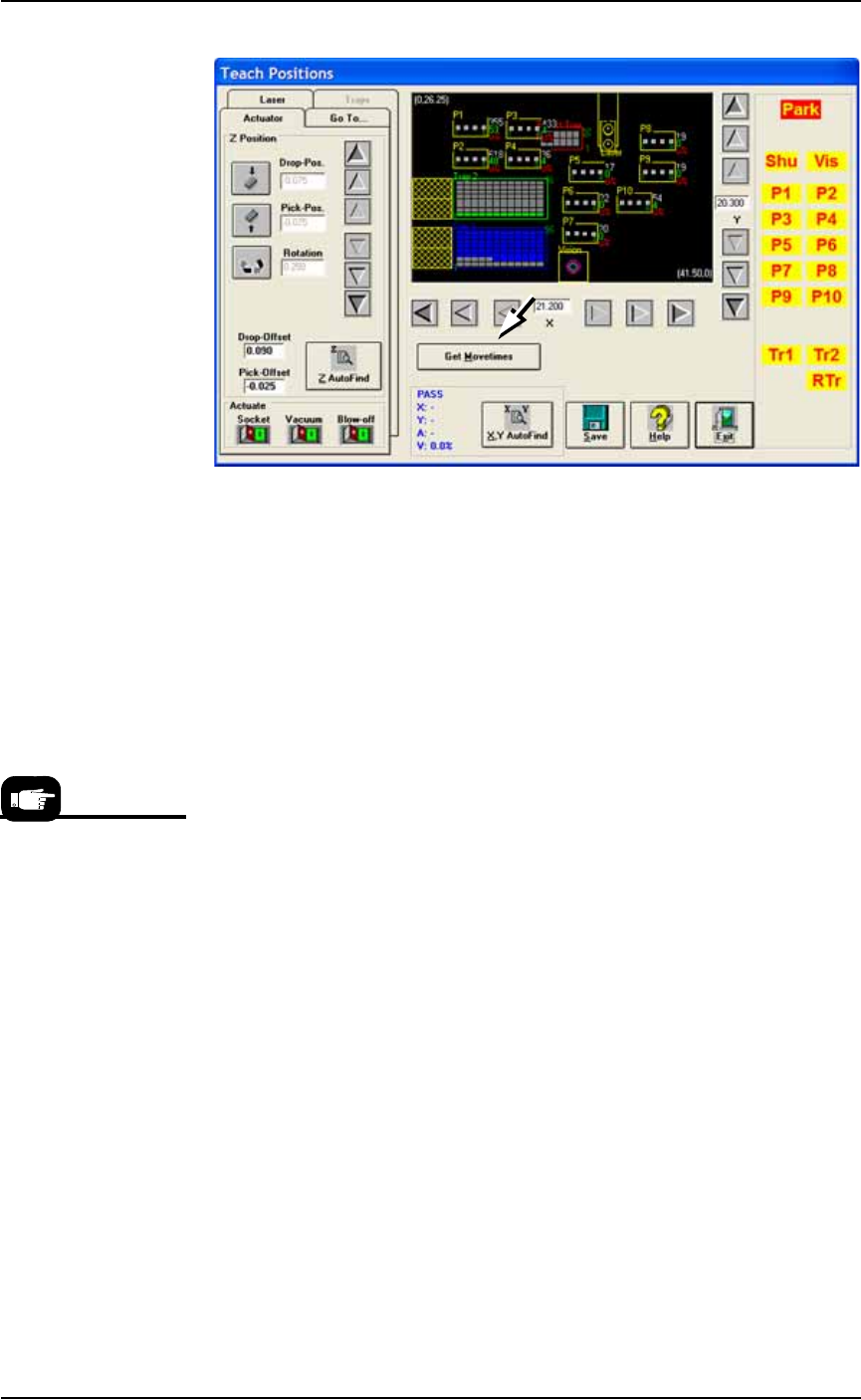
Figure 3-44: Click Get Movetimes (or Optimize Movetimes—some
models) to optimize head travel. (PS588 Gantry Window shown.)
1b. Click Yes when prompted to save positions.
Monitoring Statistics
Occasionally, the system administrator may require statistics for a
group of devices for a given job. This is easily accomplished using
any of three statistics tools described on the next pages:
• TaskLink’s Session Data Logging feature
• AH500’s Statistics Window
• (Optional) Statistical Process Control Software (user-supplied)
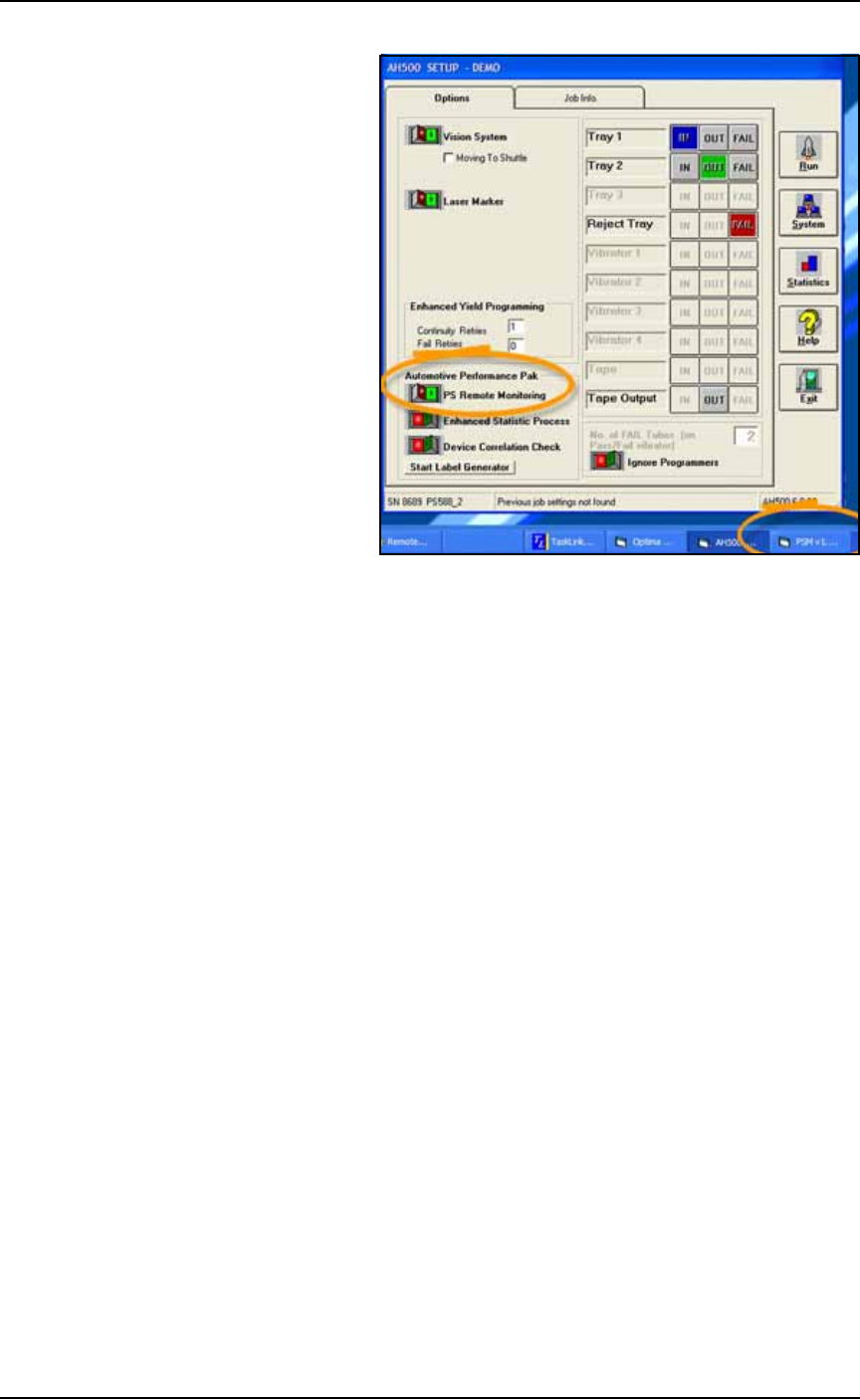
In addition, there is our optional Enhanced Statistic Process utility. This
utility graphs the data collected on the PS Machine using Microsoft
Excel spreadsheet (if available on your PC).
The Enhanced Statistic
Process utility is avail-
able with the PS Remote
Monitor Software pack-
age.
■ Administrator Functions ◘ Monitoring Statistics
PS Series Owner’s Manual 3—53
back
Figure 3-45: PS Remote Monitoring is optional software which
includes the Enhanced Statistic Process utility.
TaskLink Session Data Logging
For complete instructions on enabling and using TaskLink’s Session
Data Logging option, see TaskLink online Help.
AH500 Statistics Window
The PS System statistics include such items as devices programmed
successfully, continuity failures, and verify failures.
To view programming statistics using the AH500 software:
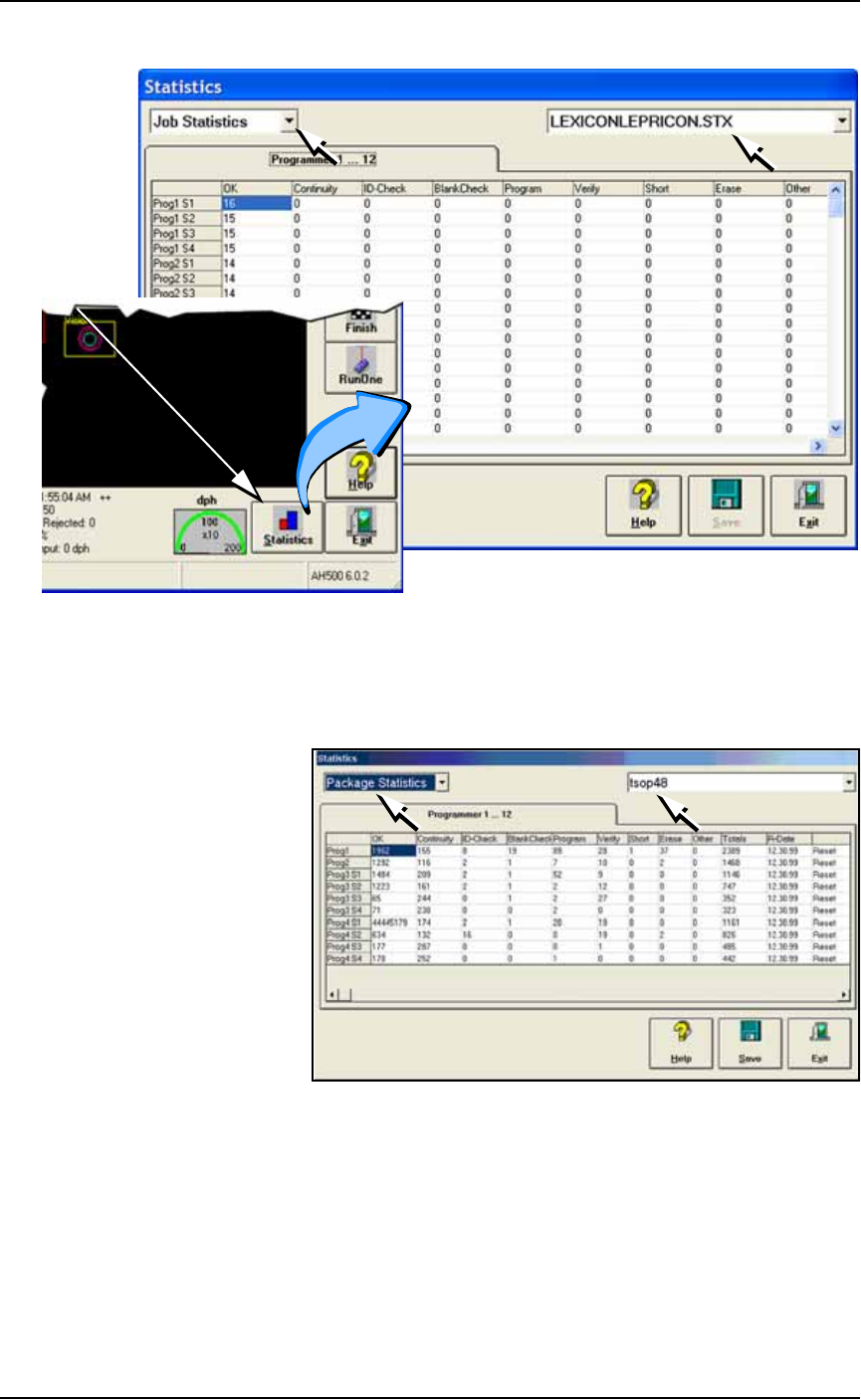
1. At either the Setup Window or at the Run Window, click Statis-
tics.
2. Select either Package Type or Job Statistics from the drop-down
field in the upper left corner.
Operation ■ Administrator Functions
3—54 Data I/O • 981-0424-002
back
Figure 3-46: At the Statistics Window, the Job Statistic file can be
viewed (
Jobname.stx
) as shown. When Job Statistics is selected,
Pass/Fail criteria are logged for each individual socket and
programmer listed in the left column.
Figure 3-47: At the Statistics Window, statistics files by Package Type
(
PackageType.sts
) are shown here.
Resetting Package Statistics
The Package statistics displayed correspond to the Package File and
therefore to the Socket Adapter used. When a Socket Adapter is
replaced on a FlashCORE programmer, statistics for that Socket
Adapter must be reset.
To reset Package statistics:
A
t
R
u
n
o
r
S
y
s
t
e
m
W
i
n
d
ow