PS288_PS388_PS588_981-0424-002D - 第124页
Operation ■ Administrator Functions 3—54 Data I/O • 981-0424-002 back Figure 3-46: At the S tatistics Wind ow , the Job Statistic f ile can be viewed ( Jobname.stx ) as shown. When Job St atistics is selected, Pass/F ail…
■ Administrator Functions ◘ Monitoring Statistics
PS Series Owner’s Manual 3—53
back
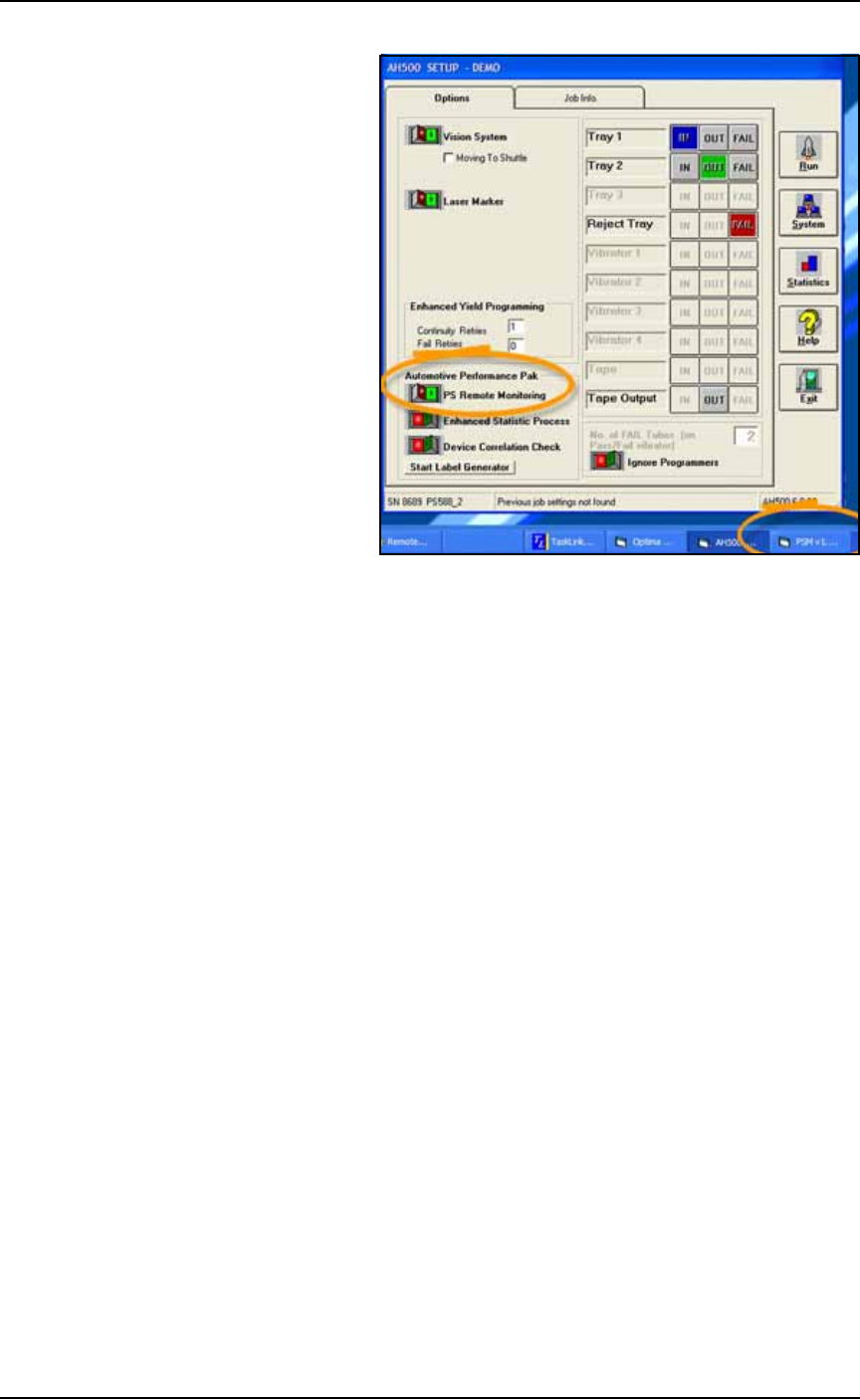
Figure 3-45: PS Remote Monitoring is optional software which
includes the Enhanced Statistic Process utility.
TaskLink Session Data Logging
For complete instructions on enabling and using TaskLink’s Session
Data Logging option, see TaskLink online Help.
AH500 Statistics Window
The PS System statistics include such items as devices programmed
successfully, continuity failures, and verify failures.
To view programming statistics using the AH500 software:
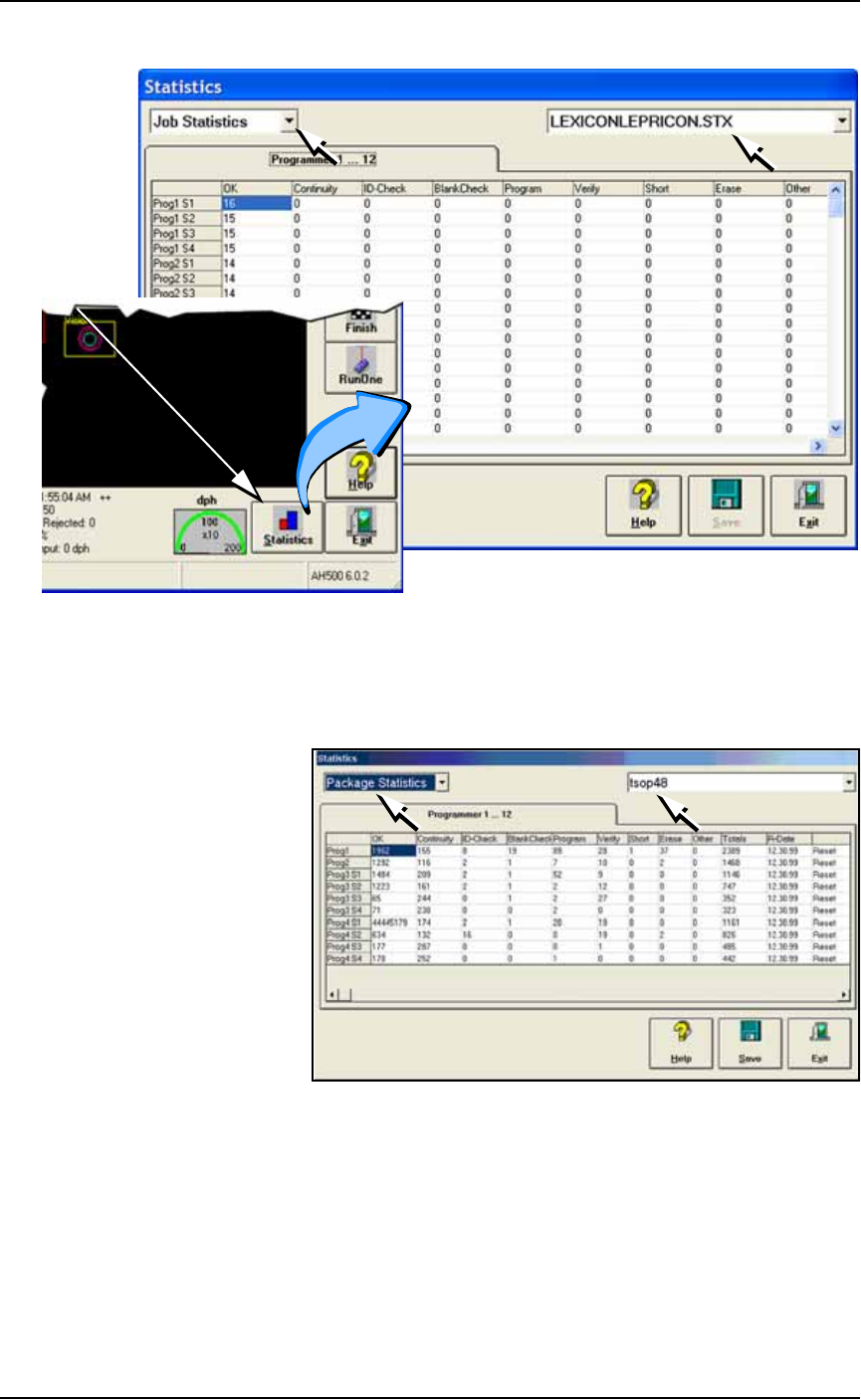
1. At either the Setup Window or at the Run Window, click Statis-
tics.
2. Select either Package Type or Job Statistics from the drop-down
field in the upper left corner.
Operation ■ Administrator Functions
3—54 Data I/O • 981-0424-002
back
Figure 3-46: At the Statistics Window, the Job Statistic file can be
viewed (
Jobname.stx
) as shown. When Job Statistics is selected,
Pass/Fail criteria are logged for each individual socket and
programmer listed in the left column.
Figure 3-47: At the Statistics Window, statistics files by Package Type
(
PackageType.sts
) are shown here.
Resetting Package Statistics
The Package statistics displayed correspond to the Package File and
therefore to the Socket Adapter used. When a Socket Adapter is
replaced on a FlashCORE programmer, statistics for that Socket
Adapter must be reset.
To reset Package statistics:
A
t
R
u
n
o
r
S
y
s
t
e
m
W
i
n
d
ow
■ Administrator Functions ◘ Monitoring Statistics
PS Series Owner’s Manual 3—55
back
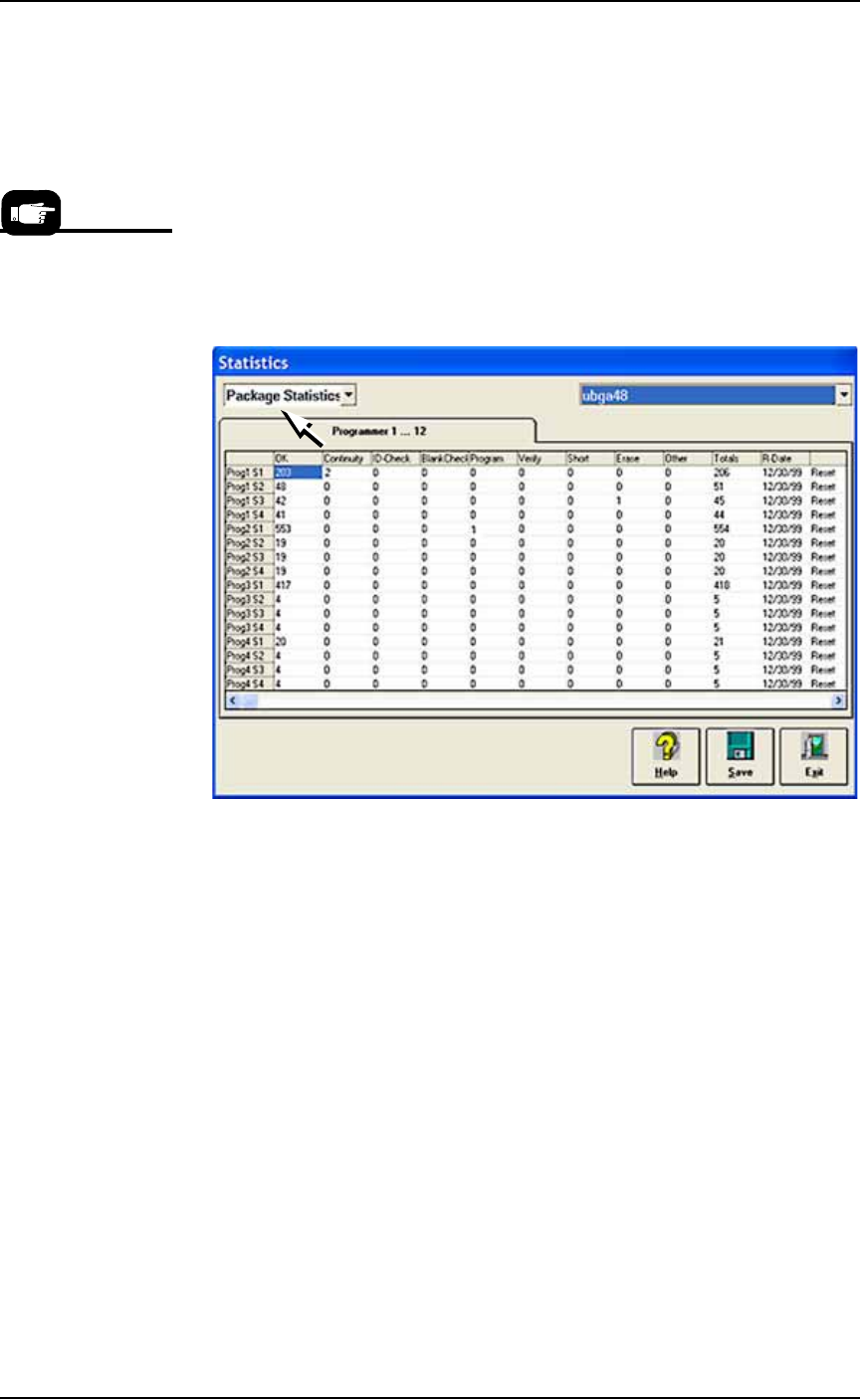
1. Select Package Statistics in drop-down field in the upper left
corner.
2. Click Reset in the right-most column corresponding to the
FlashCORE programmer on which the Socket Adapter was
replaced.
• If a Socket Adapter was replaced, reset all rows for that pro-
grammer.
• If an individual socket was replaced*, reset only the row corre-
sponding to the replaced socket.
The R-date (reset date) is set to the current date and statistics are
reset to all zeroes.
Figure 3-48: Resetting Package statistics.
Statistical Process Control Software
Most SPC (Statistical Process Control) Software (customer-supplied)
can import a comma-delimited file. AH500 can be set to generate a
comma-delimited file whose fields are described on the next page.
To generate a comma-delimited output file:
1. Enable file generation for SPC software—
1a. On the Handler Computer, navigate to C:\AH500 and open
winAH400.ini with Microsoft Notepad (or IDM Computer Solu-
tions’s UltraEdit).
1b. Locate the section for SPC Logging. It will look like this:
[SPC Logging]
LoggingEnabled=FALSE
MaxFileSize=10485760
TempLogFile=C:\spcout.txt
1c. Set the second line (LoggingEnabled) to TRUE.
1d. Save and close winAH400.ini.
*Only HIC Socket
Adapters and HPS
Socket Adapters are
designed to accommo-
date replacement of
individual sockets on
the adapter board.