PS288_PS388_PS588_981-0424-002D - 第140页
Operation ■ Additional Features 3—70 Data I/O • 981-0424-002 back Label Genera tor This separate a pplication is a concise and lean tool for designing labels for reels of device tape or other media. Choose size, number o…
■ Additional Features ◘ Automotive Performance Pak
PS Series Owner’s Manual 3—69
back
Additional Features
Automotive Performance Pak
Data I/O offers several utilities that are especially useful to certain
industries. These utilities, labeled the Automotive Performance Pak
(AP Pak), are described below. If your PS System does not have this
feature, it can be ordered for use on PS Series machines that meet
these requirements:
• AH500 Version 6.0.0 or higher and TaskLink 7.0 or higher.
• AH400 Ver 6.0.1 or higher and TaskLink 7.0 or higher.
Contact Data I/O Sales.
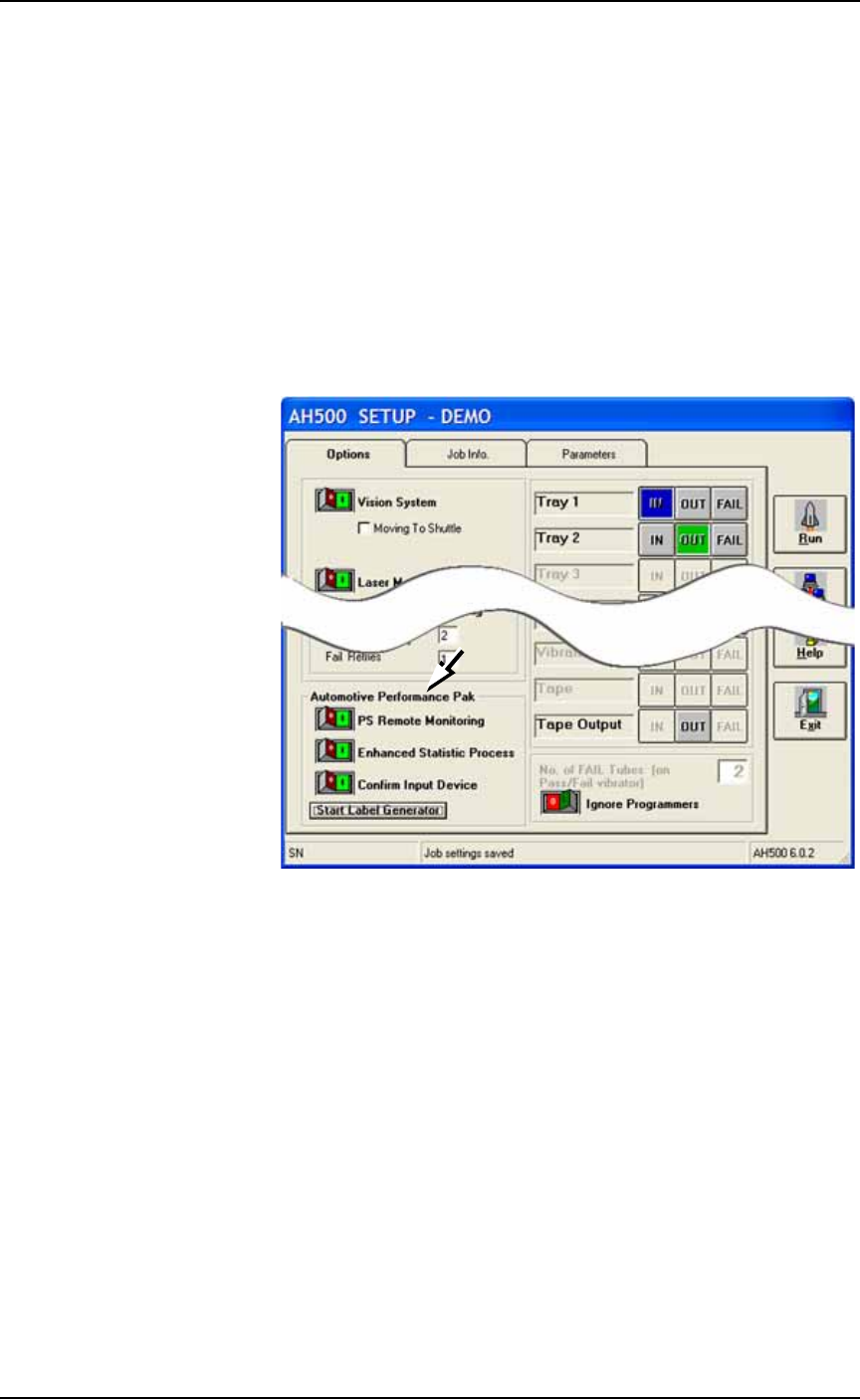
Figure 3-58: The Automotive Performance Pak features appear in the
Setup Window.
AP Pak Utility Descriptions
PS Remote Monitoring
The PS Remote Monitoring window displays Pass, Fail, and Yield
information of remote, networked PS Systems. Up to ten PS Systems
can be monitored.
Enhanced Statistic
This application allows precise tracking of machine behavior such as
uptime, downtime, yields, and throughput. It produces job log files
that are readable with Microsoft® Excel and Access software.
Confirm Input Device
This safety enhancement checks that the input device is the correct
one for the job each time the input media is changed.

Operation ■ Additional Features
3—70 Data I/O • 981-0424-002
back
Label Generator
This separate application is a concise and lean tool for designing
labels for reels of device tape or other media. Choose size, number of
fields, and layout. Call up variables from TaskLink or enter new con-
tent. Print on-demand or automatically after each reel of devices.
Ordering and Installing
Ordering the AP Pak involves sending Data I/O a number from the
Setup Window in AH500 with your purchase order. Data I/O will
send a security file via return e-mail. Complete instructions along
with the installation procedure are in the AH500 online Help: find
Automotive Performance Pak in the online Help index.

PS Series Owner’s Manual 4—1
Chapter
4
4Maintenance
Performing the maintenance procedures described in this
chapter optimizes operation of your PS System and minimizes
operational malfunctions.
The manuals that came with the optional equipment on your
system contain additional maintenance procedures.
Note: Only individuals trained on these procedures by Data I/O or
its representatives are qualified to perform maintenance on the
PS System.
This section describes the preventive maintenance schedule for the
PS System, with topics appearing in this order:
Maintenance Schedule
Workspace, Head and Gantry on page 4-5
Programmers on page 4-29
The Marking Systems and Shuttle on page 4-34
Handler Computer on page 4-48
The Vision System on page 4-49
Troubleshooting on page 4-58
Tape Output System on page 4-71
Automatic Tray Feeder on page 4-78
The information in this
Manual applies to the
PS288, PS388 and
the PS588, (referred
to as PS System)
unless otherwise noted.
If your PS System was built
prior to 2011, then we
strongly recommend creat-
ing a Ghost Image of the
hard drive for backup.
There are several configu-
ration settings on the hard
drive that are unique to PS
Machines. Also, there are
several drivers that must be
loaded onto the hard drive,
in specific order. Contact
Data I/O Service.
Systems built after 2010
include a backup system.