PS288_PS388_PS588_981-0424-002D - 第147页
■ Workspace, Head and Gantry ◘ Socket Adapters and Actuation PS Series Owner’s Manual 4—7 back 2b. Move the up-sensor upwards just until the LED lights. 2c. Tighten the sensor bracket screw . 3. Adjust down sensor— 3a. O…
Maintenance ■ Workspace, Head and Gantry
4—6 Data I/O • 981-0424-002
back
1b. At the Setup window, click System > Gantry. You may need to
enter a password.
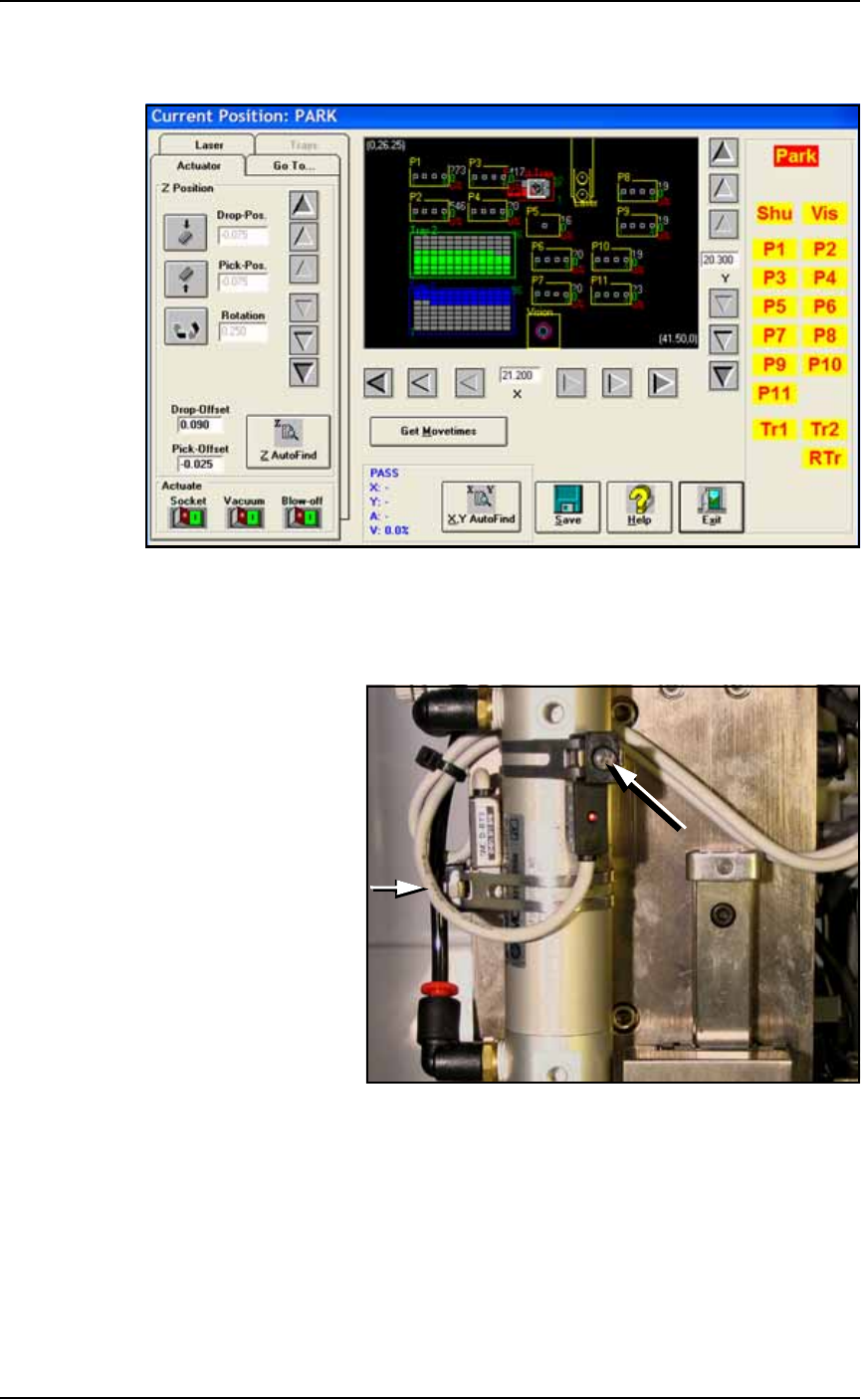
Figure 4-1: The Gantry window (PS588 shown).
1c. Click on any programmer label (P1 through P12) that has an
Optima (Universal) programer installed to move the PNP head to
that programmer.
Figure 4-2: Cylinder Sensors for determining socket actuator positions;
viewed from back of PNP head. The long arrow points to the
adjustment screw for the Up position sensor and the short arrow for the
down sensor (screw partially hidden). Sensors may be radially oriented
differently on the cylinder.
2. Adjust up sensor—
2a. Locate the sensor adjustment screw at the back of the PNP head.
See Figure 4-2. Loosen the Phillips-head screw on the Up sensor
bracket.
■ Workspace, Head and Gantry ◘ Socket Adapters and Actuation
PS Series Owner’s Manual 4—7
back
2b. Move the up-sensor upwards just until the LED lights.
2c. Tighten the sensor bracket screw.
3. Adjust down sensor—
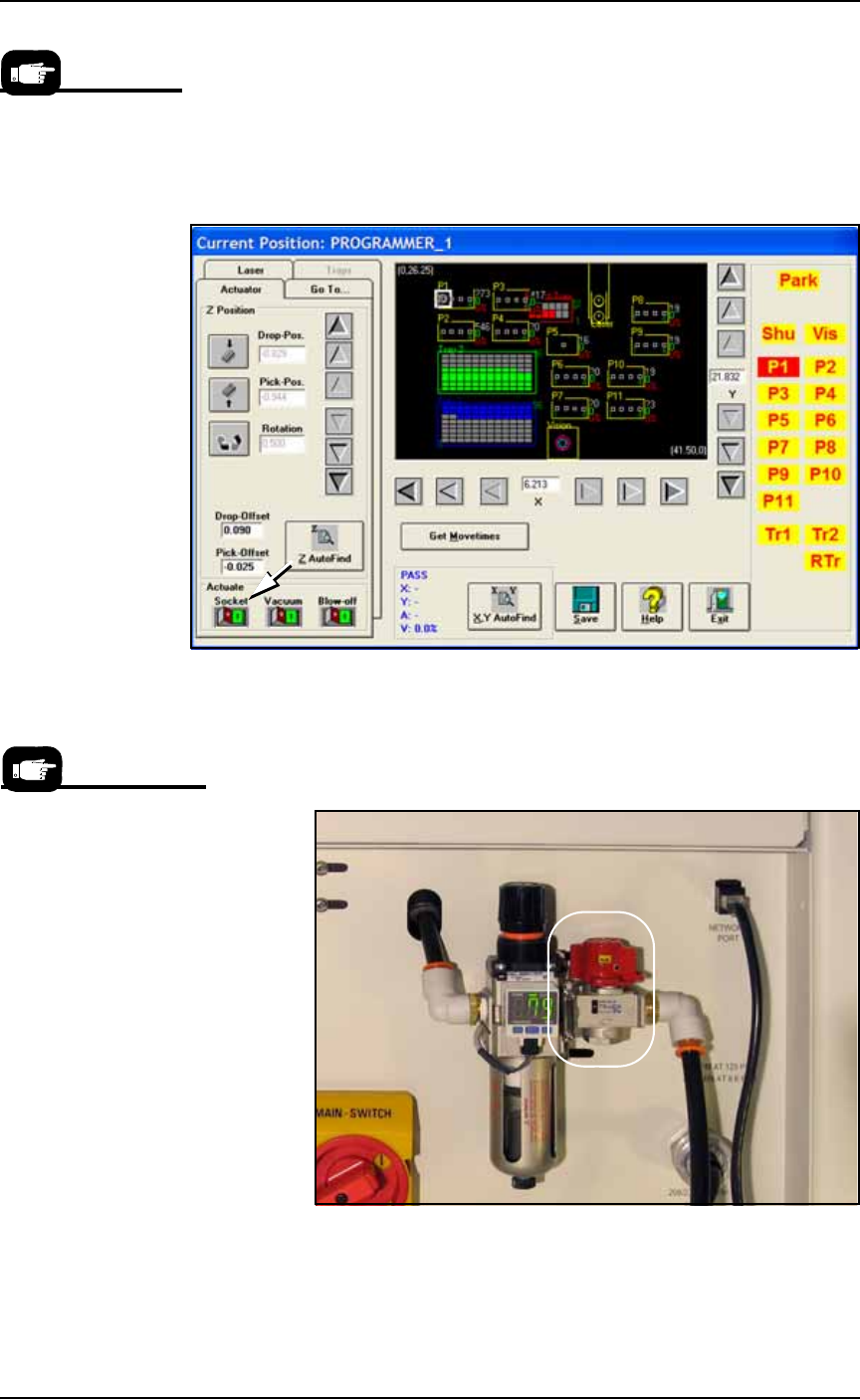
3a. On the Gantry window Actuator tab, click the Socket Actuator to
the ON position; see Figure 4-3. The Socket Actuator opens
(moves down).
Figure 4-3: The Gantry window shows the Socket Actuator air ON (for
programmer 1). PS588 shown.
3b. On the Power Panel, rotate the valve clockwise to shut off the
input air; it is off when the lock rings line up (some models). See
Figure 4-4.
Figure 4-4: The input air regulator/filter on the Power Panel (on the
back of the PS Machine). The air supply to the PS Machine is off when
the lock rings on the valve line up. The air valve on your model may be
different.
If your sensors do not
have LEDs on them, you
have a previous PS
model. Consult the man-
ual that came with your
PS Machine or contact
Data I/O Support.
On earlier models the air
shut off is a slide valve;
slide the valve down to
shut off the supply air.
Maintenance ■ Workspace, Head and Gantry
4—8 Data I/O • 981-0424-002
back
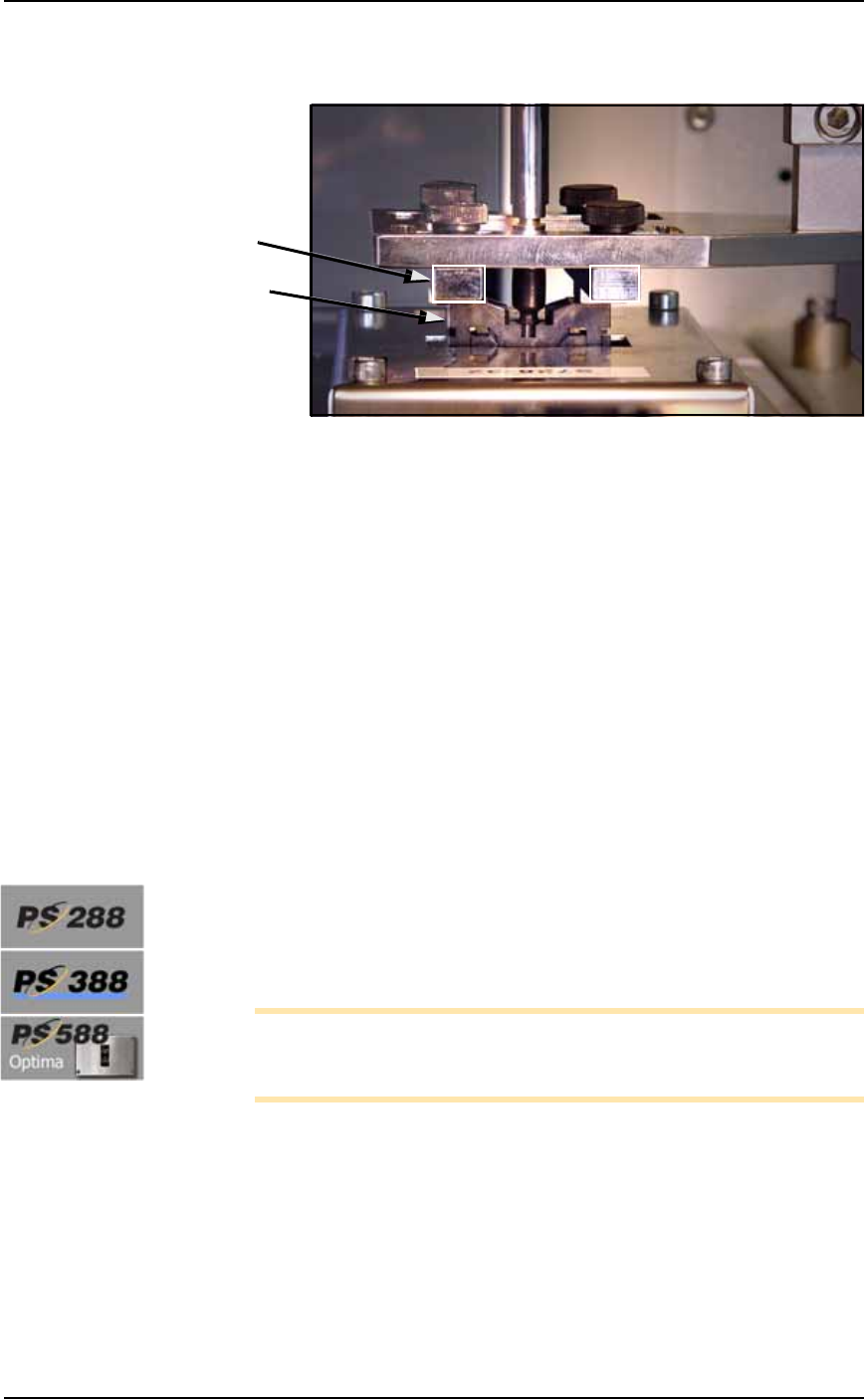
3c. By hand, move the Socket Opener down until the opener ribs
open the socket completely. See Figure 4-5.
Figure 4-5: The Socket Opener ribs contact the top of a Socket.
(Optima Socket Adapter shown.)
3d. Loosen the Phillips-head screw on the down sensor bracket.
3e. Move the down sensor downward until the red LED on the sen-
sor lights.
3f. Tighten the sensor bracket screw.
3g. On the Power Panel, rotate input air valve ON (counterclock-
wise).
3h. At the Gantry window on the monitor, click the Actuate Socket
toggle OFF and ON several times to verify that the LED turns off
and then on.
Adjusting the Socket Actuator Air Pressure
PS588 FlashCORE is the only programmer with socket actuation built
into the programmer. Other actuators, commonly called Openers, are
on the PNP head.
Pressure for Actuators on PNP Head
[PS288, PS388 and Optima Programmers only on PS588] If the PNP
head does not properly pick or place a device in a socket because the
socket is not opening completely, the Socket Actuator air pressure
might be set too low.
Note: Prior to adjusting the actuation pressure, the opener ribs
must be adjusted for proper contact with the socket. See Adjust
Socket Opener Ribs on page 3-14.
To adjust the Socket Actuator air pressure:
1. Preparation—
1a. Pause any job that is running.
1b. At the Gantry Window, move the head to a programmer by click-
ing P1, for example.
1c. Click the Actuator tab.
1d. Click the Actuate Socket switch to ON (green).
Ribs
Socket