PS288_PS388_PS588_981-0424-002D - 第178页
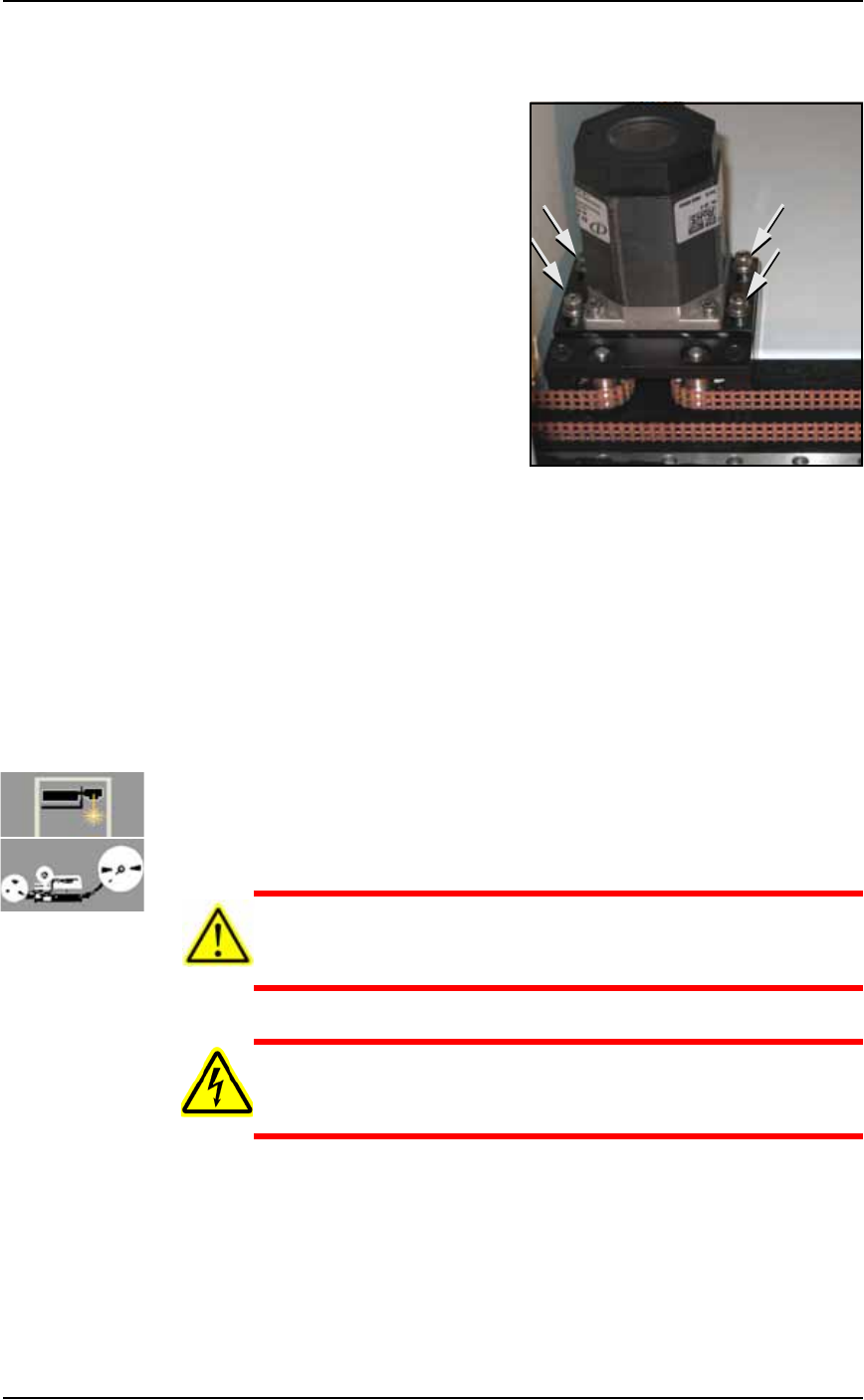
Maintenance ■ The Marking Systems and Shuttle 4—38 Data I/O • 981-0424 -002 back 2a. Loosen the four motor mounting plate screws. See Figure 4-32 above. 2b. Pull the motor tow ard yourself to reduce belt tension. 3. Remo…
■ The Marking Systems and Shuttle ◘ The Shuttle Assembly
PS Series Owner’s Manual 4—37
back
and then push the motor away from the belt until the belt move-
ment is less than 12 mm.
Figure 4-32: Location of four motor mounting plate screws.
3a. If the belt still moves more than 12 mm (0.5 inch), remove it and
cut off as many links as needed to achieve the proper tension.
3b. Replace the belt and tighten the four motor mounting screws.
4. Check the belt sprocket set screws—
4a. Check the belt sprocket set screws and tighten if necessary.
4b. If a sprocket has loosened and is rubbing against the frame,
reposition the sprocket up off the frame and tighten the set
screw.
4c. Reinstall all panels.
Replacing a Shuttle Belt
[Label or Laser Marking, or Tape Out] If the shuttle belt looks worn,
it should be replaced.
CAUTION: Health hazard. The Laser Marking System should be
cleaned as described in Cleaning the Shuttle Assembly on page
4-34 prior to performing work.
WARNING: Electric shock hazard. Shut off the PS System power
(see Turning Off the System on page 4-4) —switch off the main
power switch before removing any panels.
1. Preparation—
1a. Shut off the PS System power and ensure the main power switch
is in the OFF position.
1b. Remove the upper, left Option Bay panel.
2. Relieve belt tension—
Maintenance ■ The Marking Systems and Shuttle
4—38 Data I/O • 981-0424-002
back
2a. Loosen the four motor mounting plate screws. See Figure 4-32
above.
2b. Pull the motor toward yourself to reduce belt tension.
3. Remove the shuttle
3a. Rotate the belt until the shuttle is accessible and unscrew the two
SHCSs (socket-head cap screws) on the inboard side of the car-
riage clamp (2 mm Hex Key).
4. [Tape Output only] Remove the belt cover.
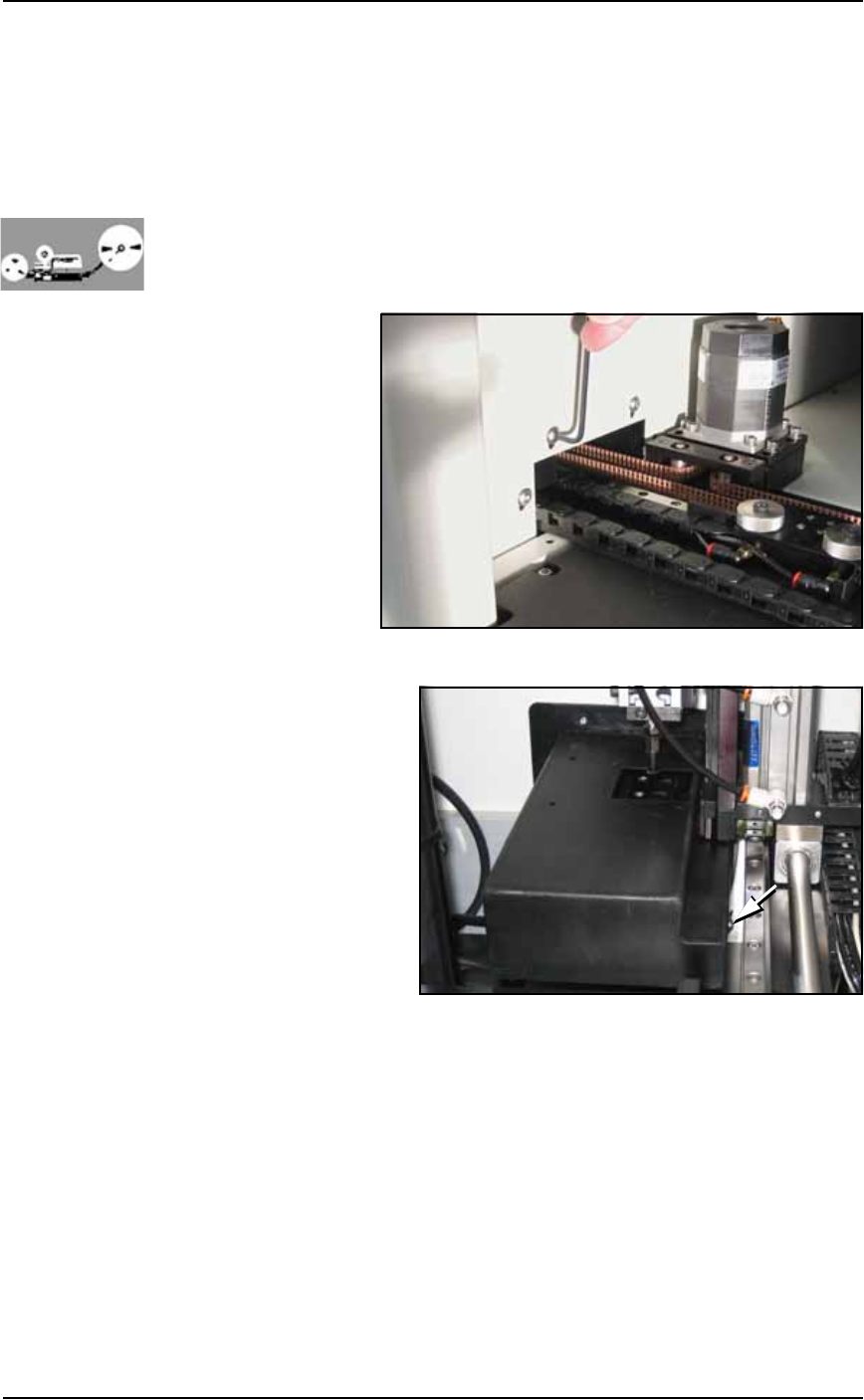
4a. Unscrew three SHCSs attaching the Tape Out belt cover to the
Option Bay (1/8 in. Hex Key). See Figure 4-33.
Figure 4-33: Shuttle Belt cover screws [Tape Output only].
4b. Viewing the
belt cover
from the
Taping Sys-
tem Opera-
tor’s view, if
you see two
screws on
the left side
of the cover
skip the next
step.
If you see
two screws
on the right
side of the cover (as shown in the figure above), continue.
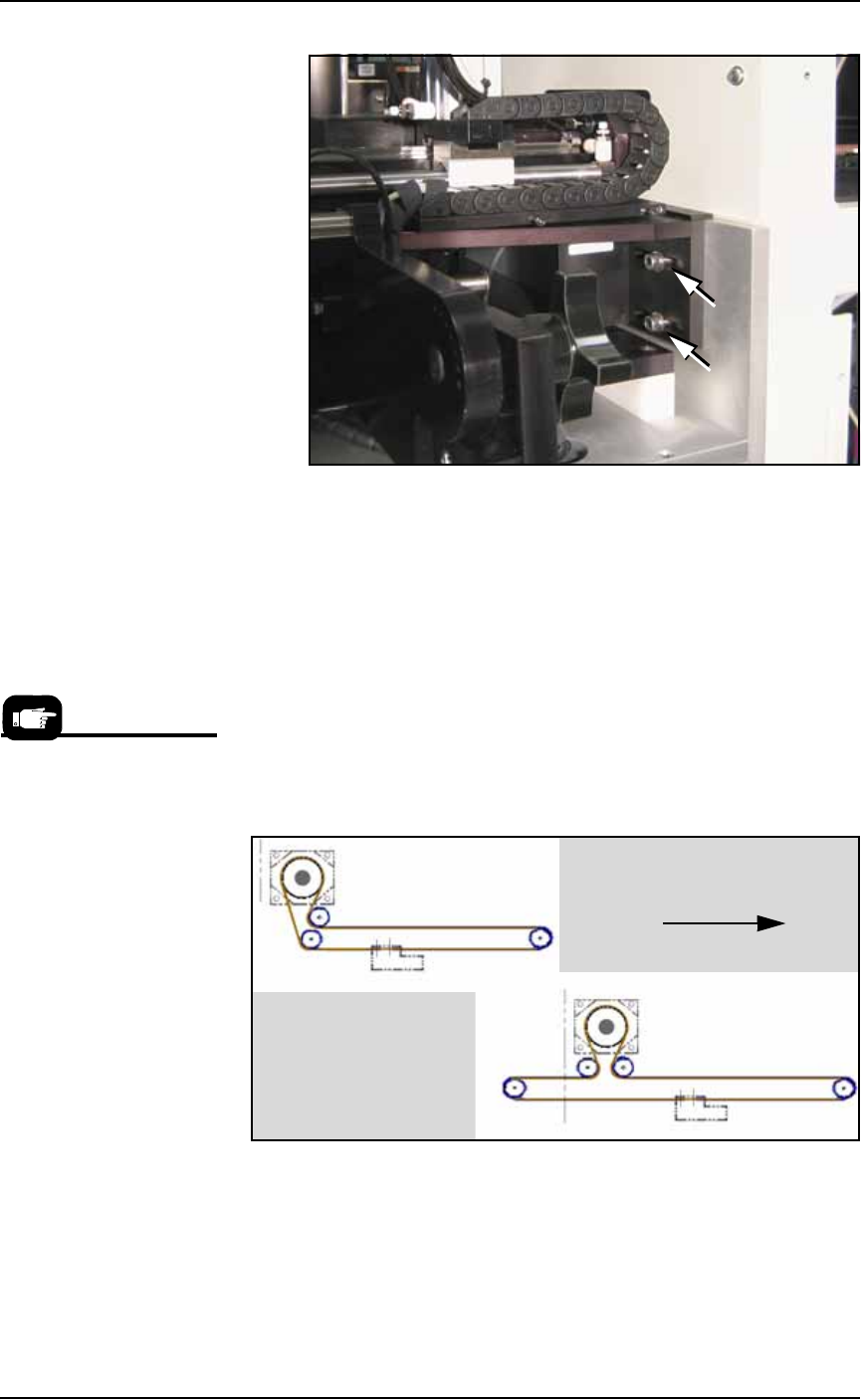
4c. (Some assemblies only) Unscrew two SHCSs mounting the Tape
Out PNP head Assembly to the Option Bay for access to more
cover screws (3/16 inch Hex Key). See Figure 4-34. Without dam-
aging the probe, slide the bracket outboard and tip it out of the
way. (Wires are still attached.)
■ The Marking Systems and Shuttle ◘ The Shuttle Assembly
PS Series Owner’s Manual 4—39
back
Figure 4-34: Bracket support fasteners for the Tape Output Head
Assembly.
4d. Remove two screws in the side of the cover (5/64 inch Hex Key)
and lift off the cover.
5. Remove the belt—
5a. Remove the belt by gently pulling one end completely out of the
shuttle transfer assembly.
6. Install a new belt—
6a. Using the old belt as a template, cut the new belt to the same
length.
6b. Route the new belt through the shuttle transfer assembly as
shown in Figure 4-35. Make sure all sprocket teeth mesh with
the holes in the belt.
Figure 4-35: The shuttle belt routing for systems with a marking
option, with and without the Tape Output option.
6c. Connect the belt ends to the shuttle clamp as shown in Figure
4-36. Ensure that the teeth on the shuttle clamp are engaged with
the holes on the belt. If the belt is too long, cut off excess length.
Re-attach the shuttle clamp to the shuttle.
Data I/O Part Number for
the Shuttle Belt is
264-0009-001 or higher:
• 1.8 M (6 feet) for Option
Bay with Tape Output Mod-
ule.
• 1.5 M (5 feet) for Option
Bay with Marker only (no
Tape Output).
Toward PS Machine operator
Without Tape Output
With Tape Output