PS288_PS388_PS588_981-0424-002D - 第56页
Setup ■ Setting Up Input and Output Media 2—14 Data I/O • 981-0424 -002 back Figure 2-12: Vibrator mot ors Vib1 , on the left, and V ib2, right. Arrows point to screws for attaching tube pl atforms. 3. Adjust the tube gu…
■ Setting Up Input and Output Media ◘ Setting Up the Tube Input and Output Media
PS Series Owner’s Manual 2—13
back
be installed in the PS System. If it is not, contact Data I/O Cus-
tomer Support or a local Data I/O approved service representative.
To set up the tube input and tube output media:
1. Determine the size of the devices to be programmed and select
tubes and platform that match device size.
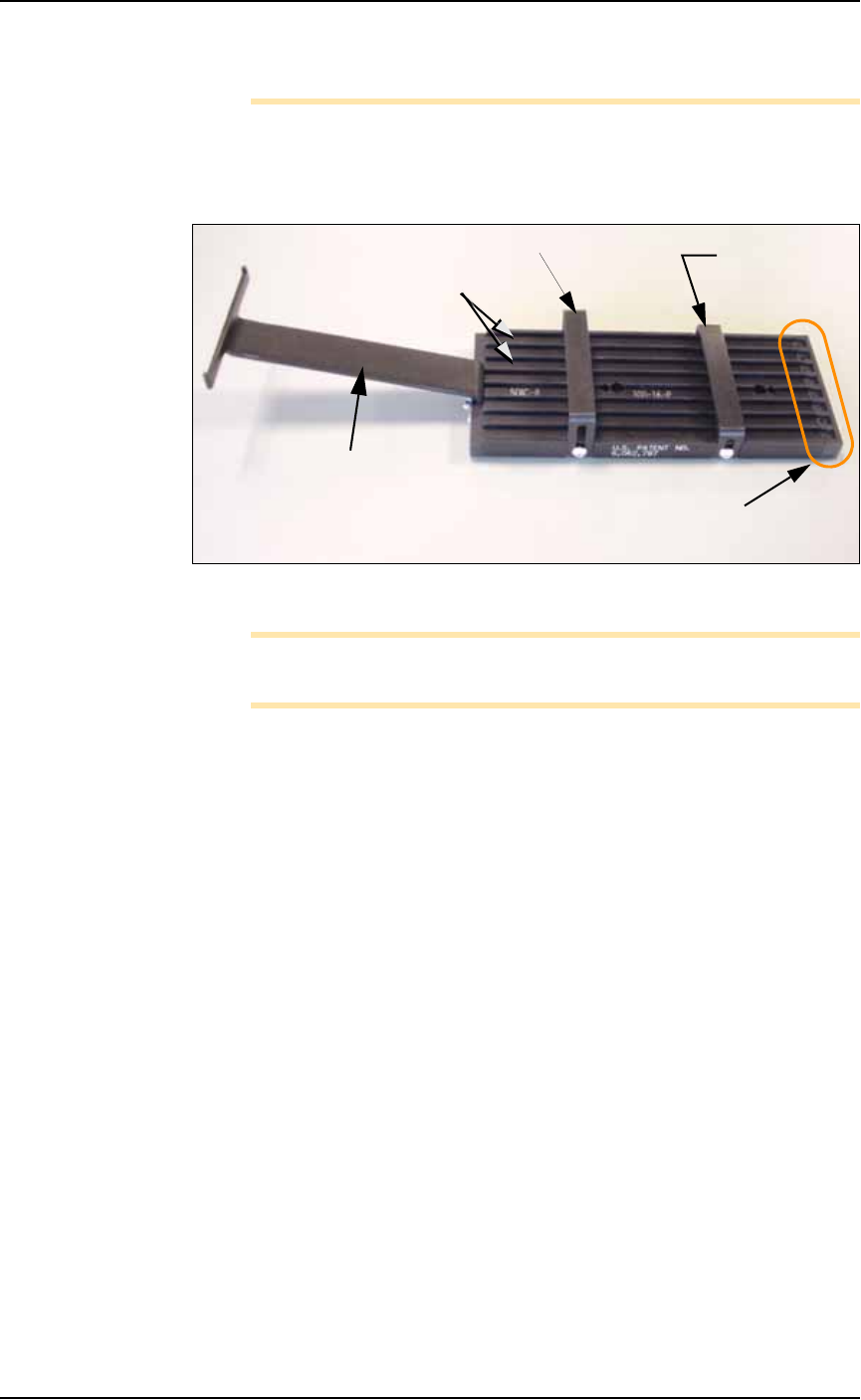
Figure 2-11: Input tube loader platform. (The tubes are not installed).
Note: You can perform Step 3 before Step 2 if it is more convenient
for you.
2. Install the loader platform—
2a. Open the front safety shield and install the input tube loader
platform onto the input Vibrator Motor 1 (Vib1) on the left side
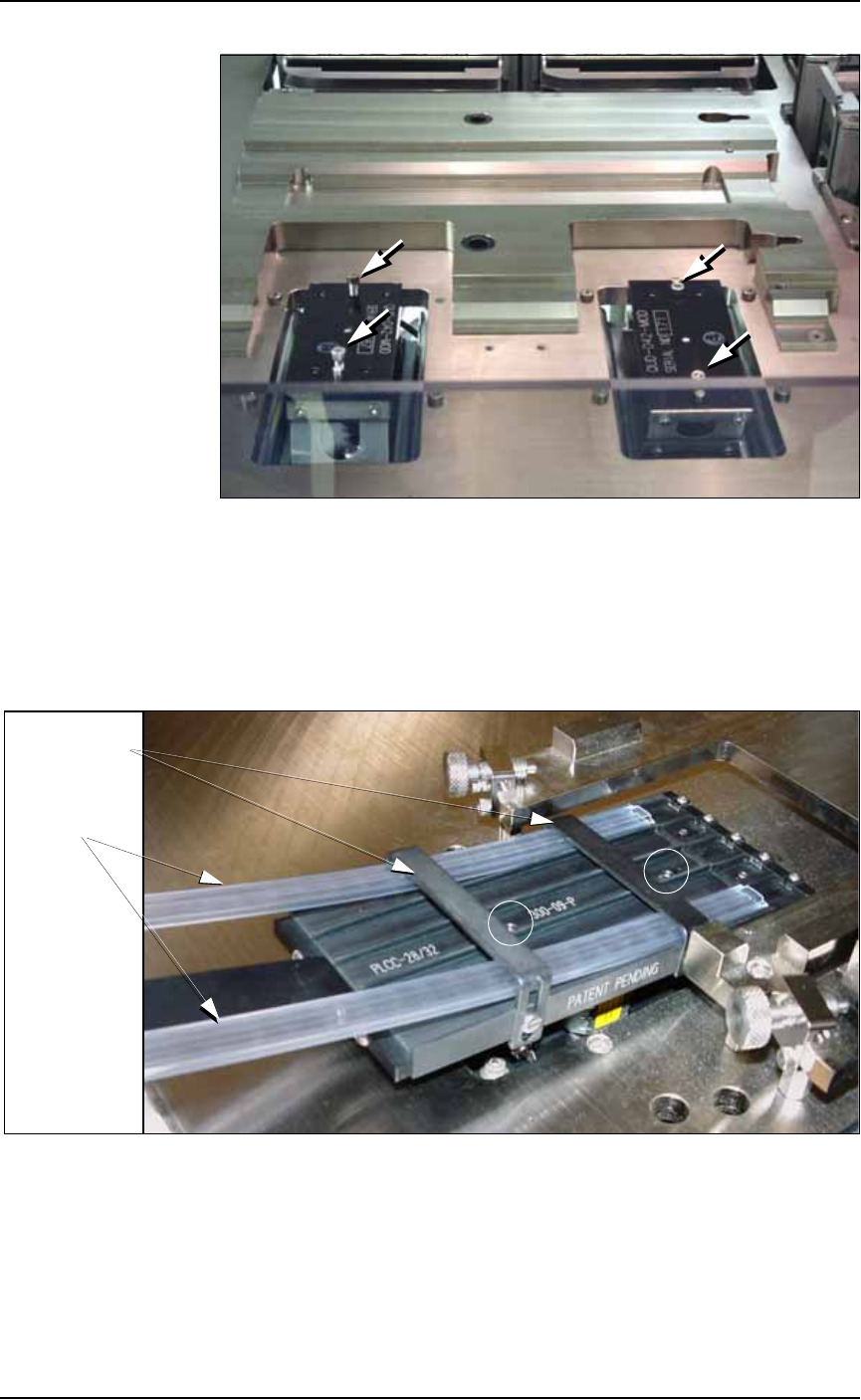
of the workspace. See Figure 2-12.
2b. Tighten the two screws using a 9/64 inch hex key.
Rear tube guide
Front tube
guide
Tube elevator
Lanes
Pick location
(staging area)
Setup ■ Setting Up Input and Output Media
2—14 Data I/O • 981-0424-002
back
Figure 2-12: Vibrator motors Vib1, on the left, and Vib2, right. Arrows
point to screws for attaching tube platforms.
3. Adjust the tube guides on the input tube platform—
3a. Temporarily insert empty tubes in the first and last lanes of the
input tube loader platform. See Figure 2-13.
3b. Adjust the tube guides so the tubes are attached to the platform
snugly but are not compressed out of shape.
Figure 2-13: Adjust the front and rear tube guides with two empty
tubes installed. Platform mounting screws are circled. Tray mounts
(with thumb screws) need not be removed from the work surface.
3c. Remove the empty tubes from the input tube loader platform.
4. Adjust the output tube unloader platform tube guides as
described in Step 3 above.
Front & Rear
Tube Guides
Tubes
■ Setting Up Input and Output Media ◘ Setting Up the Tube Input and Output Media
PS Series Owner’s Manual 2—15
back
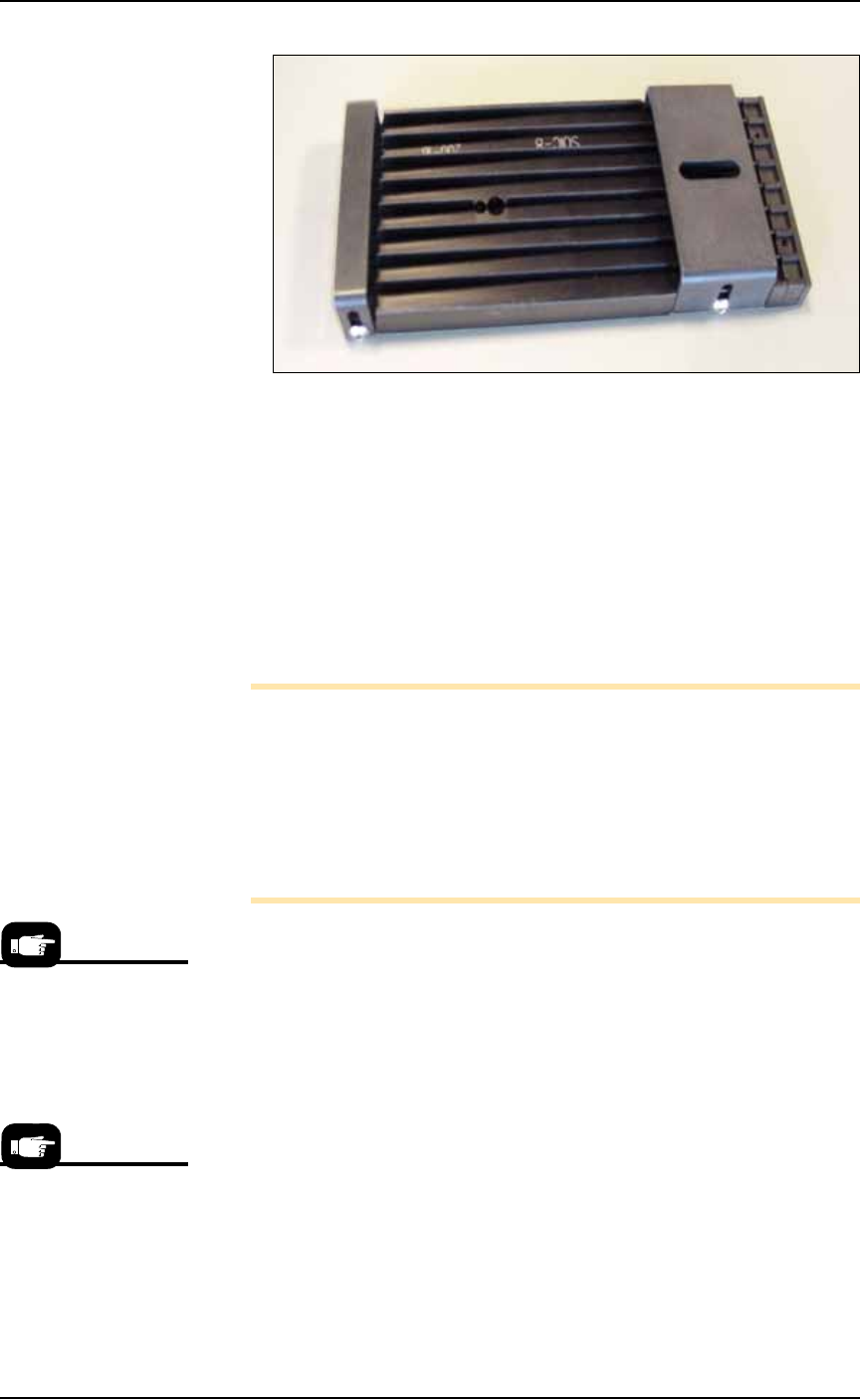
Figure 2-14: Output tube unloader platform.
5. Install output tube unloader platform—
5a. Install the output tube unloader platform onto the output Vibra-
tor Motor 2 (Vib2) on the right side of the workspace. Vibrator
Motor 2 is shown in Figure 2-12.
5b. Tighten the two screws using a 9/64 inch hex key.
6. Insert tubes—
6a. Insert full tubes into the input tube loader platform.
6b. Insert empty tubes into the output tube unloader platform.
6c. Close the safety shield.
Note: Ensure that blank devices are loaded into the input tubes
with the correct pin 1 orientation. If pin 1 orientation doesn’t
match pin 1 on the sockets, the correct rotation much be taught in
the Package file.
Pin 1 on Data I/O sockets is almost always toward the far side of
the adapter (the back of the PS Machine). Some BGAs and PLCCs
are marked.
7. Edit the winAH400.ini file for tube feeders—
7a. Using Windows Explorer, locate
C:\AH500\winAH400.ini
and m
ake a backup copy, for example,
WinAH400backup.ini
.
7b. Open the original file with Microsoft Notepad.
7c. Locate the line
TubeFeeder1=FALSE
and change to
TubeFeeder1=STDIN
7d. Locate the line
TubeFeeder2=FALSE
and change to
TubeFeeder2=STDOUT
7e. Save the
winAH400.ini
file and exit Windows Explorer.
If you have previously
used Tube Feeders you
may already have saved
a winAH400.ini file spe-
cifically for a Tube
Feeder setup.
See the on-screen Help
for more ini file infor-
mation.