PS288_PS388_PS588_981-0424-002D - 第58页
Setup ■ Setting Up Input and Output Media 2—16 Data I/O • 981-0424 -002 back 8. Adjust vibratio n controls— 8a. If devices do not travel freely in either tube, adjust the vibration using the Amplifier and Frequency contr…
■ Setting Up Input and Output Media ◘ Setting Up the Tube Input and Output Media
PS Series Owner’s Manual 2—15
back
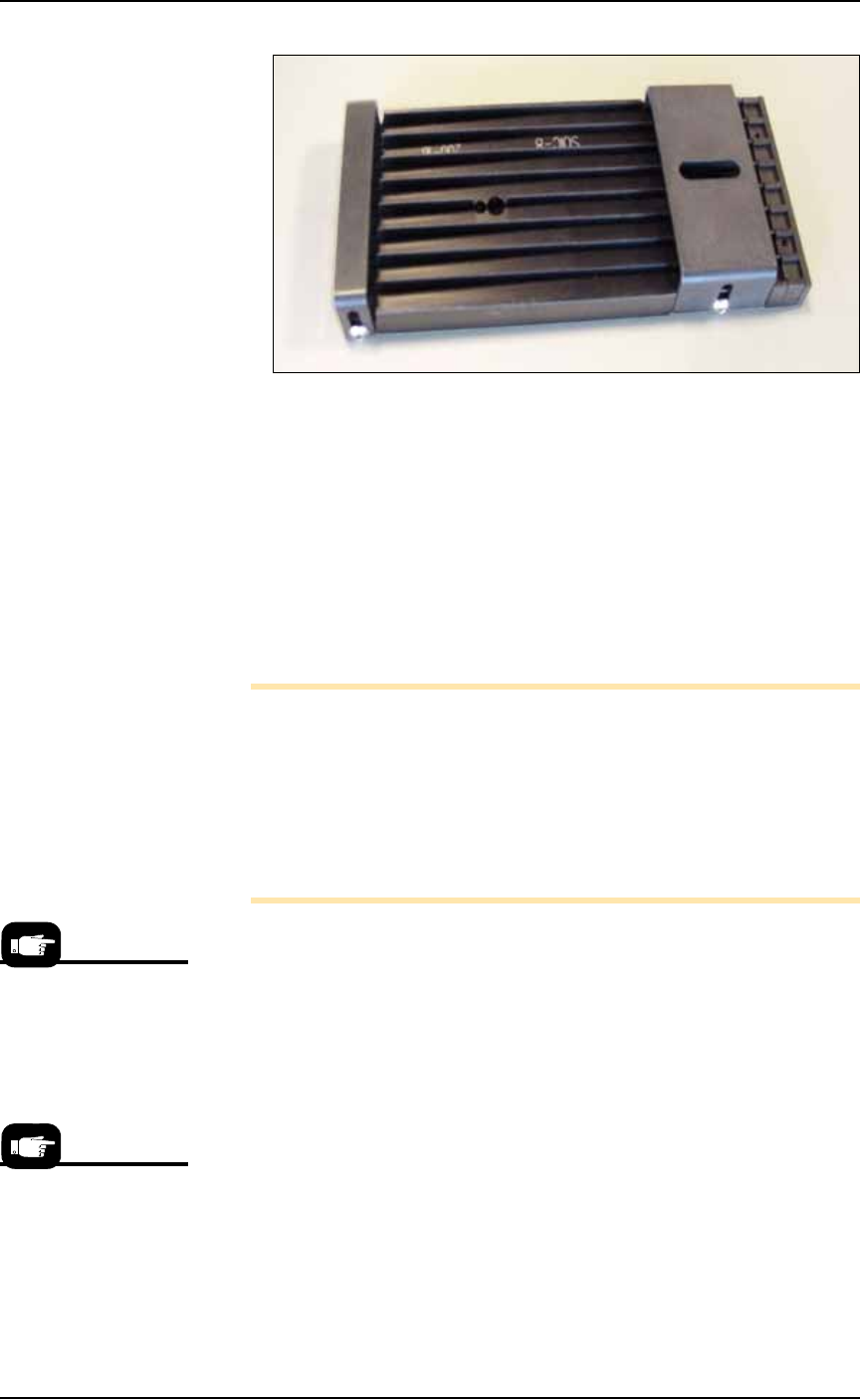
Figure 2-14: Output tube unloader platform.
5. Install output tube unloader platform—
5a. Install the output tube unloader platform onto the output Vibra-
tor Motor 2 (Vib2) on the right side of the workspace. Vibrator
Motor 2 is shown in Figure 2-12.
5b. Tighten the two screws using a 9/64 inch hex key.
6. Insert tubes—
6a. Insert full tubes into the input tube loader platform.
6b. Insert empty tubes into the output tube unloader platform.
6c. Close the safety shield.
Note: Ensure that blank devices are loaded into the input tubes
with the correct pin 1 orientation. If pin 1 orientation doesn’t
match pin 1 on the sockets, the correct rotation much be taught in
the Package file.
Pin 1 on Data I/O sockets is almost always toward the far side of
the adapter (the back of the PS Machine). Some BGAs and PLCCs
are marked.
7. Edit the winAH400.ini file for tube feeders—
7a. Using Windows Explorer, locate
C:\AH500\winAH400.ini
and m
ake a backup copy, for example,
WinAH400backup.ini
.
7b. Open the original file with Microsoft Notepad.
7c. Locate the line
TubeFeeder1=FALSE
and change to
TubeFeeder1=STDIN
7d. Locate the line
TubeFeeder2=FALSE
and change to
TubeFeeder2=STDOUT
7e. Save the
winAH400.ini
file and exit Windows Explorer.
If you have previously
used Tube Feeders you
may already have saved
a winAH400.ini file spe-
cifically for a Tube
Feeder setup.
See the on-screen Help
for more ini file infor-
mation.
Setup ■ Setting Up Input and Output Media
2—16 Data I/O • 981-0424-002
back
8. Adjust vibration controls—
8a. If devices do not travel freely in either tube, adjust the vibration
using the Amplifier and Frequency controls on the front panel of
the PS Machine.
Remember
•The Setup Window > Options tab must be set to match the work-
space setup. This is covered in Chapter 3, Set Media and
Options—the Setup Window.
• The Package File must be taught the Tube locations.
Setting Up the Tape Feeder Input
The PS System can be configured with an optional tape feeder for
input media. The tape feeder is installed on the front of the
PS Machine.
To install a Tape Feeder for input:
1. Preparation—
1a. At the monitor, stop any job that is running and exit the AH500
Application.
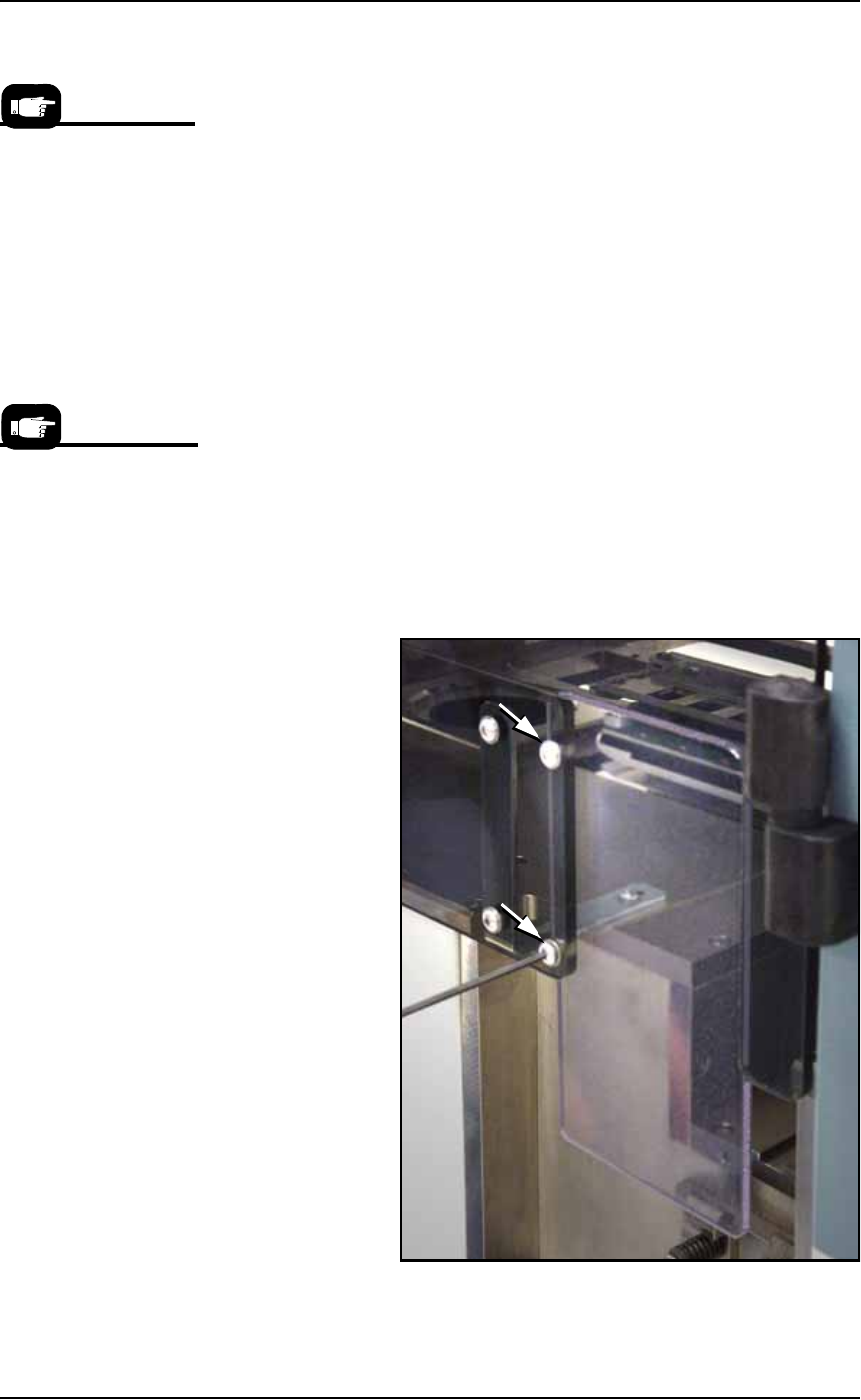
1b. Remove the two screws holding the small safety shield that cov-
ers the tape input feeder slot at the front of the PS Machine.
Figure 2-15: Two screws holding the small safety shield. [PS588
shown.]
On the Gantry Window,
the Tube Feeders are rep-
resented by the yellow
position labels that reads
Vib1 and Vib2.
Tape input feeders are
available in sizes to
match common device
tape widths. The last two
digits of the tape input
feeder part number indi-
cate the tape width.
■ Setting Up Input and Output Media ◘ Setting Up the Tape Feeder Input
PS Series Owner’s Manual 2—17
back
1c. Remove the small safety shield and set it aside with the screws.
It is not used when the tape input feeder unit is installed.
2. Edit the winAH400.ini file for Tape Feeder Input—
2a. Using Windows Explorer, locate
C:\AH500\winAH400.ini
and m
ake a backup copy, for example,
WinAH400backup.ini
.
2b. Open the original file with Microsoft Notepad.
Locate the line
TapeAdvanceInstalled=FALSE
and change to
TapeAdvanceInstalled=TRUE
2c. Save the
winAH400.ini
file and exit Windows Explorer.
3. Mount the feeder unit—
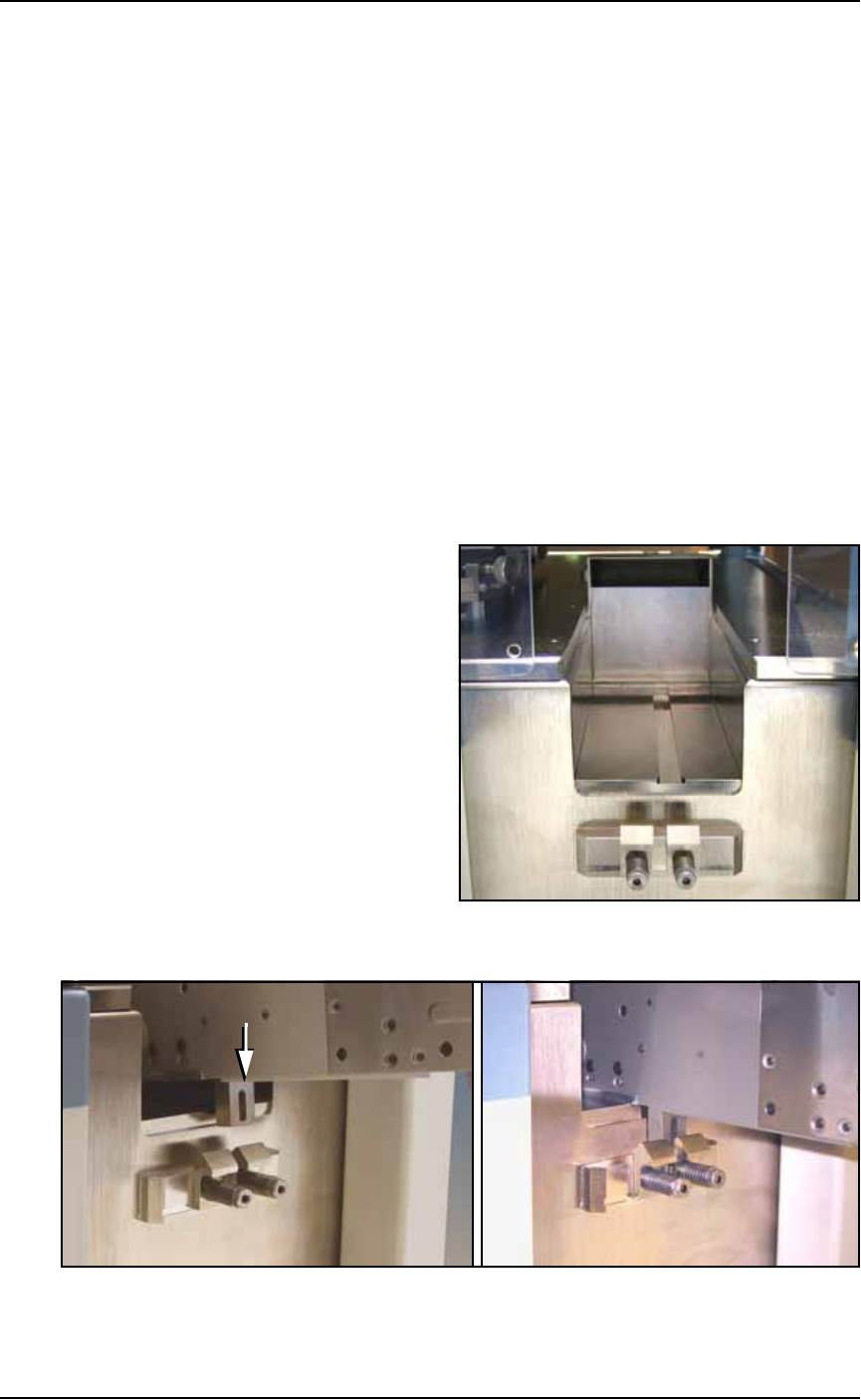
3a. Align the rail on the bottom of the feeder with the channel on the
PS Machine base plate.
3b. With the feeder in the channel, slide it toward the back. When
the feeder reaches the spring latches, lift it over to the far side of
the latches and push down to secure.
If tape is already loaded on the feeder, ensure it gets started
down the chute in the workspace. See Figure 2-16.
Figure 2-16: The channel and spring clamps on the PS Machine.
Figure 2-17: Push the mounting block of the Feeder into the spring
clamp.