PS288_PS388_PS588_981-0424-002D - 第61页
■ Setting Up Input and Output Media ◘ Setting Up the Tape Output Sys tem PS Series Owner’s Manual 2—19 back Note: For mor e information about thr eading cover tape, see the documentation that came with your tape feeder .…

Setup ■ Setting Up Input and Output Media
2—18 Data I/O • 981-0424-002
back
4. Connect cable—
4a. Insert the communication cable part way into the socket on the
PS Machine and, while pushing lightly, rotate until the connec-
tor is oriented correclty—it will stop and even make a slight
click sound.
4b. Push the rest of the way on. The Status lamp should light if the
PS System is on.
4c. Install the device reel if it is not already.
Note: For more information about loading a reel of devices onto the
feeder, see the documentation that came with your tape feeder.
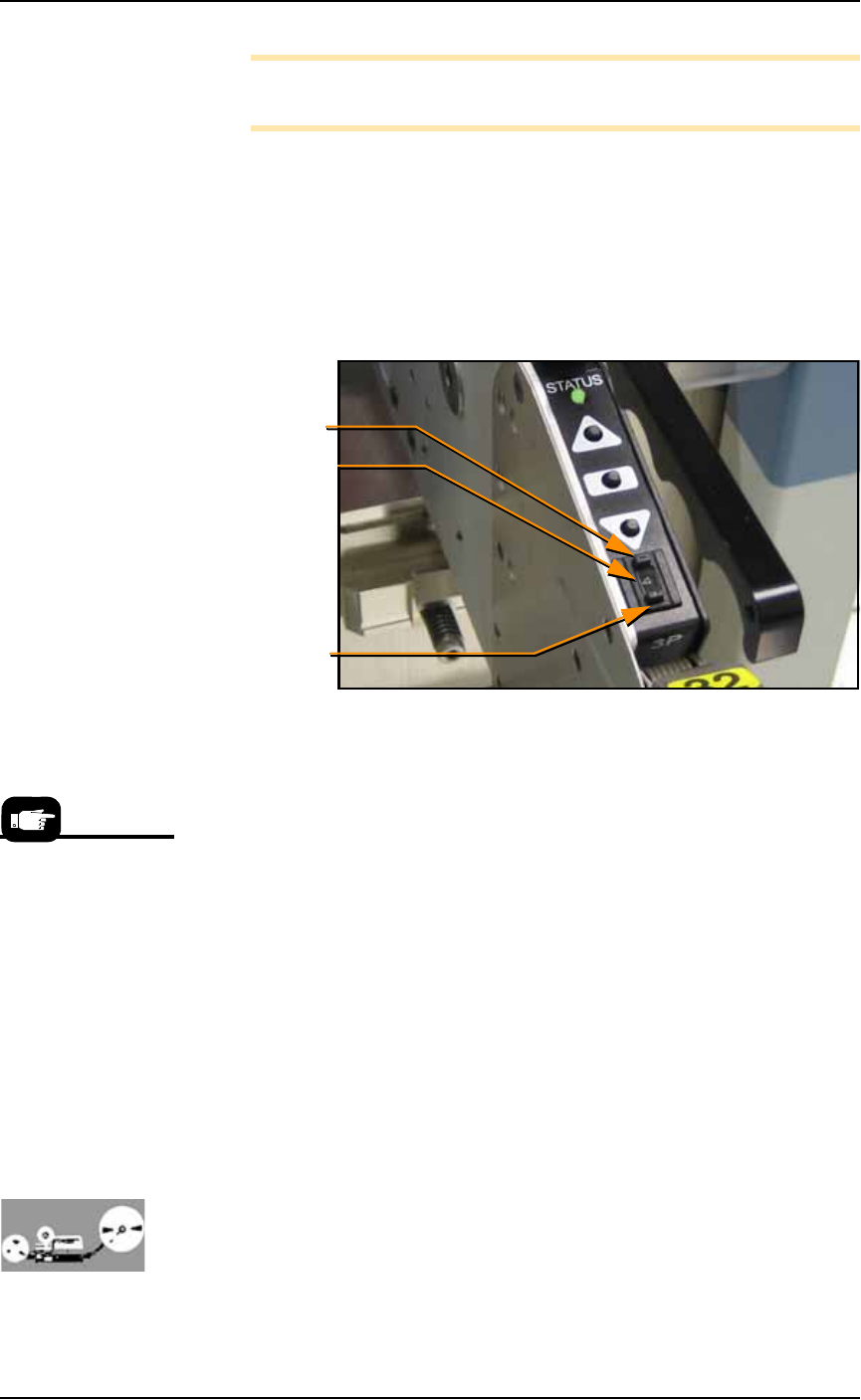
Figure 2-18: The Tape-Input cable is plugged into the front of the
PS Machine. (PS288 shown.)
5. Thread the carrier tape through the feeder.
Note: For more information about threading carrier tape, see the
documentation that came with your tape feeder.
5a. Pull the carrier tape forward to start it into the carrier waste tape
chute. See Figure 2-18.
The empty device carrier tape will come out of the slot below the
mounting latch. Place a box on the floor to contain empty carrier
tape.
6. Thread cover tape through the tape window and onto the
feeder’s cover tape roller.
To remove the Tape
Feeder communication
cable, grasp the collar
and pull out.
Carrier tape
waste chute on
the PS Machine.
■ Setting Up Input and Output Media ◘ Setting Up the Tape Output System
PS Series Owner’s Manual 2—19
back
Note: For more information about threading cover tape, see the
documentation that came with your tape feeder.
7. Adjust pitch—
7a. Count the number of sprocket holes in the carrier tape between
the center of one pocket and the center of the next pocket.
7b. On the feeder control panel, set the pitch index to the number of
guide holes. For example, if there are four guide holes from
pocket center to pocket center, enter
4
in the pitch index. Use the
[
-]
and [
+]
buttons to lower or raise the pitch index. See Figure
2-19.
Figure 2-19: Setting the Tape Feeder pitch index.
8. Align the pick point—
8a. Close all safety shields and release E-Stop buttons.
8b. Start the AH500 Software via TaskLink.
8c. On the Gantry Window, press Park.
8d. Advance the carrier tape (holding down the center button while
pushing the Forward button) until the pick point mark on the
tape window aligns with the center of a pocket.
8e. Release the center button. Press the forward button once to
index the device tape forward one pocket.
Before running a job with the tape input feeder in place, it is neces-
sary to:
• Teach locations to the PNP head. For information, see Teaching
the Package File on page 3-40.
• Select tape input setting in the AH500 software. For information,
see (Optional) Preselecting Programmers on page 3-13.
Setting Up the Tape Output System
The PS System can be configured with an optional tape output
system.
Lower pitch index
Raise pitch index
Pitch index display
Remember to remove
cover tape from the
cover tape reel when
full. For more informa-
tion, see your Tape
Feeder documentation.
Setup ■ Setting Up Input and Output Media
2—20 Data I/O • 981-0424-002
back
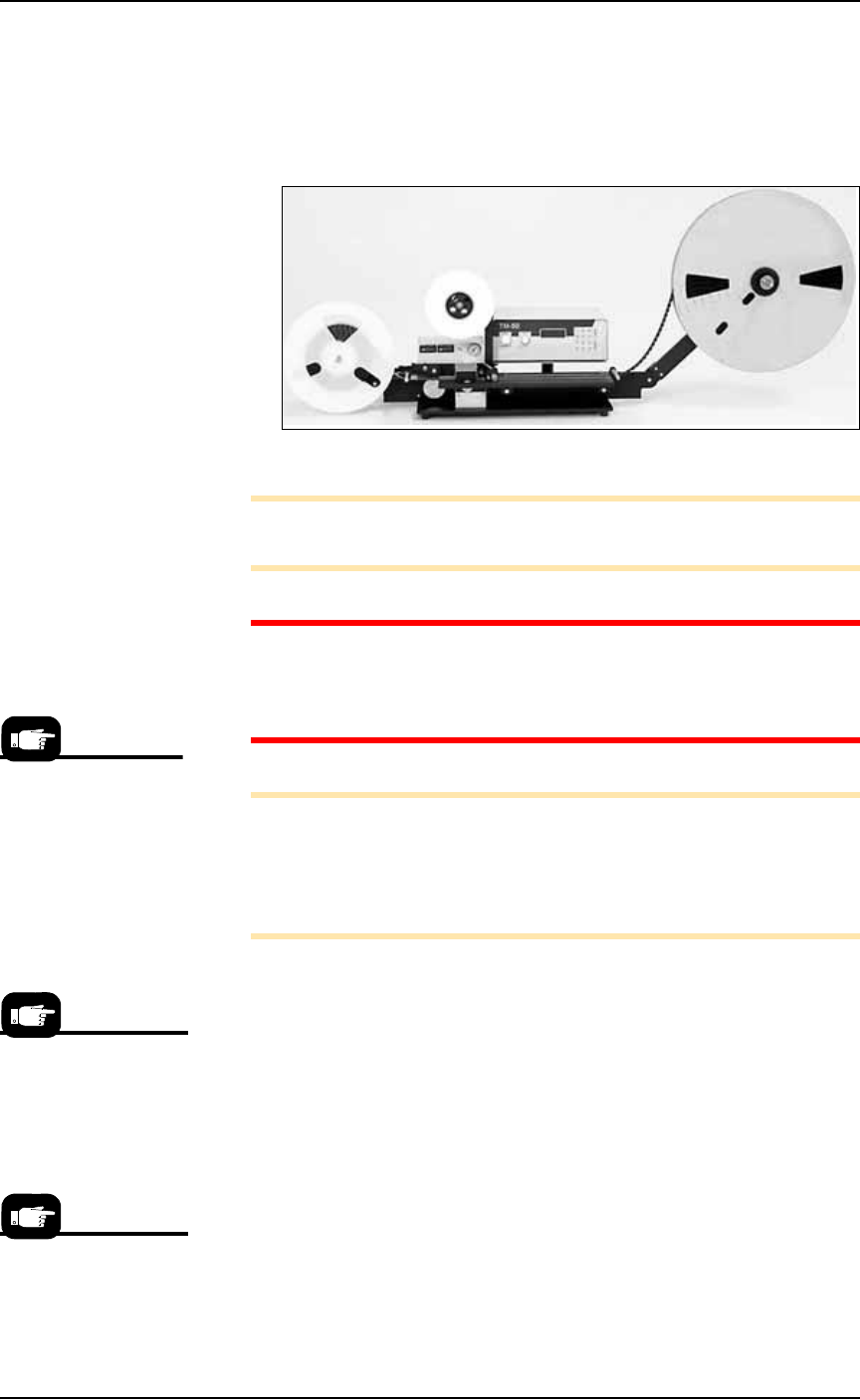
The tape output system receives programmed devices from the
PS System via a second PNP head on the output frame. With this
head, the Tape Output System places devices into empty carrier tape
pockets, advances the carrier tape through a mechanism that seals the
tape (using heat or pressure), and rolls the filled tape onto a reel for
delivery to the next stage in the manufacturing process.
Figure 2-20: Tape Output System.
Note: For additional information, refer to the TM-50 SMD Taping
Module User’s Guide that came with your Tape Output System.
CAUTION: Excessive Heat. Improper routing of the device tape
may cause enough heat to melt the tape. Ensure the correct rout-
ing path is followed. See the TM-50 SMD Taping Module User’s
Guide.
Note: The Tape Out System includes the Option Bay, the shuttle
transfer, and the Tape-Out-PNP head. These must already be
installed on the PS Machine before following the setup instructions
below. If it is not, contact Data I/O Customer Support or a local
Data I/O approved service representative.
To set up the Tape Output System:
1. Edit the winAH400.ini file for Tape Output—
1a. Using Windows Explorer, locate
C:\AH500\winAH400.ini
and m
ake a backup copy, for example,
WinAH400backup.ini
.
1b. Open the original file with Microsoft Notepad.
1c. Locate the line:
TapeOutPutInstalled=FALSE
and change it to True:
TapeOutputInstalled=TRUE
1d. Save the
winAH400.ini
file and exit Windows Explorer.
2. Preparation—
The information that
follows is adapted from
the TM-50 SMD Tap-
ing Module User’s
Guide that came with
your Tape Output Sys-
tem.
If you have previously
used Tape Output, you
may already have saved
a winAH400.ini file spe-
cifically for a Tape Out-
put setup.
For more ini file infor-
mation, see the
on-screen Help.