PS288_PS388_PS588_981-0424-002D - 第8页
Preface • Using This Manual viii Data I/O • 9 81-0424-002 back Safety Symbols Safety symbols in this manual mean this: —Crush H azard —Electric Shock Hazard —General Hazard W arning —Eye Protection W arning —Hazardous Ma…
P
PS Series Owner’s Manual vii
- Preface
Using This Manual
IF YOU LIKE EASY TO FIND INFORMATION, read on. This
manual uses graphics, color and special messages to make it
easy to read, as well as to make the PS System easy-to-use and
keep the operator safe.
Warnings and Cautions
Special paragraphs with red lines are safety warnings as follows:
WARNING: A warning message like this has red text and calls
your attention to potentially hazardous situations and practices
that might injure people or cause serious monetary loss.
CAUTION: A caution message like this has black text and calls
your attention to potentially hazardous situations and practices
that might damage equipment.
The potential loss is not as serious
as a warning.
Definition of a Warn-
ing.
Definition of a Caution.
Preface • Using This Manual
viii Data I/O • 981-0424-002
back
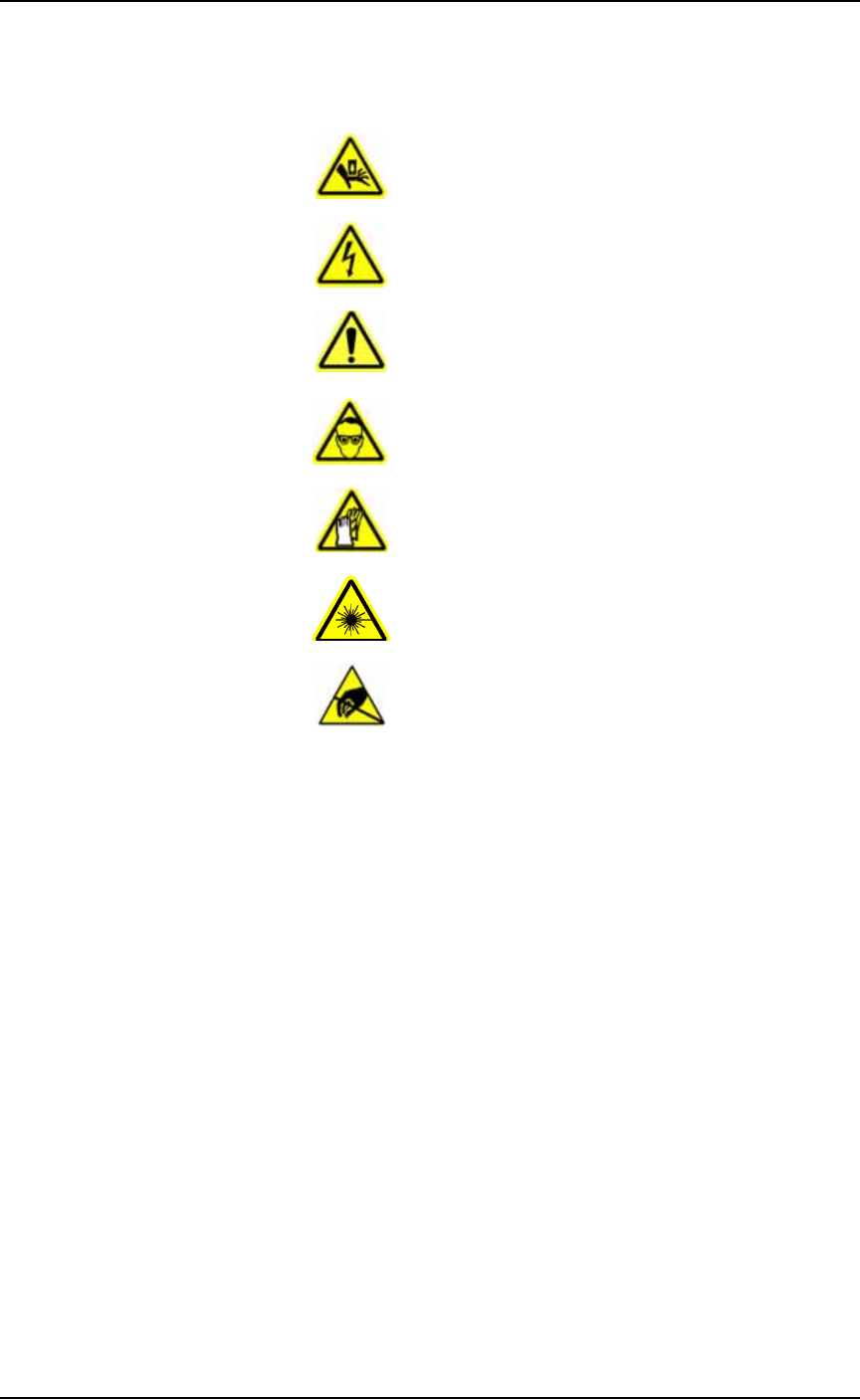
Safety Symbols
Safety symbols in this manual mean this:
—Crush Hazard
—Electric Shock Hazard
—General Hazard Warning
—Eye Protection Warning
—Hazardous Materials Warning
—Laser Hazard Warning
—Electrostatic Discharge Warning
• Using This Manual •• Symbols for Specific Models/Equipment
PS Series Owner’s Manual ix
back
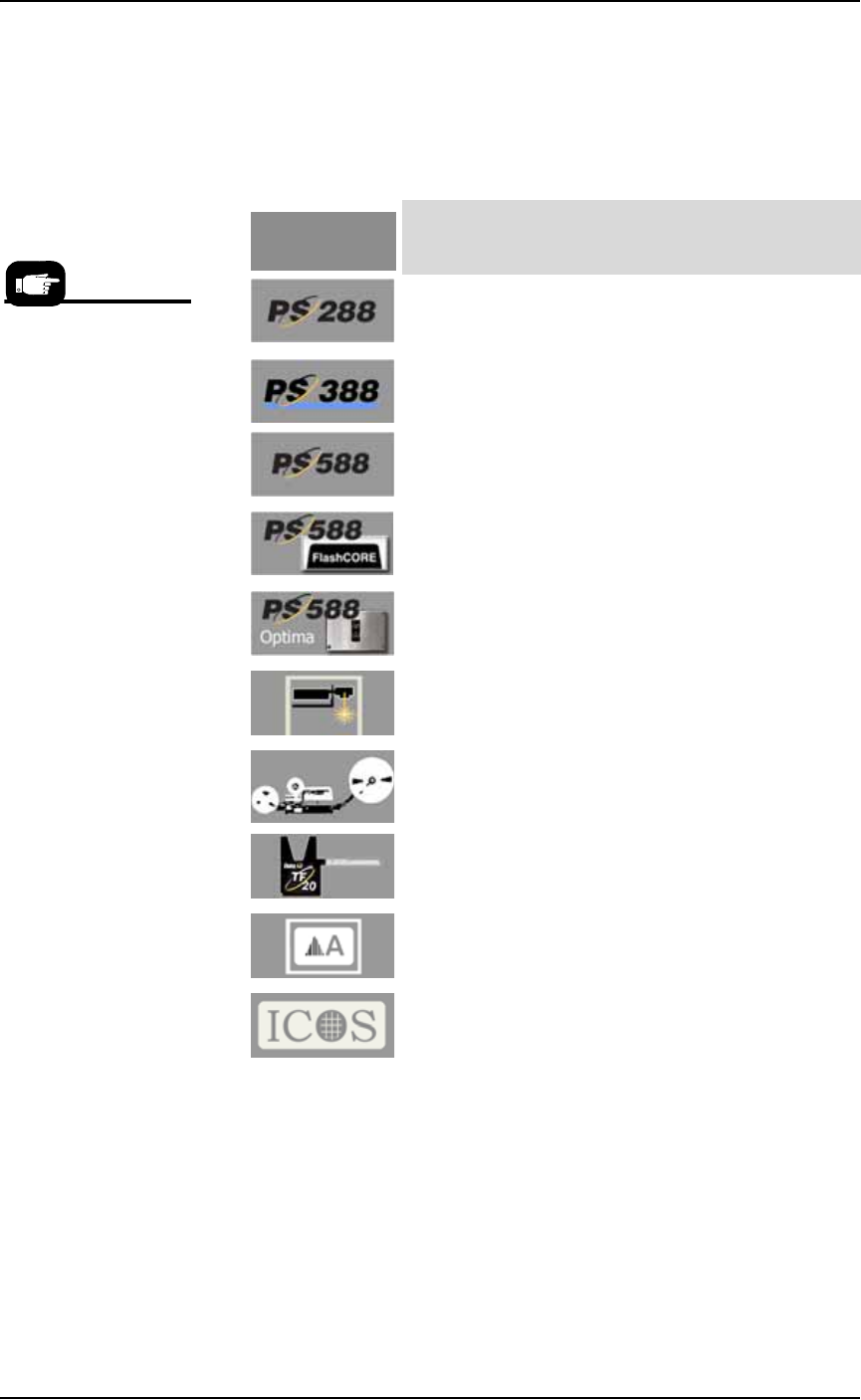
Symbols for Specific Models/Equipment
The following symbols appear in the side bar next to paragraphs or
procedural steps that are limited to a specific model or piece of
optional equipment. If the symbol is next to a heading, the entire con-
tent under that heading is limited to the equipment indicated.
Jump Right In
Thanks for reading about the safety symbols, notes, and icons. If your
PS System is already set up and you want to skip ahead:
Be safe —see Safety Systems on page 1-4
Where’s the _____? —see Machine Components on page 1-11
How to run a job —see Running a Job on PS Systems on page 3-2
What if it stops? —see Troubleshooting on page 4-58
What info is needed when I request service? -see next page.
For a description of any
PS model or optional
equipment, see
Chapter 1.
. . . adjacent information is limited to the:
PS288 Machines only.
PS388 Machines only.
All PS588 Machines only (regardless of type of
programmers installed)
Only PS588 Machines with (at least one) FlashCORE
Programmers
Only PS588 Machines with (at least one) OPTIMA
(Universal) Programmers
Only Laser Marking Systems, or PS Machines with
Marking Systems
Only Tape Output Systems, or PS Machines with
Tape Output Systems
Only TF20 Tray Feeders, or PS Machines with Tray
Feeders
Only Label Marking Systems, or PS Machines with
Label Marking Systems.
A lead, 3D inspection system by ICOS detects bent
leads on devices. It includes a PC and hardware.
This symbol
means . . .