PS288_PS388_PS588_981-0424-002D - 第81页
■ Operator Functions ◘ Running a Job on PS Systems PS Series Owner’s Manual 3—11 back T o select a job and start AH500: 1. On the monitor , double-click the T askLink icon. Figure 3-10: T askLink icon 2. Open the T ask M…
Operation ■ Operator Functions
3—10 Data I/O • 981-0424-002
back
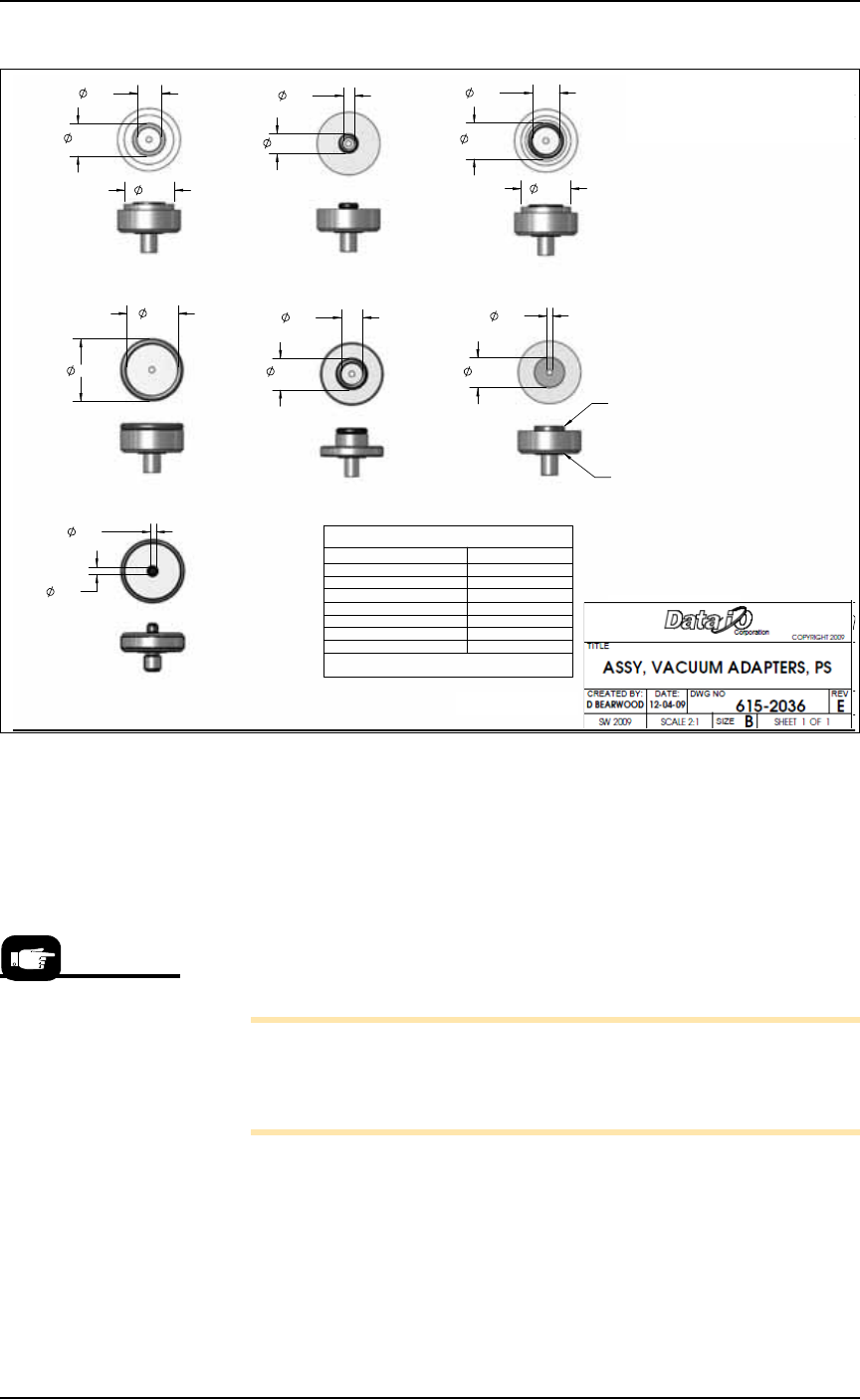
Figure 3-9: O-ring ID and OD dimensions and Part Numbers are shown.
Turning System Power On
Before you turn on power, check that:
• All safety shields are closed.
• The external air line is connected, the air pressure switch is in
the ON position, and the pressure indicator number is green.
Turn the power on at the back of the machine by rotating the large
switch to the ON position.
Note: Turning power on does not start the PS Application Soft-
ware (AH500). Although the AH500 icon on the monitor can be
double-clicked, the best way to start the application is by first start-
ing TaskLink. See the heading below.
Starting AH500 via TaskLink (Selecting a Job)
TaskLink automatically starts AH500 Application Software when
Run is clicked. TaskLink is Data I/O’s software for creating program-
ming jobs by guiding customers through selection of data file, and
programming parameters and processes.
.419
.559
.774
TITLE
OR IN PART, NOR DISCLOSED TO OTHERS WITHOUT
DO NOT SCALE DRAWING.
DIMENSIONS IN INCHES.
IN ACCORDANCE WITH ANSI Y14.5M-1994.
DATE:
D BEARWOOD
CREATED BY:
ASSY, VACUUM
THIS DOCUMENT CONTAINS INFORMATION CONSIDERED
INTERPRET DIMENSIONS & TOLERANCES
DW
SCALE 2:1
SHEET METAL TOLERANCES:
PROPRIETARY A ND SHALL NOT BE REPRODUCED WHOLLY
SPECIFIC WRITTEN PERMISSION OF DA TA I/O CORP
SW 2009
HOLE TO HOLE = .005
EDGE TO HOLE =
.01
EDGE TO EDGE =
.01
FOLD TO HOLE =
.01
FOLD TO FOLD =
.02
HOLE SIZE =
.004
ANGLES =
1.5
12-04-09
1.
615-0071-001
615-0066-001 615-0067-001
615-0068-001
615-0069-001
615-0070-001
615-0063-001
TWO REQUIRED FOR EACH
NO TES:
DESCRIPTIONREV.
REVISIONS
E INITIAL RELEASE OF VACUUM ADAPTER KIT
TOP REPLACEMENT SEALS
VAC ADAPTER ASSY # TOP SEAL #
615-0063-001 249-0020-001
615-0066-001 249-0005-001
615-0067-001 249-0012-001
615-0068-001 249-0004-001
615-0069-001 249-0003-001
615-0070-001 249-0007-001
615-0071-001 288-0020-001
BOTTOM REPLACEMENT SEAL # 249-0003-001
LOWER SEAL TYP.
TOP SEAL TYP.
.470
.085
.175
.309
.120
.089
.774
.507
.381
.335
.491
.977
.799
TRANSFER SHUTTLE SYSTEM
On machines prior to
March 2009, after
machine power-up,
push the green ON but-
ton on the AutoPak.
■ Operator Functions ◘ Running a Job on PS Systems
PS Series Owner’s Manual 3—11
back
To select a job and start AH500:
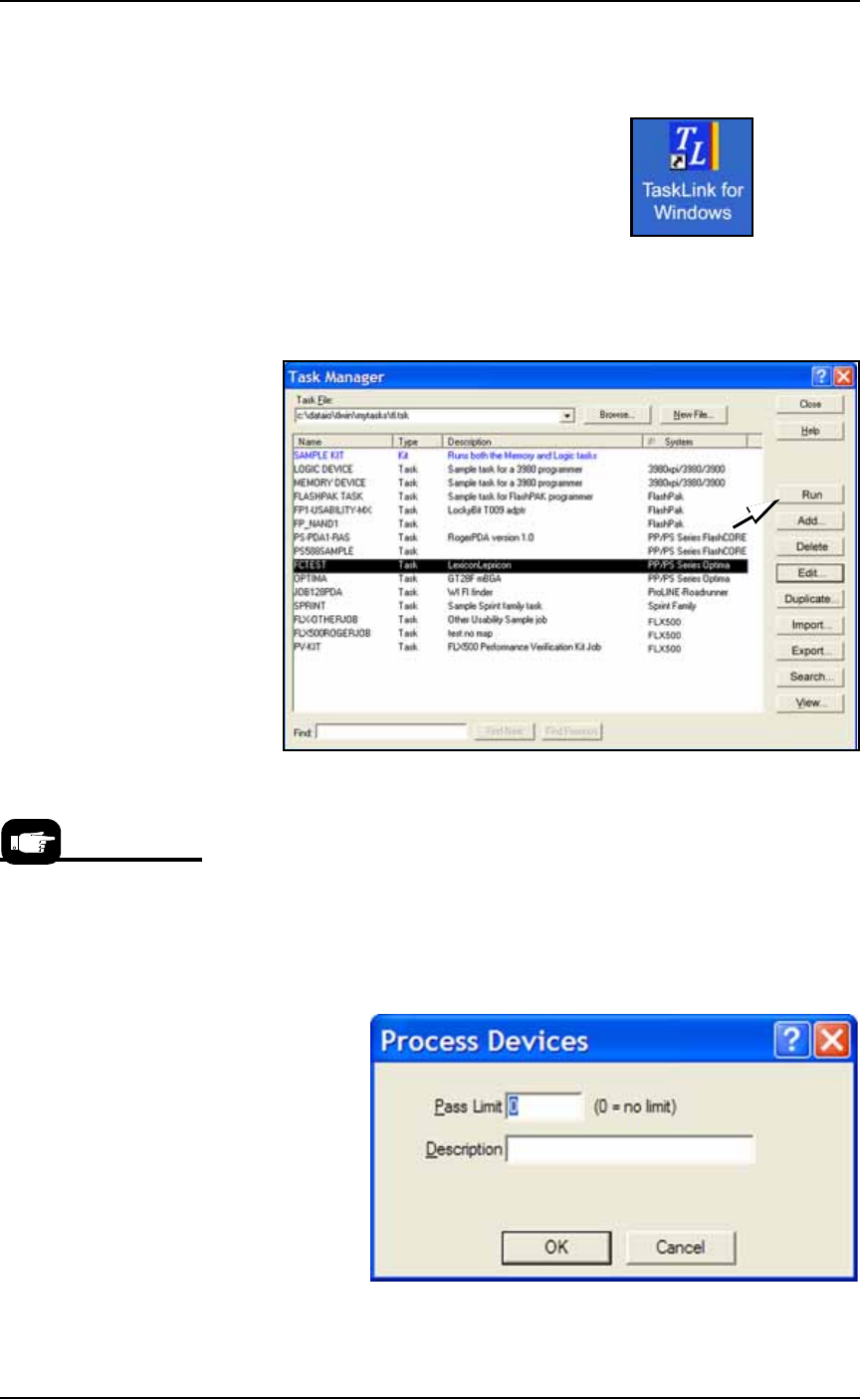
1. On the monitor, double-click the TaskLink icon.
Figure 3-10: TaskLink icon
2. Open the Task Manager Dialog, select your target Task from the
list and click Run.
.
Figure 3-11: Select a Task and click Run to run a job on the PS
Machine.
3. A Footnotes Dialog displays. Note the Socket Adapter and
Actuator Plate part numbers required. Click OK to close the dia-
log.
4. (Optional) Enter the number of devices to be processed in the
Pass Limit field (0 is the default for an unlimited number of
devices). Enter a description.
5. Click OK.
.
Figure 3-12: Both a pass limit and a description are optional.
For devices supported by
Universal programmers,
the Footnotes dialog dis-
plays a Universal Top and
a FlashTop Top required.
Operation ■ Operator Functions
3—12 Data I/O • 981-0424-002
back
.
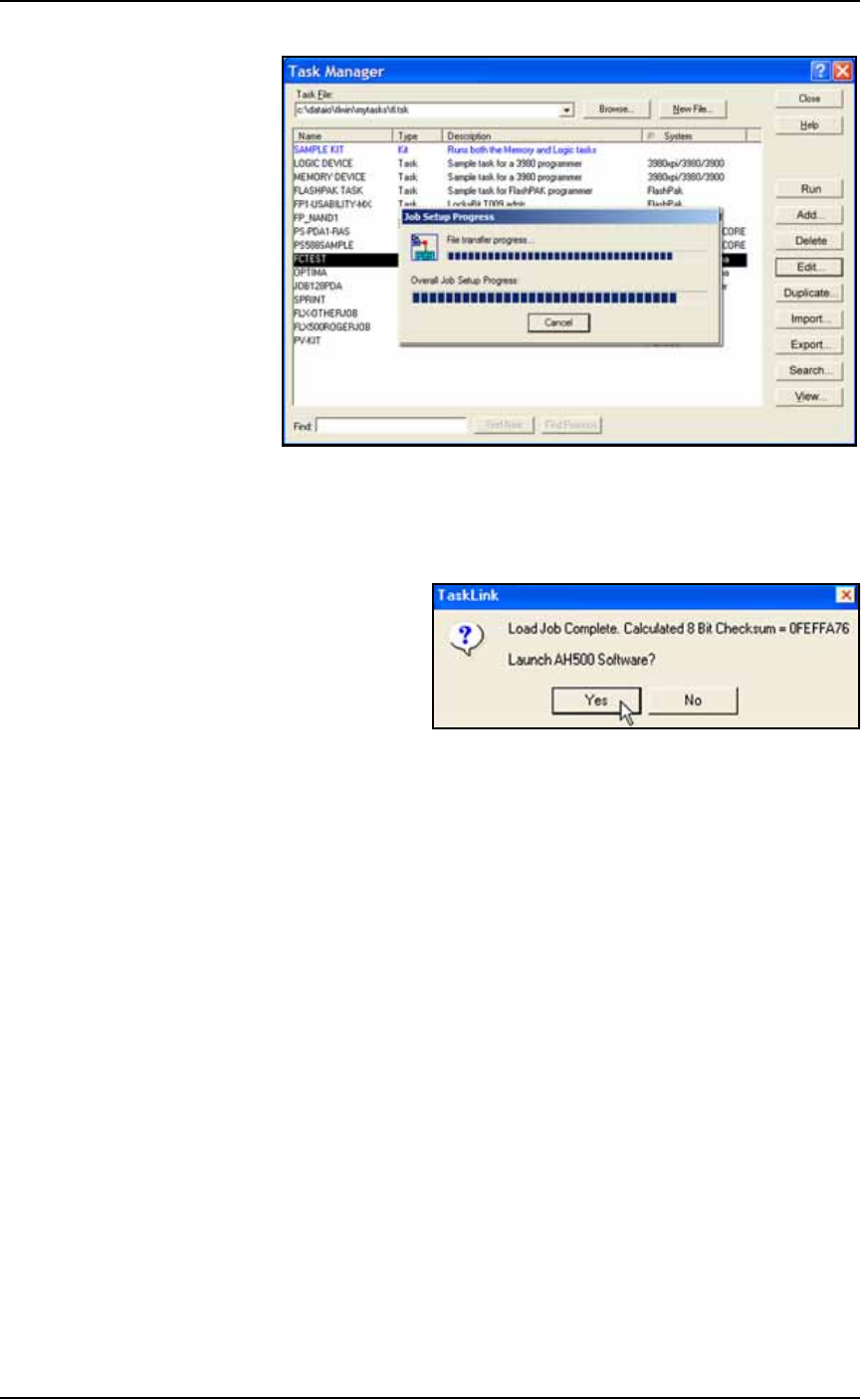
Figure 3-13: TaskLink displays job transfer progress.
6. When job setup is complete, TaskLink displays the calculated
checksum and confirms launching the AH500 software if Dis-
play Checksum option is checked in TaskLink. Click Yes.
.
Figure 3-14: Click Yes to launch AH500 Software (if message displays).
7. On the AH500 main window under Current Job, the name of the
job just loaded is displayed.