PS288_PS388_PS588_981-0424-002D - 第82页
Operation ■ Operator Functions 3—12 Data I/O • 981-0424-002 back . Figure 3-13: T askLink displa ys job trans fer progress. 6. When job setup is complete, T a skLink displays the calculated checksum and confirms launchin…
■ Operator Functions ◘ Running a Job on PS Systems
PS Series Owner’s Manual 3—11
back
To select a job and start AH500:
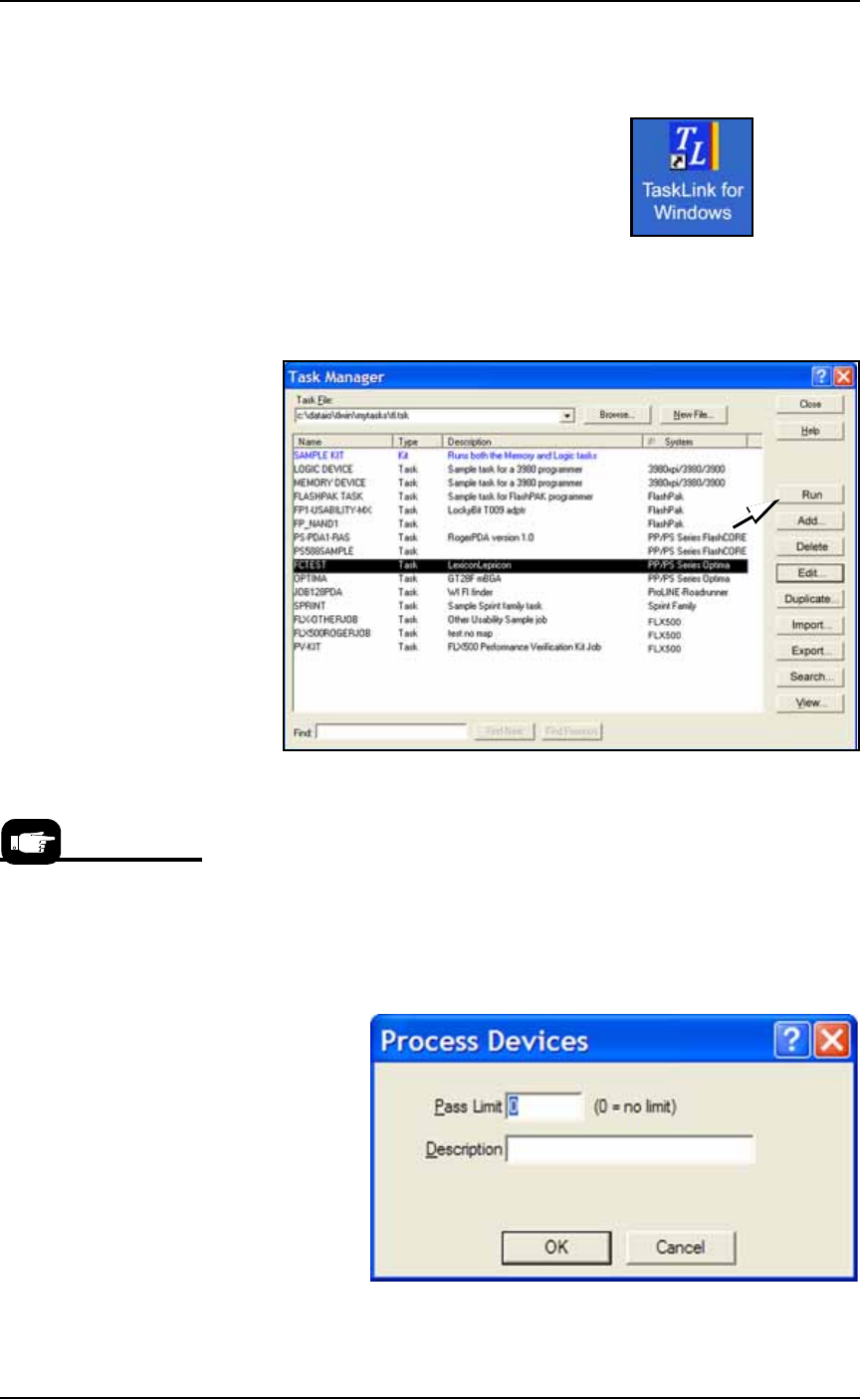
1. On the monitor, double-click the TaskLink icon.
Figure 3-10: TaskLink icon
2. Open the Task Manager Dialog, select your target Task from the
list and click Run.
.
Figure 3-11: Select a Task and click Run to run a job on the PS
Machine.
3. A Footnotes Dialog displays. Note the Socket Adapter and
Actuator Plate part numbers required. Click OK to close the dia-
log.
4. (Optional) Enter the number of devices to be processed in the
Pass Limit field (0 is the default for an unlimited number of
devices). Enter a description.
5. Click OK.
.
Figure 3-12: Both a pass limit and a description are optional.
For devices supported by
Universal programmers,
the Footnotes dialog dis-
plays a Universal Top and
a FlashTop Top required.
Operation ■ Operator Functions
3—12 Data I/O • 981-0424-002
back
.
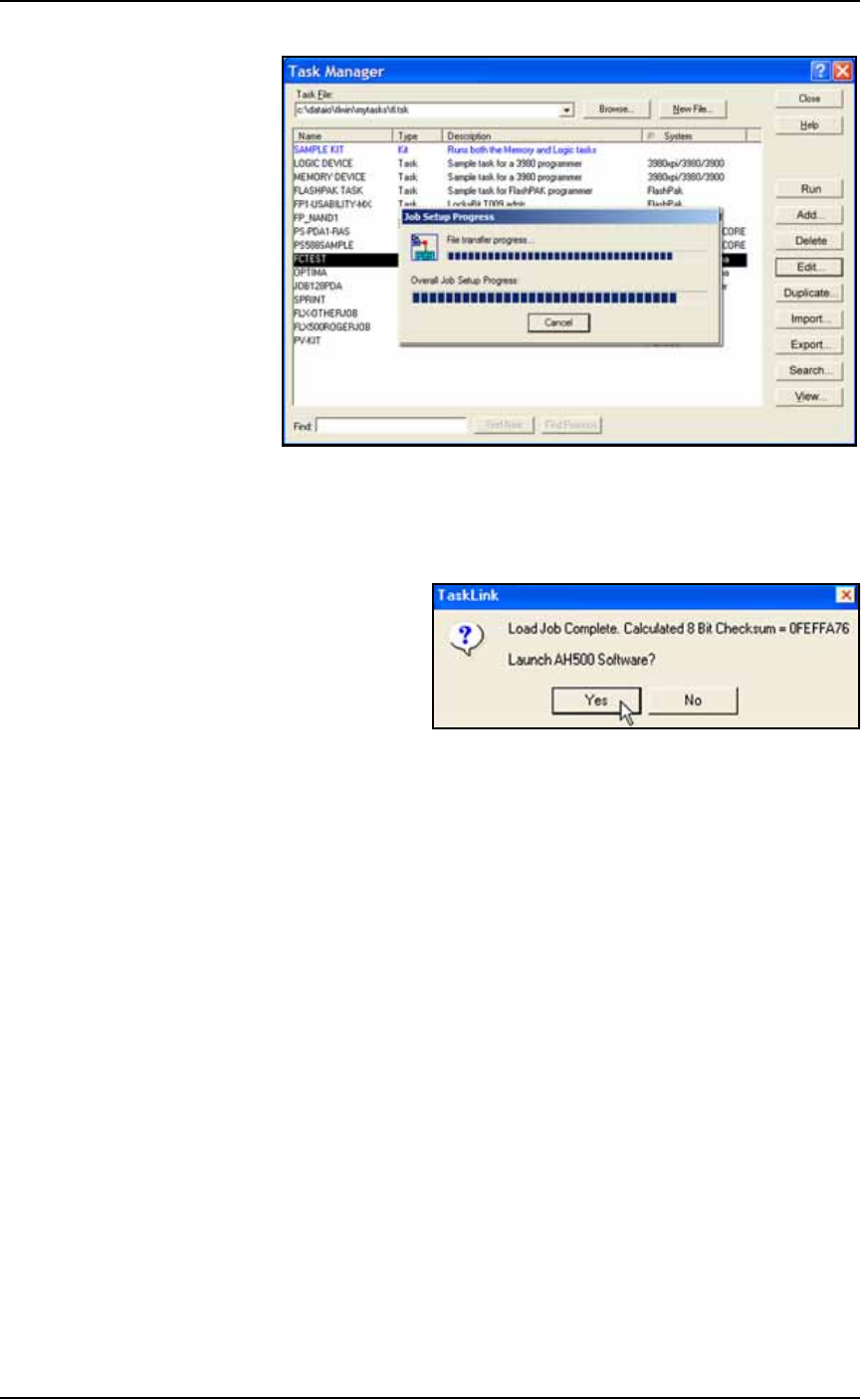
Figure 3-13: TaskLink displays job transfer progress.
6. When job setup is complete, TaskLink displays the calculated
checksum and confirms launching the AH500 software if Dis-
play Checksum option is checked in TaskLink. Click Yes.
.
Figure 3-14: Click Yes to launch AH500 Software (if message displays).
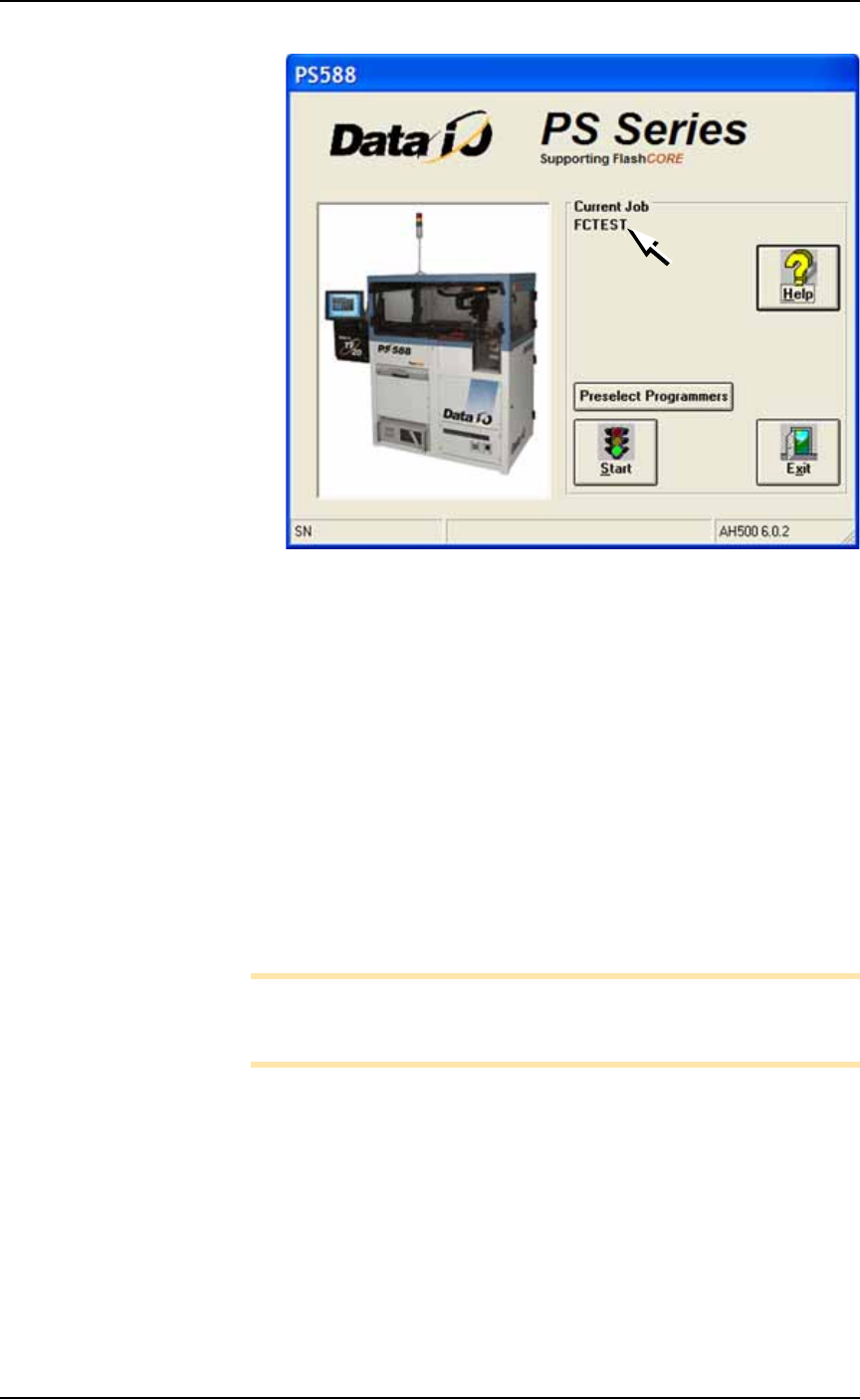
7. On the AH500 main window under Current Job, the name of the
job just loaded is displayed.
■ Operator Functions ◘ Running a Job on PS Systems
PS Series Owner’s Manual 3—13
back
.
Figure 3-15: The AH500 main window opens with a job loaded and its
name displayed (arrow). (PS588 shown.)
(Optional) Preselecting Programmers
The PS288 & PS388 can be configured with up to four FlashCORE
programmers. The PS588 can be configured with up to 12 program-
mers, which can be a mix of FlashCORE and Universal OPTIMA pro-
grammers.
To improve efficiency, shut off programmers that are not used for a
particular job as follows:
1. On the AH500-PS System main window, click Preselect Program-
mers. Refer to Figure 3-15.
2. Click I (green side) of the Unlock Cnf button to allow changes.
3. For each programmer, click I (green side) of the button to enable
it or the O (red side) to disable it. See Figure 3-16.
Note: If a programmer does not have a Socket Adapter, or an incor-
rect Socket Adapter is installed, the programmer will automatically
be disabled.