PS288_PS388_PS588_981-0424-002D - 第84页
Operation ■ Operator Functions 3—14 Data I/O • 981-0424-002 back Figure 3-1 6: Preselec ting programmers. In this image, programmers 1 and 2, are disabled. (PS588 shown.) 4. Lock the configuration again only if you wish …
■ Operator Functions ◘ Running a Job on PS Systems
PS Series Owner’s Manual 3—13
back
.
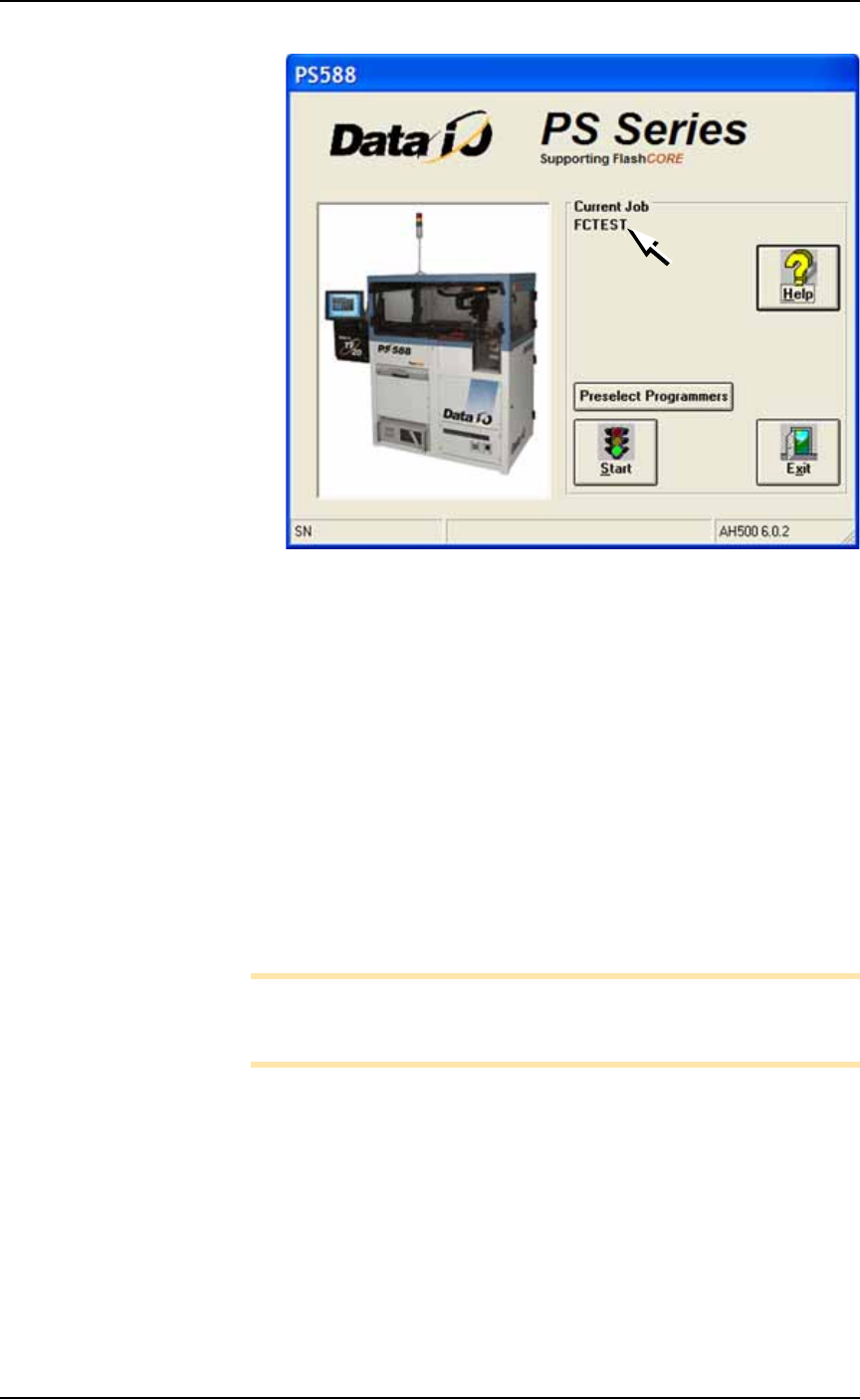
Figure 3-15: The AH500 main window opens with a job loaded and its
name displayed (arrow). (PS588 shown.)
(Optional) Preselecting Programmers
The PS288 & PS388 can be configured with up to four FlashCORE
programmers. The PS588 can be configured with up to 12 program-
mers, which can be a mix of FlashCORE and Universal OPTIMA pro-
grammers.
To improve efficiency, shut off programmers that are not used for a
particular job as follows:
1. On the AH500-PS System main window, click Preselect Program-
mers. Refer to Figure 3-15.
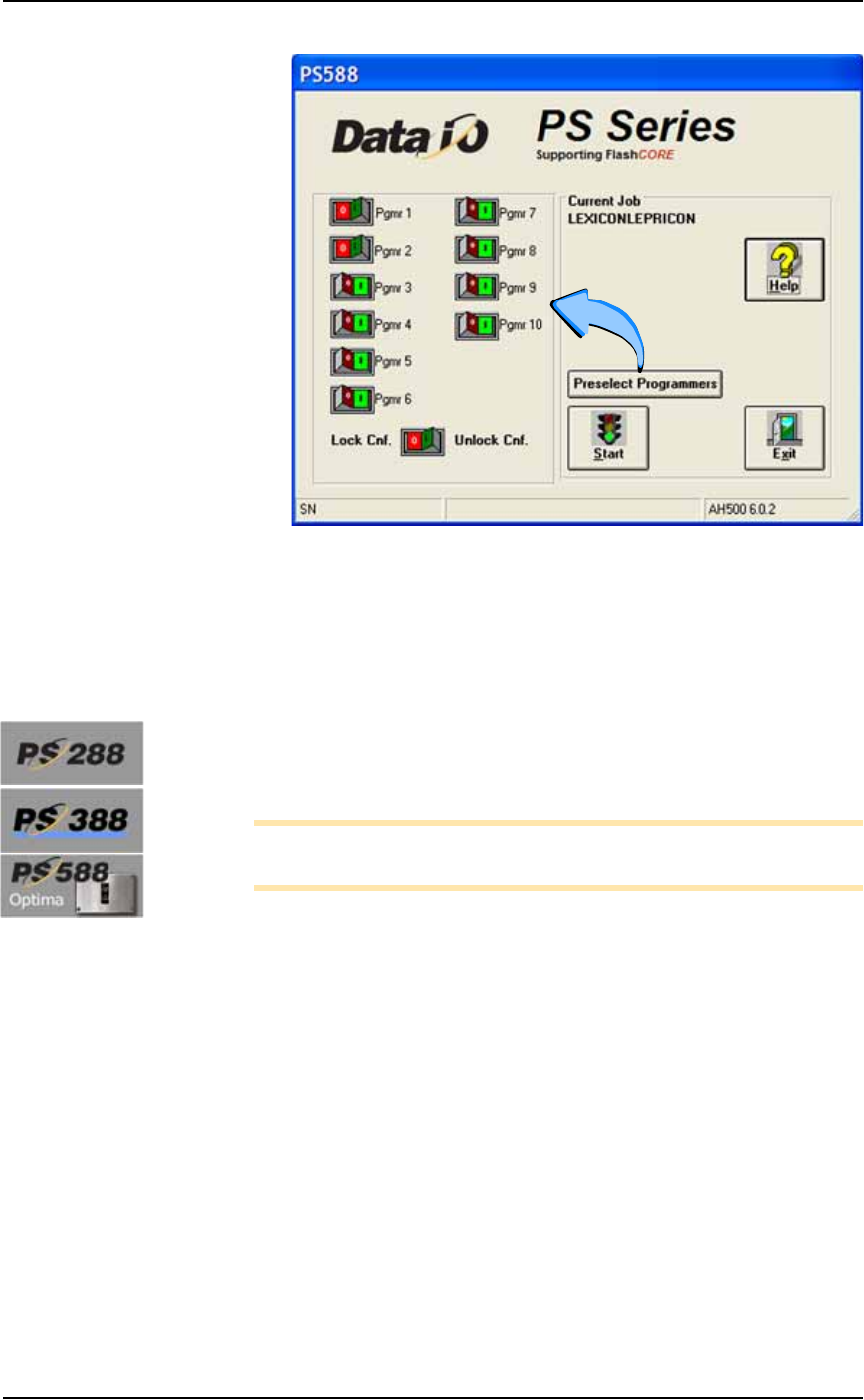
2. Click I (green side) of the Unlock Cnf button to allow changes.
3. For each programmer, click I (green side) of the button to enable
it or the O (red side) to disable it. See Figure 3-16.
Note: If a programmer does not have a Socket Adapter, or an incor-
rect Socket Adapter is installed, the programmer will automatically
be disabled.
Operation ■ Operator Functions
3—14 Data I/O • 981-0424-002
back
Figure 3-16: Preselecting programmers. In this image, programmers 1
and 2, are disabled. (PS588 shown.)
4. Lock the configuration again only if you wish to keep this setting
the next time the system is turned on: click the O (red) side of the
Lock Cnf button
Adjust Socket Opener Ribs
[PS288, PS388, and Optima on PS588 only]
1. Adjust the Socket Opener Ribs—
Note: It is necessary to adjust the Socket Opener after installing
different Socket Adapters.
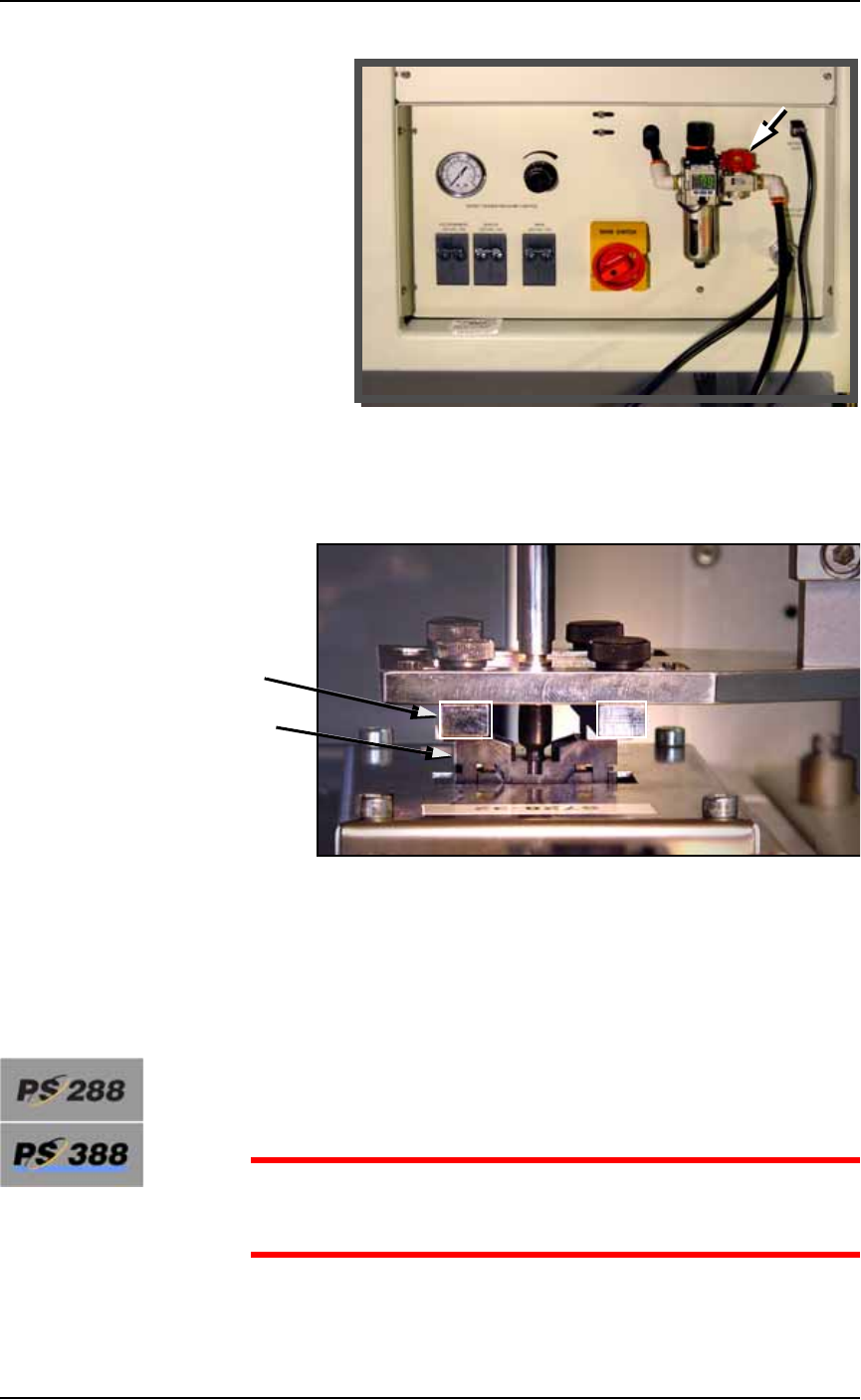
1a. On the Power Panel, turn the main air valve OFF. (It is off when
the lock rings line up: some models.)
■ Operator Functions ◘ Running a Job on PS Systems
PS Series Owner’s Manual 3—15
back
Figure 3-17: Main air valve on the back of the machine.
1b. By hand, adjust the Socket Opener so that the ribs open the
socket as the probe descends and so the opener does not inter-
fere with the device as it is picked up by the probe.
Figure 3-18: Adjusting the Socket Opener on PS288 and PS588
Optima. (Optima programmer shown.)
1c. On the Power Panel, turn the main air valve ON.
Adjust Two Items After Changing Socket Adapters
Adjust the Socket Actuatro Air Pressure
[PS288 & PS388 only when switching between special Socket
Adapters]
CAUTION: Possible damage to Socket Adapters. If the actuation
air pressure is incorrect, Socket Adapters might get damaged, or
throughput could suffer.
Ribs
Socket