PS288_PS388_PS588_981-0424-002D - 第89页
■ Operator Functions ◘ Running a Job on PS Systems PS Series Owner’s Manual 3—19 back the winAH400.ini fi le may need to be edited. See the online Help for instructions editing the W inAH400 .int file or contact Data I/O…
Operation ■ Operator Functions
3—18 Data I/O • 981-0424-002
back
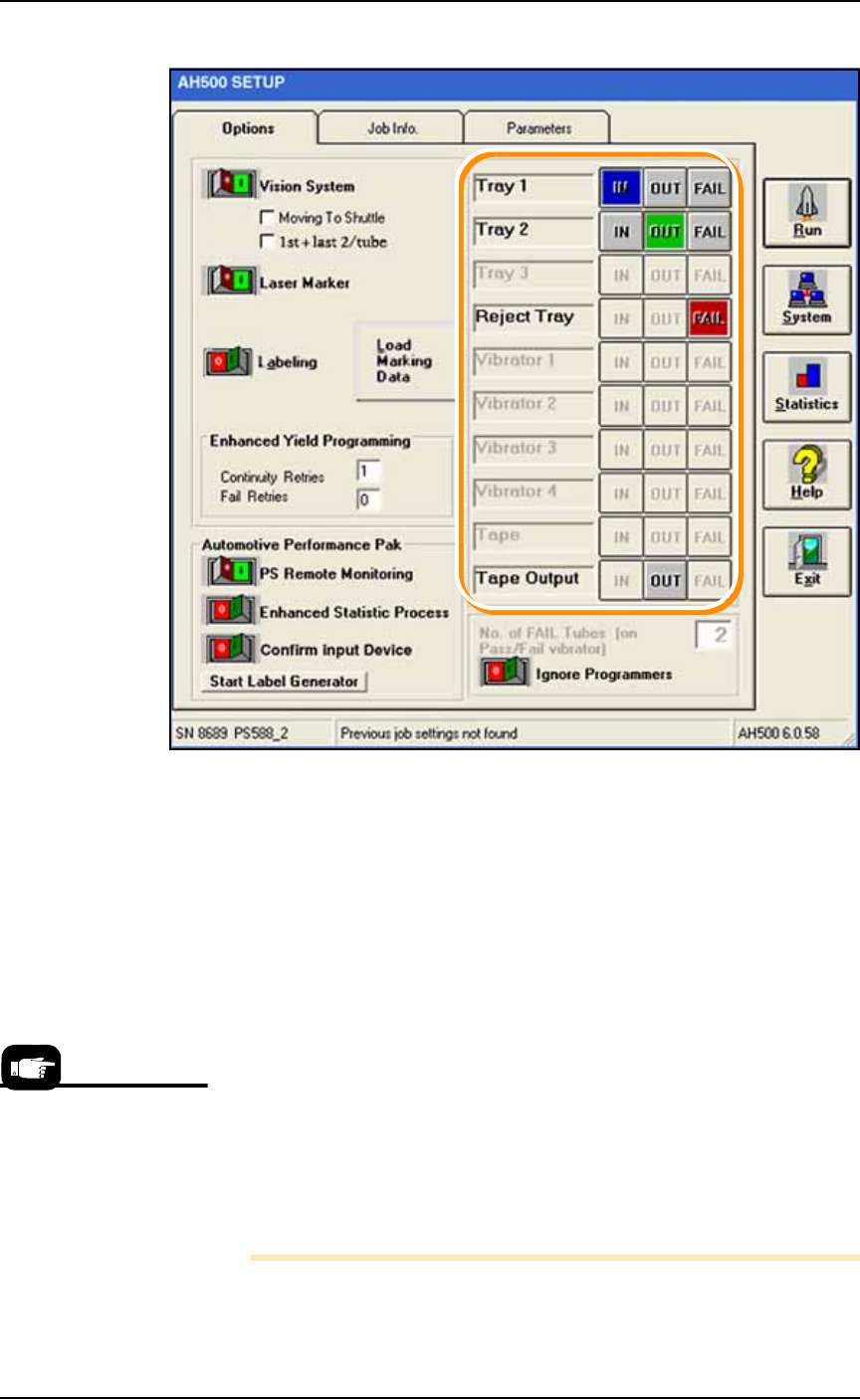
Figure 3-20: The SETUP Window requires input, output, and reject
selections (boxed here) on the Options tab. Only options set in the
WinAH400.ini file will display. Common setups will not display all the
optional features shown here.
Enhanced Yield Programming
1h. (Optional) In the Continuity Retries field, enter the number of
times the system should retry continuity failures before rejecting
the device.
1i. (Optional) In the Fail Retries field, enter the number of times the
system should retry programming failures (excluding over-cur-
rent and continuity) before rejecting the device.
1j. [Automotive Performance Pak only] Optional: Start any of the
five utilities available with the AP Pak.
1k. If Ignore Programmers is On (green), the PNP head will not stop
at the programmers and will effectively transfer devices from
input media to output media with no programming, and with or
without laser marking. The default is Off.
Note: Only installed options are available for selection on the
Options tab. If different input media (tube, tape, or tray) is desired,
For more information on
the AP Pak, see the AH500
online Help.
■ Operator Functions ◘ Running a Job on PS Systems
PS Series Owner’s Manual 3—19
back
the winAH400.ini file may need to be edited. See the online Help for
instructions editing the WinAH400.int file or contact Data I/O
support or an authorized technician.
2. Verifying—
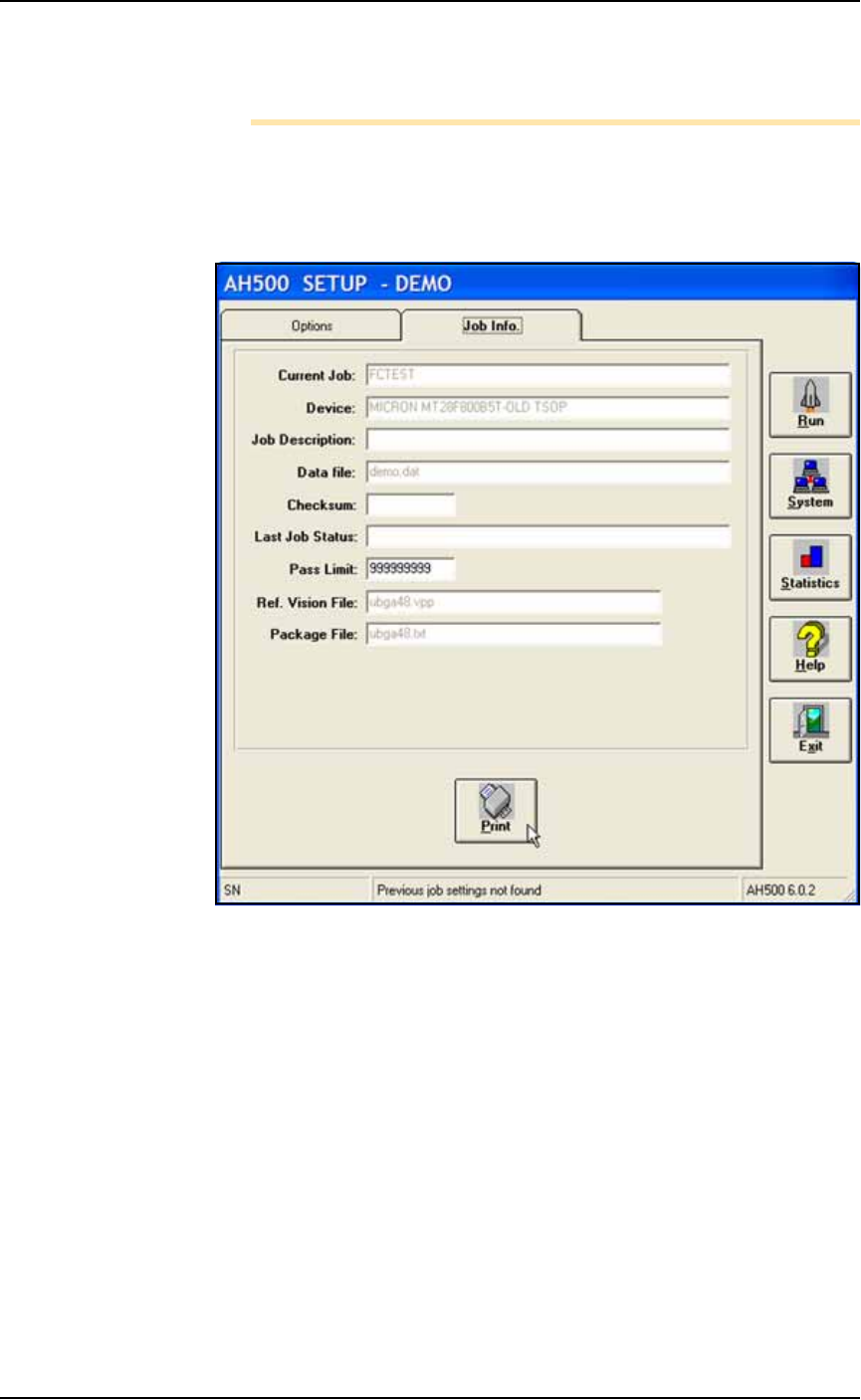
2a. At the Setup Window, click the Job Info tab.
2b. Verify that all the information displayed for this job is accurate.
See Figure 3-21 below.
Figure 3-21: The Job Info Tab is a read-only review of information, with
the exception of the Pass Limit field, which is editable.
3. (Optional) Change the Pass Limit —
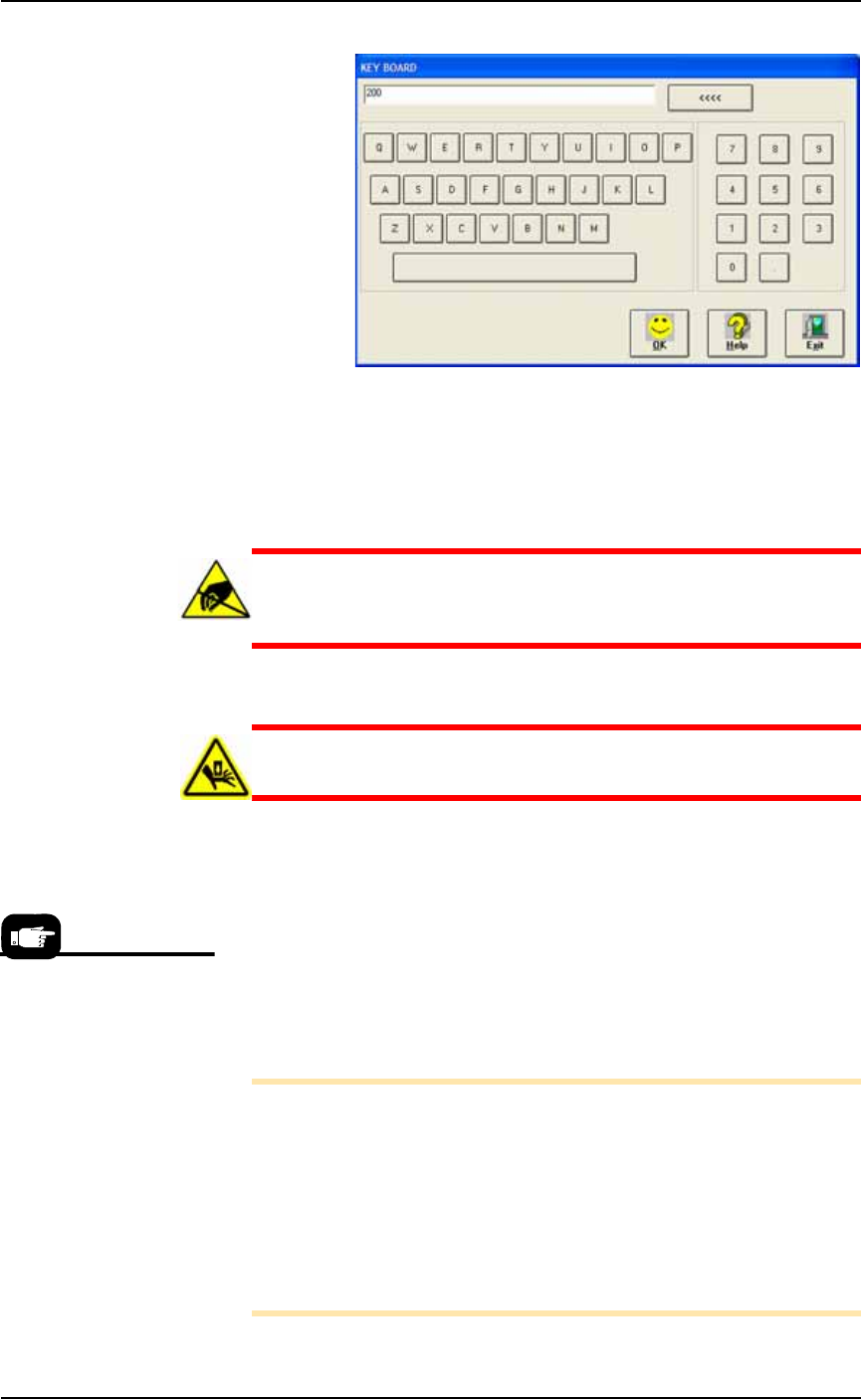
3a. On the Job Info tab, click the in Pass Limit field and enter the new
Pass Limit value and click OK.
Operation ■ Operator Functions
3—20 Data I/O • 981-0424-002
back
Figure 3-22: The Keyboard dialog opens after clicking in the Pass Limit
field. The <<<< button erases the right-most digit. Exit cancels any
changes.
Install Media and Options—the Workspace
CAUTION: Electrostatic discharge (ESD) hazard. Wear an ESD
strap or discharge static against a common ground to prevent
damage to Socket Adapters and devices.
CAUTION: Safety hazard. Always make sure that the PNP head
is stopped in the Park position before opening any access doors.
Regardless of input media used (trays, tape, or tubes), all devices
should be installed right-side-up (live bug orientation), with the
device leads pointing down and identifying marks visible on the top
of the device.
1. Install hardware—
1a. If Socket Adapters have not yet been installed for the job on all
programmers to be used, do it now. See Installing Socket Adapters
– FlashCORE on page 3-3 or Installing Socket Adapters – OPTIMA
on page 3-6.
Note: If you have already started AH500 and do not know the cor-
rect Socket Adapter Part Number for your device, you can find it
two ways without having to exit AH500: A— On our Web site: 1)
Click Support > Device > Search for Support, 2) Type your device
PN into Device PN field, 3) Click Begin Search for Devices. See
the PNs in the right, results column; and method B— If you
already have a Vision or Package file and you’ve named it after the
Socket Adapter, see the last two fields of the Setup > Job Info Win-
dow (refer Figure 3-21).
For instructions on how to
set up input/output Media,
see:
• Static Tray, page 2-7
• Automatic Tray Feeder,
page 2-10
• Tube, page 2-12
• Tape Input, page 2-16
• Tape Output, page 2-19.