[Superset] Chapter5_SPC Plus_ENG_20100827TW - 第16页
Programmer's Manual | 16 3.2.2. T REND Q UER Y PER G ROUP F UNCTION This function queries the trend per group. Proceed with the following to use this function: 1. Click the PCBV iew ico…
Programmer's Manual | 15
3.2.1. VALUE TREND FUNCTION
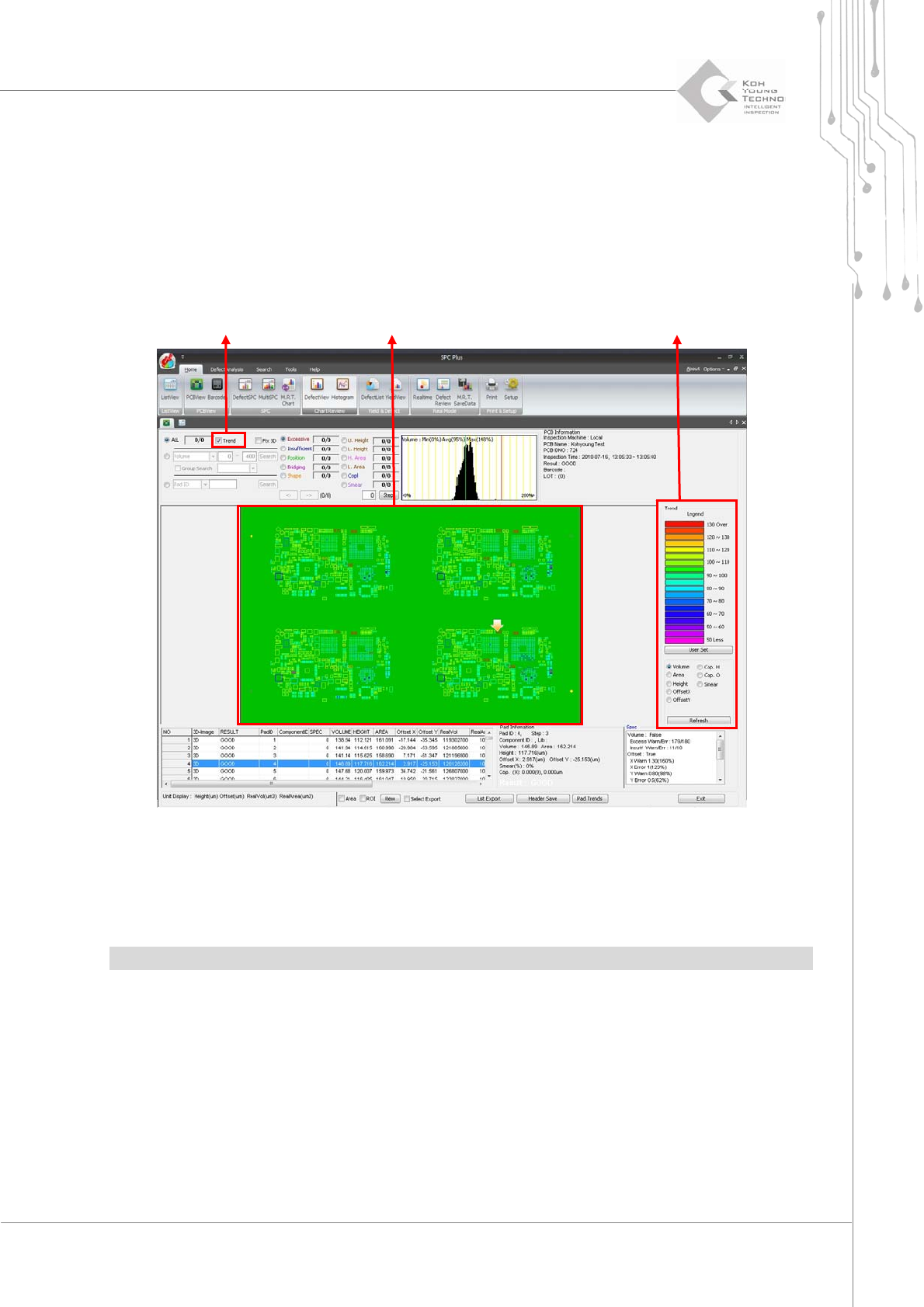
ValueTrendisthefunctionoffindingatrendofthesolderingappliedononePCB.
Proceedwiththefollowingtousethisfunction:
1. Click the PCBView icon.
2. Click Value Trend on the PCBView screen. The following screen appears:
Figure 3-3. Value Trend function
WhenthedesireddefecttypeisselectedfromthelistnexttotheTrendselectbutton,thetrendof
theselectedcategorywillappearontheTrendscreen.
Note:Thestandardvalueforthecolorcanbechangedbyclickingthe<UserSet>button.
Trend Select Button
Trend Legend Setup Window
Programmer's Manual | 16
3.2.2. TREND QUERY PER GROUP FUNCTION
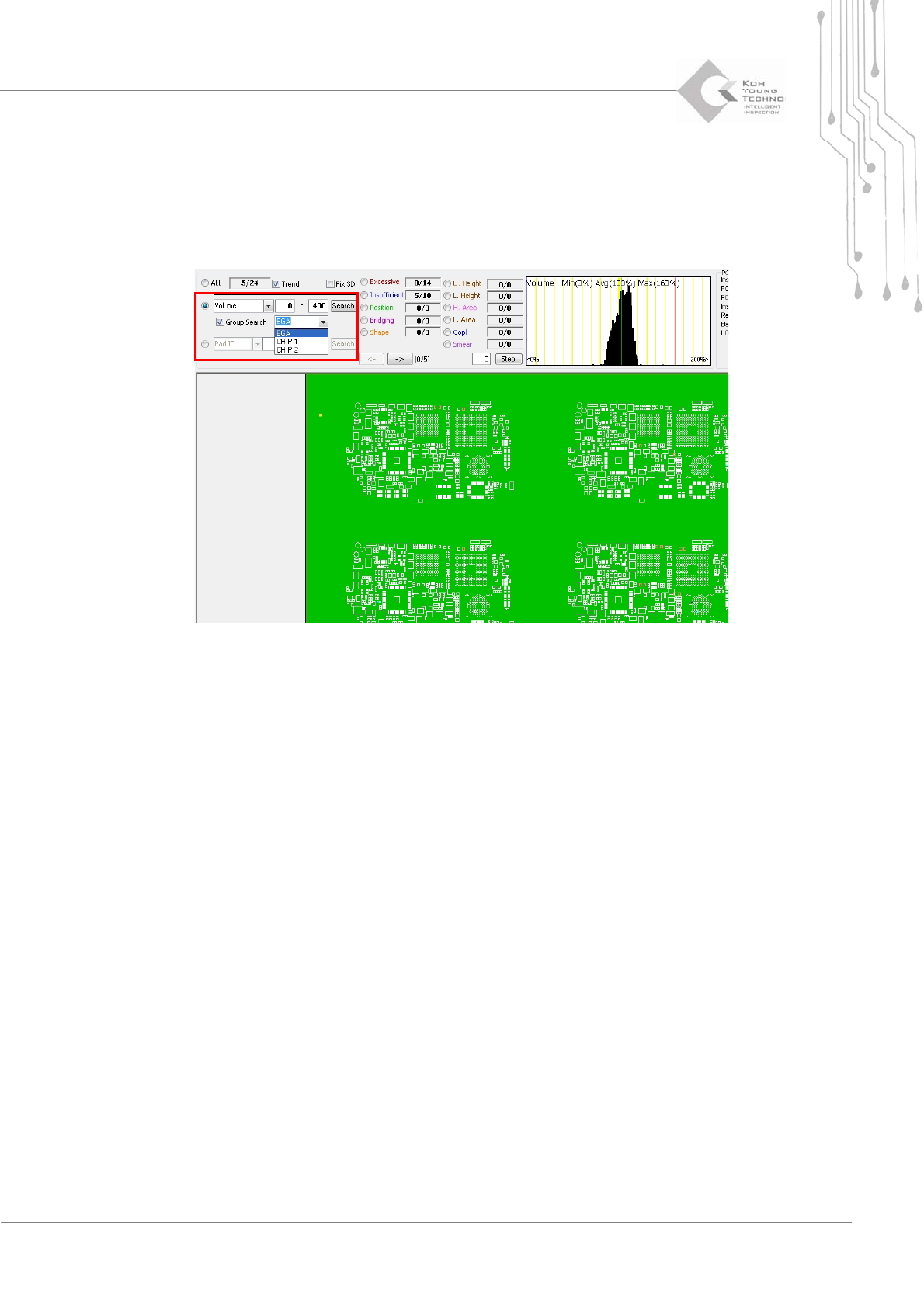
Thisfunctionqueriesthetrendpergroup.Proceedwiththefollowingtousethisfunction:
1. Click the PCBView icon.
2. Click Value Trend on the PCBView screen. The following screen appears:
3. Select Group Search.
4. Select the group to be searched from the selection box next to Group Search, enter the conditions, and
click the <Search> button.
3.2.3. DISPLAYING THE 3D VIEW ON THE MAIN SCREEN
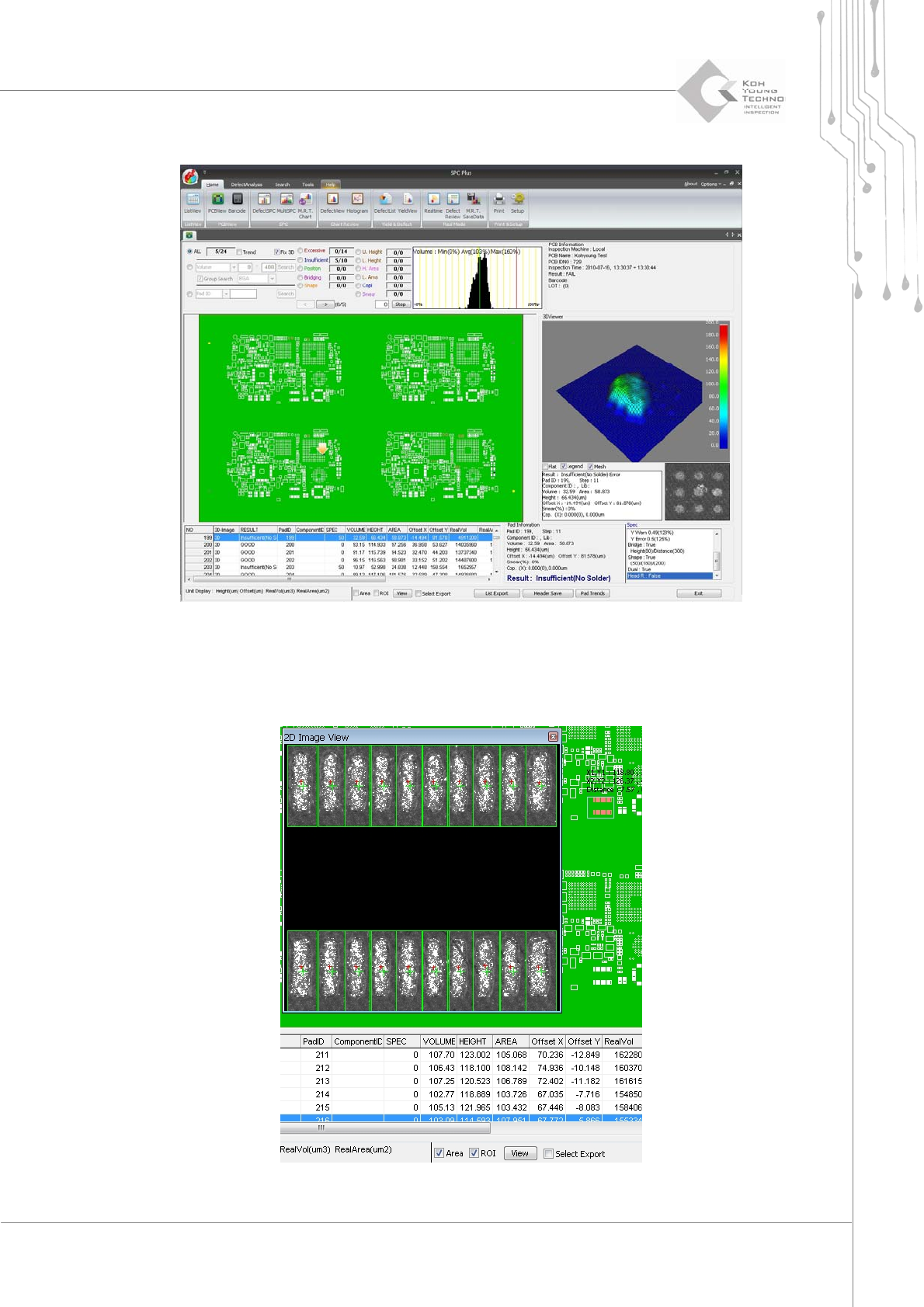
Thisfunctiondisplaysthe3DViewnotonthepop‐upwindowbutonthescreen.Proceedwiththe
followingtousethisfunction:
1. Click the PCBView icon.
Programmer's Manual | 17
2. Click Fix 3D on the PCBView screen.
3.2.4. AREA VIEW FUNCTION
Thisfunctiondisplays2DImageandOffsettothesizeselectedfromPCB.