[Superset] Chapter5_SPC Plus_ENG_20100827TW - 第18页
Programmer's Manual | 18 Proceed with the following to use this function: 1. Click the PCBV iew icon. 2. Select the Area category on the lower lef t side of the PCBView screen. 3. Click the <View&…
Programmer's Manual | 17
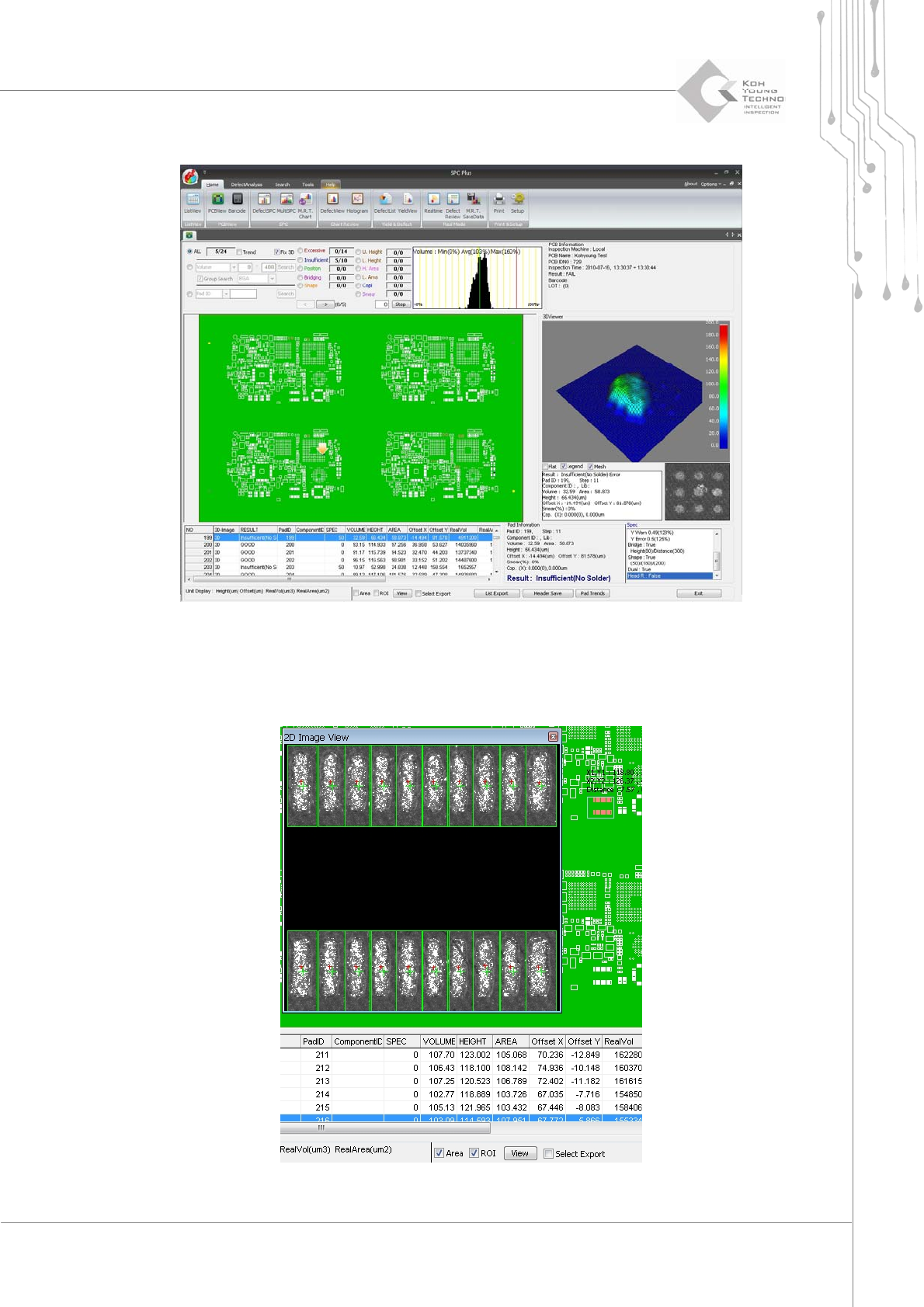
2. Click Fix 3D on the PCBView screen.
3.2.4. AREA VIEW FUNCTION
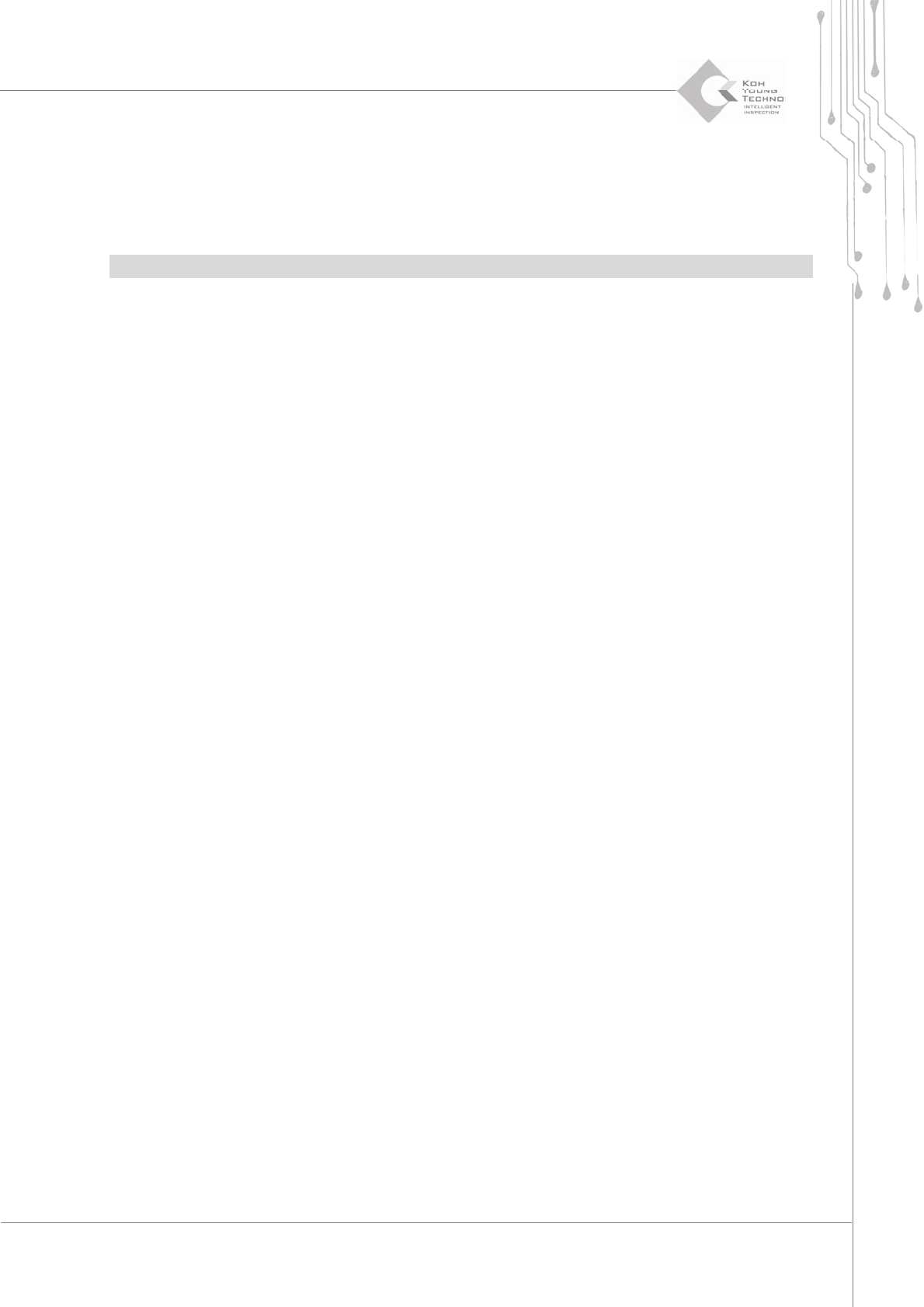
Thisfunctiondisplays2DImageandOffsettothesizeselectedfromPCB.
Programmer's Manual | 18
Proceedwiththefollowingtousethisfunction:
1. Click the PCBView icon.
2. Select the Area category on the lower left side of the PCBView screen.
3. Click the <View> button.
Note:TheOffsetandCentervaluescanbedisplayedon2DImagewhentheROIcategoryisselected.
3.3. Defect View
DefectView is the menu that can analyze the defect quantities occurring on the selected PCB in
detail.Itcanperformthefollowing:
ReviewsthecausesoftheconfiguredPCBwithdefects
Checksthemostfrequentlyoccurringdefecttypes
Checksthecomponentswithfrequentproblems
Programmer's Manual | 19
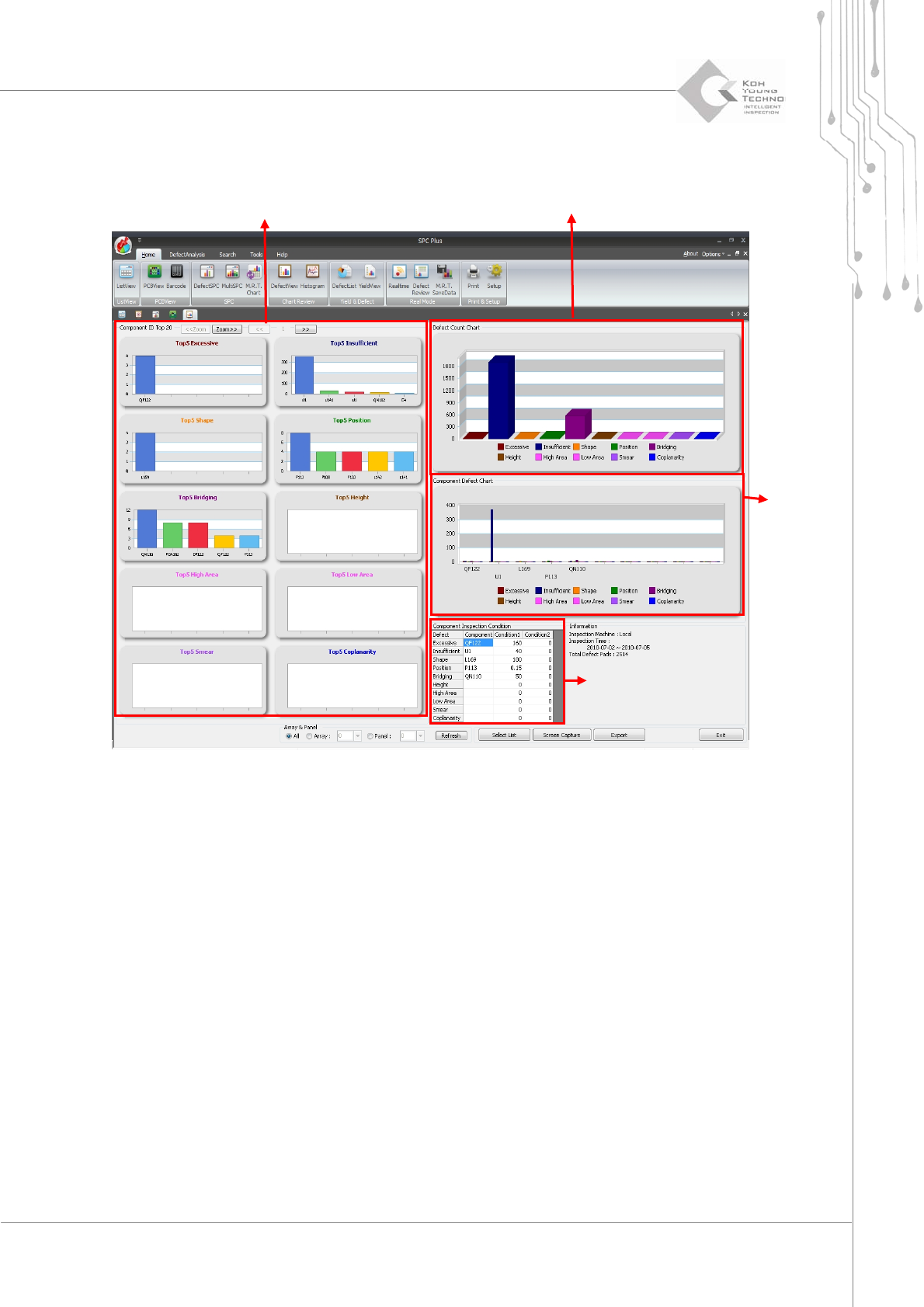
Selectmorethan2PCBsinListViewandclicktheDefectViewicon.Thefollowingscreenwillappear:
Figure 3-4. DefectView Screen
Part ID Top 5
Display quantities of types with defect occurring
Defect part chart
Parts inspecting