[Superset] Chapter5_SPC Plus_ENG_20100827TW - 第26页
Programmer's Manual | 26 3.6. MRT Chart (Multi-Real-T ime Chart) MR T Chart is the function of querying the va lu es di splayed on the Multi ‐ Real ‐ Ti m e Chart without limitation b…
Programmer's Manual | 25
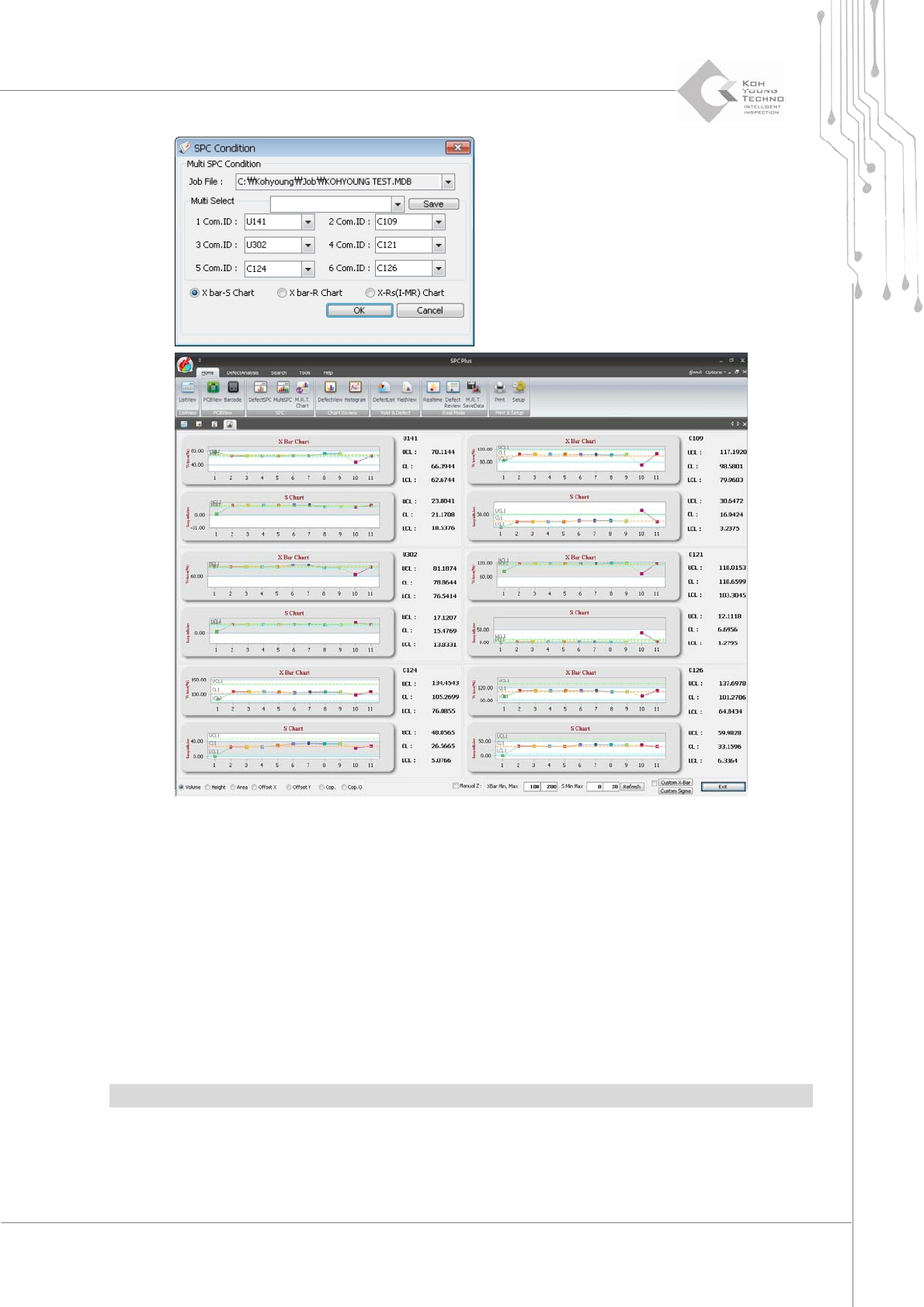
Figure 3-9. Multi-SPC
Proceedwiththefollowingtousethismenu:
1. Select more than 2 PCBs from ListView and click the Multi-SPC icon.
2. The SPC Condition dialog box will appear.
3. Enter the desired ComponentID in the Multi-Select category and click the <OK> button. The Multi-SPC
screen will appear as shown above.
4. When a different component is selected from the selection window, the chart for the selected component
is updated accordingly.
Note:Upto6componentsareallow edforworkinMulti‐SPC.
Programmer's Manual | 26
3.6. MRT Chart (Multi-Real-Time Chart)
MRTChartis thefunction of querying the valuesdisplayedonthe Multi‐Real‐TimeChartwithout
limitationbyloadingthesaveddata.
3.6.1. TWO MODES
MRTCharthasthefollowingtwomodes:
One‐ChartMode
Six‐ChartMode
Note:Thedescriptionsin thismanualarebasedontheOne‐Chartmode.
3.6.1.1. One-Chart Mode
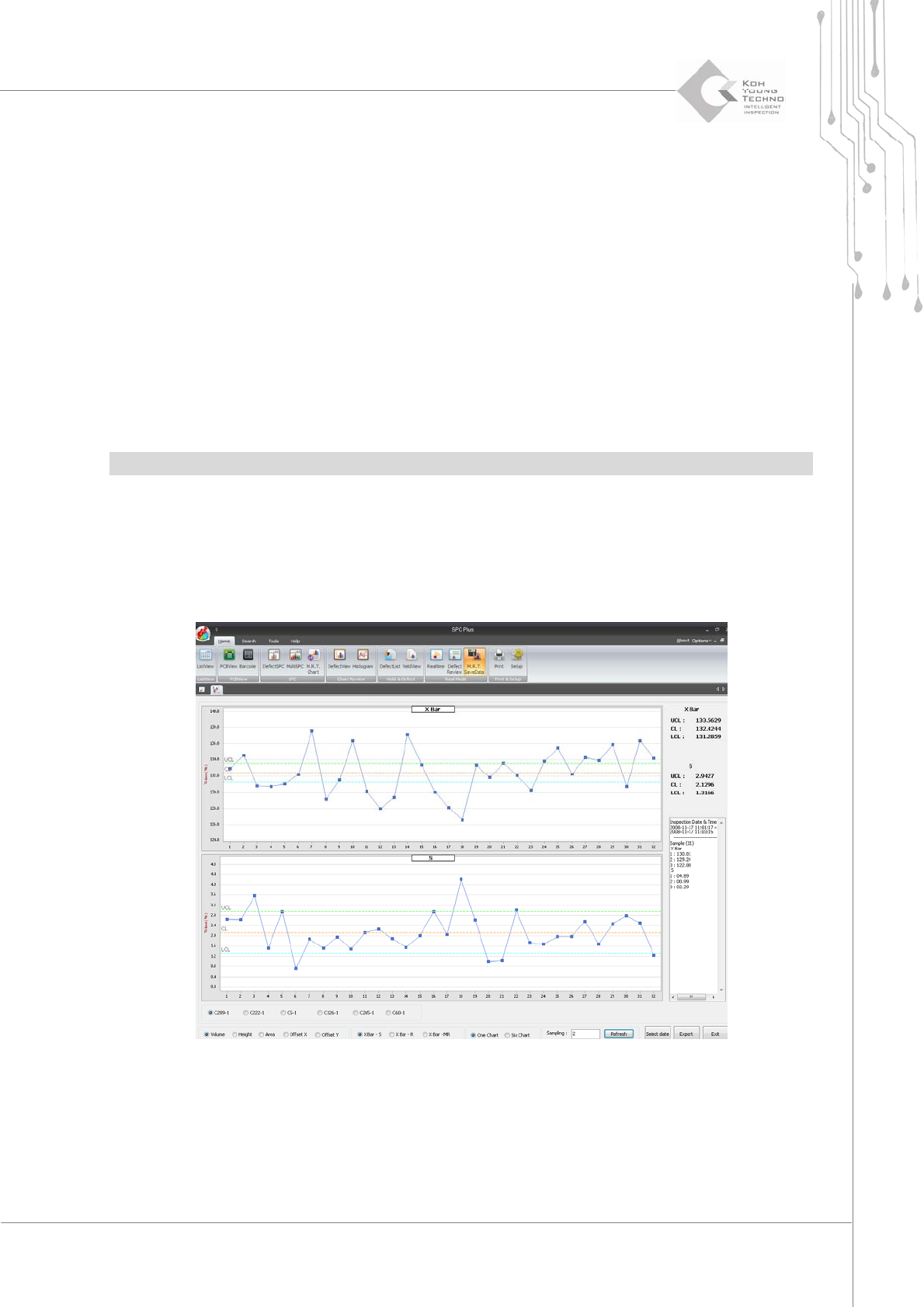
This mode is used when datum from 6-chart data is zoomed in and queried on the main screen.
Select One Chart from the selection window at the bottom of the MRT Chart screen.
Figure 3-10. Multi-SPC – One-Chart Mode
Programmer's Manual | 27
3.6.1.2. Six-Chart Mode
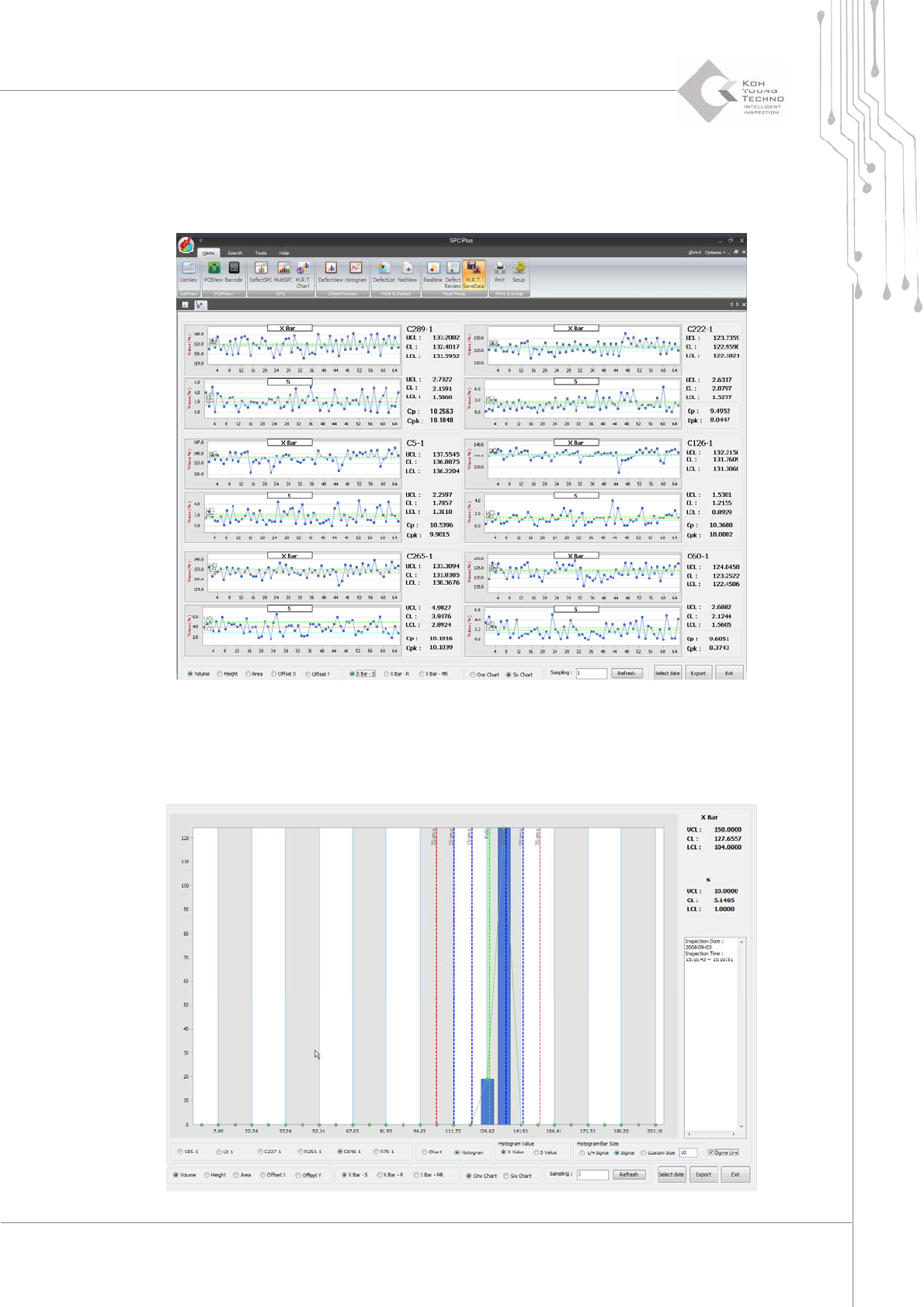
Thismodeisusedforqueryingtheentiredataof6chartsonthemainscreen.SelectSixChartfrom
theselectionwindowatthebottomoftheMRTChartscreen.
Figure 3-11. Multi-SPC – Six-Chart Mode
3.6.2. ADDING X VALUE & S VALUE HISTOGRAM