[Superset] Chapter5_SPC Plus_ENG_20100827TW - 第30页
Programmer's Manual | 30 3.7. Y ieldView Yi e l d V i e w is the function of determining the wo r k efficiency of a certain period. It is used to obtain the statis t i cs of …
Programmer's Manual | 29
Programmer's Manual | 30
3.7. YieldView
YieldViewisthefunctionofdeterminingtheworkefficiencyofacertainperiod.Itisusedtoobtain
thestatis t i cs ofyieldrate,average offset,orNGquantityofacertainperiod.
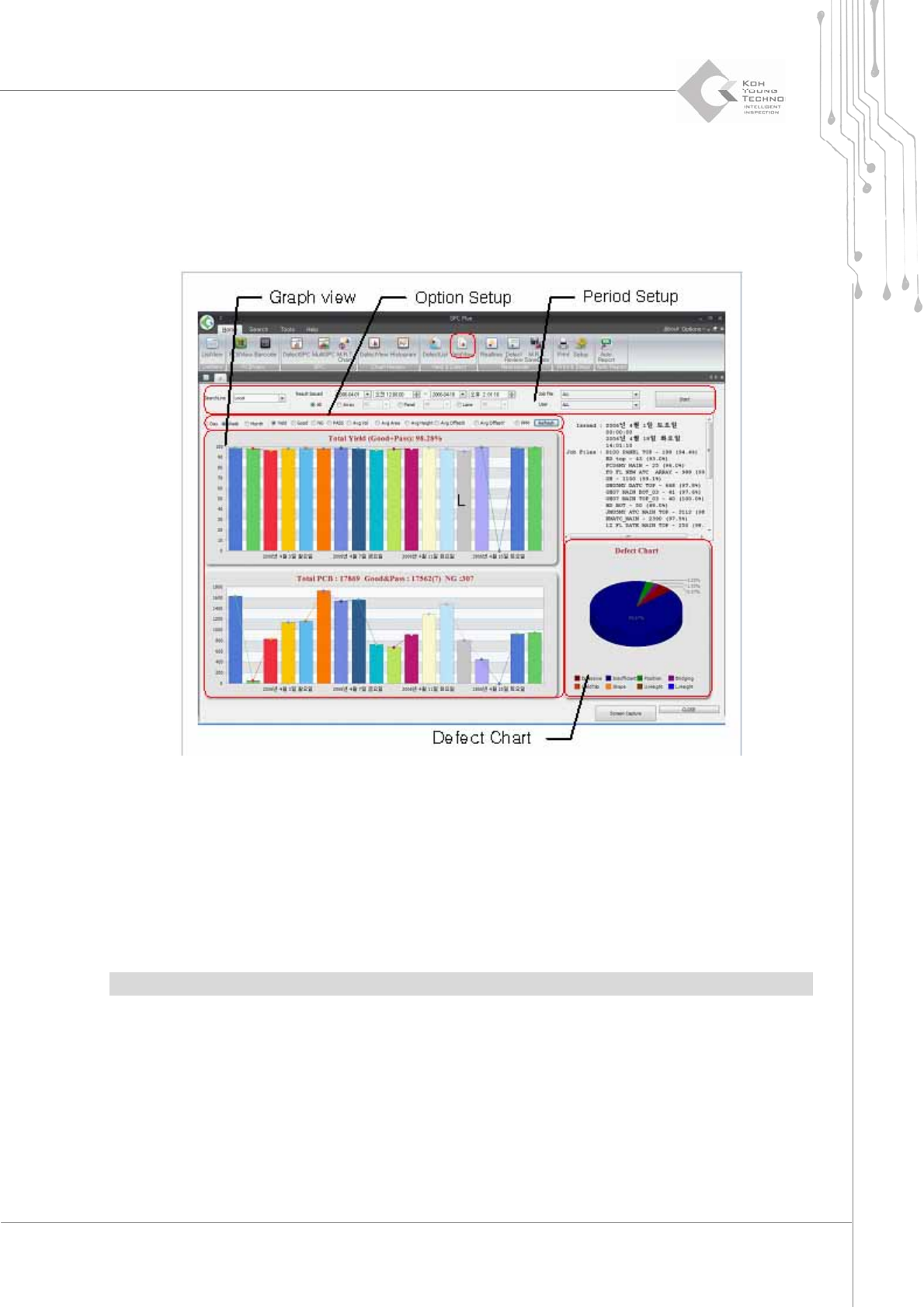
Figure 3-12. YieldView
Enter a period and other settings in the period setup and click the <Start> button. The
productionindexofthecorrespondingPCBwillappear.
Changing the display period or contents in option setting and clicking the <Reconfirm>
buttonwillchangethegraphinGraphview.
DefectChart
displaysthedefectdeterminationbytheconfigured PCBasapiegraph.
Note:YieldViewcanhandlethestatistic s ofuptoone‐monthperiod.
Programmer's Manual | 31
3.8. DefectList
DefectList calculates the statistics of determi ne d defect occurrences and rate of a certain time.
DefectListcanoptimizethelineenvironmentbyusingthestatisti cs ofthedefectoccurrencesorrate.
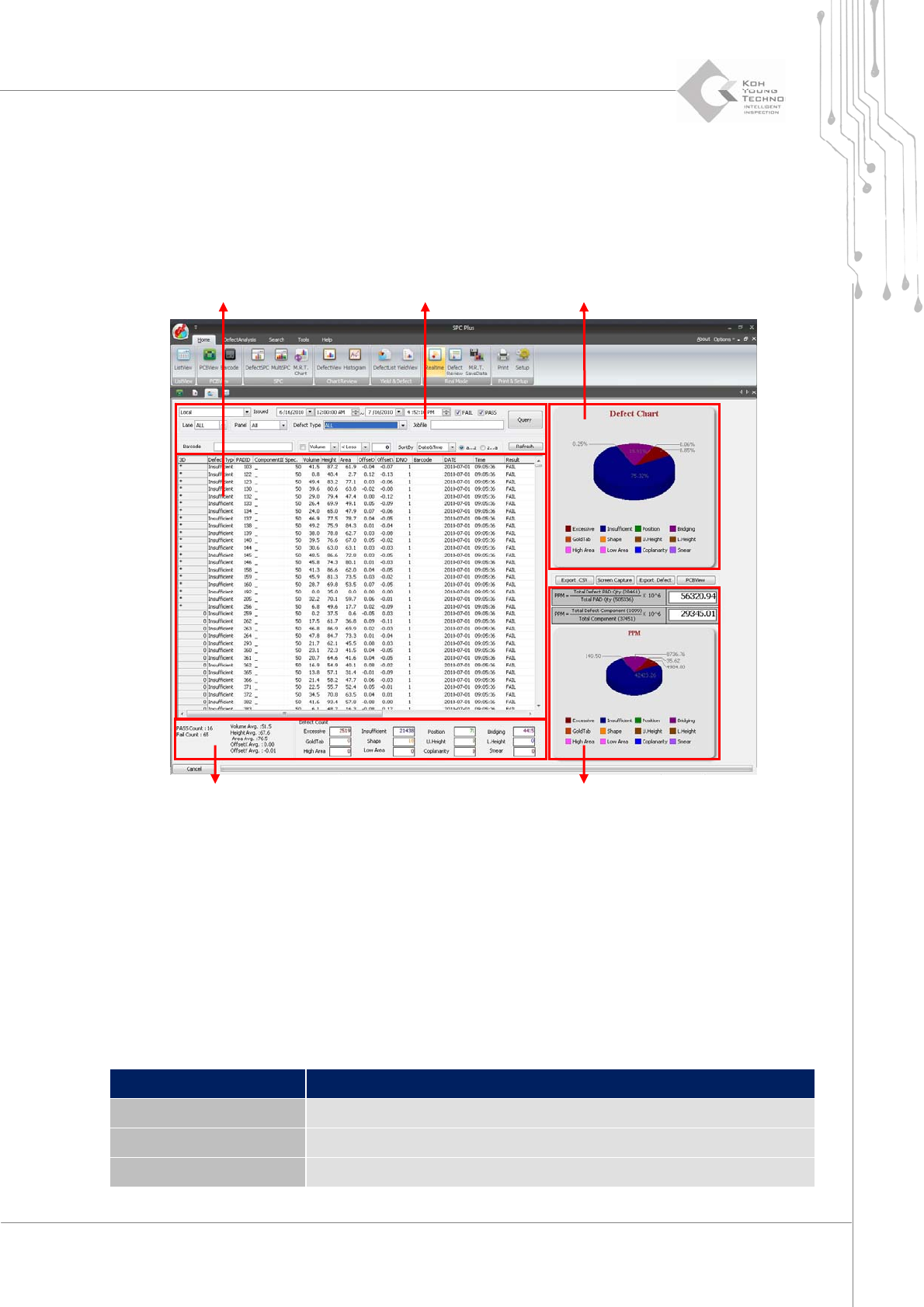
Figure 3-13. DefectList
Setting a period or an option on the search condition input window and clicking the <View> or
<Update>buttonwillchangeDefectChart,PPM,orDefectcounter.
DefectChart:DisplaystheratioofdefecttypethatoccurredontheconfiguredPCBasapie
graph
DefectCounter:Displaysthe
totalquantityof defectpadsoccurringonthe configuredPCB
PPM:DisplaysthedefecttypesofPCBpermillionorcomponentpermillion
Category Description
Query Displays the search results as a list per search option
Defect type Searches only the specific defect type
Sort by Changes the sorting criteria
Search result query window Search condition input window
Defect Chart
Defect Counter
PPM