[Superset] Chapter5_SPC Plus_ENG_20100827TW - 第31页
Programmer's Manual | 31 3.8. DefectList DefectList calculates the statistics of determi ne d defect occurrences and rate of a certain time. DefectList can optimize the line env…
Programmer's Manual | 30
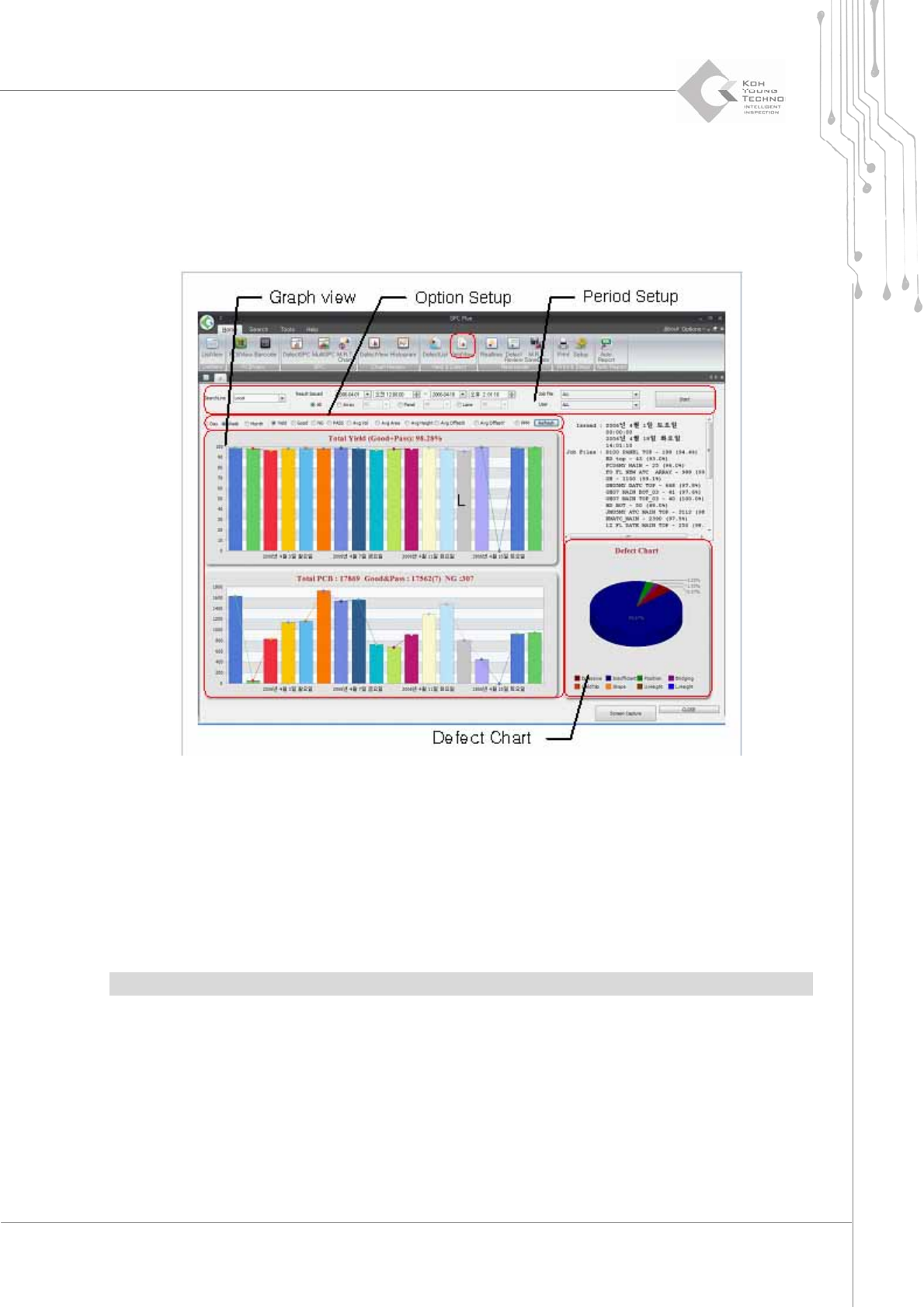
3.7. YieldView
YieldViewisthefunctionofdeterminingtheworkefficiencyofacertainperiod.Itisusedtoobtain
thestatis t i cs ofyieldrate,average offset,orNGquantityofacertainperiod.
Figure 3-12. YieldView
Enter a period and other settings in the period setup and click the <Start> button. The
productionindexofthecorrespondingPCBwillappear.
Changing the display period or contents in option setting and clicking the <Reconfirm>
buttonwillchangethegraphinGraphview.
DefectChart
displaysthedefectdeterminationbytheconfigured PCBasapiegraph.
Note:YieldViewcanhandlethestatistic s ofuptoone‐monthperiod.
Programmer's Manual | 31
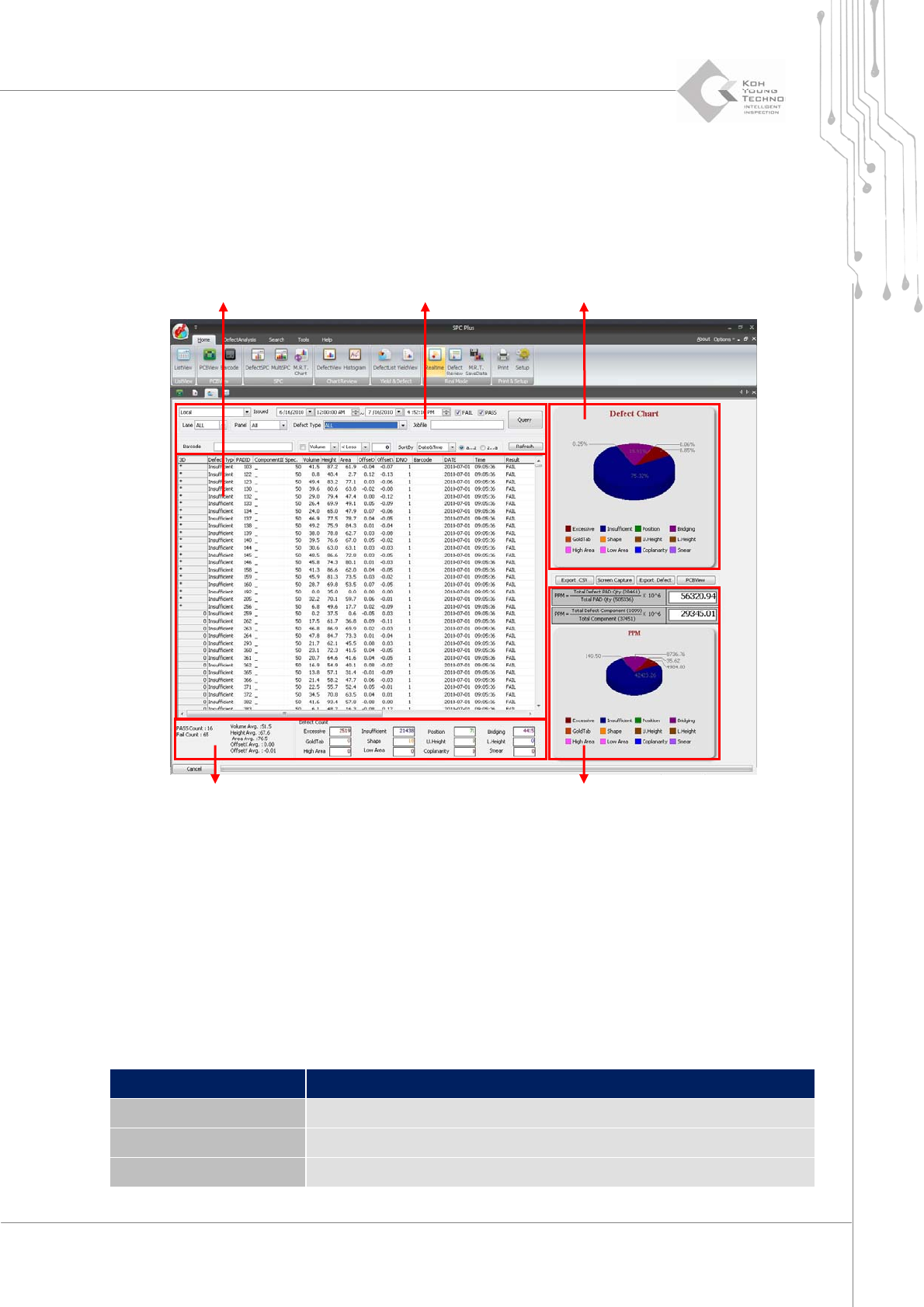
3.8. DefectList
DefectList calculates the statistics of determi ne d defect occurrences and rate of a certain time.
DefectListcanoptimizethelineenvironmentbyusingthestatisti cs ofthedefectoccurrencesorrate.
Figure 3-13. DefectList
Setting a period or an option on the search condition input window and clicking the <View> or
<Update>buttonwillchangeDefectChart,PPM,orDefectcounter.
DefectChart:DisplaystheratioofdefecttypethatoccurredontheconfiguredPCBasapie
graph
DefectCounter:Displaysthe
totalquantityof defectpadsoccurringonthe configuredPCB
PPM:DisplaysthedefecttypesofPCBpermillionorcomponentpermillion
Category Description
Query Displays the search results as a list per search option
Defect type Searches only the specific defect type
Sort by Changes the sorting criteria
Search result query window Search condition input window
Defect Chart
Defect Counter
PPM
Programmer's Manual | 32
Category Description
Refresh Updates the list per entered configuration
Export CSV Writes a report file in CSV format
Screen Capture
Saves an image to the configured location
Note: The file save path of ScreenCapture from the category above can be configured in Setup of the
viewmenu.
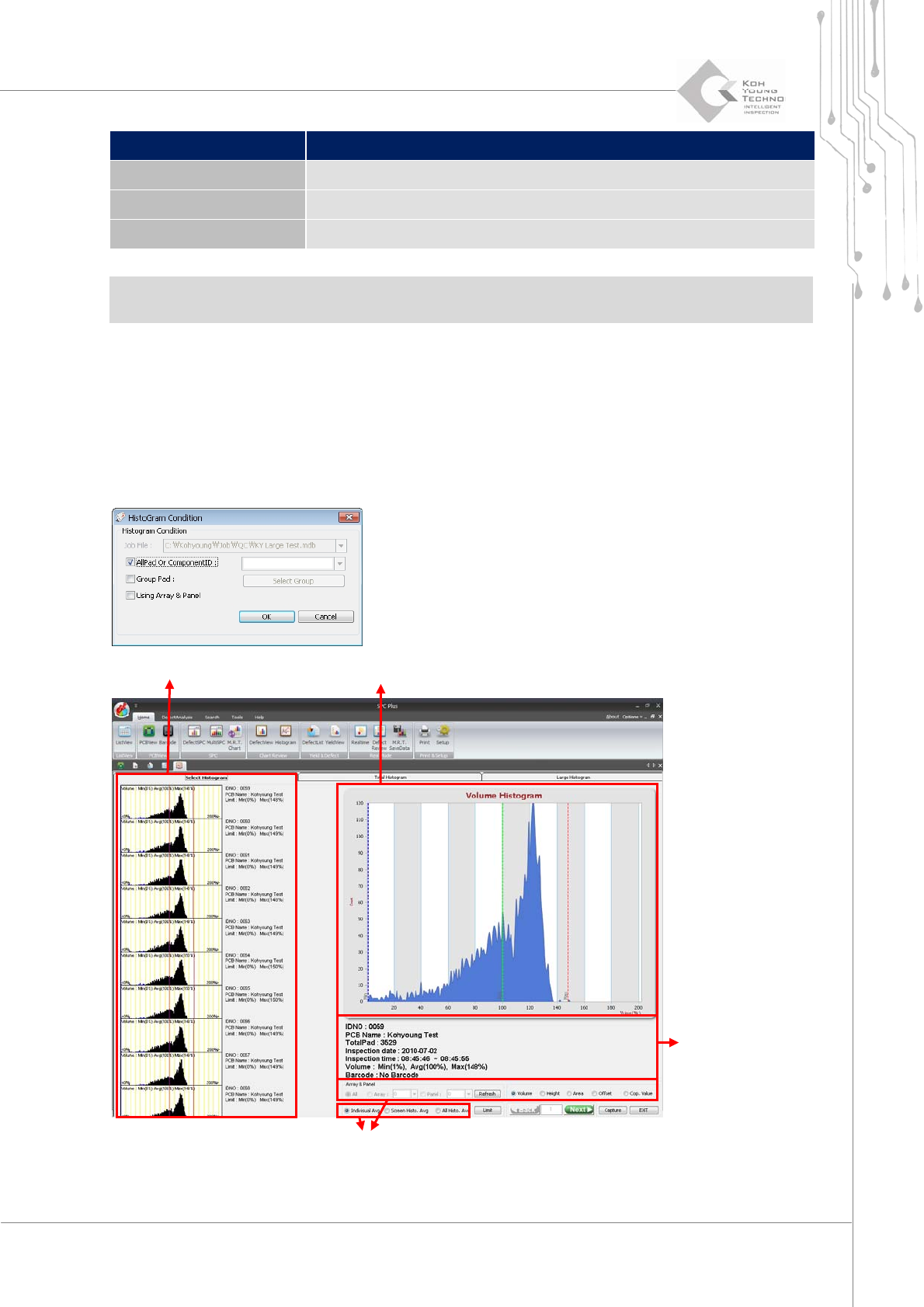
3.9. Histogram
The programʹs Histogram is the menu confirming various PCB inspection results as a histogram.
TheflowandtrendofPCBproduction canbegraspedwhenviewin gvariousPCBhistograms.
Figure 3-14. Histogram
Histogram list Histogram detail query window
PCB
Histogram setup window