[Superset] Chapter5_SPC Plus_ENG_20100827TW - 第33页
Programmer's Manual | 33 Select more than 2 PCBs from ListV iew and click the Histogram ico n. The window shown abov e will appear . Histogram list: Queries var i o u s …
Programmer's Manual | 32
Category Description
Refresh Updates the list per entered configuration
Export CSV Writes a report file in CSV format
Screen Capture
Saves an image to the configured location
Note: The file save path of ScreenCapture from the category above can be configured in Setup of the
viewmenu.
3.9. Histogram
The programʹs Histogram is the menu confirming various PCB inspection results as a histogram.
TheflowandtrendofPCBproduction canbegraspedwhenviewin gvariousPCBhistograms.
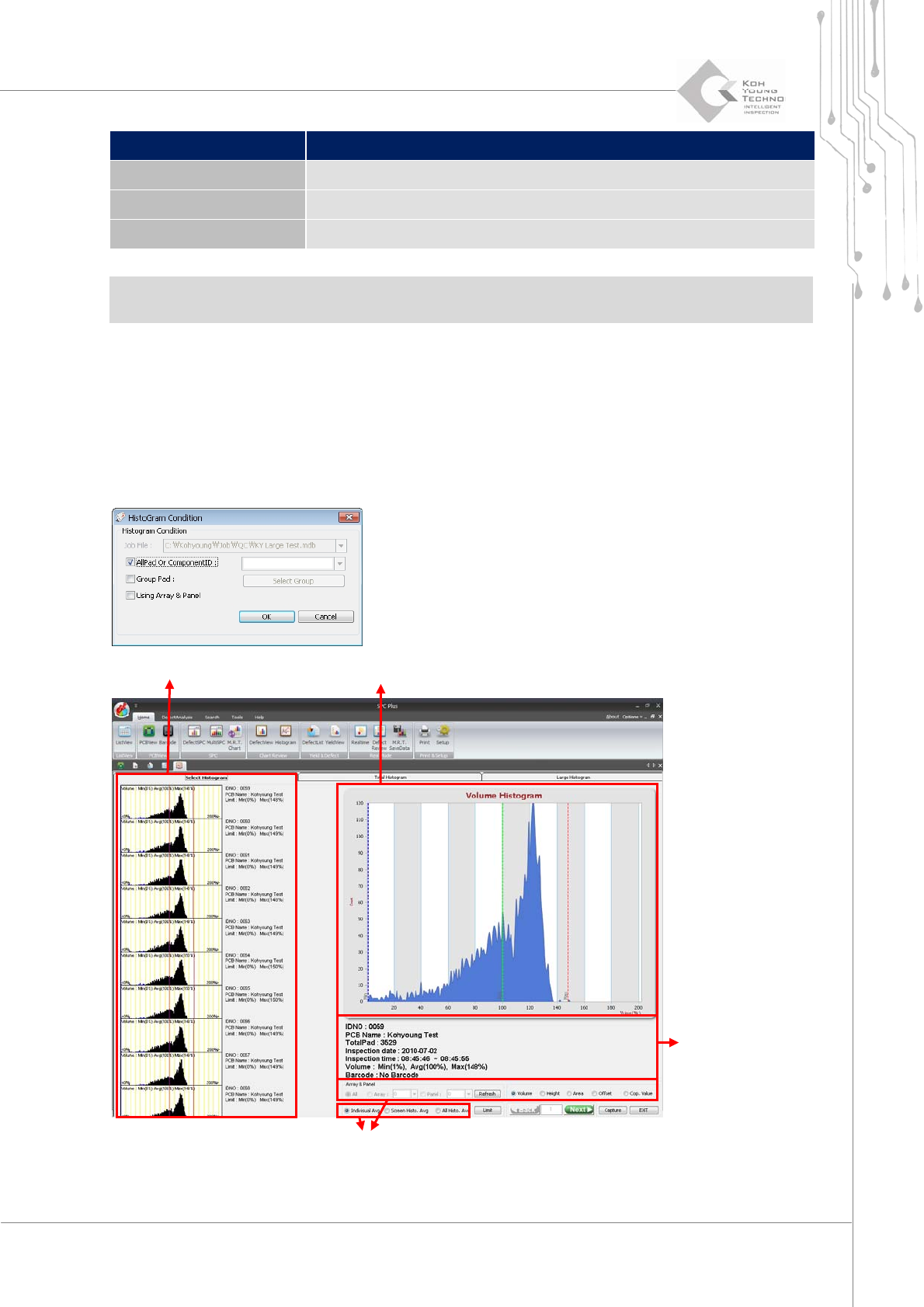
Figure 3-14. Histogram
Histogram list Histogram detail query window
PCB
Histogram setup window
Programmer's Manual | 33
Selectmorethan2PCBsfromListViewandclicktheHistogramicon.Thewindowshownabov ewill
appear.
Histogramlist:QueriesvarioushistogramsfortheselectedPCBatonce
Histogram detail query window: Queries the details of the PCB histogram selected from
thehistogramlist
Histogramsetupwindow:
Definesthesettingsforthehistogramlistgraph
PCBinformationwindow:QueriesthePCBhistogramselectedfromthehistogramlist
Each category will be described in the next page.
Note:Histogramcanobtainaccuratevaluesbyloadingallpads.Itcanalsocheckthemby arrayorpanel.
Note:ThefilesavepathofSaveScreenfromthecategoryabovecanbeconfiguredinSetup.
3.9.1. HISTOGRAM LIST
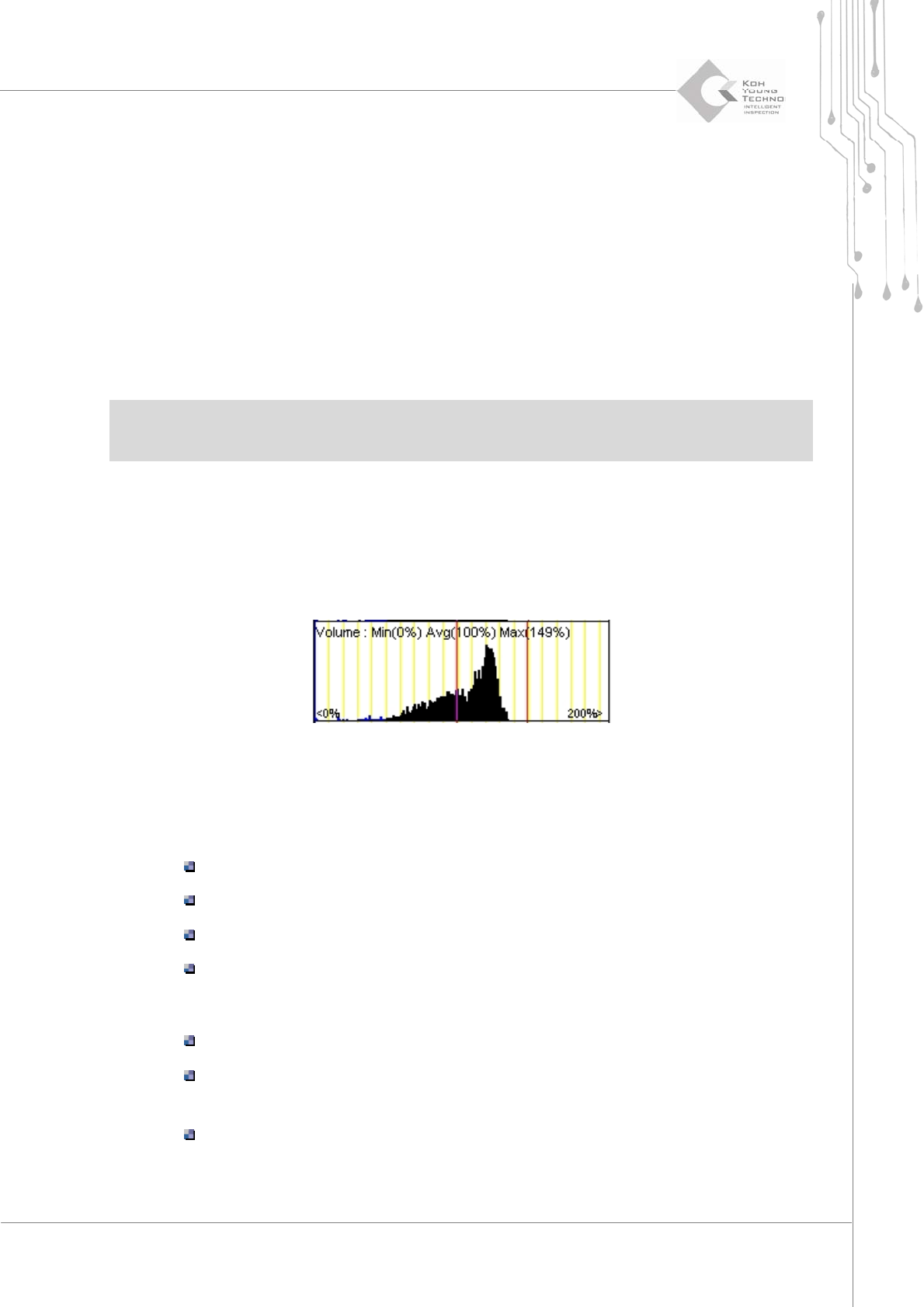
Thehistogramlistdisplaysthegraphforthevaluesofacertainrangeofelements(volume,height,
range,andtwis t) selectedfromthehistogramsetupwindow.
Figure 3-15. Histogram list screen
Thegraphofthehistogramlistconsistsofthefollowingelements:
Fourcolorlines
Blueline:Minimumvalue
Yellowline:Centerlineofthescreen
Greenline:Averagevalue
Redline:Maximumvalue
Threecolorbars
Blackbar:Normal
Bluebar:Thequantityofdefectivepadsasthevalueofthecorrespondingelement
islessthanthestandardvalue.
RedBar:Thequantityofdefectivepadsasthevalueofthecorrespondingelement
isgreaterthanthestandardvalue.
Programmer's Manual | 34
3.9.2. PCB INFORMATION WINDOW
ThePCBinformationwindowdisplaysthePCBinformationforthefollowing:
IDNumber
PCBName
NumberofAllPads
InspectionDate
InspectionTime
Volume
BarCode
3.9.3. HISTOGRAM SETUP WINDOW
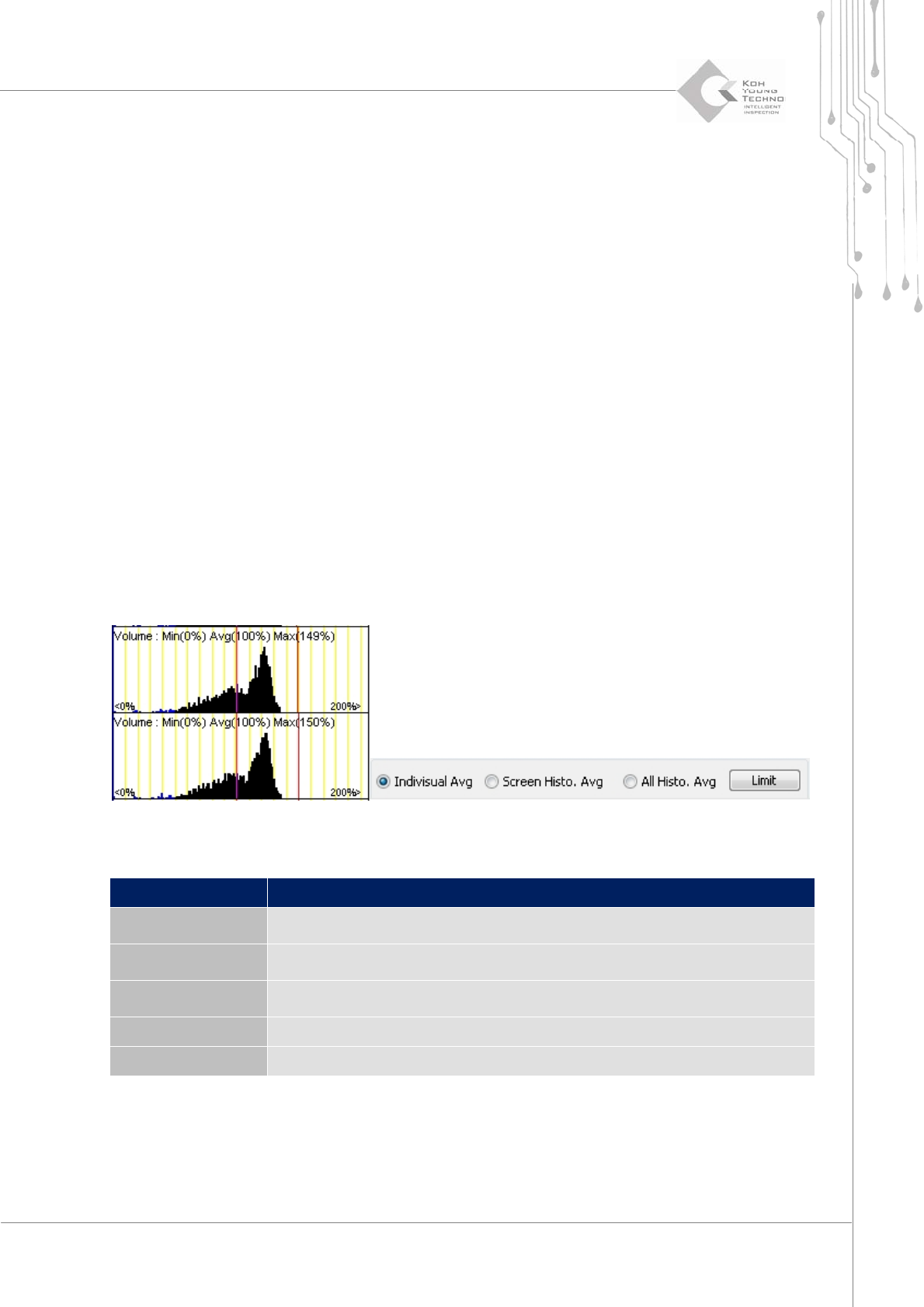
Theaverageoptionofthehistogramsetupwindowisthecategorythatsetsthelocationslinestobe
displayedonthehistogramlist.
Seethefollowingtableforthecategoriesofaverageoption:
Category Description
Individual Avg
Changes the Center, Minimum, and Maximum lines for the individual
standards in the histogram list
Screen Histo. Avg
Changes the Center, Minimum, and Maximum lines on the average in the
histogram list
All Histo. Avg
Changes the Center, Minimum and Maximum lines on the average in the
entire histogram
Limitation The user sets the limit value
Save screen Saves the image to the location configured in Setup