[Superset] Chapter5_SPC Plus_ENG_20100827TW - 第42页
Programmer's Manual | 42 Rotation Check: Displays a level of the bend for the recently inspected PCB Selecting a side ratio to a great va l u e will zoom in the ro…
Programmer's Manual | 41
Yieldchart:Displaystheyieldrateofthelast24hours
Processcapabilityindexchart:Displaystheprocesscapabilityindexbysettingtherecently
inspected100PCBwith10astheunit
3.12.2. REAL-TIME 3D
Real‐tim e3DistheReal‐timescreenmodefocusedonobtainingthelastPCBinspectionresultsin
realtime.
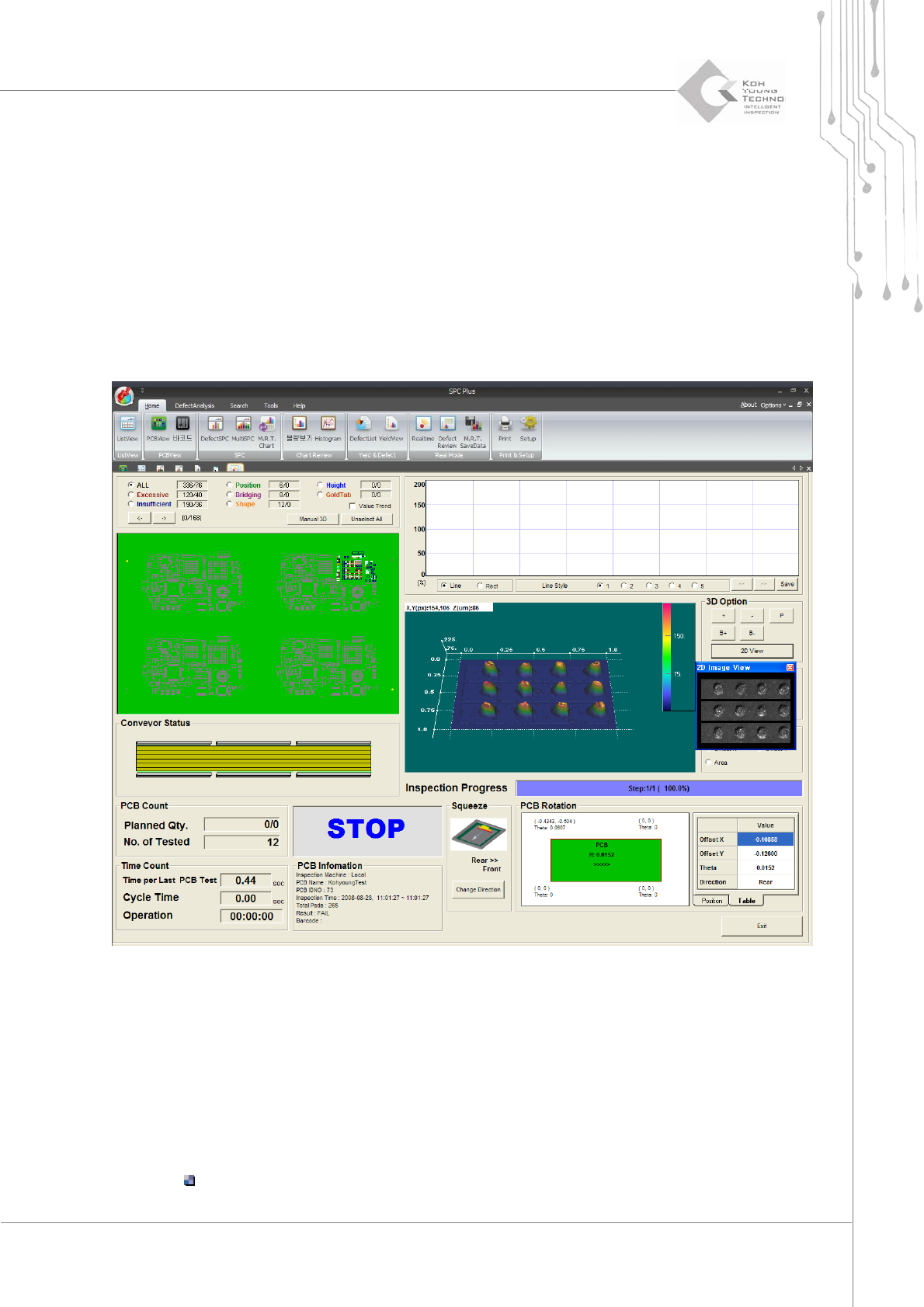
Figure 3-19. Real time (2) – Real-Time 3D
Forthedetailsof Real‐time3D,seethefollowing:
LastPCBinspectionresult:Displays thelast inspection‐completedPCBinspectionresults
fromtheequipment
3DView:SelectsapartfromPCBtodisplayin3Dbytotalingtheinspectionresultsofthe
correspondingpartduringeachinspection
Thefigureaboveshowstheorange‐coloredpartofPCBon3Dscreen.
Programmer's Manual | 42
RotationCheck:DisplaysalevelofthebendfortherecentlyinspectedPCB
Selectingasideratiotoagreatvaluewillzoomintherotationtosearch.
Note:Whenthe3DCapturewindow onSPCPlus™isatLocal,thesearching speedmightdecrease.
3.12.3. MULTI- REAL TIME
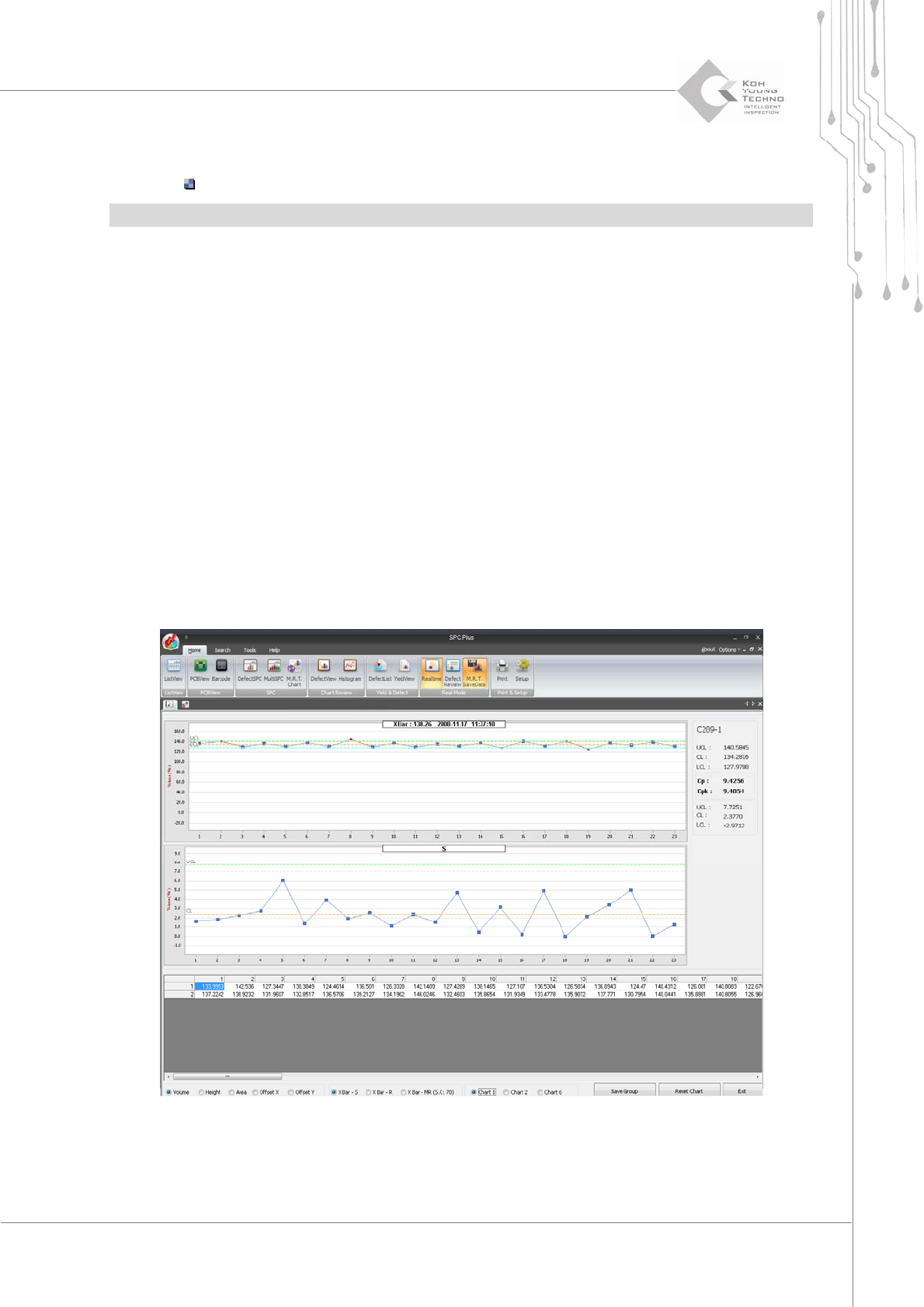
Multi‐ Real Time is the Real‐timescreen mode focused on using the warning function (alarming
function) for the abnormal valueofprogressmanagement via a meterchart(X Bar‐S, X Bar‐R,X
Bar‐MR,etc.)byconfiguring6groupsorcomponentsfromthe lastPCBinspectionresultsin
real
time.
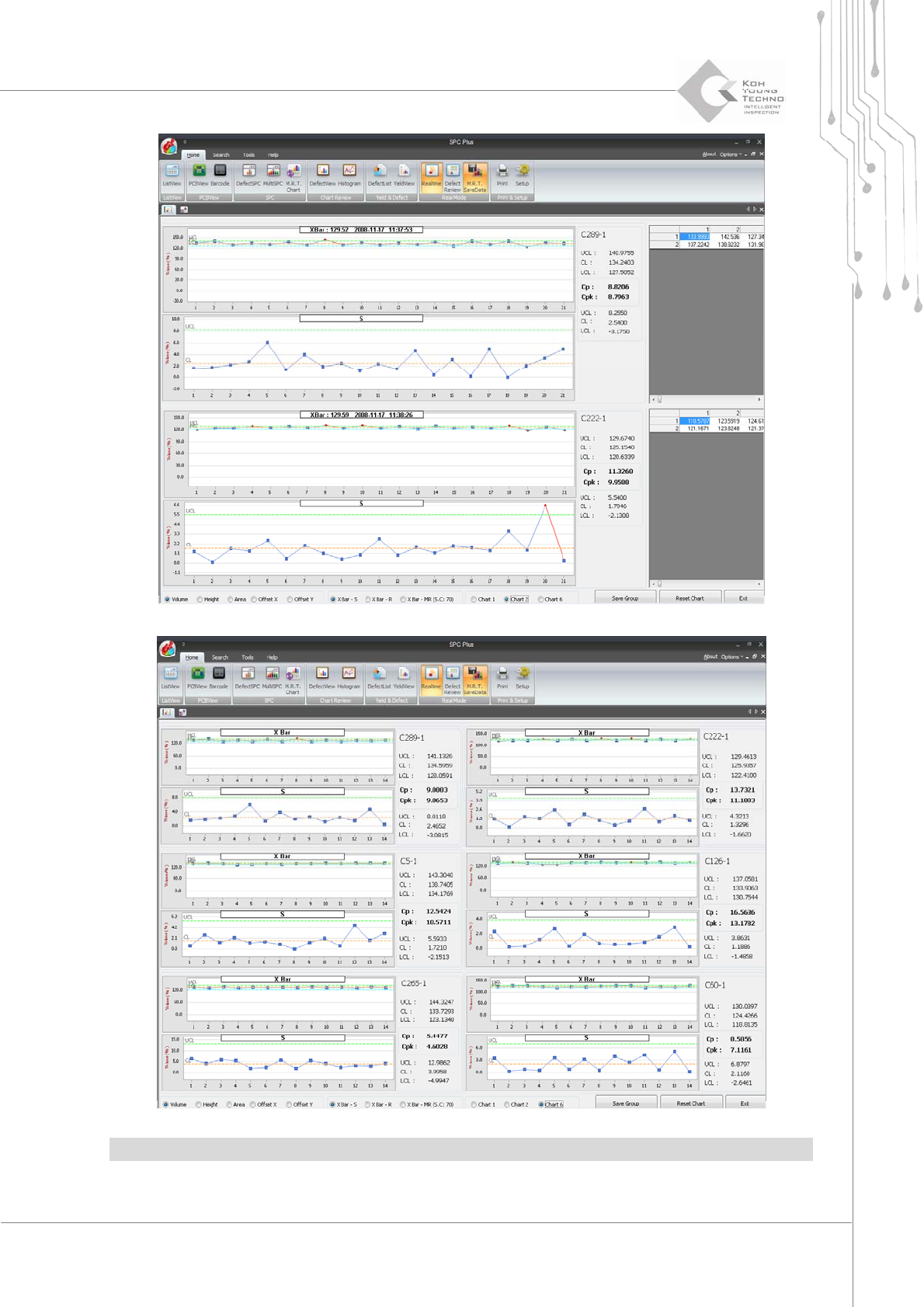
Thereare3typesofcharts:
Enlargeonech ar t .
Enlargetwocharts.
View6chartsatonce.
Settingthealarmingdeterminestheprogressstatus.
Programmer's Manual | 43
Note:FordetailsonhowtouseMulti‐RealTime,seeSe ction3.11SetupofChapter5.