[Superset] Chapter5_SPC Plus_ENG_20100827TW - 第44页
Programmer's Manual | 44 3.13. Defect Review Defect Review is the menu that inspects the status of PCB stacked on the NG rack or repair conv eyo r and determines whether t…
Programmer's Manual | 43
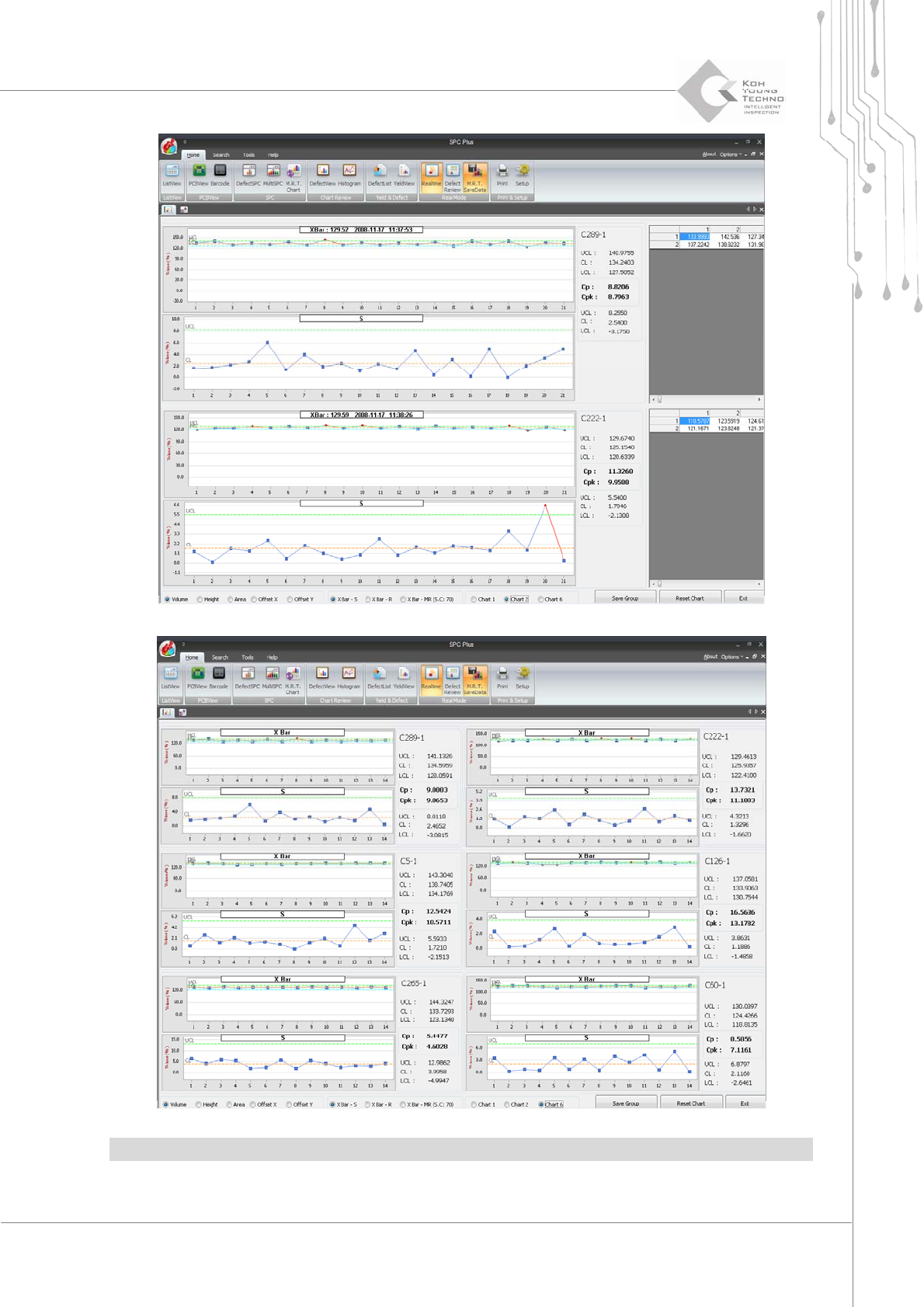
Note:FordetailsonhowtouseMulti‐RealTime,seeSe ction3.11SetupofChapter5.
Programmer's Manual | 44
3.13. Defect Review
DefectReviewisthemenuthatinspectsthestatusofPCBstackedontheNGrackorrepairconveyor
anddetermineswhethertorepairthePCBortransfertothenextequipment.
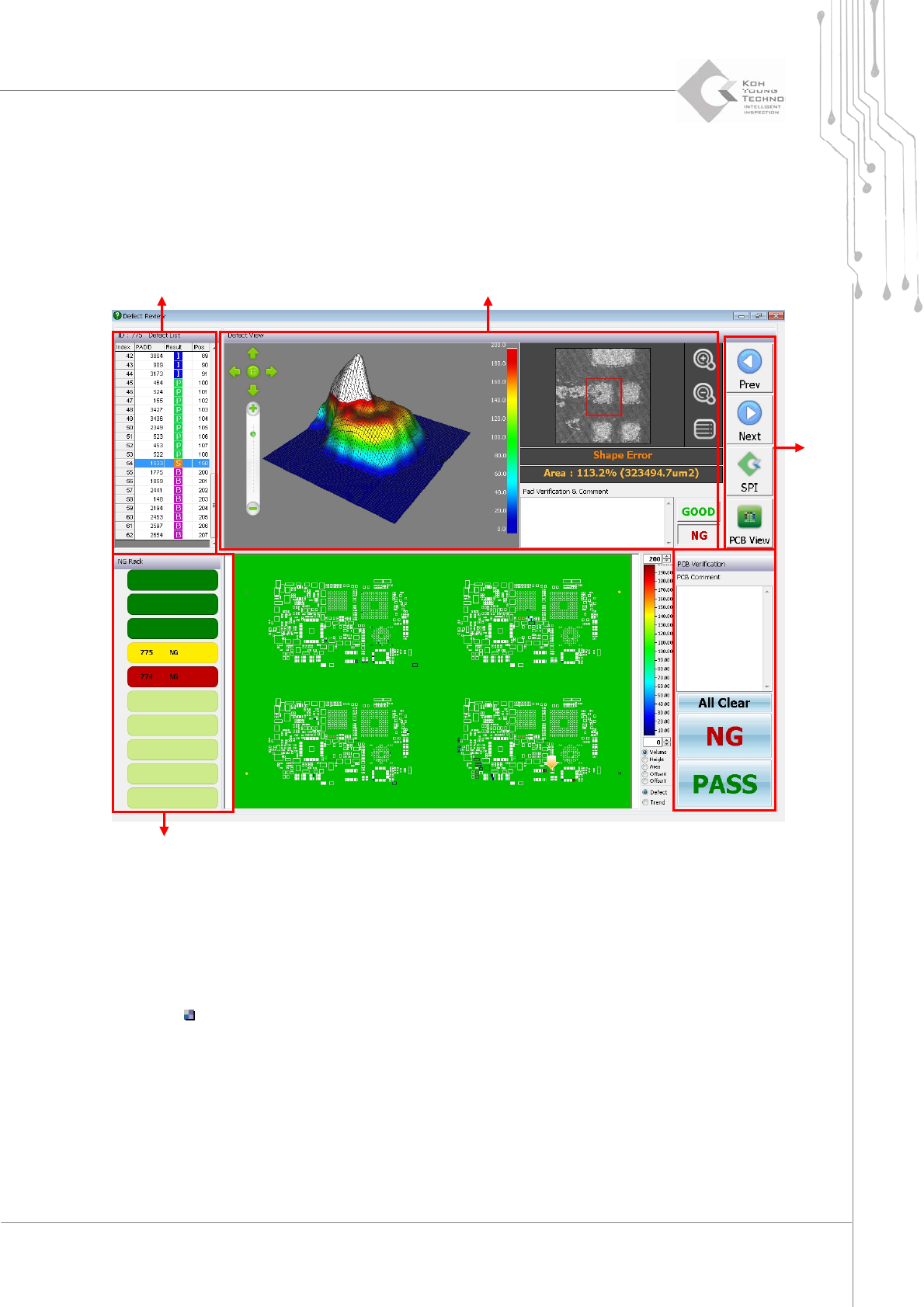
Figure 3-20. Defect Review
ClicktheDefectReviewicontoenablethewindowin thefigureabove.
Rackequipmentst atus querywindow:ArrangesthePCBstack edontheNGrack
Status:InspectionresultofthecorrespondingPCB(Good,Pass,andNG)
Defect determination list: Arranges the defect types occurring on the PCB of rack
equipment
Defect pad query window: 2D/3D screen for a defect type selected from the defect
determinationlist;displaysdetaileder ror information
Functionbutton:
ButtonformakingdecisionsonPCB
Rack status
Button
Defect confirm
Defect List

Programmer's Manual | 45
Category Description
<< Previous, Next >> Moves to the previous or next defect
NG Treats PCB as defect
Pass Treats PCB as good
Return Moves to the 3D inspector™ program
PCB View (Review All Data) Converts into PCBView
Note:DefectReviewincludesupto50defectsperdefecttypeinthelist.Tocheckallthedefects,clickthe
<PCBView(ReviewAllData)>button.
3.14. Defect Analysis
DefectAnalysisisthefunctionofanalyzingtheaccumulateddefectcategories,whichcanbeadded
tothemainmenuatthetopoftheSPCPlus™screen.TheDefectAnalysismenuhasthefollowing4
sub‐menus:
RealDefectTrendView
Viewerthatchecksthetrendinaccumulateddefects
DefectCheckTool
Toolthatcansequentiallyanalyzethedefectboards
DefectGuide
Defecthandlingguideforeachdefect
Before&AfterReport
ReporttypethatprintsthedefectSPCgroupforcomparison
3.14.1. DEFECT ANALYSIS SETTING
Touse theDefectAnalysisfunctiononSPCPlus™,configureaprogrammenu tobeenabled.The
followingarethewaysofenablingthefunction:
First,toconfiguretheDefectAnalysismenu,proceedwiththefollowingbeforerunning3D
Inspector
™
:
1. Select the Defect Analysis category and path from the KYConfig dialog box and enter the maximum
PCB quantity to be stored.
2. Enable the SPC Config dialog box to select the Defect Analysis category at the bottom left and set the
path.