[Superset] Chapter5_SPC Plus_ENG_20100827TW - 第7页
Programmer's Manual | 7 2.1. Main Menu The main menu of SP C Plus™ is at the top of the SPC Plus™ screen. It has the follow in g 4 categories: Home Defect Analysis …
Programmer's Manual | 6
2. SCREEN STRUCTURE
ThescreenstructureofSPCPlus™isdescribedinthischapter.TheSPCPlus
™
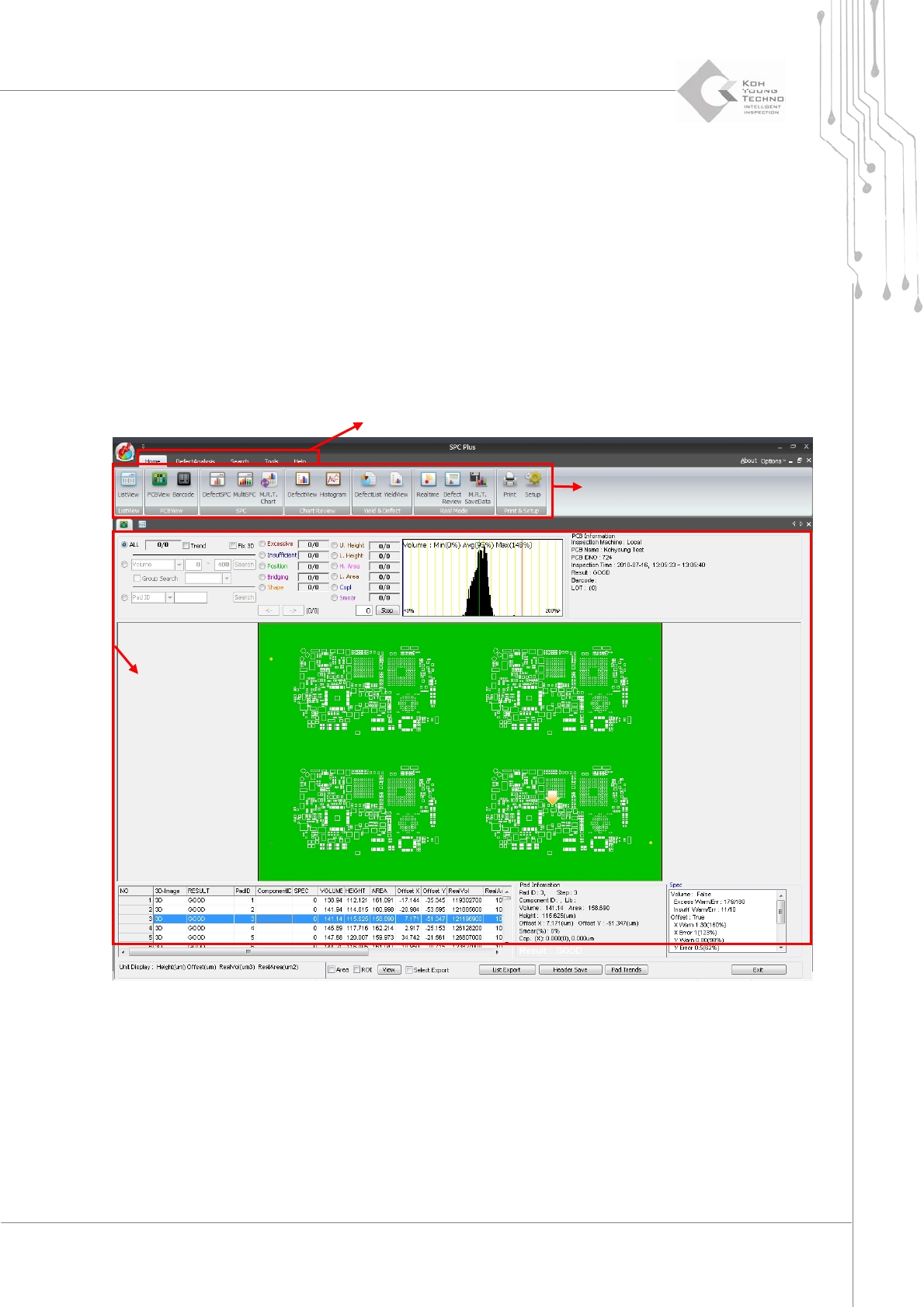
Screenconsistsof3
parts:
MainMenu
Sub‐Menu
MainScreen
Figure 2-1. SPC Plus
TM
Screen Structure
Sub-Menu
Main Menu
Main Screen
Programmer's Manual | 7
2.1. Main Menu
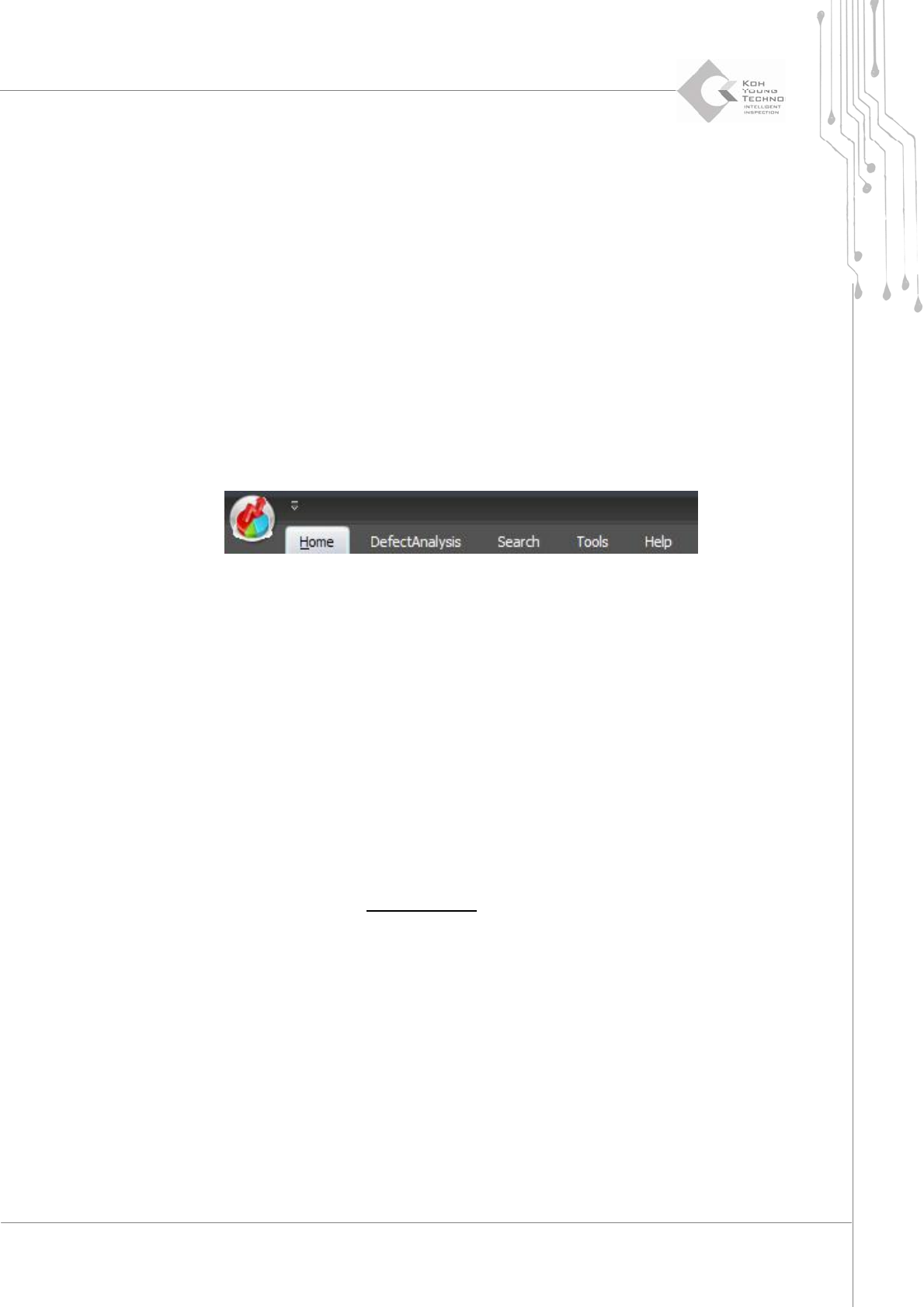
The main menu of SPC Plus™ is at the top of the SPC Plus™ screen. It has the follow in g 4
categories:
Home
DefectAnalysis
Search
Tools
Help
Figure 2-2. Main Menu
Thedetailedfunctionsanddescriptionsofeachmenuwillbedescribedinthenextpage.
2.1.1. HOME
ThismenuincludesmostfunctionsofthemainmenuinSPCPlus™.Thefunctionsperformedin
thismenuwillbedescribedfurtherinSection2.2Sub‐MenuofChapter5.
2.1.2. DEFECT ANALYSIS
Thismenuanalyzestheaccumulateddefectcategories.Thefunctionsperformedinthismenuwill
bedescribedfurtherinSection3.14.DefectAnalysis
ofChapter5.
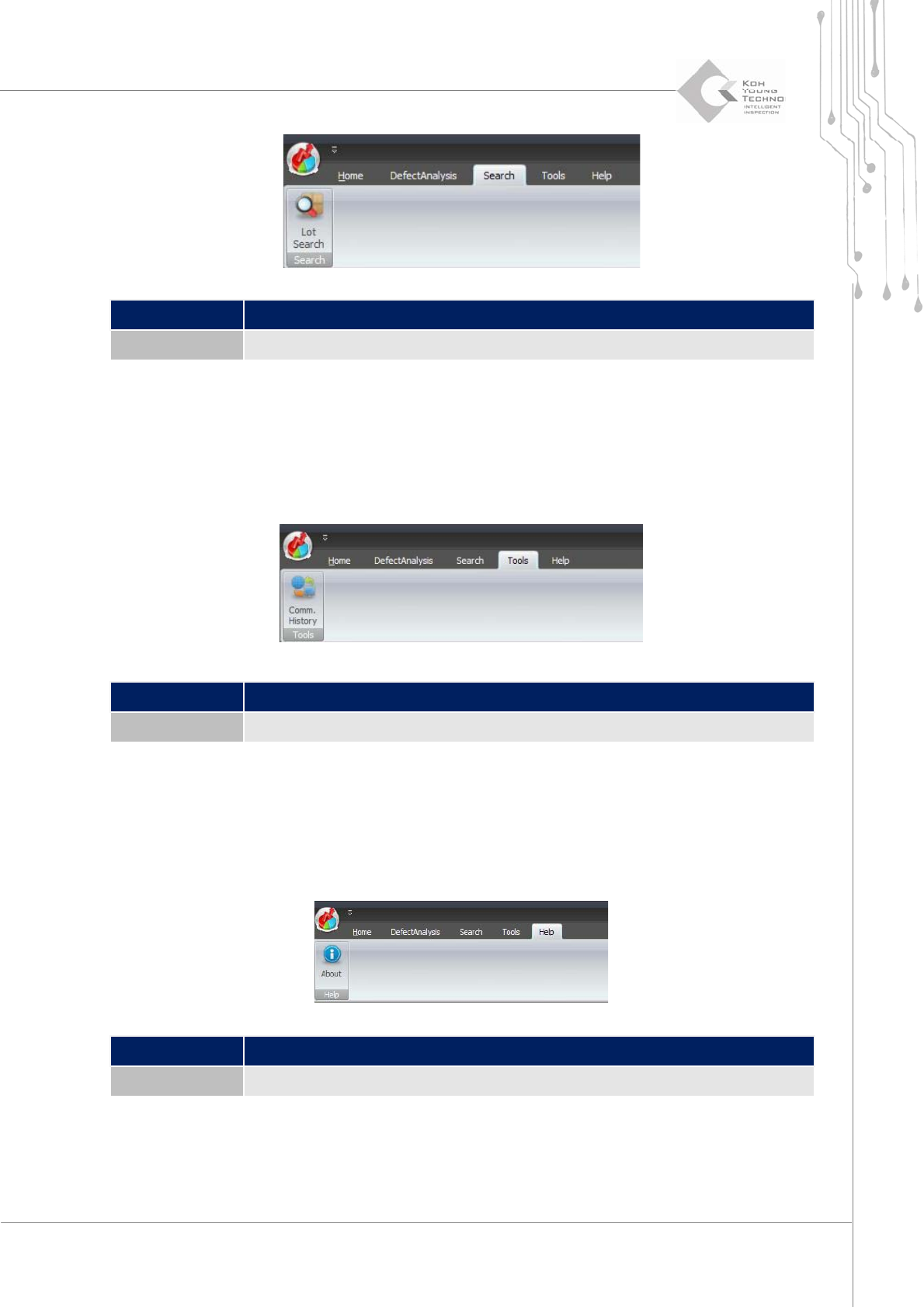
2.1.3. SEARCH
Thefollowingarethemainfunctionsofthismenu:
QueriestheyieldrateinLot unit
Programmer's Manual | 8
Category Description
Lot Search Calculates/Outputs the yield rate based on PCB’s lot number
2.1.4. TOOLS
Thefollowingarethemainfunctionsofthismenu:
Queriesthecommunicationdetailsbetween3DInspector™andSPCPl us™
Category Description
Comm. History Queries the communication details between 3D Inspector™ and SPC Plus™
2.1.5. HELP
Thefollowingarethemainfunctionsofthismenu:
QueriesinformationonSPCPlus™
Category Description
About Displays the SPC Plus™ version, etc.