00198532-01_SM_MeasurementFeeder_EN.pdf - 第18页
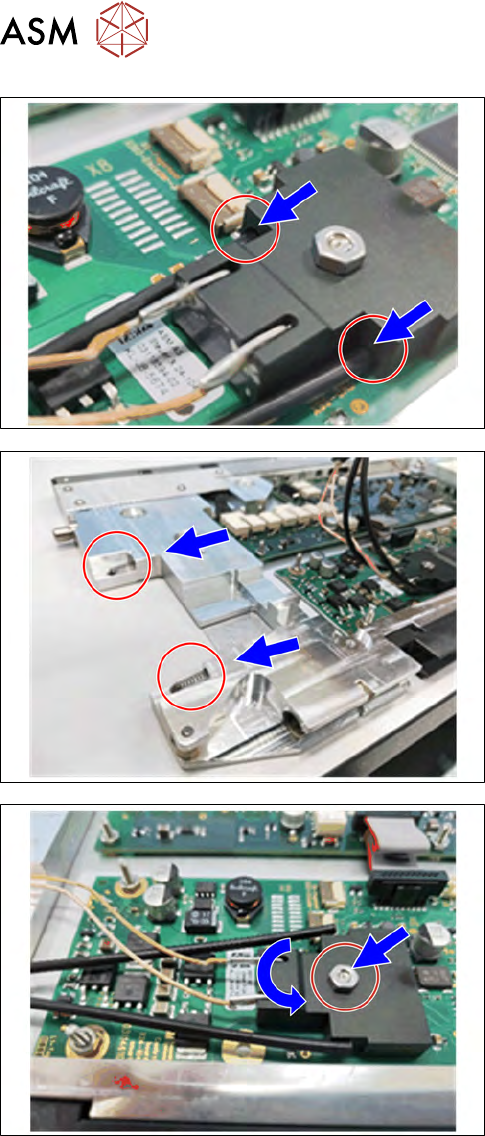
2 Replacing spare parts 2.5 EDIF 18 Service Manual SIPLACE MeasurementFeeder X 02/2020 ► Remove the two fiber optics from the EDIF con- nector. ► Remove the EDIF. ► Remove the two pressure springs. ► Loosen the nut. ► Re…
2 Replacing spare parts
2.5 EDIF
Service Manual SIPLACE MeasurementFeeder X 02/2020 17
2.5 EDIF
Required spare part
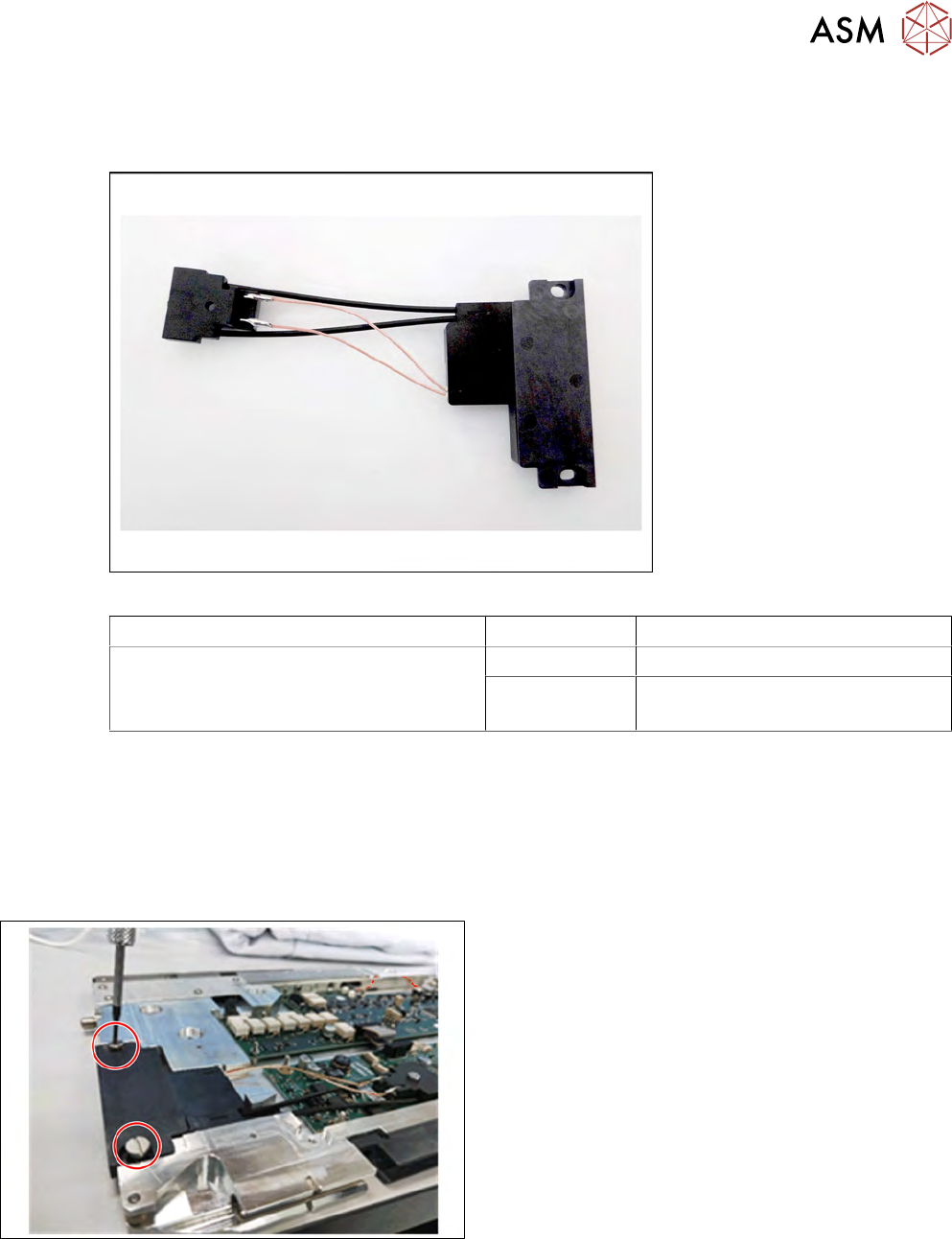
Fig.4: EDIF secondary assembly X8Smart
Feeder module Item no. Designation
MeasurementFeeder X 03125222-xx EDIF secondary assembly X8Smart
03012683-xx
03050957-xx
Pressure spring D-027
Collar screw D4x3.15 M3
Required tools
●
Flat-bladed screwdriver 0.9Nm
●
Phillips screwdriver 0.9Nm
●
TORX screwdriver 0.6Nm, size T8
2.5.1 Removing the EDIF
► Carefully place the feeder module with the right
side down on a stable, level and clean surface.
► Remove the left side plate (see section 2.4.1 "Re-
moving the side cover" [}15]).
► Loosen the two screws on the EDIF.
2 Replacing spare parts
2.5 EDIF
18 Service Manual SIPLACE MeasurementFeeder X 02/2020
► Remove the two fiber optics from the EDIF con-
nector.
► Remove the EDIF.
► Remove the two pressure springs.
► Loosen the nut.
► Remove the EDIF connector.
2 Replacing spare parts
2.5 EDIF
Service Manual SIPLACE MeasurementFeeder X 02/2020 19
2.5.2 Fitting the EDIF
CAUTION
Damaging the EDIF connector
The EDIF connector is very sensitive to high torques. During assembly, always observe the
torque specifications, otherwise the EDIF connector could be damaged!
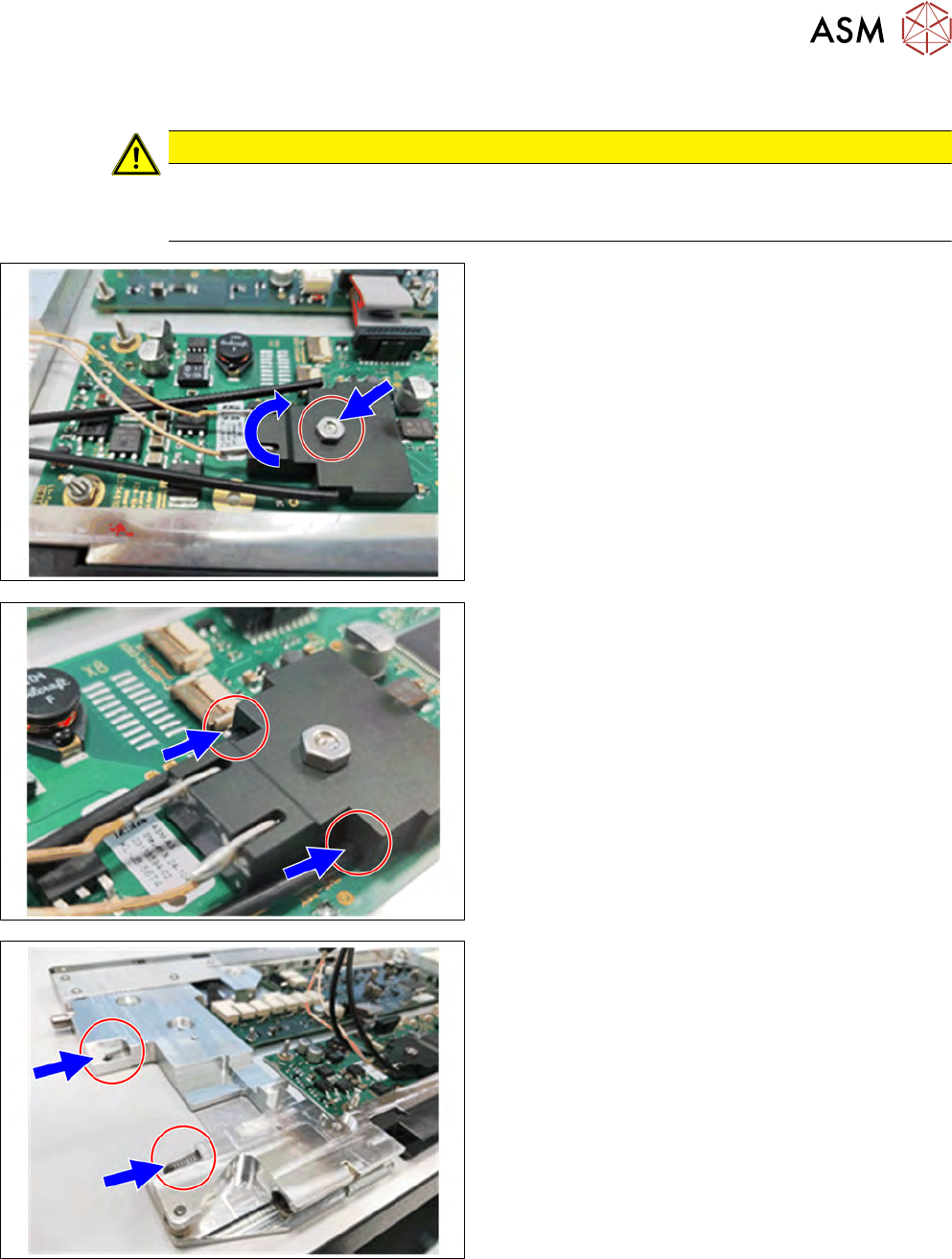
► Plug the EDIF connector onto the control board.
► Tighten the nut.
► Insert the two fiber optics into the EDIF con-
nector.
► Insert the two pressure springs into the ducts
provided.
If the pressure springs are bent, these will need to be
replaced.