00198532-01_SM_MeasurementFeeder_EN.pdf - 第21页
2 Replacing spare parts 2.6 Contact module Service Manual SIPLACE MeasurementFeeder X 02/2020 21 2.6.1 Removing the contact module ► Place the MeasurementFeeder onto a table. ► Loosen the two cross head countersunk screw…
2 Replacing spare parts
2.6 Contact module
20 Service Manual SIPLACE MeasurementFeeder X 02/2020
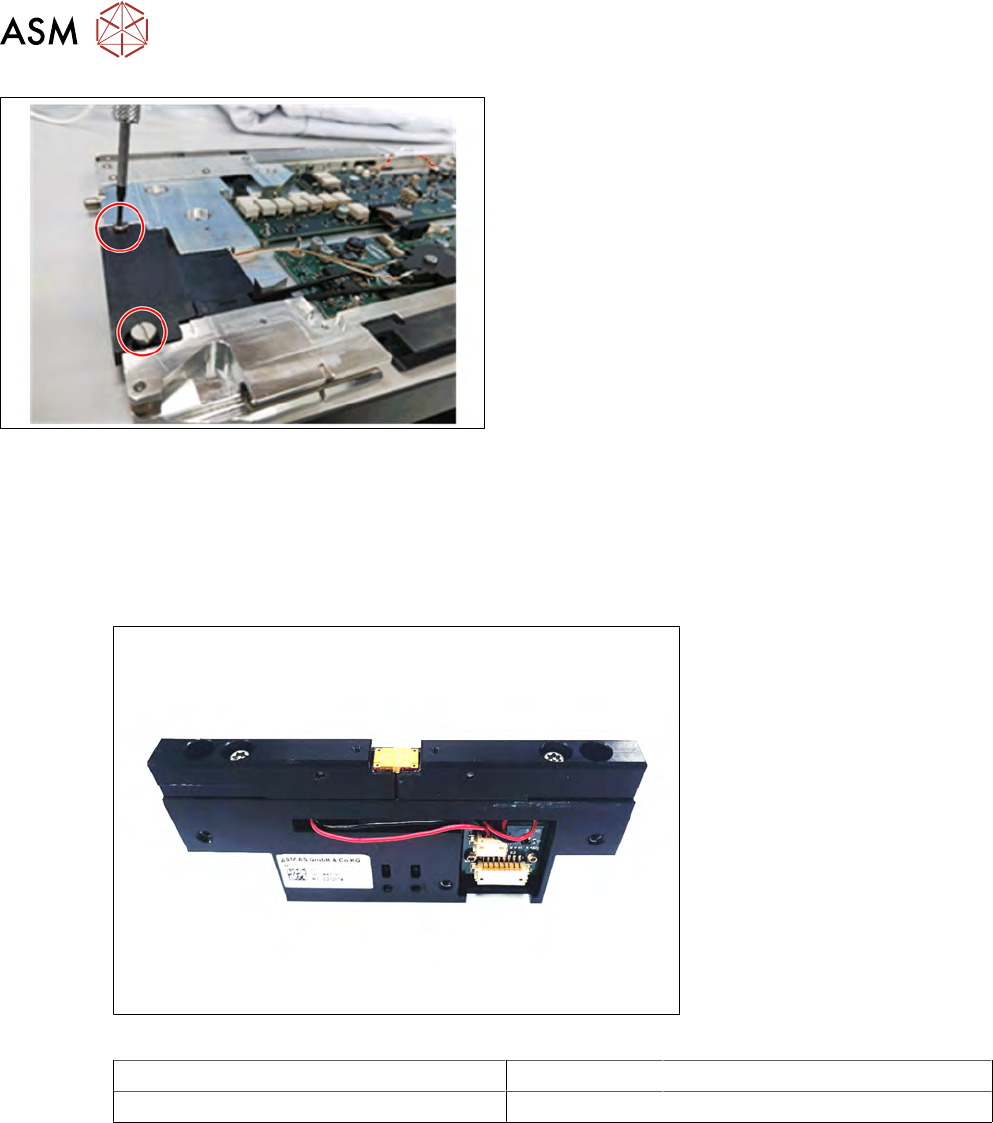
Notice
During insertion, make sure that the two pressure
springs point forwards to the EDIF and are not distor-
ted.
► Push the EDIF into the recess at the front of the
feeder module.
► Screw the EDIF into place using the two marked
screws (Collar screw D4x3.15 M3, 03050957-xx)
with 0.9Nm.
► Check whether the EDIF springs back to the front
if slight pressure is applied to it.
If the EDIF does not spring back, loosen the screws
and make sure that the two springs are aligned to-
wards the front and are not bent.
► Reassemble the left side plate (see section 2.4.2
"Fitting the side plate" [}16]).
2.6 Contact module
Required spare part
Fig.5: CRDL contact module
Feeder module Item no. Designation
MeasurementFeeder X 03148670-xx CRDL contact module
Required tools
●
Flat-bladed screwdriver
●
Phillips screwdriver
●
Allen key, size 2.5 mm
●
Allen key, size 3 mm
●
Loctite 243
2 Replacing spare parts
2.6 Contact module
Service Manual SIPLACE MeasurementFeeder X 02/2020 21
2.6.1 Removing the contact module
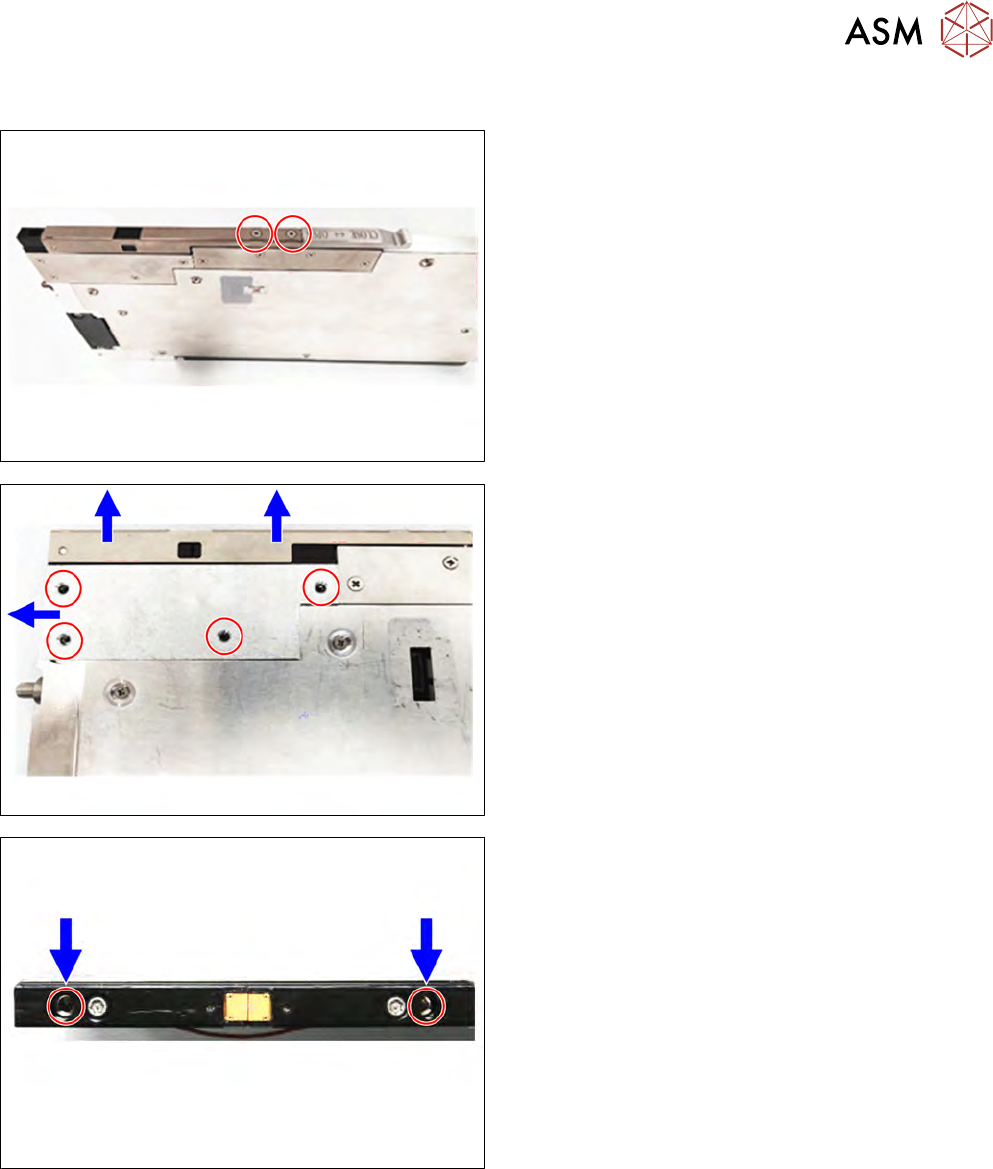
► Place the MeasurementFeeder onto a table.
► Loosen the two cross head countersunk screws
which are holding the contact module cover using
a 3mm Allen key.
► Remove the contact module cover in direction of
arrow.
► Loosen the four cross head countersunk screws
which are holding the protective plate using a
2.5mm Allen key.
► Remove the protective plate.
► Loosen the two Allen screws on the top of the
contact module using a 3mm Allen key.
2 Replacing spare parts
2.6 Contact module
22 Service Manual SIPLACE MeasurementFeeder X 02/2020
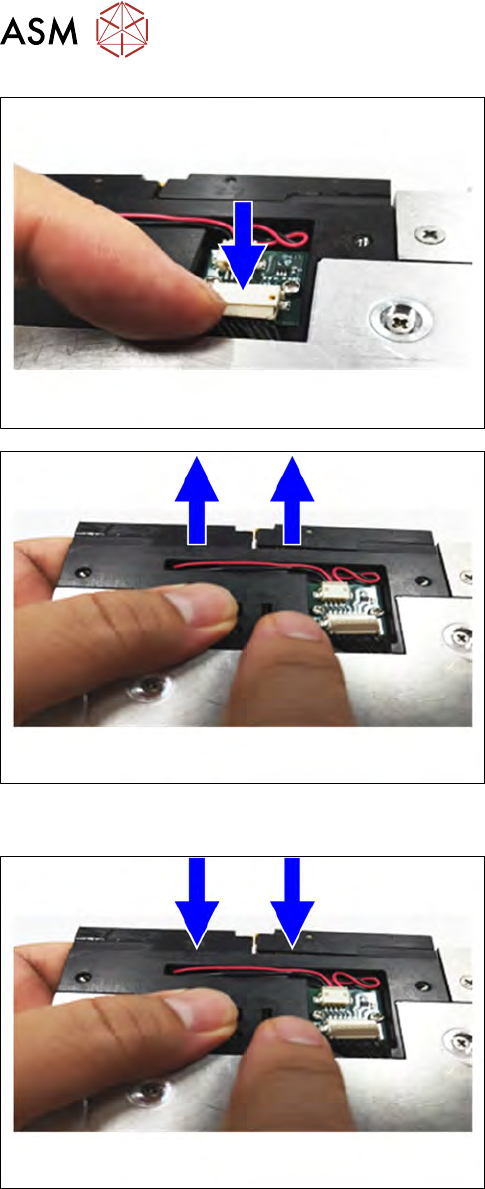
► Disconnect the connector form the contact mod-
ule.
► To remove the contact module from the measure-
ment feeder, push contact module in direction of
arrow.
2.6.2 Fitting the contact module
► Insert the contact module back to the Measure-
mentFeeder.