SIPLACE OIS V9.1安装手册 - 第12页
Installation Manual OIS 9.1 / Installati onsanleitung OIS 9.1 Ausgabe 02/2011 Edition The following dialog is ope ned. ¾ Click Browse... if you want to choose a different installation directory. ¾ Continue by clicking th…
Installation Manual OIS 9.1 / Installationsanleitung OIS 9.1 Ausgabe 02/2011 Edition
3.2 New installation
3.2.1 Starting the installation
The following installation steps are similar for Monitoring Service and OIS Client. The figures apply to the
installation of Monitoring Service, but can be applied to the OIS Client, too.
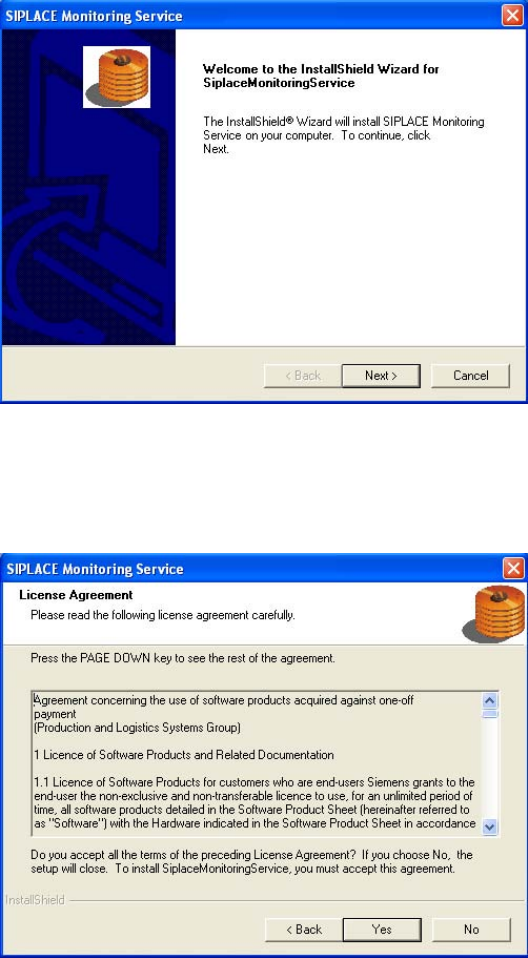
The following dialog is opened.
¾ Close all open applications.
¾ Continue by clicking the Next> button.
The software licensing contract is opened.
If you do not accept the licensing contract, the setup process is terminated.
¾ Accept the licensing conditions by clicking the Yes button.
11
Installation Manual OIS 9.1 / Installationsanleitung OIS 9.1 Ausgabe 02/2011 Edition
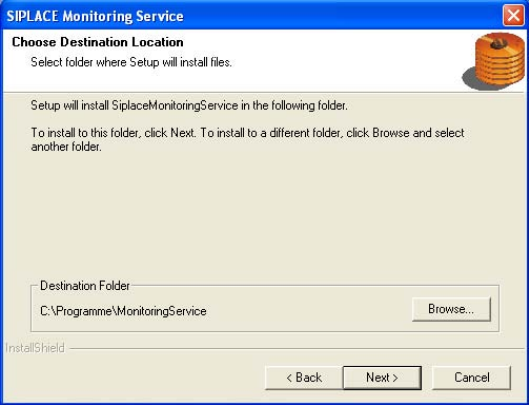
The following dialog is opened.
¾ Click Browse... if you want to choose a different installation directory.
¾ Continue by clicking the Next> button.
The following installation steps depend on the program that you have selected to install.
Continue with the approriate section:
• Monitoring Service (section 3.2.2 on page 13)
• OIS Client (section 3.2.3 on page 18)
12
Installation Manual OIS 9.1 / Installationsanleitung OIS 9.1 Ausgabe 02/2011 Edition
3.2.2 Installing Monitoring Service
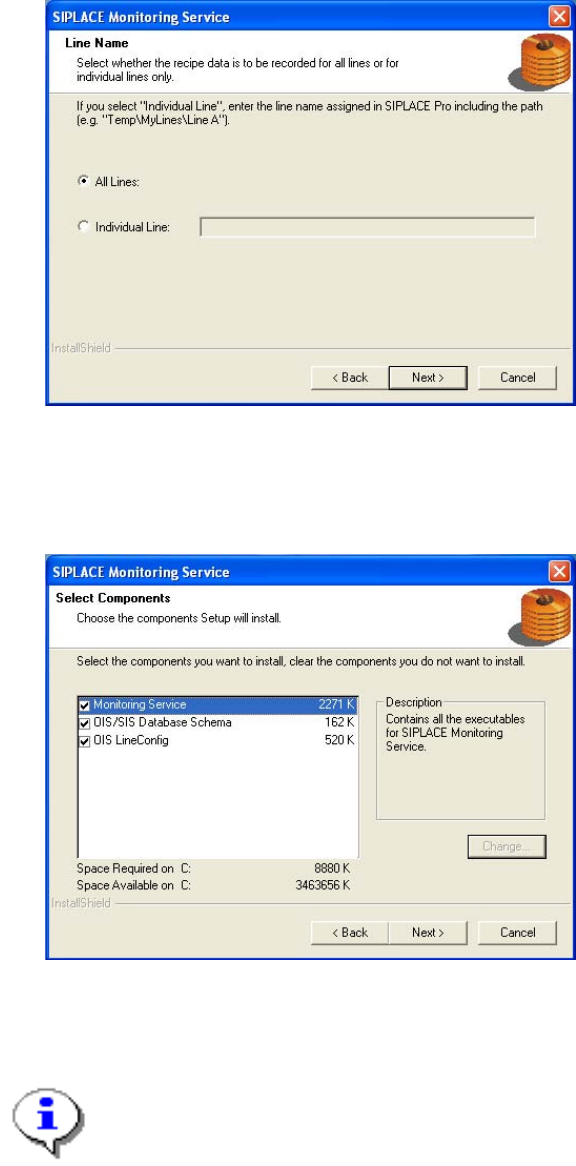
¾ Select the line(s) for which the recipe data is to be recorded.
¾ Continue by clicking the Next> button.
¾ Select the components you want to install.
¾ Continue by clicking the Next> button.
Note:
It is possible to install the component OIS LineConfig on any other computer in the
network.
If installed elsewhere, that computer needs the SIPLACE Pro Interface.
The operating levels of the OIS system are mapped to operating system user accounts. The following two
user groups are created in the User Manager on the OIS Server computer for this purpose.
• OisEngineers for the operating level Line engineer
• OisAdministrators for the operating level Administrator
13