SIPLACE OIS V9.1安装手册 - 第15页
Installation Manual OIS 9.1 / Installati onsanleitung OIS 9.1 Ausgabe 02/2011 Edition The installation routine must log in to the SQL-Server as system administrator (sa) in order to set up or update the database schema. …
Installation Manual OIS 9.1 / Installationsanleitung OIS 9.1 Ausgabe 02/2011 Edition
Only those users who are members of the relevant user group are permitted to switch to a given operating
level.
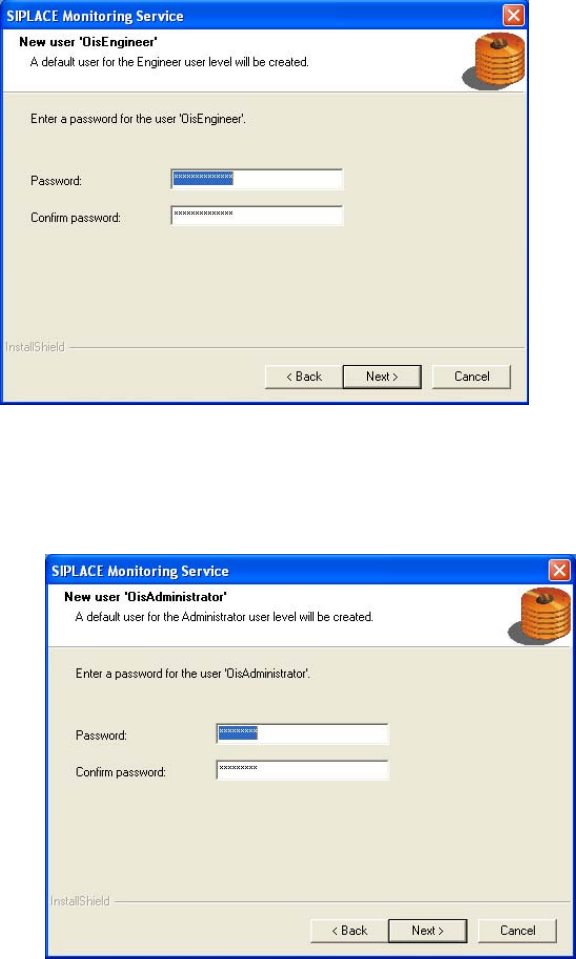
The following users are created and assigned to the user groups by default during installation:
• OisEngineer for the operating level Line engineer, is a member of the user group OisEngineers
• OisAdministrator for the operating level Administrator, is a member of the user group
OisAdministrators
The next two dialog boxes allow you to assign a password to each user.
¾ Enter the password for the OisEngineer. The default password is "SmallSiplace.1".
¾ Enter the password again to confirm.
¾ Continue by clicking the Next> button.
¾ Enter the password for the OisAdministrator. The default password is "Siplace.1".
¾ Enter the password again to confirm.
¾ Continue by clicking the Next> button.
14
Installation Manual OIS 9.1 / Installationsanleitung OIS 9.1 Ausgabe 02/2011 Edition
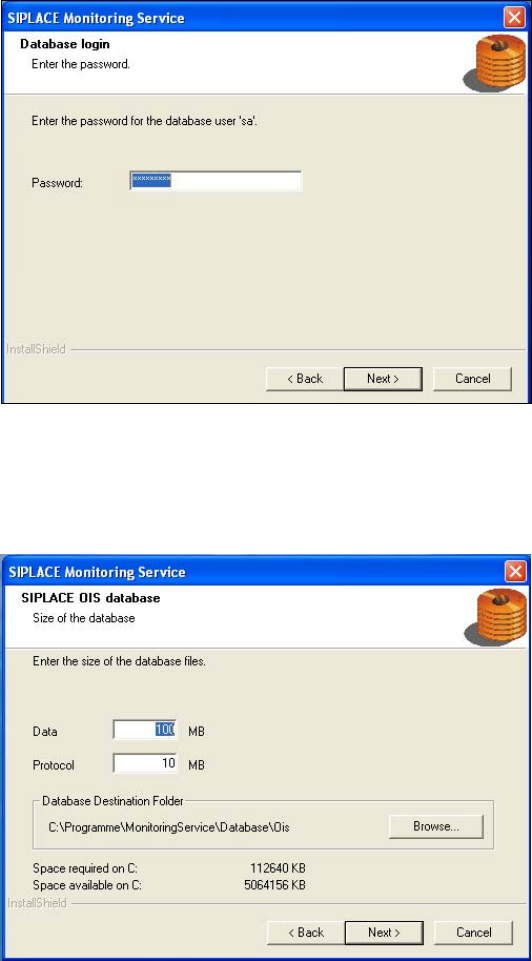
The installation routine must log in to the SQL-Server as system administrator (sa) in order to set up or
update the database schema.
¾ Enter the system administrator password.
¾ Continue by clicking the Next> button. If you don't yet have a database, you'll see the following dialog:
¾ Click Browse... if you want to choose another installation directory for the database.
¾ Enter the starting file size for the database files. The default values are generally acceptable, and the
files are allowed to grow as your database expands.
¾ Continue by clicking the Next> button.
15
Installation Manual OIS 9.1 / Installationsanleitung OIS 9.1 Ausgabe 02/2011 Edition
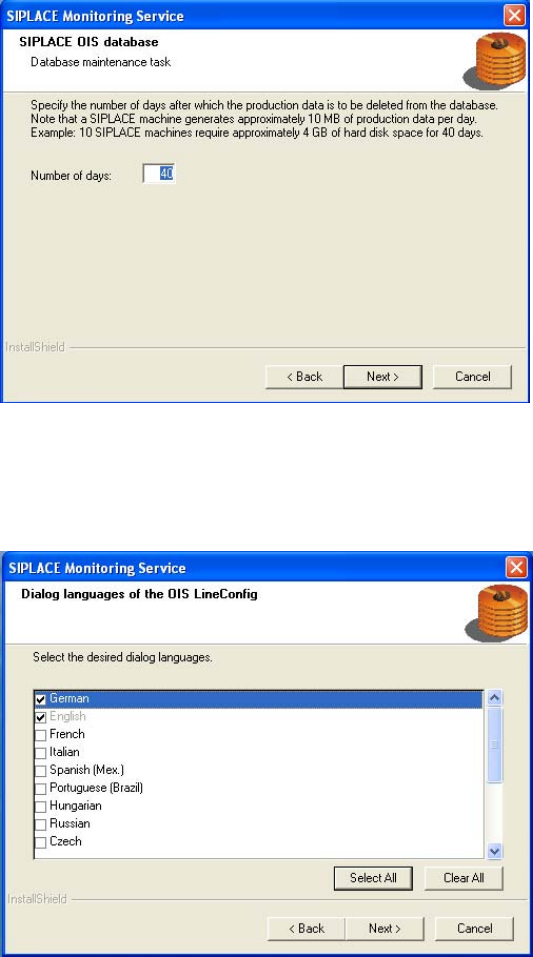
The production data is only saved in the database for a certain period.
¾ Specify the time for which the production data is to be retained in the database.
Values between 40 and 400 days are permitted.
¾ Select the desired languages. The languages are only relevant for the OIS Line Config dialog.
German and English are always installed.
¾ Continue by clicking the Next> button.
16