4OM-1322-006_w.pdf - 第120页
1-58 AKOEMT -ID Operation Procedure (1) Press the "Cleaning Change" tab. (2) Press the [Cleaning Chg. Pos. Move [ST AR T]] button. The background color of the button turns blue, indicating that it is selected. …
1-57 AKOEMT-ID
4.6 Cleaning Procedure of Cleaning Unit
CAUTION
Set the [OPERATION/SET UP] switch to the “SET UP” side
before work.
Only the person in charge of maintenance should perform this
work.
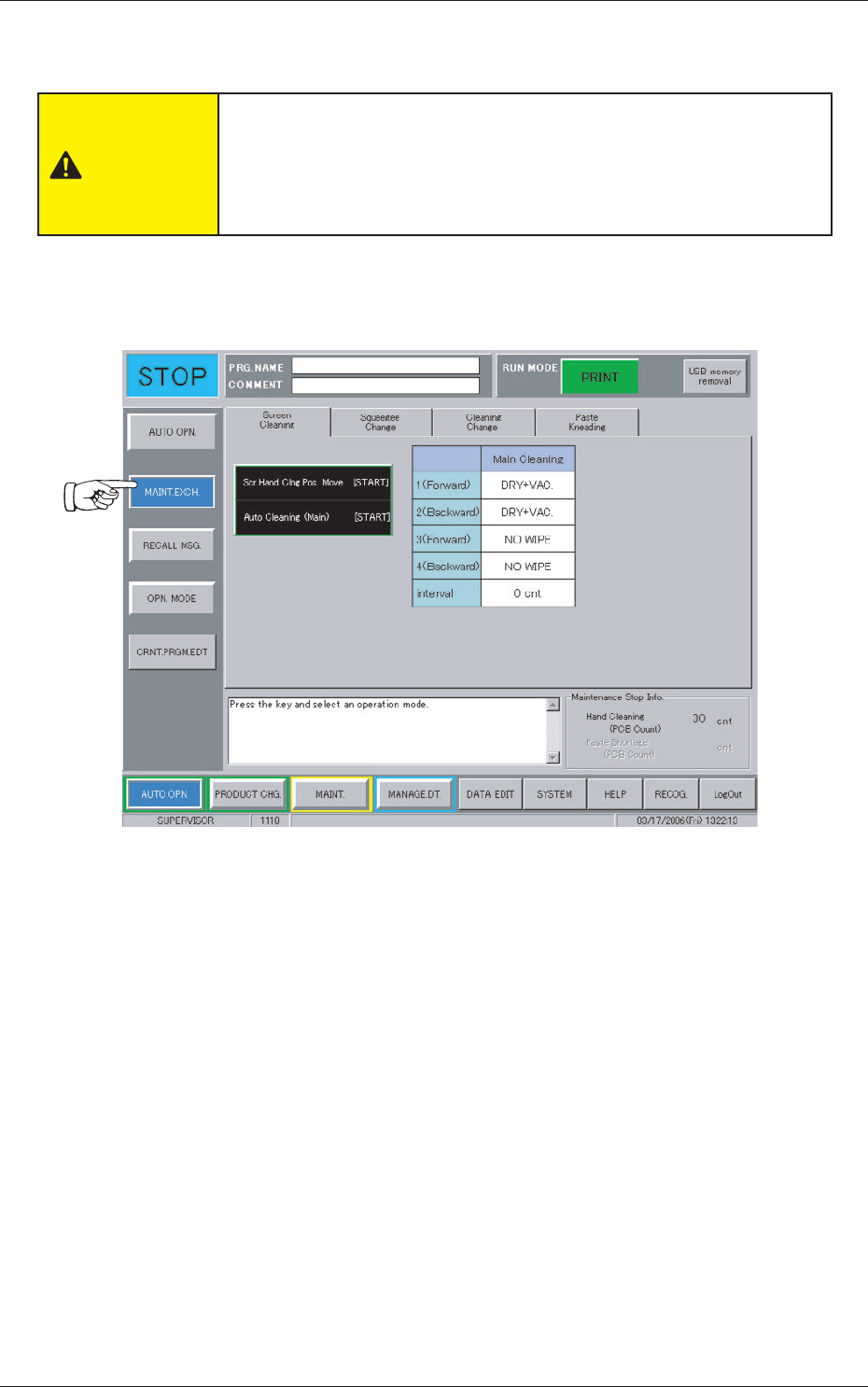
When the [MAINT. EXCH.] button on the "AUTO OPN." submenu bar is
pressed, the following window appears.
Fig. 4A81
0704-003
4.6 Cleaning Procedure of Cleaning Unit
1-58 AKOEMT-ID
Operation Procedure
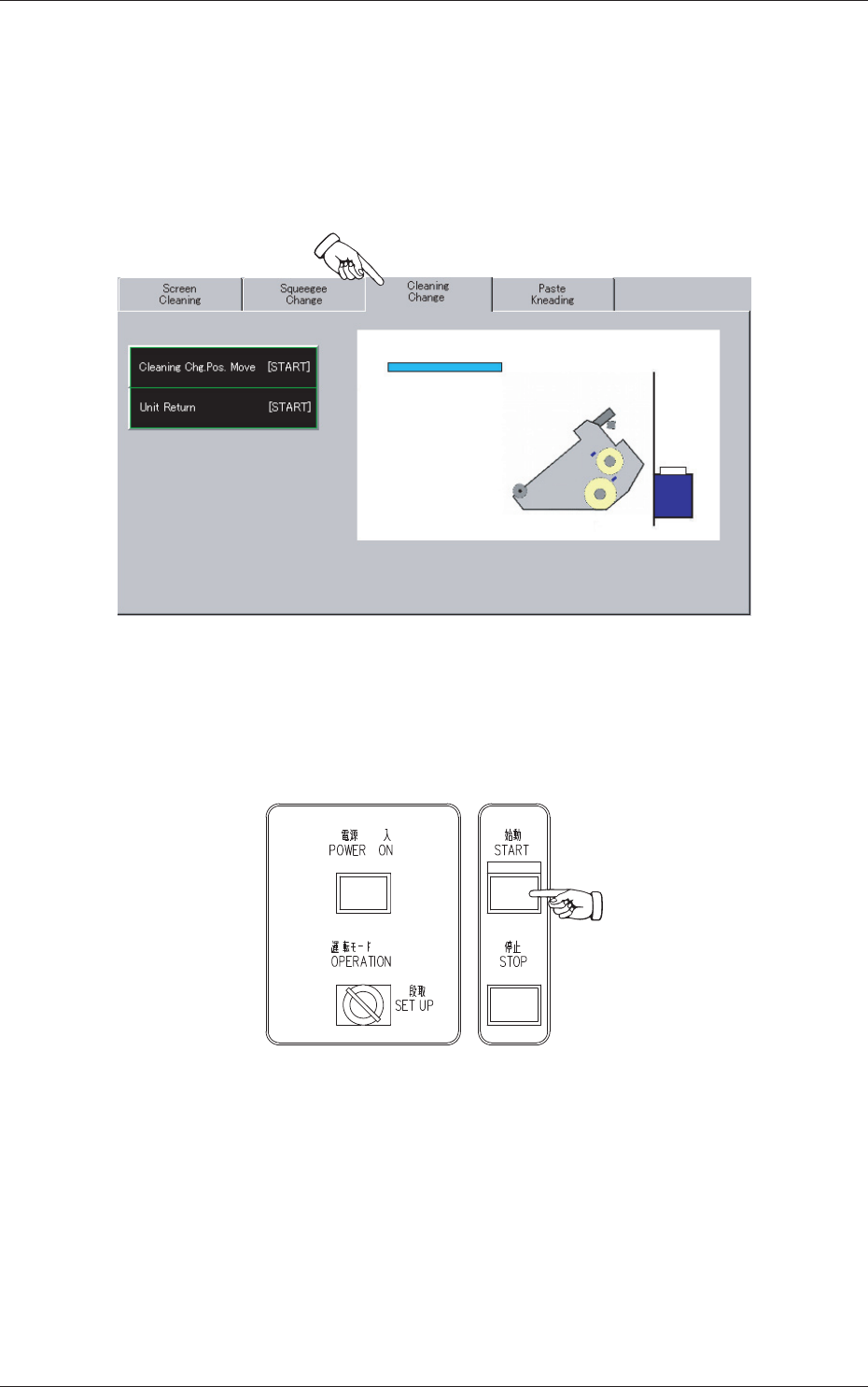
(1) Press the "Cleaning Change" tab.
(2) Press the [Cleaning Chg. Pos. Move [START]] button.
The background color of the button turns blue, indicating that it is
selected.
Fig. 4A82
(3) Press the [START] button on the front operation panel.
The PEC recognition and screen holder sections move to the front side
of the machine.
Fig. 4A83
0704-003
4.6 Cleaning Procedure of Cleaning Unit
1-59 AKOEMT-ID
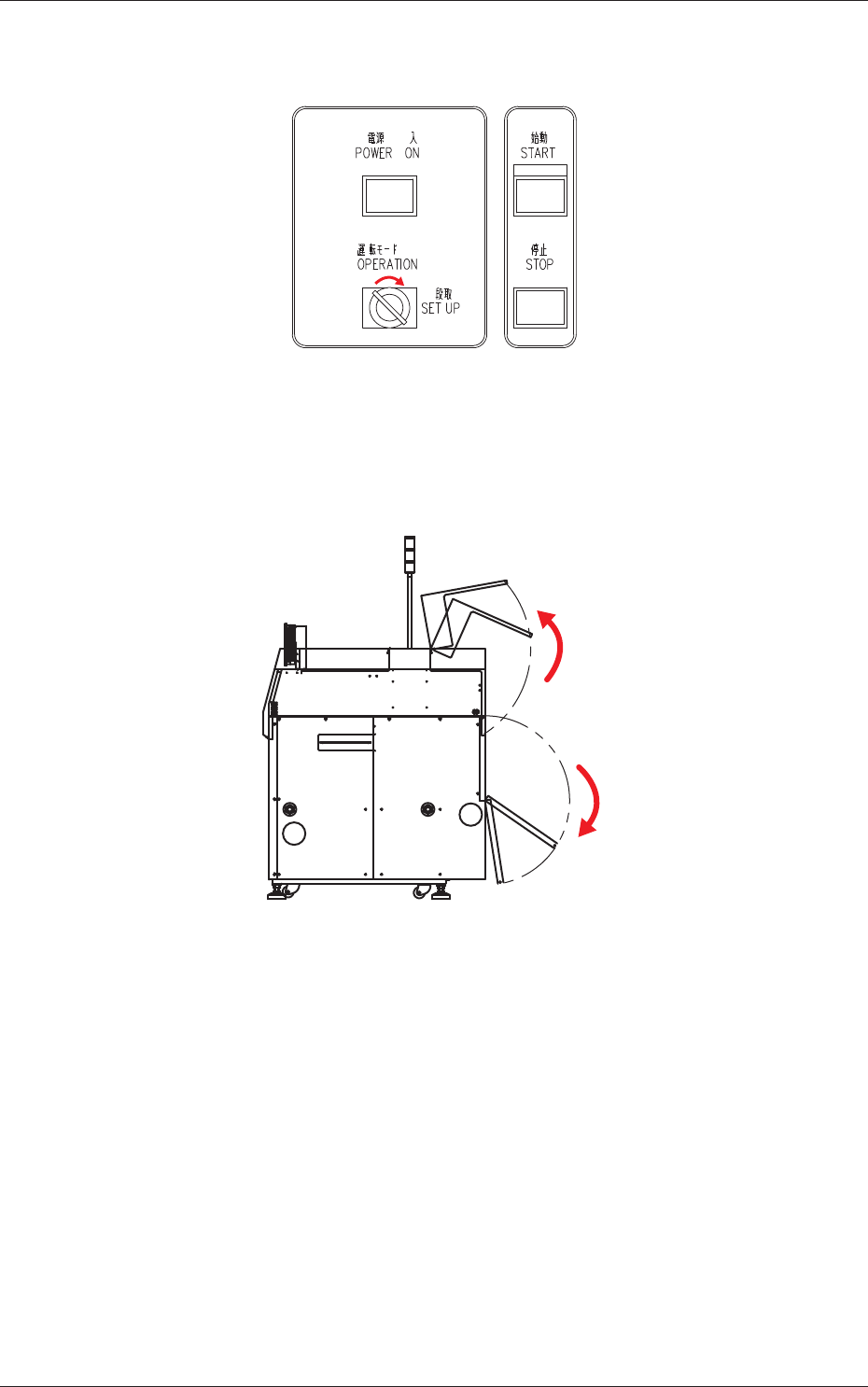
(4) Set the [OPERATION/SET UP] switch on the front operation panel to
the "SET UP" side.
Fig. 4A84
(5) Go back to the rear side of the machine.
(6) Open the two doors on the rear side.
Fig. 4A85
0704-003
4.6 Cleaning Procedure of Cleaning Unit