4OM-1322-006_w.pdf - 第147页
2-10 AKOEMT -ID T able 4B2 (Remedy 2) Set the power breaker to “ON”. Fig. 4B8 (Remedy 3) Refer to “1.1.1 Confi rmation of Power Supply and Air Pressure” in “Chapter 3” of “V olume 1” for details and supply air to the mach…
2-9 AKOEMT-ID
2. Troubleshooting on Each Section
2.1 Easy Troubleshooting
Described below is how to troubleshoot simple problems that can be solved
by the machine operator.
When the operator cannot solve a certain problem, he/she should get in
contact with the supervisor (a person in charge of machine management).
2.1.1 Power Operation Impossible
Table 4B1
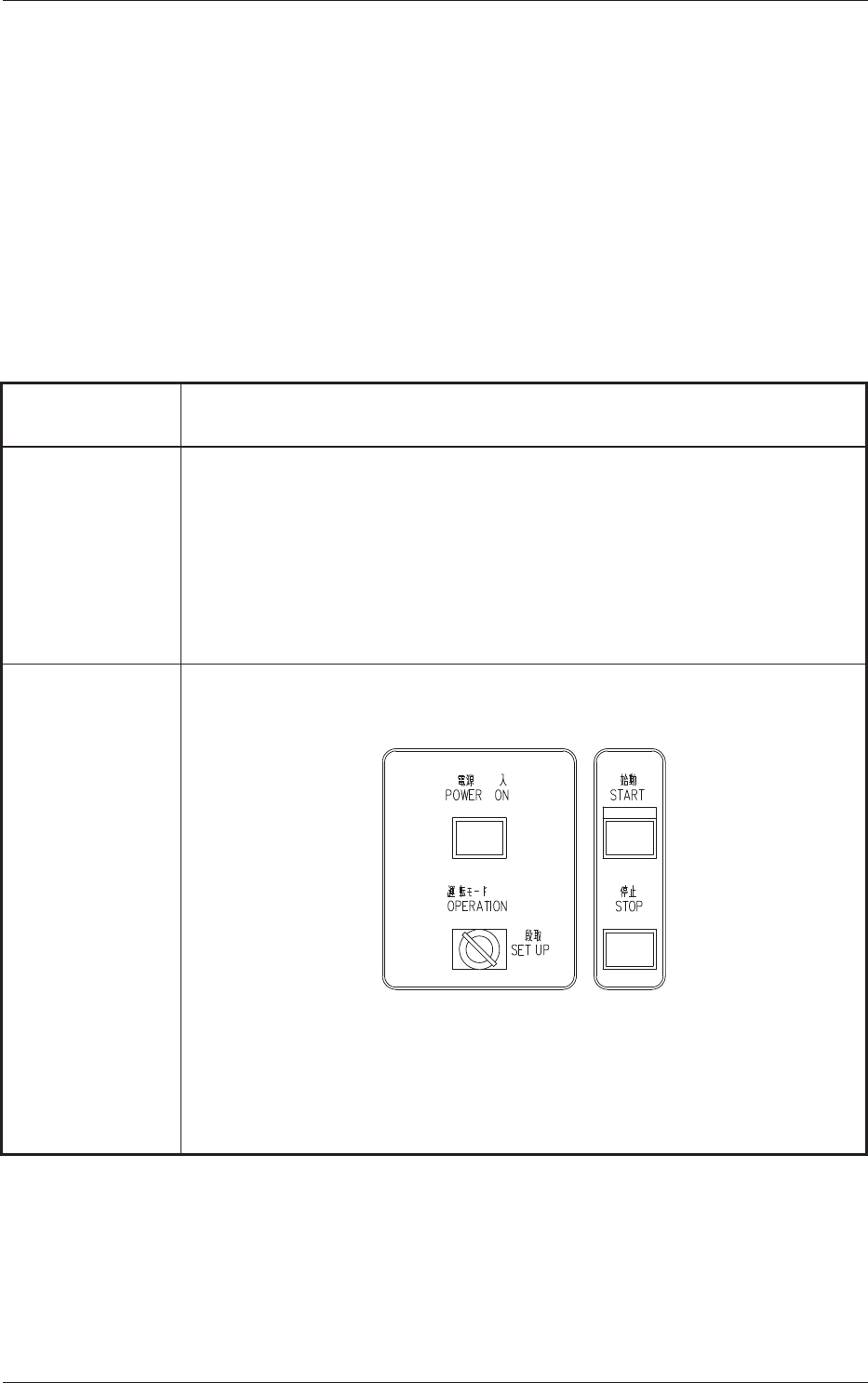
Symptom When the [POWER ON] button on the front operation panel is pressed, the
machine is not powered.
Cause (Cause 1) The [POWER ON] button on the front operation panel is not held
down for more than two seconds.
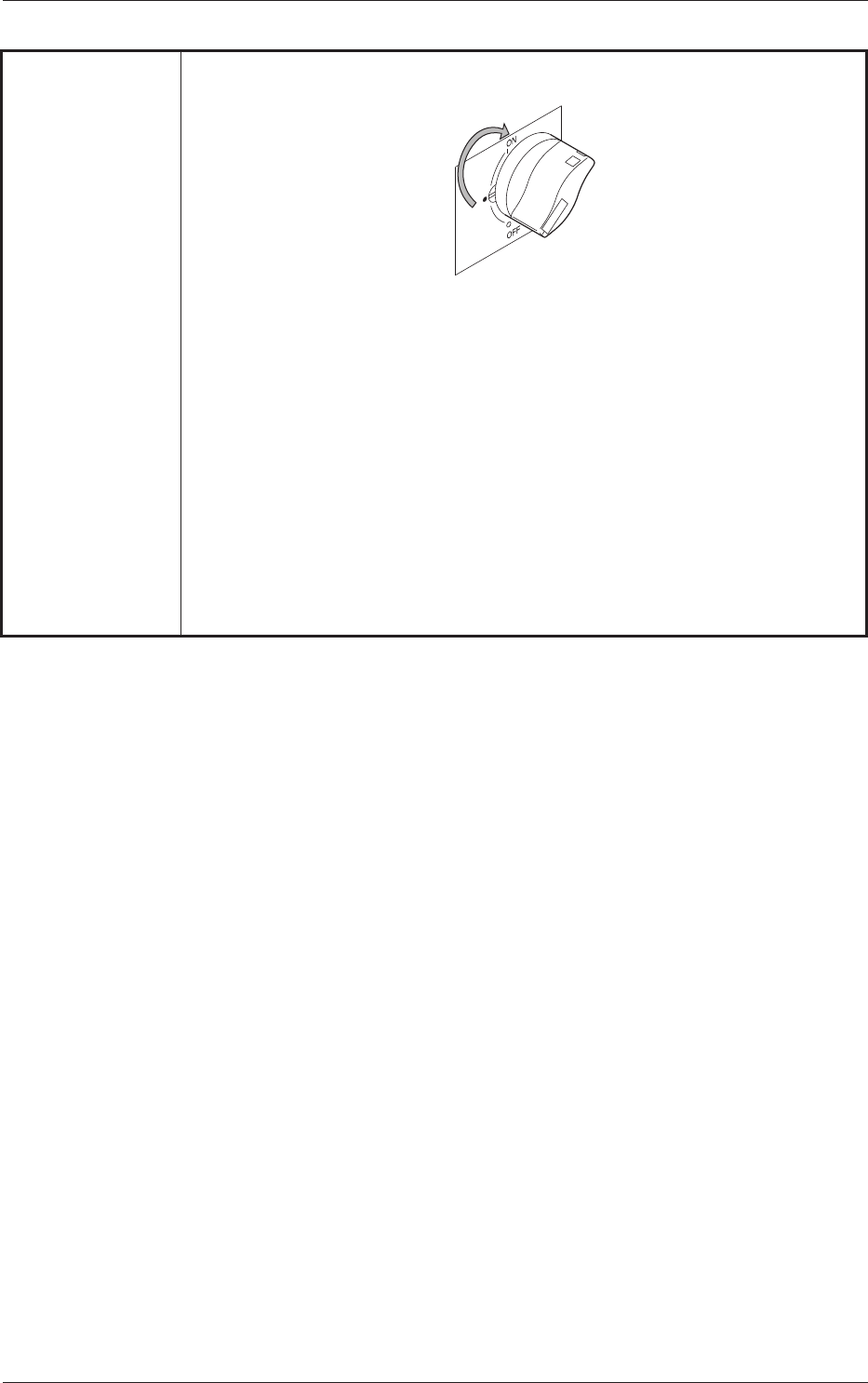
(Cause 2) The power breaker is set to “OFF”.
(Cause 3) The main air pressure has not reached “0.39MPa (4 kgf/cm
2
)".
Remedy (Remedy 1) Hold down the [POWER ON] button on the front operation panel
for more than two seconds.
Fig. 4B7
0603-001
2. Troubleshooting on Each Section
2-10 AKOEMT-ID
Table 4B2
(Remedy 2) Set the power breaker to “ON”.
Fig. 4B8
(Remedy 3) Refer to “1.1.1 Confirmation of Power Supply and Air Pressure”
in “Chapter 3” of “Volume 1” for details and supply air to the
machine.
When adequate pressures are not obtained, refer to “Chapter 1
Maintenance” and adjust the pressures.
0603-001
2.1 Easy Troubleshooting

2-11 AKOEMT-ID
2.1.2 No Display on Touch Screen
Table 4B3
Symptom Nothing is displayed on the touch screen.
Cause (Cause 1) The screen saver function is activated.
(Cause 2) Power is not supplied from the source.
Remedy (Remedy 1) Touch a part of the touch screen.
The foreground activities will
occur in any running application.
(Remedy 2) Refer to “2.1.1 Power Operation Impossible” and follow the
remedial procedure.
0603-001
2.1 Easy Troubleshooting