4OM-1322-006_w.pdf - 第80页
1-21 AKOEMT -ID Note Note Note Screen Y -Axis Linear Guide Every Month Cleaning Clean the stopper with an oiled rag. Do not leave any waste threads after cleaning. Screen Y -Axis Linear Guide (Rear Side) Every 6 Months C…
1-20 AKOEMT-ID
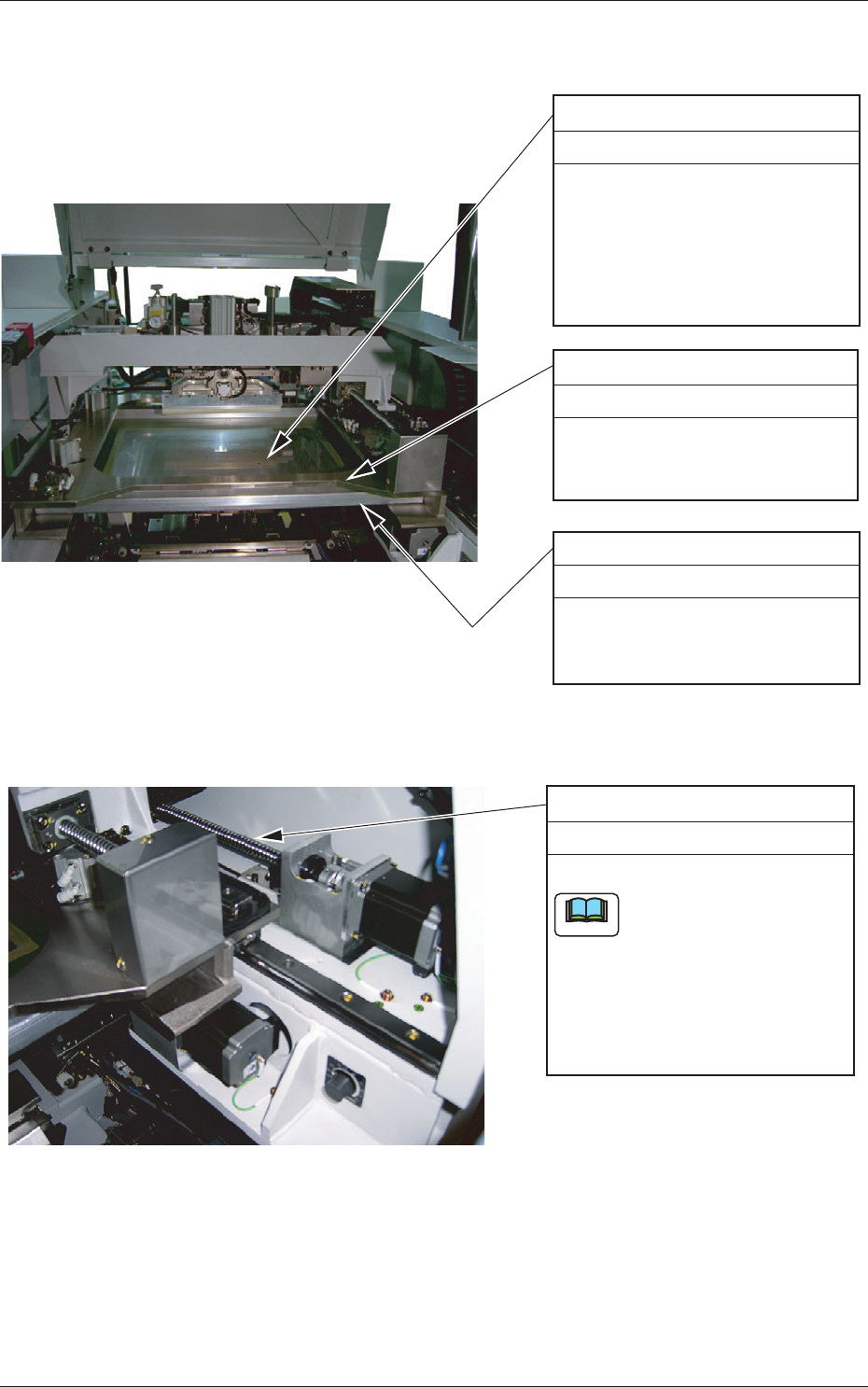
3.3.3 Screen Holder Section
Screen Printing Pattern
Every Day Cleaning
After using the screen, use an
ultrasonic cleaner (industrial
alcohol solvent) to clean the screen
such that the mesh (pores) of the
screen (screen patterns) is not
clogged.
Clean the lower surface of the
screen with a rag soaked in
industrial alcohol (solvent).
Upper Surface of Screen Holder
Every Day Cleaning
Wipe off dirt and dust accumulated
on the upper and side surfaces
with a rag.
Lower Surface of Screen
Every Day Cleaning
Fig. 4A13
Screen Y-Axis Ball Screw
Every 6 months Lubrication
Apply grease with a brush.
If a large amount of grease is
applied, it may be dispersed
over a PCB and the screen.
After applying grease, brush
the surface or scrape with a
spatula until a small amount
of grease remains on the
surface of the ball screw.
Note
Fig. 4A14
0609-002
3.3 Inspection, Cleaning, and Lubrication Spots
1-21 AKOEMT-ID
Note
Note
Note
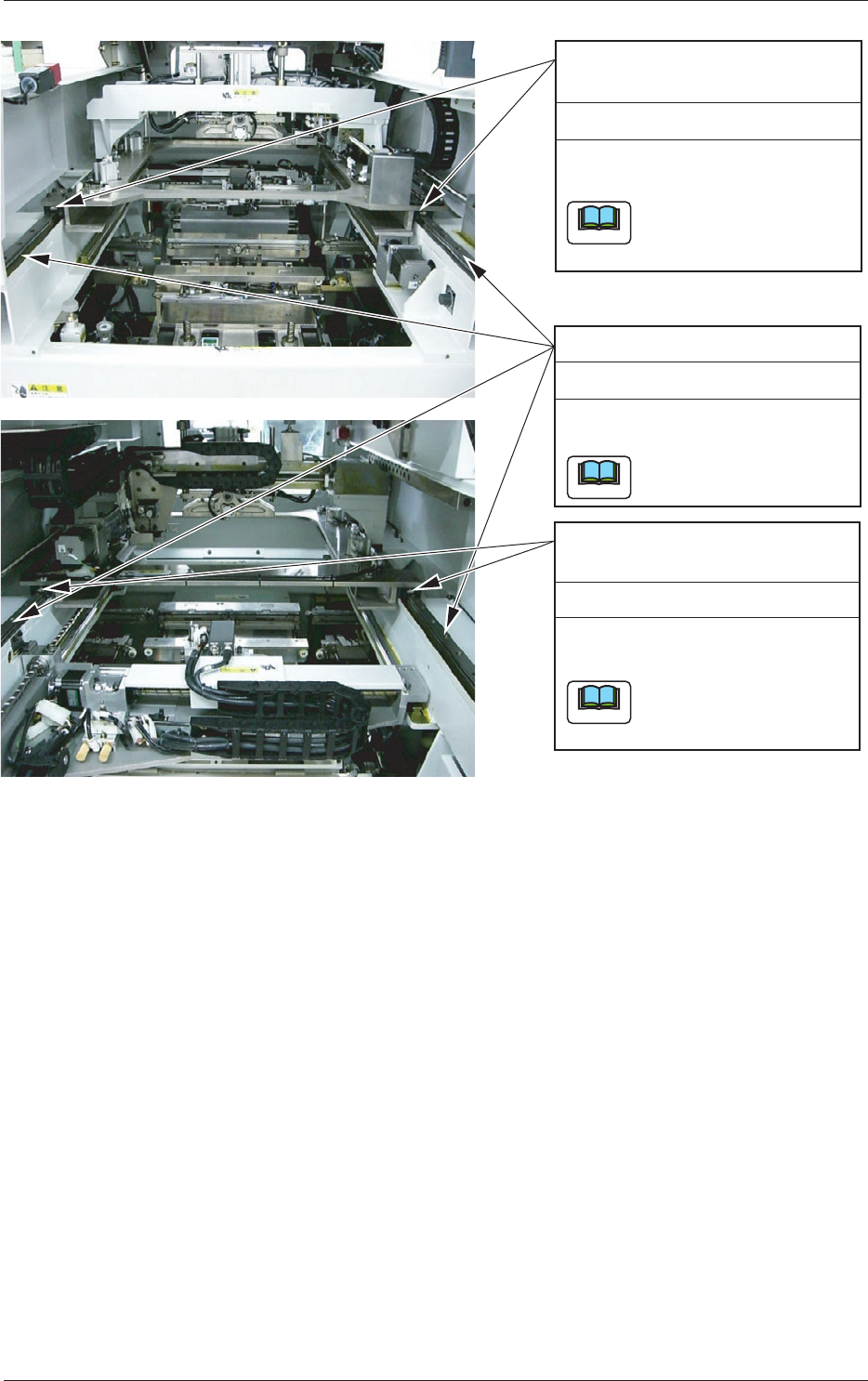
Screen Y-Axis Linear Guide
Every Month Cleaning
Clean the stopper with an oiled
rag.
Do not leave any waste
threads after cleaning.
Screen Y-Axis Linear Guide
(Rear Side)
Every 6 Months Cleaning
Inject new grease from the grease
nipple with a grease gun or a brush.
The used attachments should
be the U- and P-types or the
SPK-3C.
Screen Y-Axis Linear Guide
(Front Side)
Every 6 Months Cleaning
Inject new grease from the grease
nipple with a grease gun or a brush.
The used attachments should
be the U- and P-types or the
SPK-3C.
Fig. 4A15
0609-002
3.3 Inspection, Cleaning, and Lubrication Spots
1-22 AKOEMT-ID
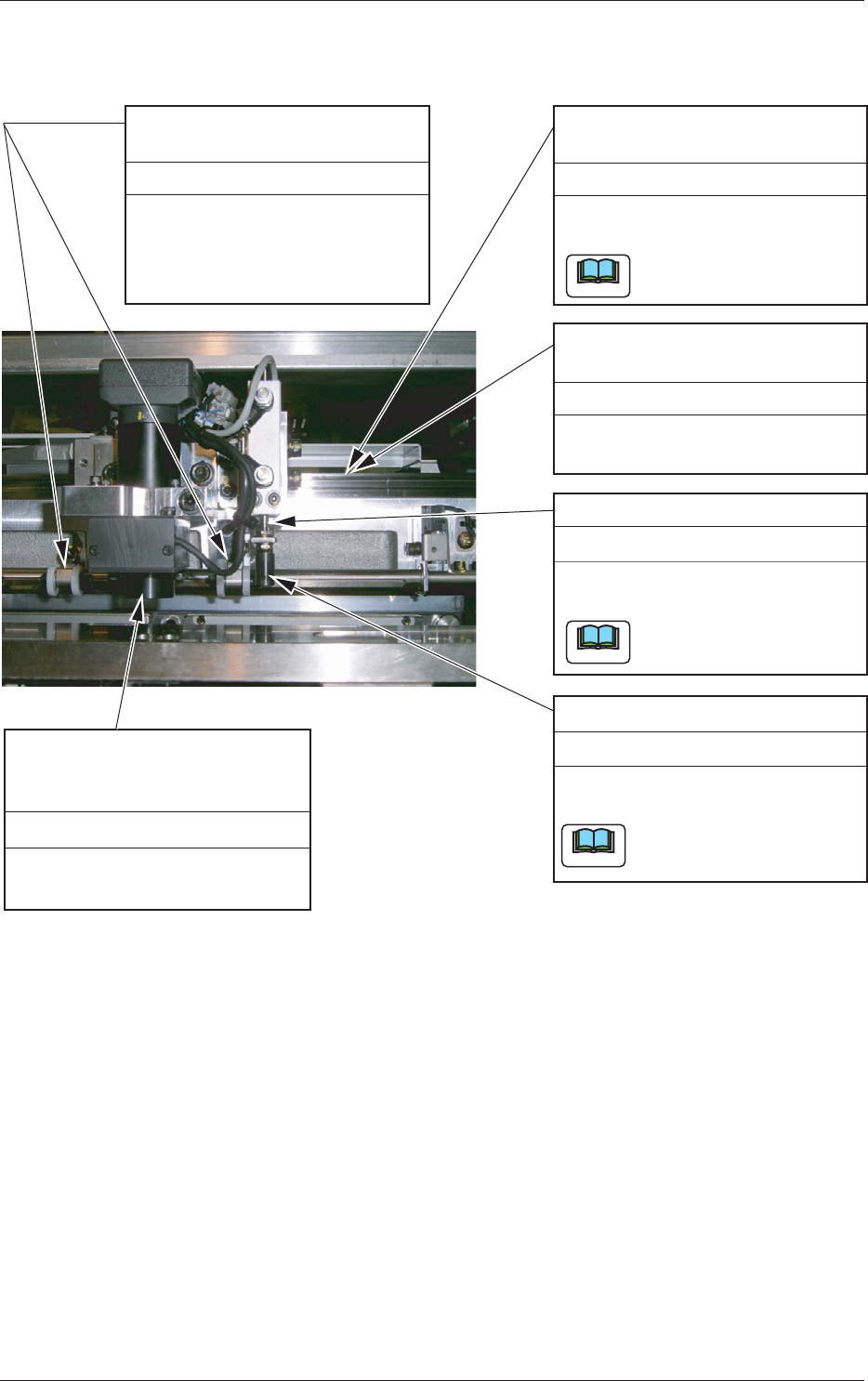
3.3.4 PEC Recognition Section
Remove dirt and dust with an ari
blow brush for camera.
Camera (Lens)
PEC Recognition Lighting Glass
Surface
Every Month Cleaning
PCB Warpage Top Holder
(Outer Circumference of Roller)
Every Week Cleaning
Wipe off dirt and dust
accumulated on the outer
circumference of the roller with
a rag.
PCB Stopper
Every Week Cleaning
Clean the stopper with an oiled
rag.
Do not leave any waste
threads after cleaning.
Note
PEC Recognition
X-Axis Linear Guide
Every Month Cleaning
Clean the stopper with an oiled
rag.
Do not leave any waste
threads after cleaning.
PEC Recognition
X-Axis Linear Guide
Every 6 Months Lubrication
Apply grease with a brush or a
spatula.
Note
Note
PCB Stopper Guide Bushing
Every 6 Months Lubrication
Apply grease with a brush or a
spatula.
Apply grease to the surface
of the shaft thinly.
Fig. 4A16
0609-002
3.3 Inspection, Cleaning, and Lubrication Spots