DECAN_S2_Trouble(Eng_Ver4.2).pdf - 第184页
1-162 Advanced Chip Shooter DECAN S2 T roubleshooting Guide In case the S/W limit value is incorrect, change the software limit value of corresponding axis on the ‘Sys. Setup Limit’ of the MMI. If any problem oc curs…

1-161
System Messages of the MMI and Solutions
Attempting to place using the skipped head due to S/W problem.
[Solution]
Turn off power to the machine in the usual way. Wait 5 seconds, turn back on and
reboot the system.
In the “PCB Edit” menu, check if the nozzle is correctly registered at the step in error.
If the nozzle is set to ‘Auto(A)’, click the <Common Data> button in the “Profile
Editor” for the error occurred component in “Part” of the “PCB Edit” menu, and check
if the nozzle setup is correct, and that the corresponding nozzle actually exists.
$be70 An error occurred while calculating the position of ‘PCB Fiducial Mark’.
[MPU_STOP LEVEL]
[Problem]
An error occurred due to S/W problem.
[Solution]
Turn off power to the machine in the usual way. Wait 5 seconds, turn back on and
reboot the system.
$be90 An error occurred while calculating the placement position. [EMER LEVEL]
$be91 An error occurred while calculating the placement position. [EMER LEVEL]
[Problem]
Failed to change the coordinate due to S/W problem.
[Solution]
Turn off power to the machine in the usual way. Wait 5 seconds, turn back on and
reboot the system.
1.4.13. Motion Control Related Error [$c000~$cfff]
$c006 Minus S/W Limit is sensed at $A. [FREEZE LEVEL]
$c007 Plus S/W Limit is sensed at $A. [FREEZE LEVEL]
[Problem]
The specified axis is sensed at – S/W limit.($c006)
The specified axis is sensed at + S/W limit.($c007)
[Solution]
Turn off the Buzzer by pressing the “STOP” button.
Switch the machine to “IDLE” mode by pressing the “RESET” button.
Using the teaching box, set the ‘Home (Return-To-Origin)’ of the error occurred axis
motor, and move it to the desired position once again.

1-162
Advanced Chip Shooter DECAN S2 Troubleshooting Guide
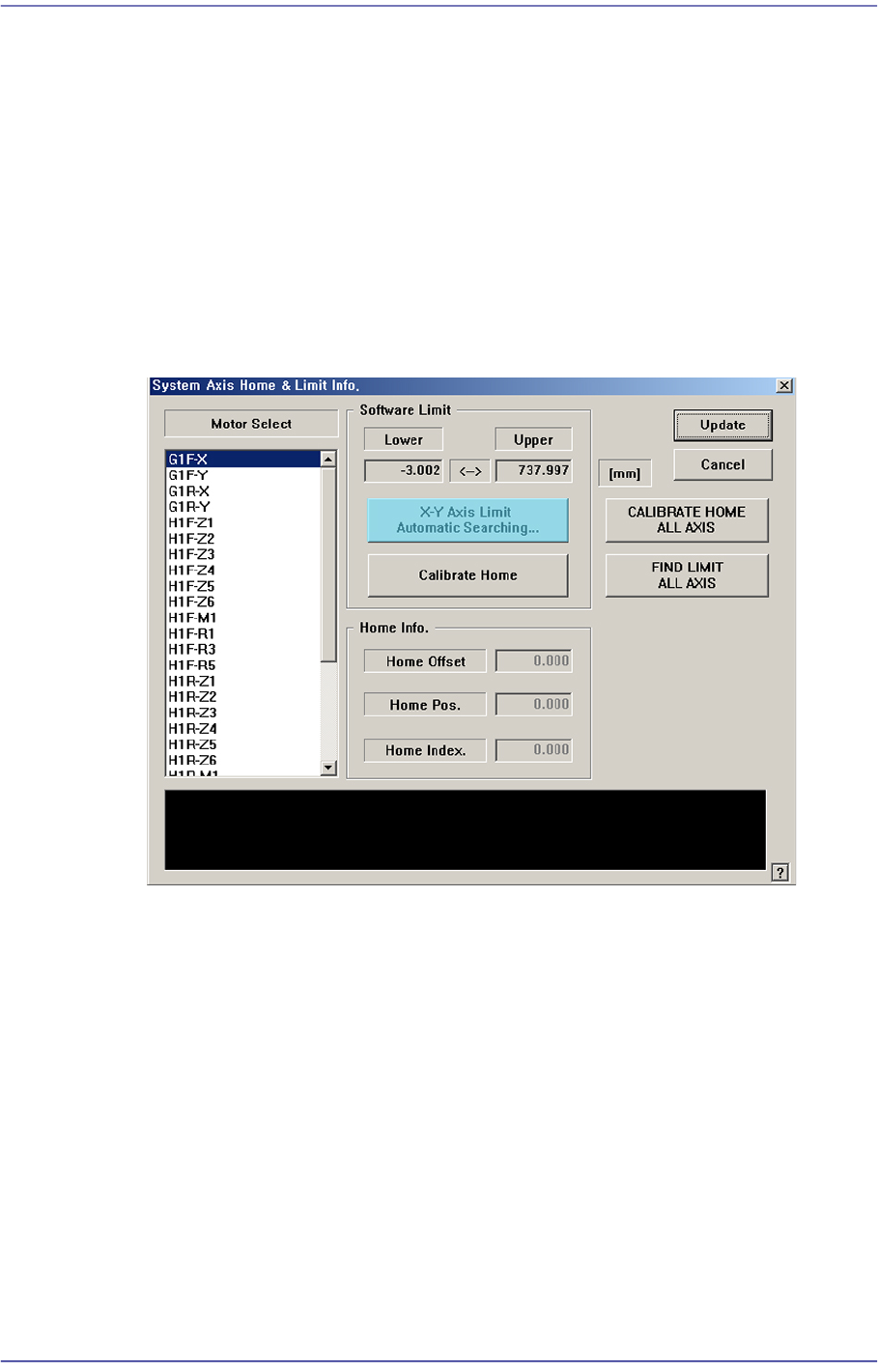
In case the S/W limit value is incorrect, change the software limit value of
corresponding axis on the ‘Sys. Setup Limit’ of the MMI.
If any problem occurs, contact the C/S company designated by Hanwha Precision
Machinery Co., Ltd. or the local agent.
$c00c Manual operation is possible only after all the axes have returned home. [FREEZE
LEVEL]
[Problem]
Manual operation is possible only after all axes have returned home.
[Solution]
Turn off the Buzzer by pressing the “STOP” button.
Switch the machine to “IDLE” mode by pressing the “RESET” button.
Supply power to the motor of the machine by pressing the “READY” button.
Perform homing of entire equipment using the Teaching Box.
Perform the desired manual operation.
$c010 A follow-up error occurred to the axis. [EMER LEVEL]
[Problem]
The gantry failed to reach the commanded position due to mechanical interference
while moving in the direction of the corresponding axis.
[Solution]
Turn off the Buzzer by pressing the “STOP” button.
Switch the machine to “IDLE” mode by pressing the “RESET” button.
Remove the mechanical interference that is disallowing the gantry from reaching its
destined position.
Generally, this error occurs at the Z-axis when its height is lowered excessively or
when a command has been issued to return the nozzle to the ANC hole where a nozzle
exists already.
Check the systems related to the driving of the corresponding axis including axis
control board, motor driver, motor, and cables.
Despite such checks and measures, if the problem occurs again, contact our designated
C/S and local agent.
$c100 Cannot move since the homing was not performed. [EMER LEVEL]
[Problem]
The homing was not performed even once after power was applied.
[Solution]
1-163
System Messages of the MMI and Solutions
Perform homing.
$c101 Cannot move since the homing limit range is not set. [EMER LEVEL]
$c102 Cannot move since the gantry was out of the XY movement range. [EMER LEVEL]
[Problem]
The command for movement was issued when the limit range of the corresponding
axis was not confirmed for the corresponding gantry.
[Solution]
Select the ‘Calib’ submenu from the ‘System Setup’ menu and click the <Axis Home
Calibration> button. Then select the corresponding axis to perform home calibration.
The axis related calibration must be done by the service engineer or higher level
qualified personnel.
$c104 Cannot move the gantry since the Z-axis is not at the safety position. [EMER LEVEL]
[Problem]
Attempt was made to move the gantry when the Z-axis of the head was not in the safe
state.
[Solution]
please contact the C/S company designated by Hanwha Precision Machinery Co., Ltd.
or the local agent.