DECAN_S2_Trouble(Eng_Ver4.2).pdf - 第79页
1-57 System Messages of the MMI and Solutions 1.4. Error Code 1.4.1. Classification of Error Codes Error code Deta ils Note $0001~$0 ff f Switch, Mac hine safety related errors $1000~$1 ff f Axis related error s (Include…
1-56
Advanced Chip Shooter DECAN S2 Troubleshooting Guide
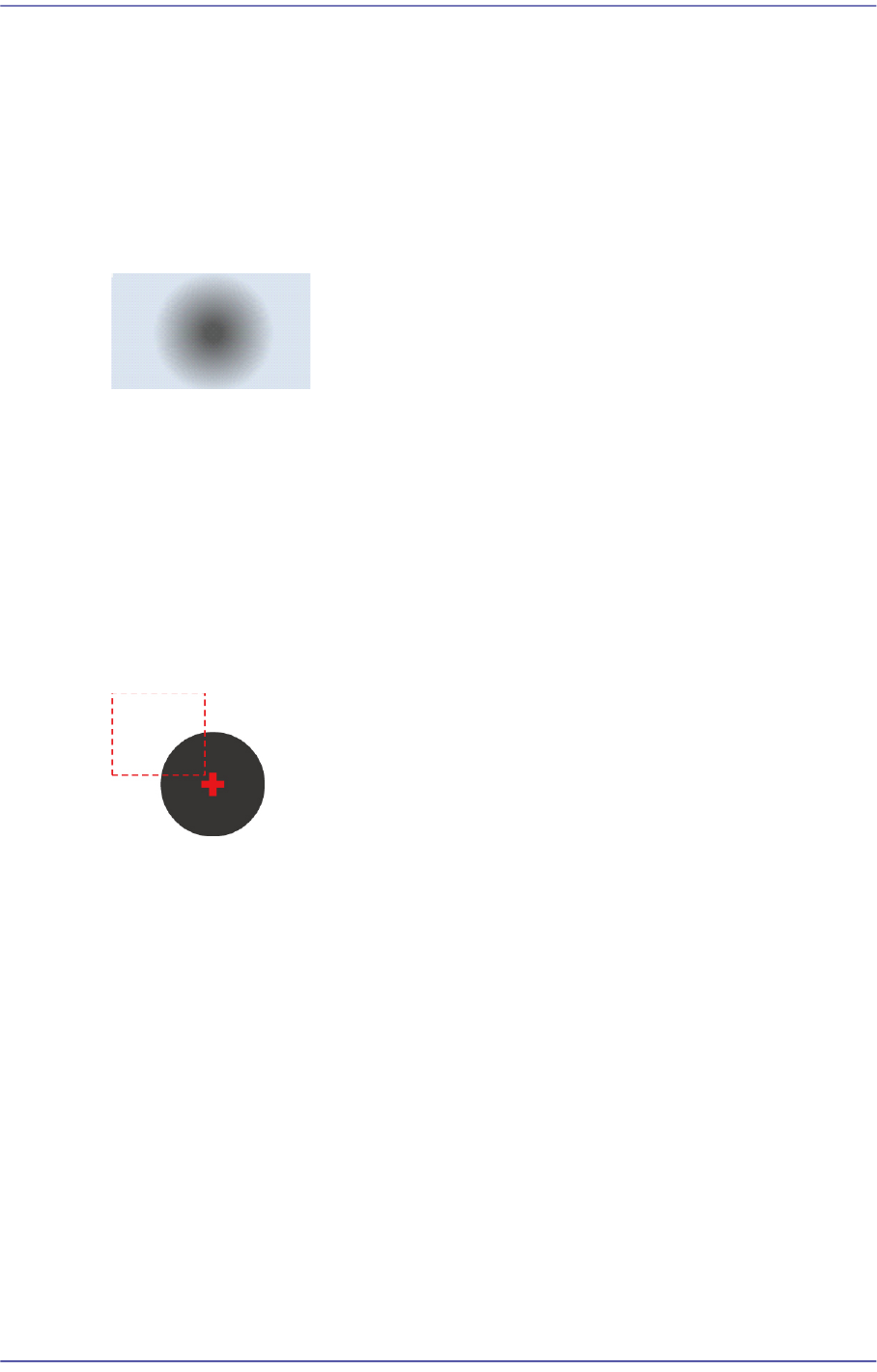
The difference in brightness between the fiducial mark and its surroundings is less
than 20 DN.
[Measures]
Check the state of the fiducial mark.
Adjust the illumination value so that the fiducial mark and its surroundings look clear.
$ae15 Cannot find the fiducial mark edge.
[Cause]
There is no fiducial mark.
The difference in brightness between the fiducial mark and its surroundings is small.
[Measures]
Check the state of the fiducial mark.
Adjust the illumination value so that the fiducial mark and its surrounding look clear.
$ae16 The fiducial center was found. However, it is out of the inspection area.
[Cause]
The fiducial mark center is out of the set inspection area.
[Measures]
Adjust the fiducial position or inspection area.
1-57
System Messages of the MMI and Solutions
1.4. Error Code
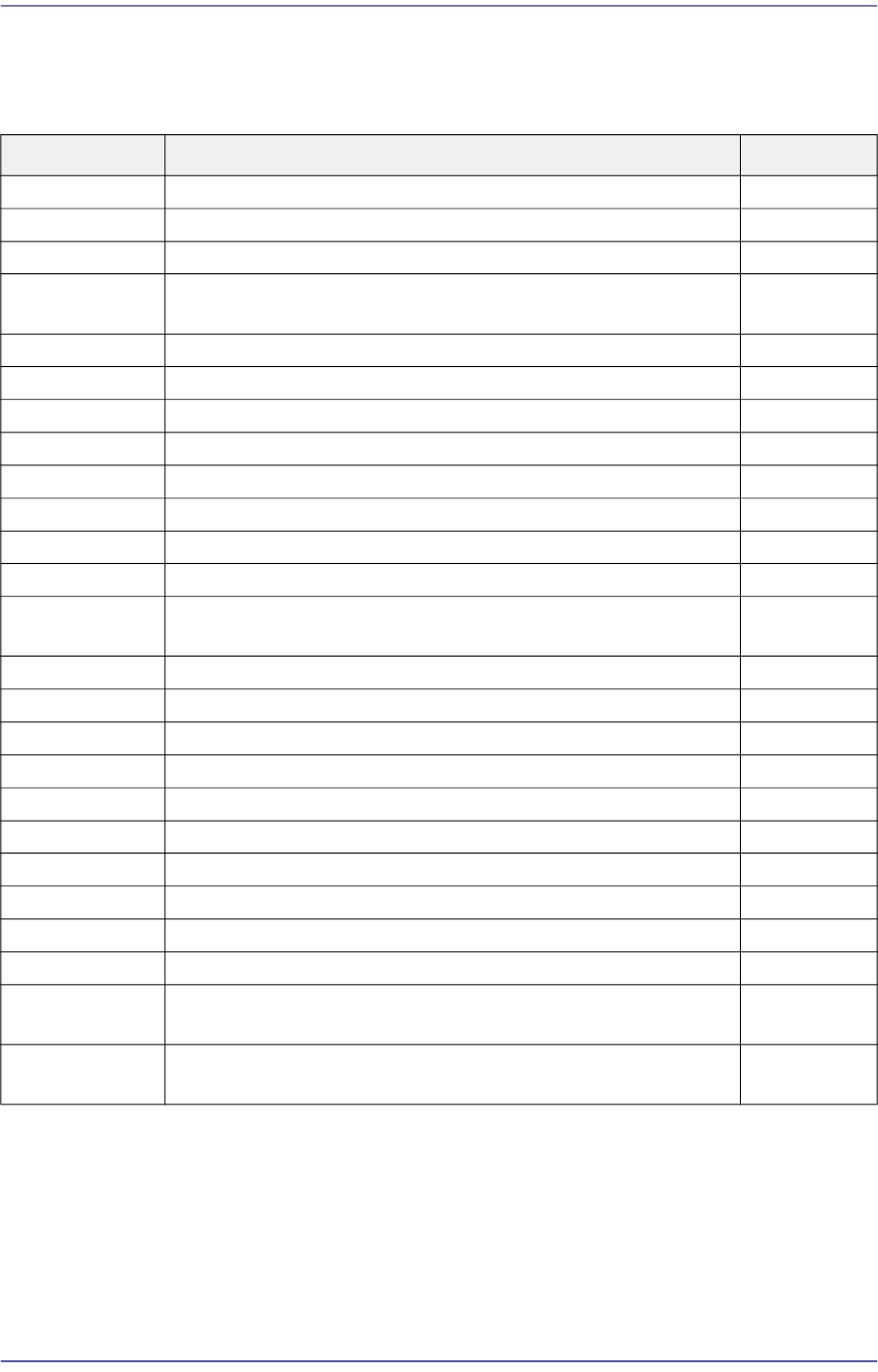
1.4.1. Classification of Error Codes
Error code Details Note
$0001~$0fff Switch, Machine safety related errors
$1000~$1fff Axis related errors (Includes limit sensor related errors)
$2000~$2fff IO (Sensor input after solenoid operation) related errors Not Used
$3000~$3fff Conveyor related errors (Includes BUT, Hole Fixer, Edge
Fixer)
$4000~$4fff machine operation sequence errors
$5000~$50ff Common Error Related to Feeding Device and Production.
$5100~$51ff Tape Feede
r related errors
$5200~$52ff Stick Feeder related errors
$5300~$53ff Tray Feeder related errors
$5400~$54ff Reserved
$5500~$55ff Tray Feeder communication related errors
$5600~$57ff Reserved
$5800~$58ff Component related errors (component Recognition, Vacuum
related error so on)
Not Used
$5900~$5fff Reserved
$6000~$65ff ANC related errors
$6600~$66ff 3MO related errors Not Used
$6700~$67ff Accessory device related erro
rs
$7000~$8fff Reserved
$9000~$9fff Vision related errors in MMI
$a000~$afff Vision related errors in VME
$b000~$bfff Software debug related errors
$c000~$cfff Motion control related errors
$d000~$d2ff DPRAM communication related errors
$e000~$efff Internal data related errors (Board, MPU Init related Error,
Factory, System DB Error)
$f000~$ffff Internal data related errors (Board, MPU Init related Error,
Factory
, System DB Error)
1-58
Advanced Chip Shooter DECAN S2 Troubleshooting Guide
1.4.2. Switch and machine safety related errors [$0001~$0fff]
Warning Adjusting a sensor or correcting an error while the machine
is in the ready status could cause injury. Be sure to adjust a
sensor or correct an error after releasing the ready status
and while the machine is in the stop status(idle mode).
Warning Restarting the equipment without removing the cause of
emergency stop could cause damage to the equipment or
injury. Be sure to remove the cause of emergency stop
before restarting the equipment.
$0002 The emergency switch in the front of equipment is pressed. [EMER LEVEL]
$0003 Rear emergency switch is pressed. [EMER LEVEL]
[Problem]
The emergency switch in the front or the rear of the equipment is pressed.
[Solution]
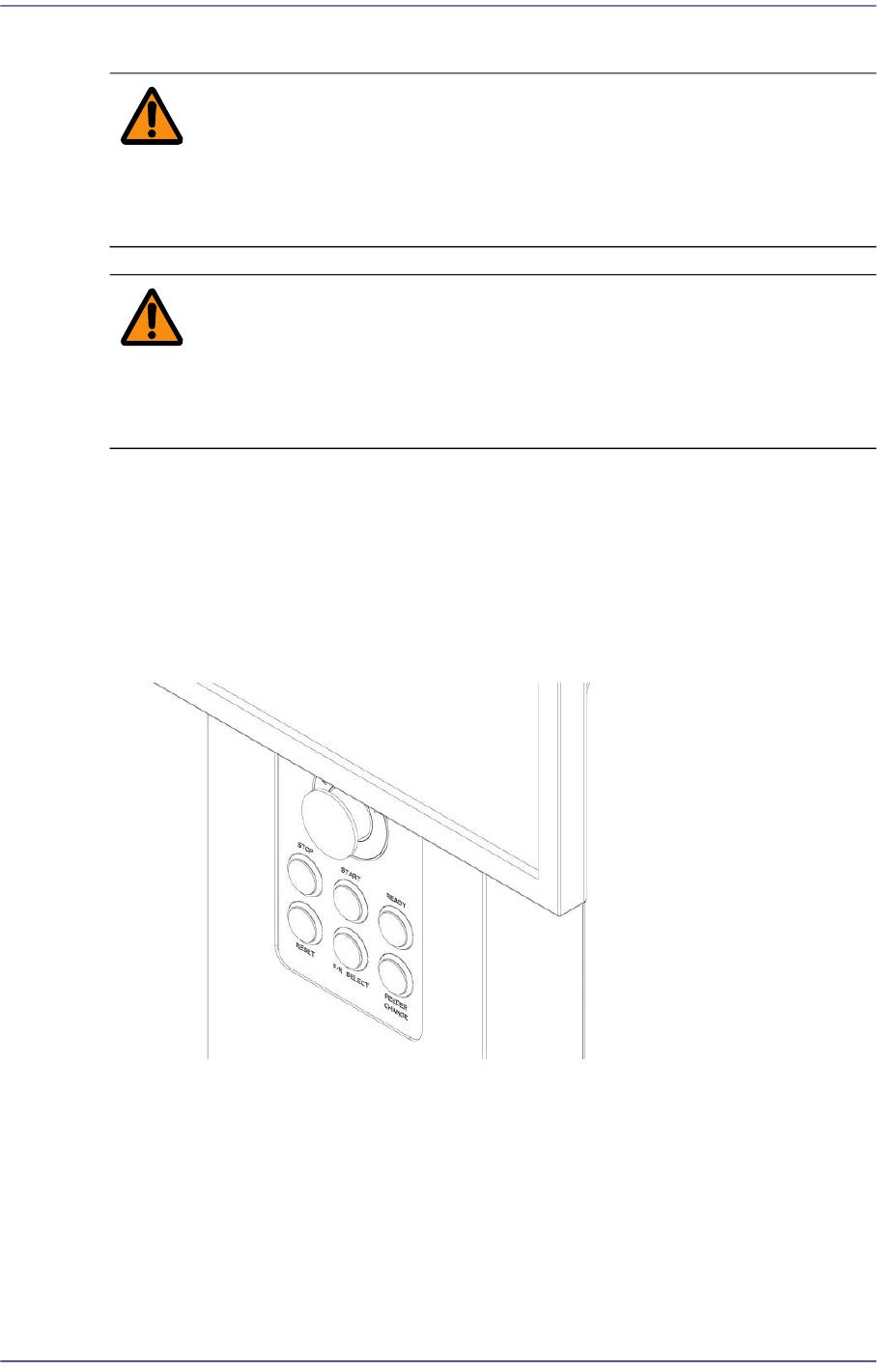
Release the pressed “EMG” switch by turning it clockwise.
Turn off the Buzzer by pressing the “STOP” button.
Determine the cause of the emergency stop and eliminate it.
Switch the machine to “IDLE” mode by pressing the “RESET” button.
Supply power to the motor of the machine by pressing the “READY” button
If necessary, perform ‘Ready-To-Origin’.