YSM20&40_how_to_change_directionPDFA.pdf - 第19页
Service Engineer Service Information SI1407002E - 000 =YSM40_How to change the board flow direction (Tentative measure) 19 / 24 5. Tap the [Trace] butt on to move the camera to the measurement position. Figure 28 If the …
Service Engineer
Service Information
SI1407002E-000=YSM40_How to change the board flow direction (Tentative measure)
18/24
3.2.1 “Adj. Conveyor Guide Check Pos.”
The conveyor plate of YSM40 is movable so that the board clamped on the lane can be removed
by hand.
There are marks on the conveyor in order to judge whether the plate is back to the mounting lane
position or not. The mark position is the conveyor guide check position, and “Teaching” needs to be
performed for it.
* There are four (4) mark positions on each lane, so there are eight (8) positions all together.
Note:
If you tick the “Auto Adjustment” checkbox, you can perform the “Adj. Conveyor Guide Check Pos.” and
the “Adj. Data Check Origin” adjustments at the same time.
Normally, tick the checkbox and perform the adjustments.
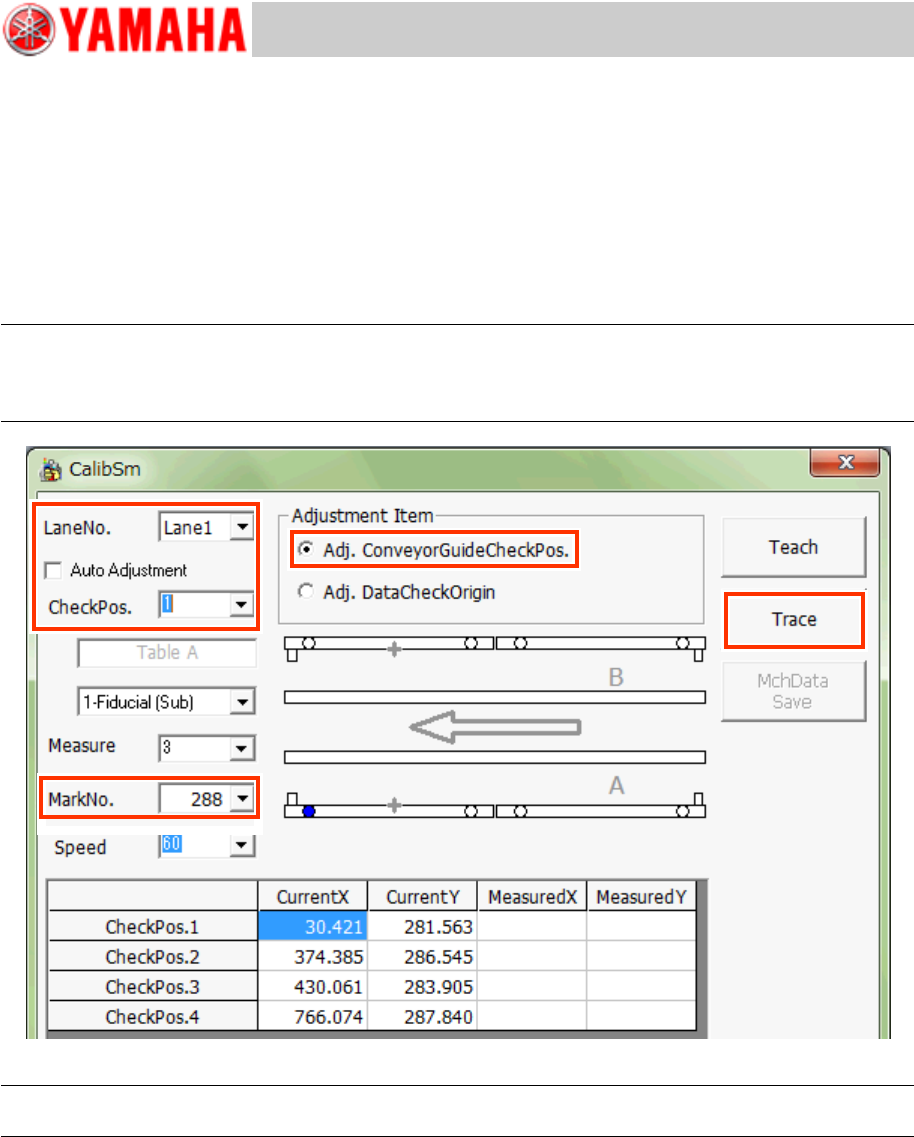
Figure 27
Note:
Use the Database No.288 to recognize the mark on the jig and check the position shift.
1. Tap the [112 Check Conveyor] button on the CalibSm main menu.
2. Make sure that the conveyor guide is at the mounting lane position.
3. Select “Adj. Conveyor Guide Check Pos.” from “Adjustment Item”.
4. Select the lane number (“Lane No.”) and the check position (“Check Pos.”) to be used for
the adjustment.
* The Table and the camera are automatically determined, so you do not need to set them.
Service Engineer
Service Information
SI1407002E-000=YSM40_How to change the board flow direction (Tentative measure)
19/24
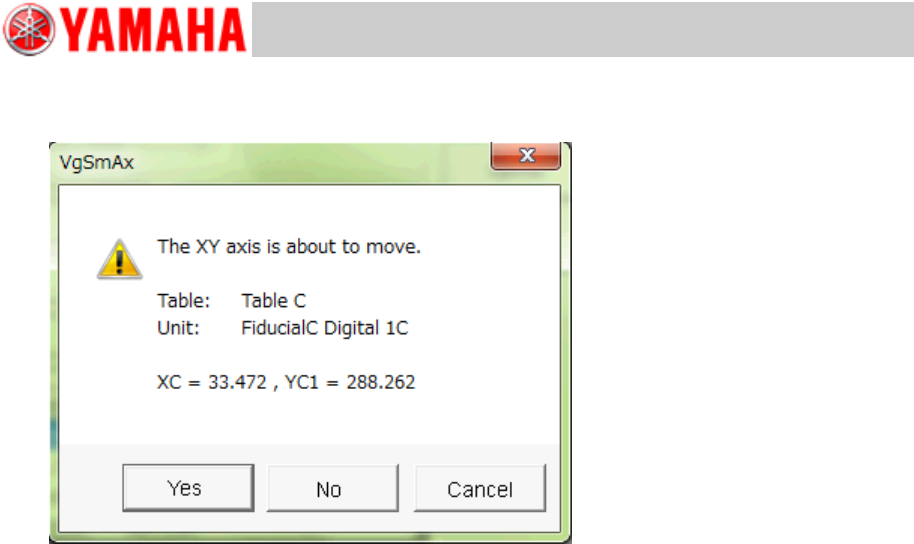
5. Tap the [Trace] button to move the camera to the measurement position.
Figure 28
If the mark is within the measurement range, tap the [Yes] button and move the camera to the
mark position and correct the position.
If the mark is out of the detection range, tap the [Teach] button and manually move the camera to
the mark position and perform teaching.
6. Change “Check Pos.” and “Lane Pos.” and adjust the check mark position of each
conveyor guide.
Service Engineer
Service Information
SI1407002E-000=YSM40_How to change the board flow direction (Tentative measure)
20/24
3.2.2 “Adj. Data Check Origin”
YSM40 does not have stoppers on the conveyor. Also the relation between the Edge Clamp
position and the Board clamp position is different from the relation of the existing machines.
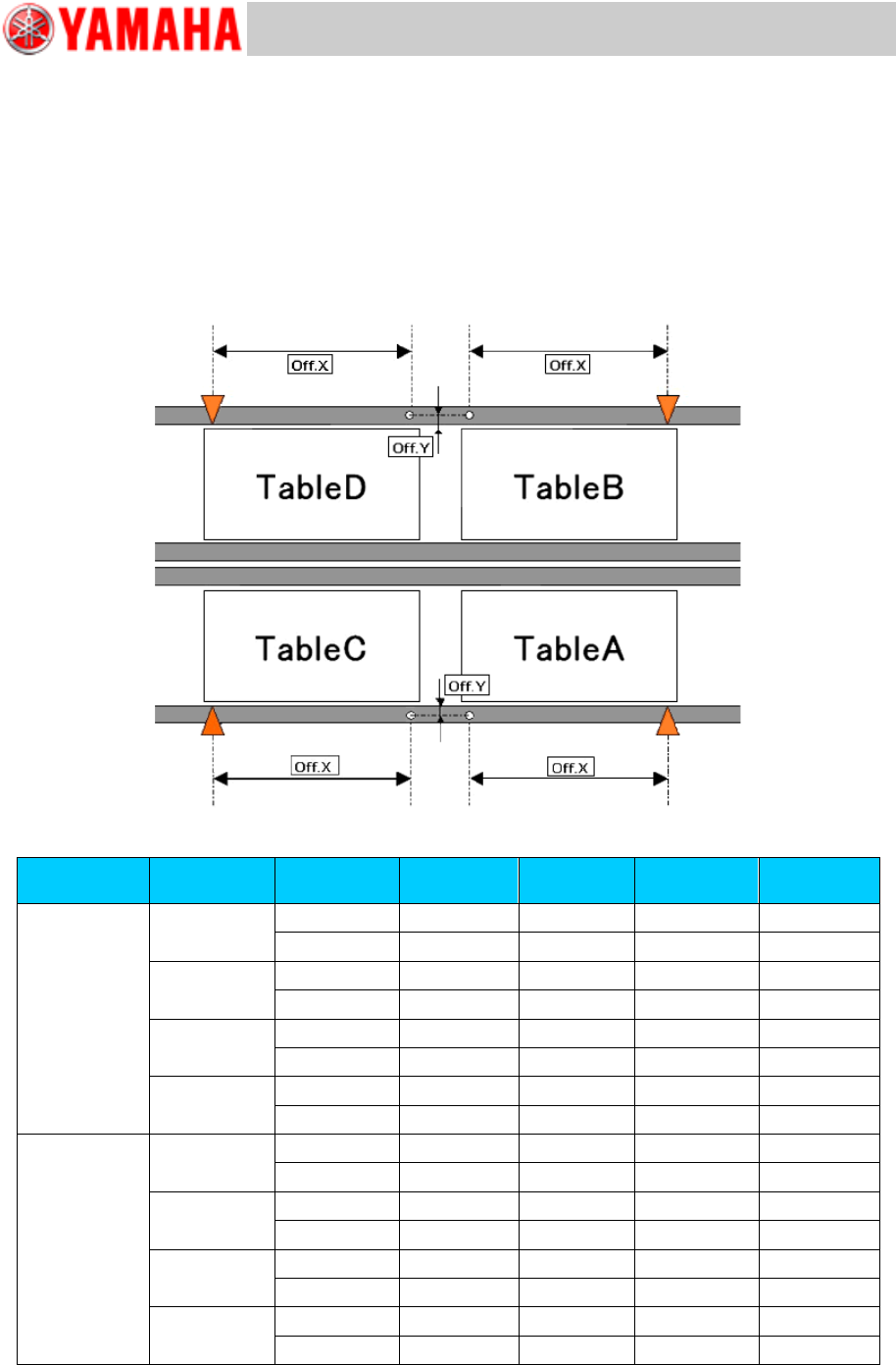
The Edge clamp position and the Board clamp position are adjusted by using the conveyor guide
check position mark. Adjust the datum position for each table and lane.
[Relation between the data check datum position and the mark position on the conveyor]
<<YSM40-4>>
Figure 29
Board flow
direction
Table
Datum No.
Offset :X
Offset: Y
Edge
Clamp X
Edge
Clamp Y
Right Left
A
1
182.5
13.5
5
5
2
182.5
-13.5
5
-5
B
1
182.5
13.5
5
5
2
182.5
-13.5
5
-5
C
1
-182.5
13.5
5
5
2
-182.5
-13.5
5
-5
D
1
-182.5
13.5
5
5
2
-182.5
-13.5
5
-5
Left Right
A
1
182.5
13.5
-5
5
2
182.5
-13.5
-5
-5
B
1
182.5
13.5
-5
5
2
182.5
-13.5
-5
-5
C
1
-182.5
13.5
-5
5
2
-182.5
-13.5
-5
-5
D
1
-182.5
13.5
-5
5
2
-182.5
-13.5
-5
-5
Table 5