N7201A616E00_0317.pdf - 第107页
NPM-W 2 EJM7DE-MB-02O-0 0 First layer Second layer Third layer Fourth layer 2-2-2 -6 Remaining monitor Checks information on the compon ent shorta ge of each table in line. Checks pickup status. Pickup monitor Status mon…
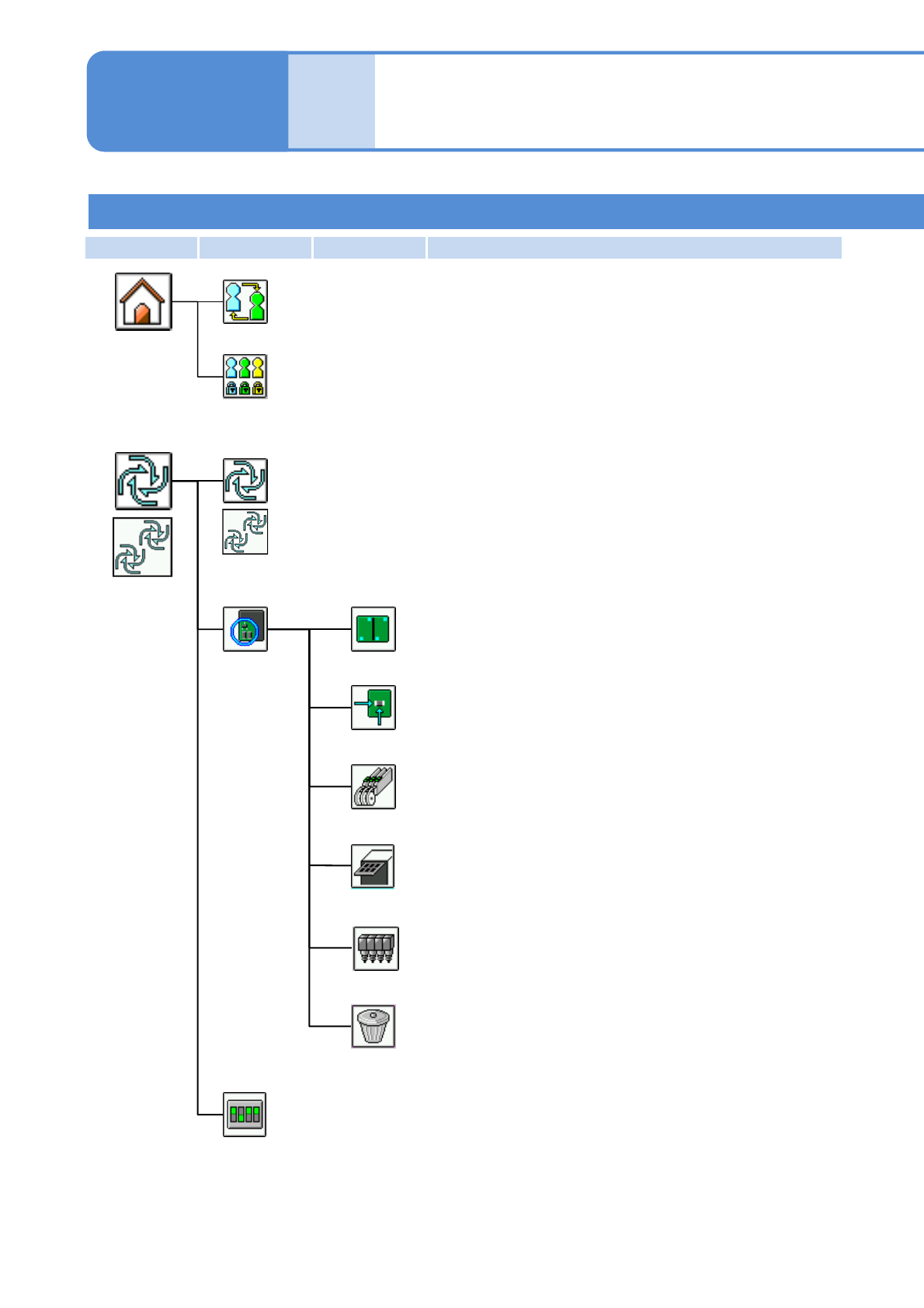
NPM-W2 EJM7DE-MB-02O-00
First layer Second layer Third layer Fourth layer
Engineer mode 1
2-2-2-5
Production start
Starts automatic production.
Production
menu
(Before
production)
Conditional
placement
Placement
Feeder
Head
Clear
Specifies targets for placement by the pattern.
Specifies targets for placement by the placement point.
Specifies targets for placement by the part.
Specifies targets for placement by the head.
Clears the conditions specified.
Pattern
Soft switch for adjustment use
Temporarily changes operating environment to debug the machine.
Compo-
nent
names
Menu configuration 3
Tray
Specifies targets for placement by the tray.
Operating procedure
2-2-2
Changes the operation mode.
Operation mode change
Home menu
Edits the operation mode.
Operation mode edit
*1)
*2)
*1)・For single lane mode
・For alternate mode on the dual lane mode
*2)・For independent mode on the dual lane mode
*1)
*2)
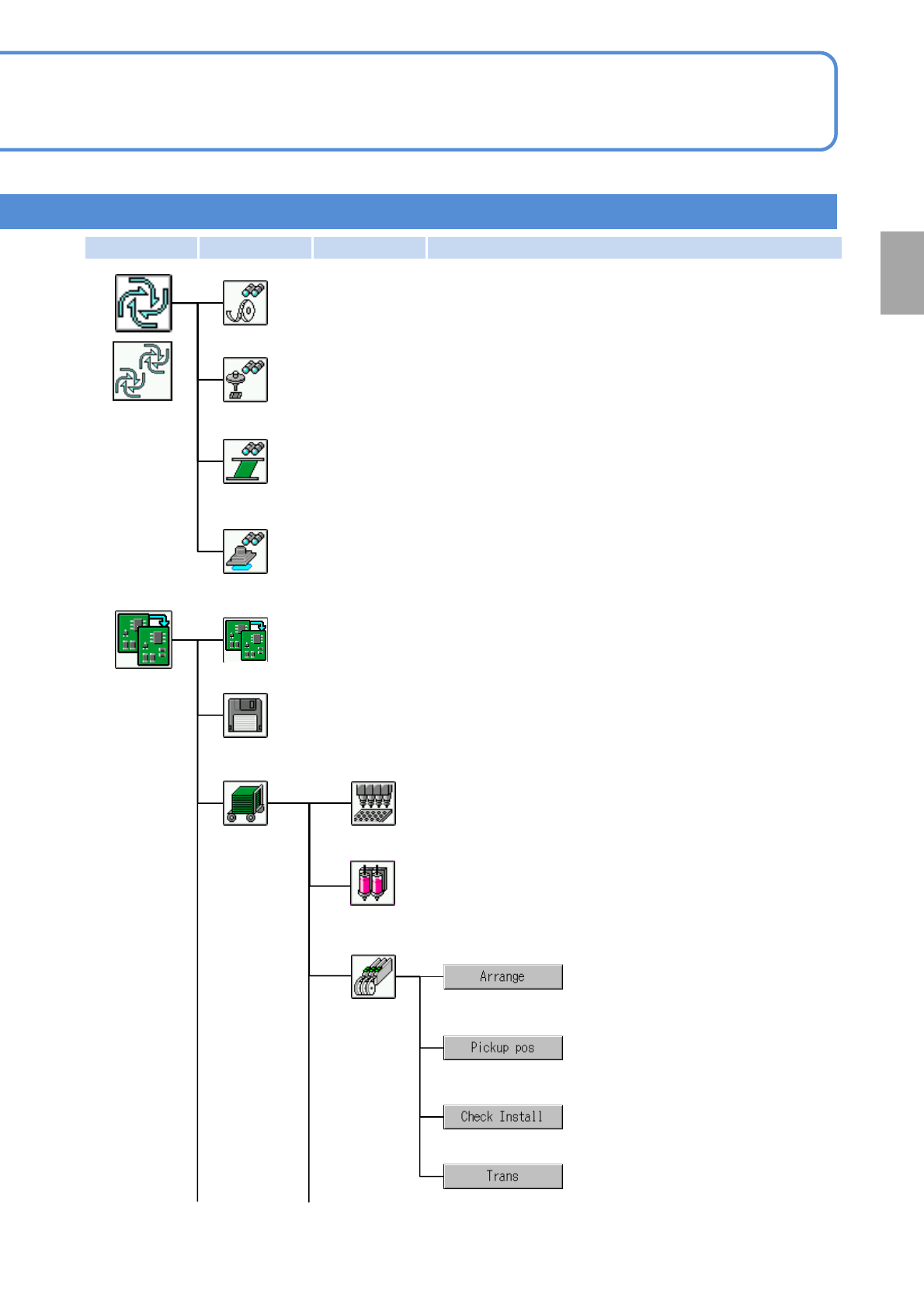
NPM-W2 EJM7DE-MB-02O-00
First layer Second layer Third layer Fourth layer
2-2-2-6
Remaining monitor
Checks information on the component shortage of each table in line.
Checks pickup status.
Pickup monitor
Status monitor
Displays production information during operations, parts shortages and
other status.
Production
menu
(During
production)
Continuous preparation
Controls individual preparation before production, per process.
Handles files; for example, loading machine data or saving machine parameters.
File handling
Material
preparation
Preparation
menu
Displays the machine data at each nozzle position.
Nozzle
Feeder
Displays production data and the
feeder status in color.
Checks feeder status.
Checks the correction values
obtained from pickup position learning
during production, per feeder address.
Operates the transcription unit.
(displayed when the transcription unit is mounted)
Exchanges a nozzle (including syringe).
Nozzle (Dispensing head)
Inspection monitor
Displays inspection status during operations.
Preparation
*1)・For single lane mode
・For alternate mode on the dual lane mode
*2)・For independent mode on the dual lane mode
*1)
*2)
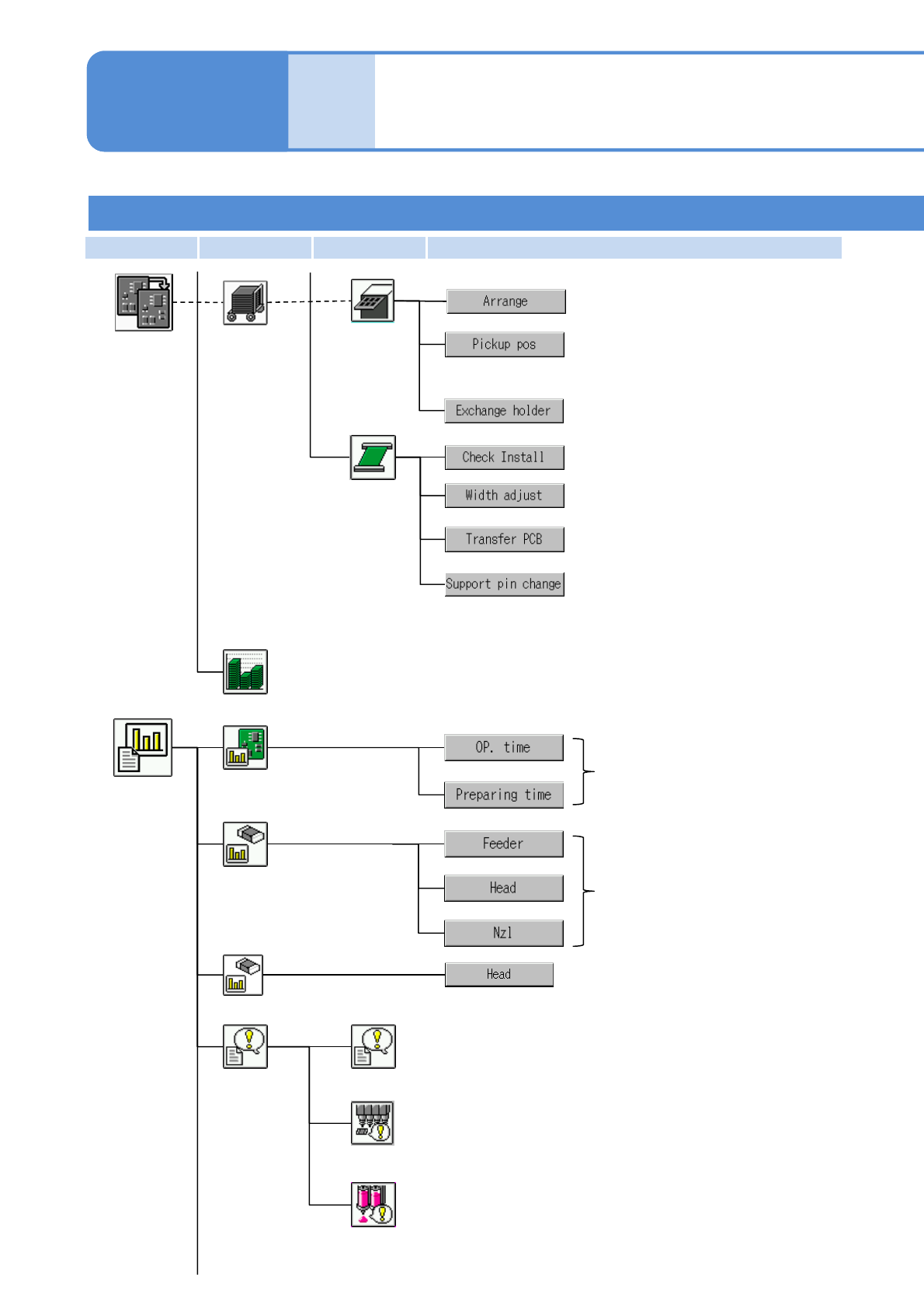
NPM-W2 EJM7DE-MB-02O-00
First layer Second layer Third layer Fourth layer
2-2-2-7
Engineer mode 2
Compo-
nent
names
Menu configuration 4
Operating procedure
2-2-2
Material
preparation
Preparation
menu
Conveyor
Replaces the PCB support pin unit.
Displays PCB positions, and transfers
PCBs from their respective positions.
Adjusts rail width.
Calculates the consumption of components relative to the planned volume in
advance.
Production plan
Pickup
information
Displays information on
operating time per stage.
Displays up to 20 emergency stop errors in chronological
order, with the most recent first.
Stop history
Displays the latest 50 errors in the vacuum sensor that
occurred during automatic operation in chronological order.
History
Displays component pickup
information.
Operating
information
Vacuum sensor error history
Production
information
menu
Displays the latest 50 errors in the dummy dispensing
recognition that occurred during automatic operation in
chronological order.
Dummy dispensing recognition error history (Dispensing head)
Displays dispensing (including
dummy dispensing) information.
Dispensing information
Tray
Checks production data and the tray
status in color.
Checks tray status.
Checks the correction values
obtained from pickup position learning
during production, per tray address.
Checks the pos./No. of support pins
(for automatic change). (displayed
when automatic change specifications
are selected for the support pin)