N7201A616E00_0317.pdf - 第121页
NPM-W 2 EJM7DE-MB-02 O-00 File opera- tion Ov er view of file oper a tion How to load and save 2-3-1 LNB(Line N etwork Bo x) Loading pr oduction da ta( → P.2-3- 3) Loading mach ine para meter da ta ( → P.2-3-6) Saving pr…
NPM-W2 EJM7DE-MB-02O-00
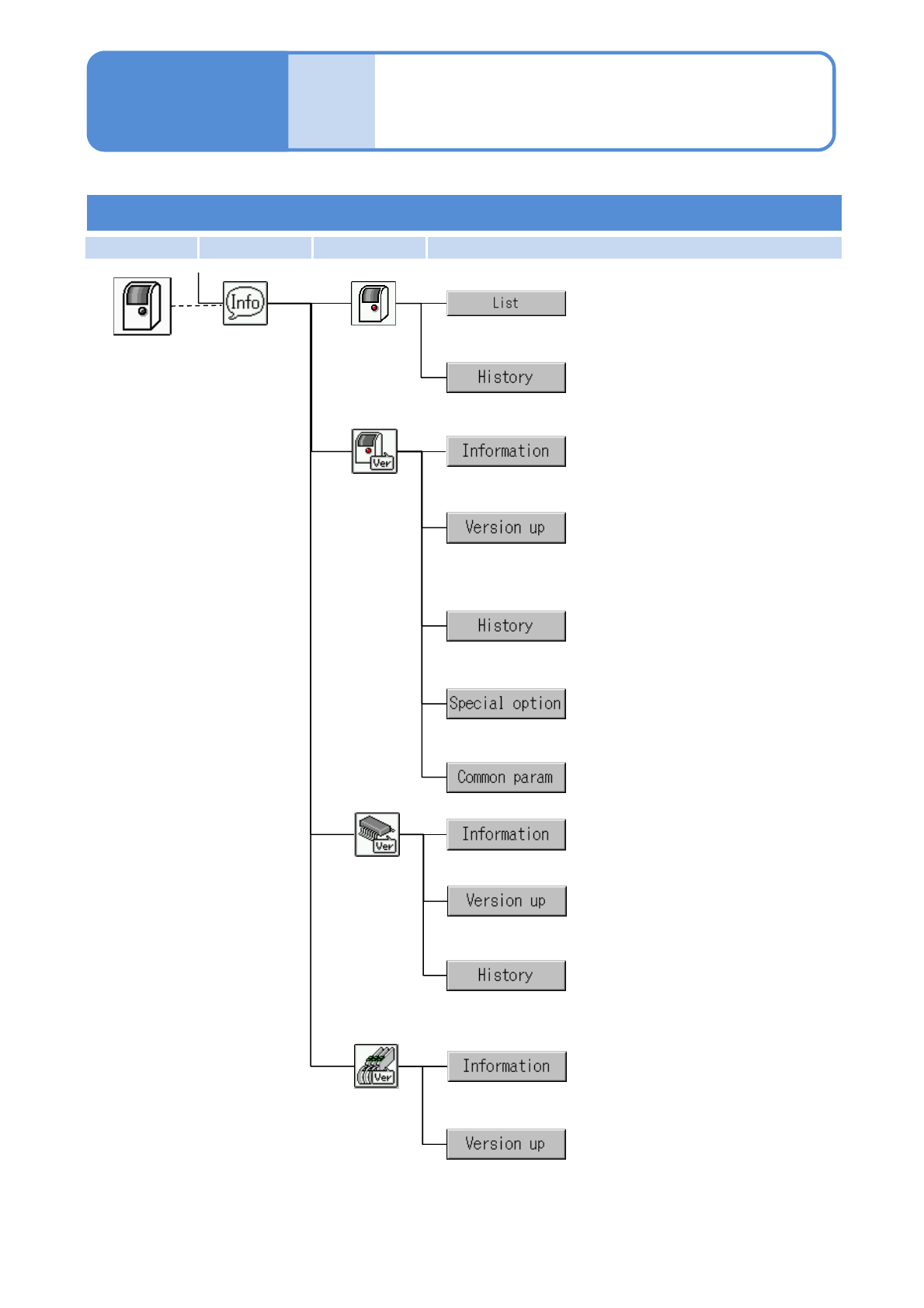
First layer Second layer Third layer Fourth layer
2-2-2-19
Compo-
nent
names
Menu configuration 10
Operating procedure
2-2-2
Machine menu
Checks the connection status of plug-
and-play on the machine.
Checks the PnP history.
Updates machine system software,
messages, recognition system
software, and kernels.
Checks the system software history.
Displays special options being
enabled.
Checks system software information.
Information
PnP
Machine
Loads the common parameters
selected from LNB or the SD card.
Checks firmware information.
Updates each firmware program set
to the machine.
Firmware
Checks the firmware history.
Checks feeder information.
Updates the firmware of each feeder.
Feeder
Engineer mode 8
NPM-W2 EJM7DE-MB-02O-00
File
opera-
tion
Overview of file
operation
How to load and save
2-3-1
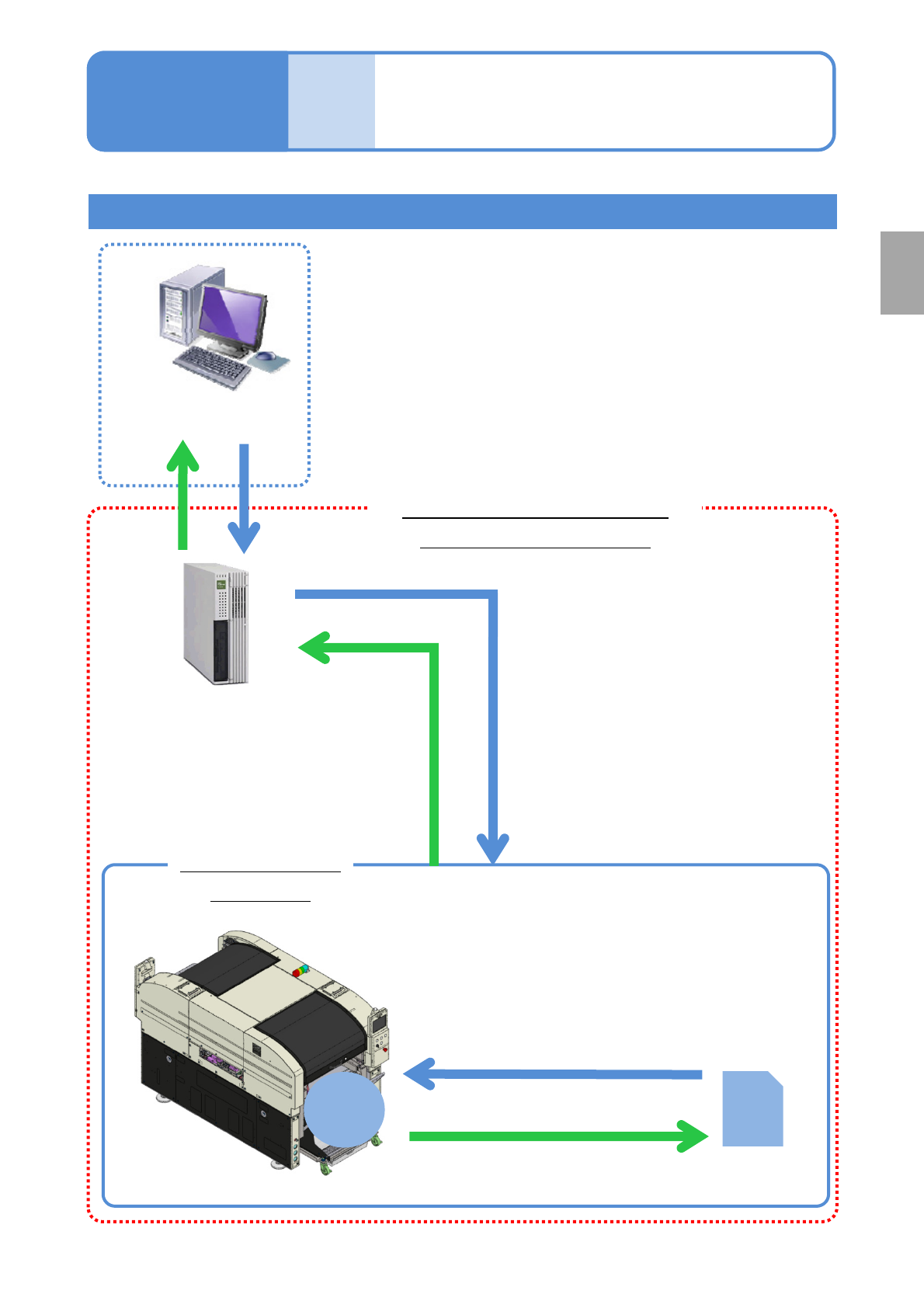
LNB(Line Network Box)
Loading production data(→P.2-3-3)
Loading machine parameter data
(→P.2-3-6)
Saving production
data
(→ P.2-3-4 )
Loading production data (→ P.2-3-3)
Loading machine parameter data → P.2-3-6)
Saving production data (→ P.2-3-4)
Saving machine parameter data(→ P.2-3-6)
SD
Card
Interior of the
machine
DGS
(Data Generation System)
(*another product)
NPM-W2 configuration
(Main unit + option)
Parameter disk
Operating procedure
2-3-1
Preparation
Memory
NPM-W2 EJM7DE-MB-02O-00
File
opera-
tion
To the [File operation]
screen
Operating procedure
2-3-2
A
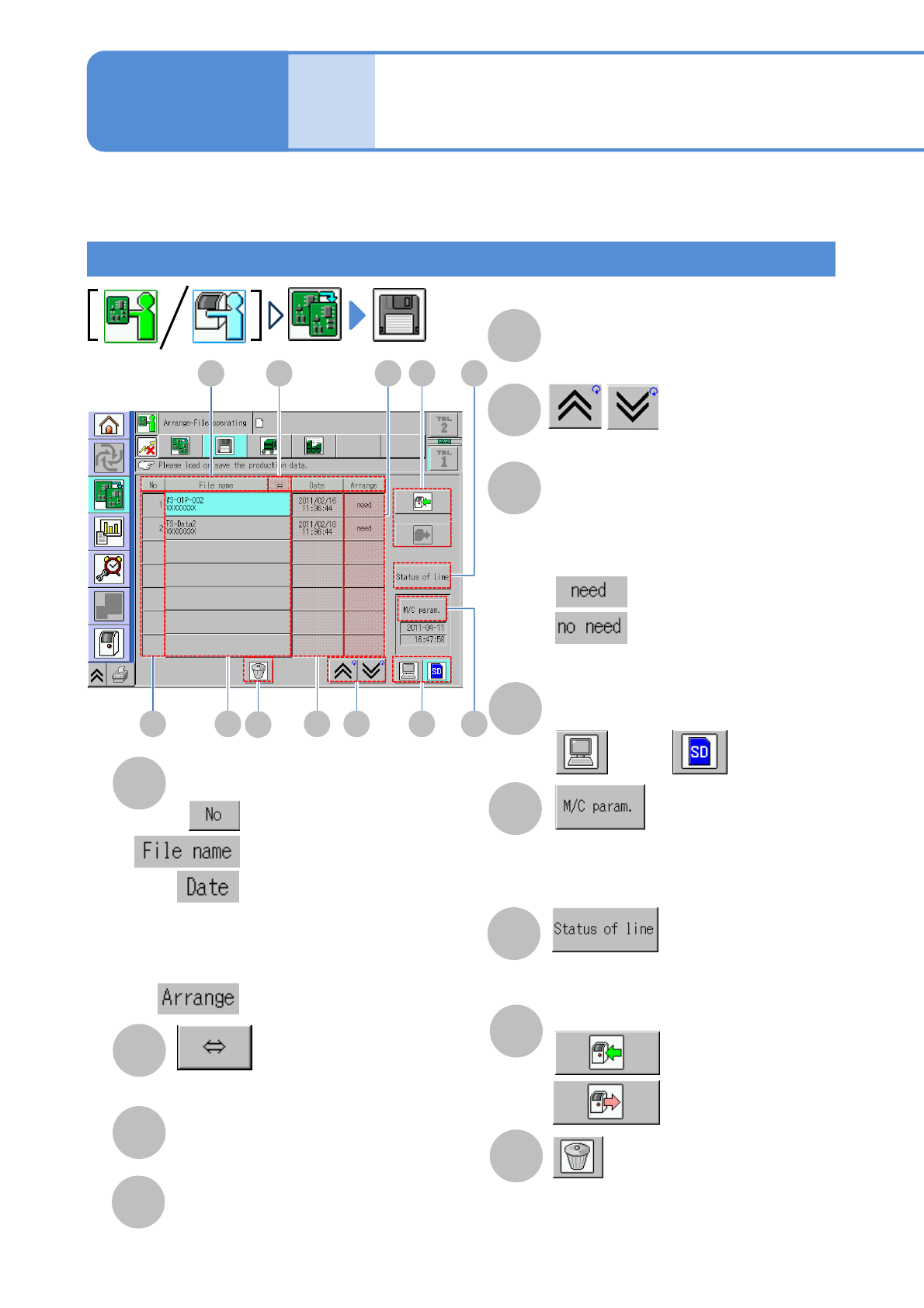
Sorting of files
You can switch back and forth between
ascending and descending order every time
you press the button of each of the three
sorting types above.
B
(scrolls and displays a long file name)
C
File number
2-3-2-1
Preparation: Connect to LNB first and then do the following steps.
A B
C D E F
G
H
J
: in numerical order
: in file name order
: in the order of update date
:Switches between Required
and Not required
I
How to view screen/Single lane mode
K
D
File name
●Top: file name
Bottom: created location
E
Date
(updated date and time is displayed)
F
(the previous or next table is displayed)
G
Preparation
●If currently loading production data does
not correspond to the arrangement of the
feeder or others, it suggests a need for
changeover.
H
Changing file load destination
: LNB : SD card
J
●Check the network status or machine
operation status.
K
:Save files
: Load files
I
●Select the machine parameter.
●Displayed deactivated while in
“Operator mode.”
Saving and loading files
: Changeover is needed
: Changeover is not needed
L
L
●When an SD card is used, the
production data in the specified SD
card is deleted.
(When production data is being selected,
“Selected” appears)