N7201A616E00_0317.pdf - 第135页
NPM-W 2 EJM7DE-MB-02O-0 0 2-3-7 -2 Preparatio n
NPM-W2 EJM7DE-MB-02O-00
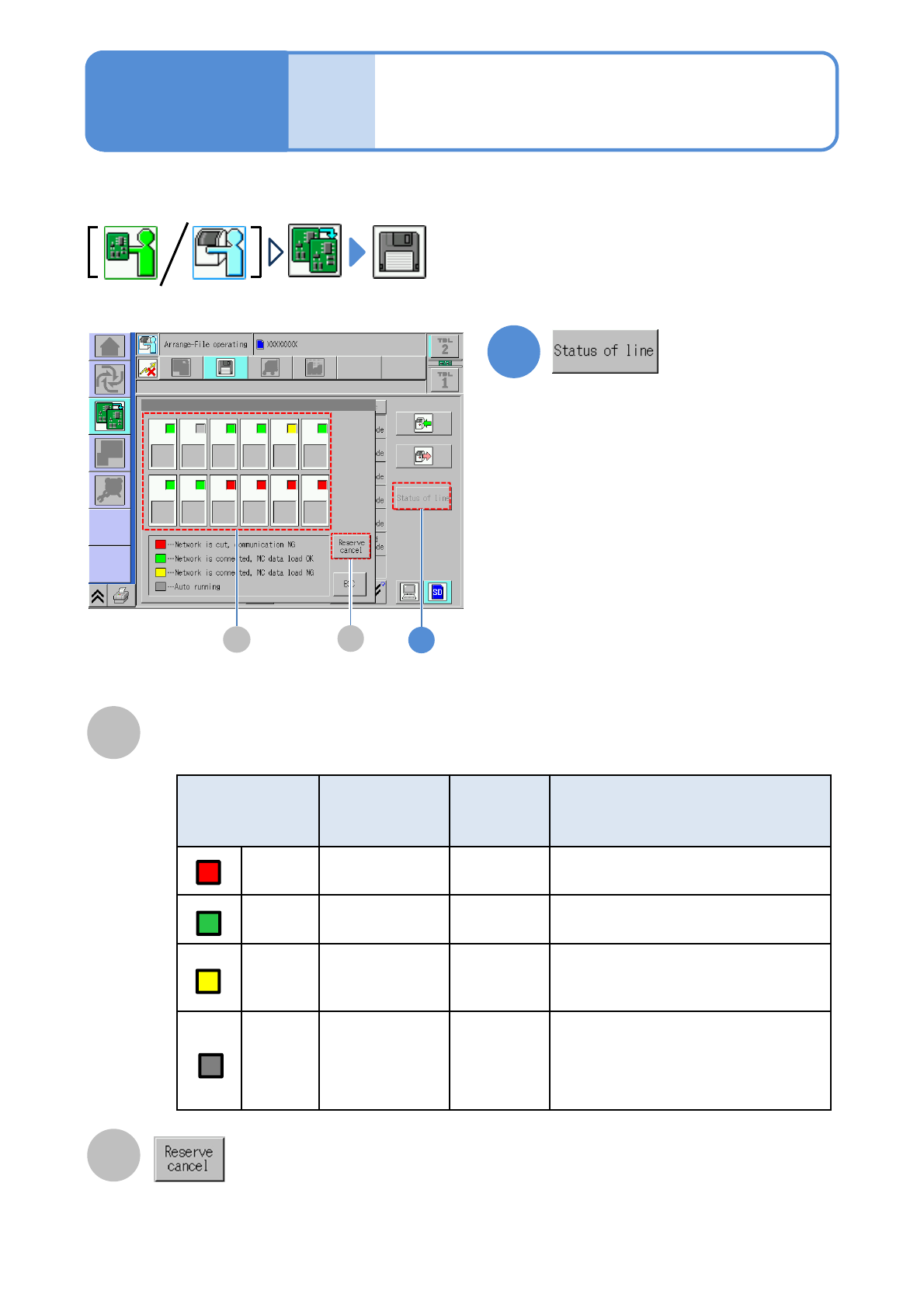
Color Network
Data
loading
Line status
Red Disconnected
-
・An error is occurring
(including a communication error)
Green Connected Enable
・idling
Yellow Connected Disable
・Under preparation
・Production data being modified
Gray Connected Disable
・Under suspension
・Waiting for components supply
・Waiting for a process
・Production is under way
A
2-3-7-1
A
Status of each machine
This explains how to check the status of each machine in the whole line.
1
1
File
opera-
tion
Line status check
操作編
2-2-4
操作編
2-3-3
Operating procedure
2-3-7
B
B
●Cancel download reservation of the
production data. Displays only on the
first machine in line.

NPM-W2 EJM7DE-MB-02O-00
2-3-7-2
Preparation
NPM-W2 EJM7DE-MB-02O-00
Prepara-
tions
before
produc-
tion
Operating procedure
2-4-1
Preparation of the
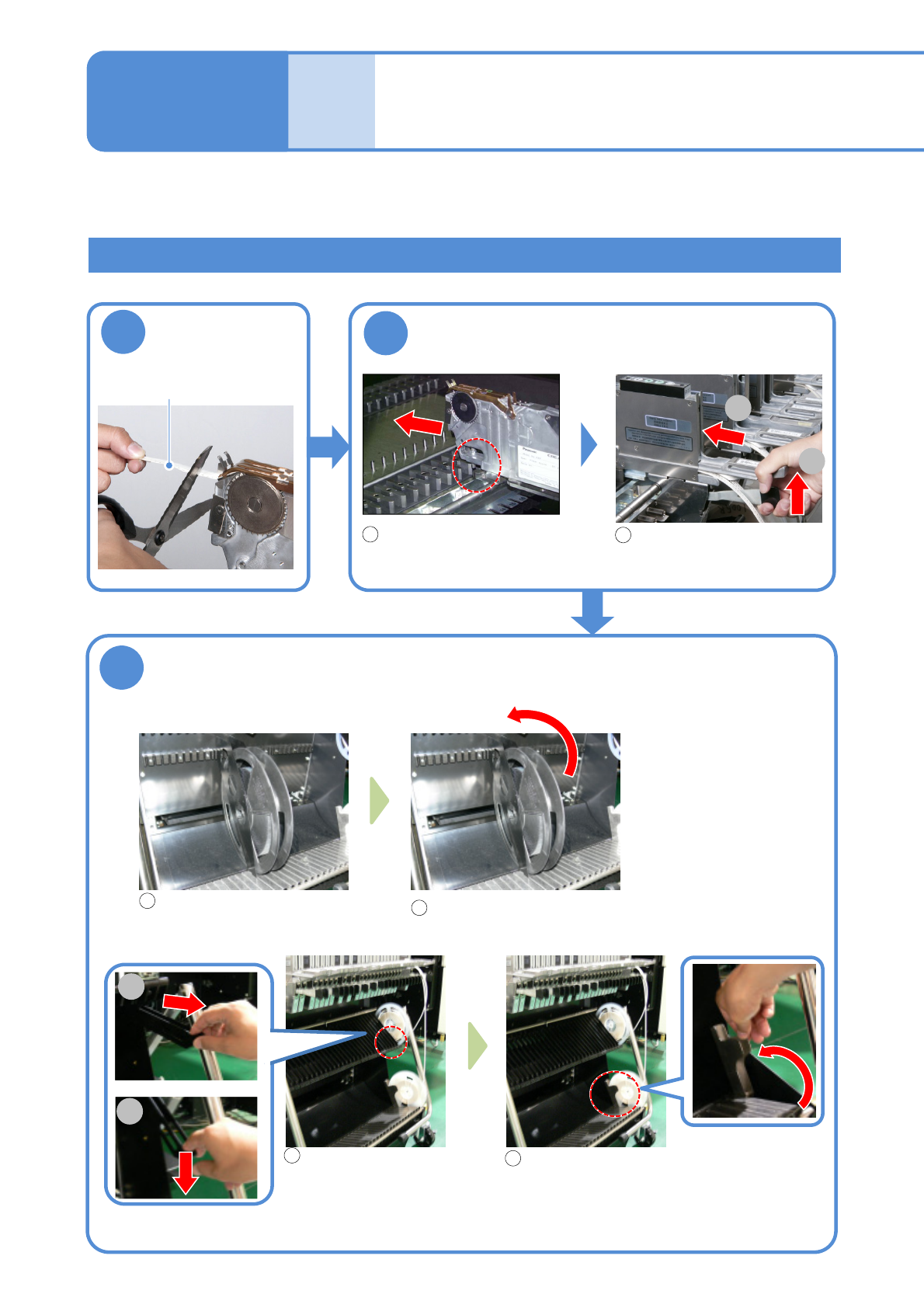
intelligent feeder 1
2-4-1-1
2
1
Cut the carrier
tape
Attach the feeder to the feeder base
Align the end of the feeder with
a slot and insert it into the
feeder base.
3
Pull up the lever and push
it all the way inside.
Carrier tape
Attach the reels
■Large reel
Place the large reel on the
lower curved surface.
Make sure that the reel can rotate.
●Depending on the setting
condition of the adjacent
reel, install the separator.
●Use a spindle for a heavy
reel that does not rotate
smoothly.
( →P. 2-4-1
-5)
■Small reel
Place the reel.
Raise the lever until it touches the lower
small reel guide.
●Pull the lever toward you and lower it to the
stopper.
2
1
1
2
1
2
1
2
2
1
Installing the double tape feeder
●About replacement of components(→P.3-3-1)
This section describes how to install and remove the double tape feeder and thin type tape feeder.
(→[Intelligent tape feeder] operating manual)