N7201A616E00_0317.pdf - 第143页
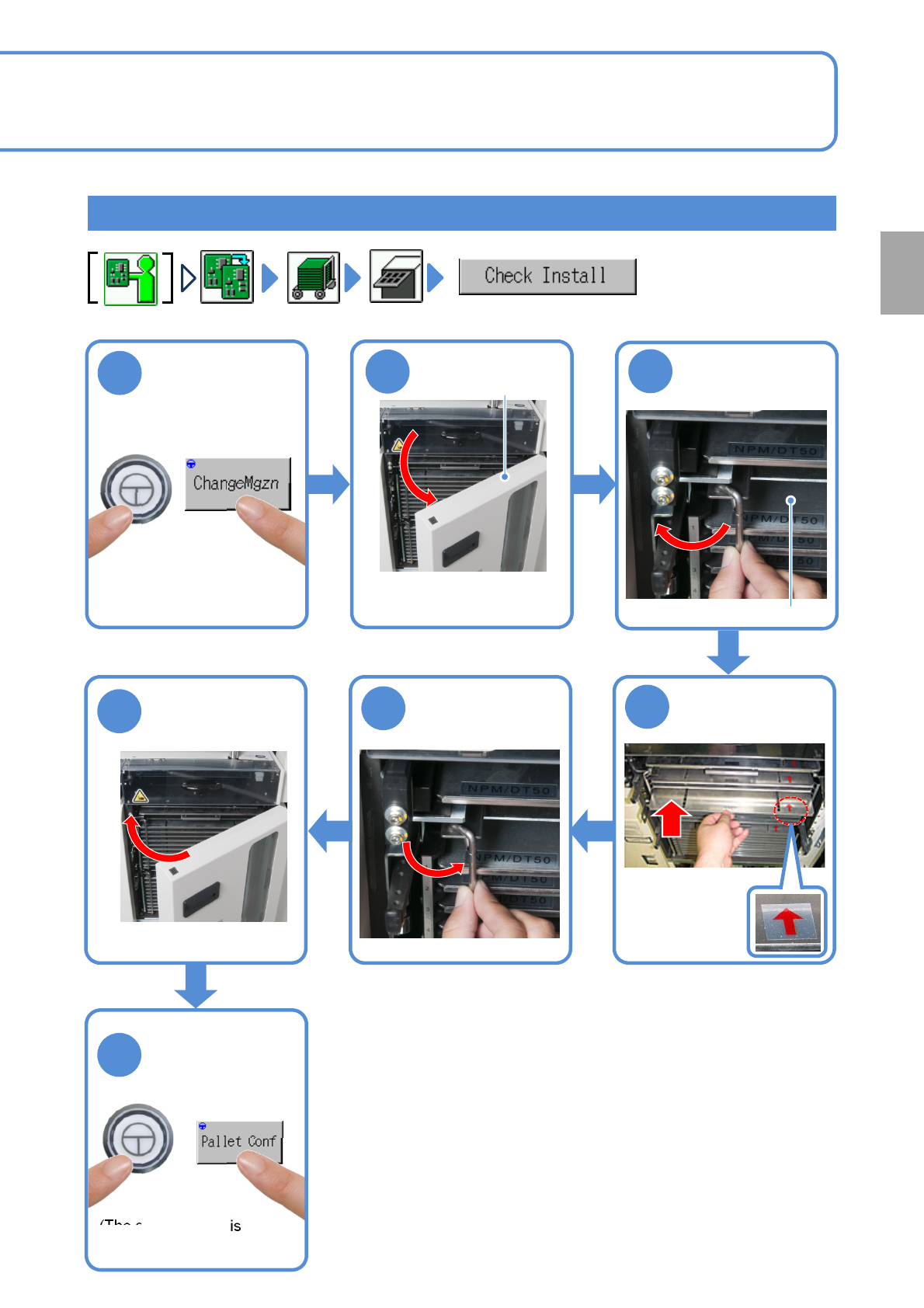
NPM-W 2 EJM7DE-MB-02 O-00 Setting the pallet to the magazine 2 6 5 3 4 Unlock the pallet Put the pallet in the magazine Lock the pallet ● If the door is locked ( → P.2-4-3) Magazine door Pallet ● Be careful with pallet o…
NPM-W2 EJM7DE-MB-02O-00
Preparation of the tray
feeder 1
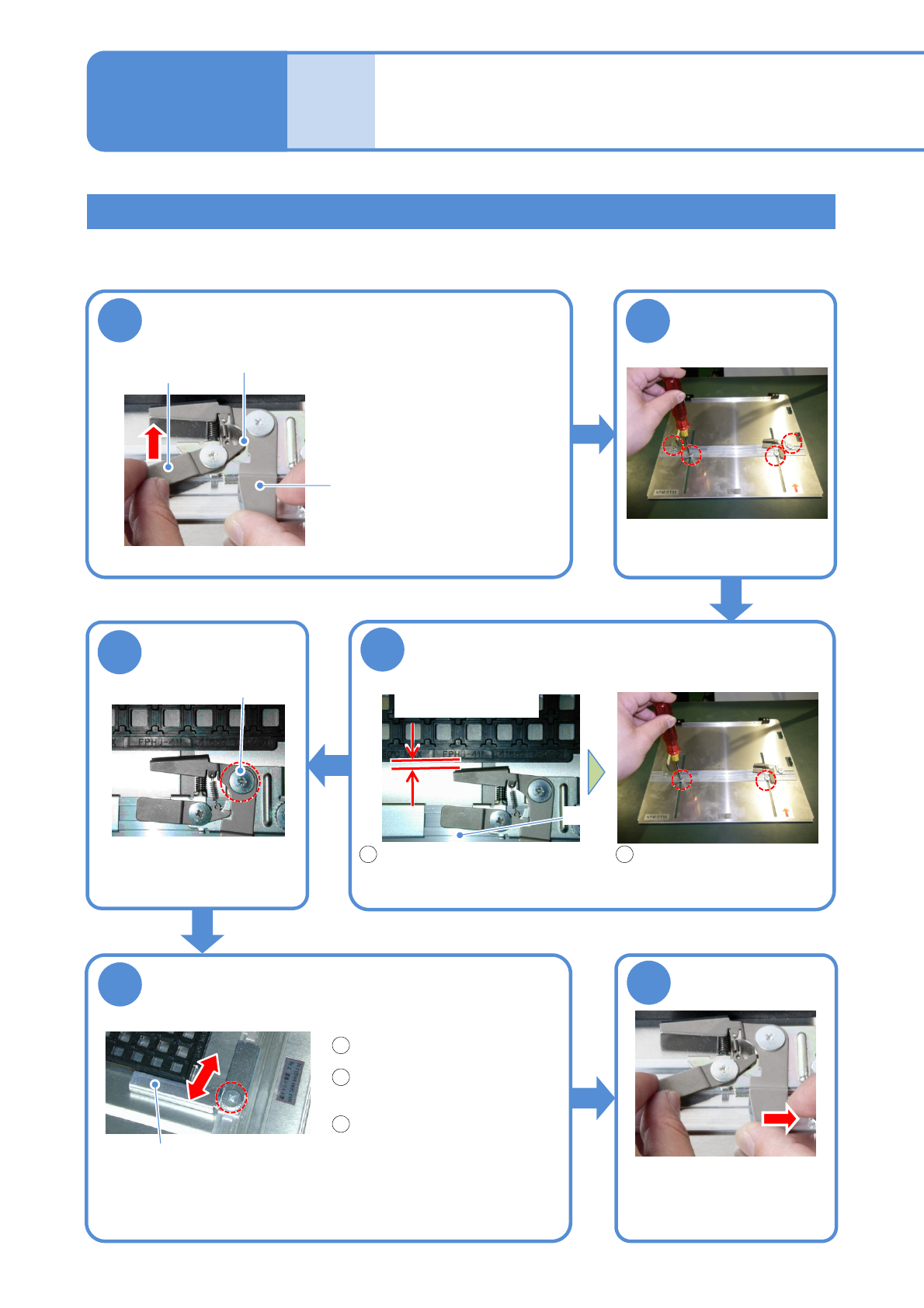
Adjusts the pallet in accordance with the tray dimensions and sets the tray to the pallet.
Setting the tray to the pallet
2-4-2-1
Operating procedure
2-4-2
Prepara-
tions
before
produc-
tion
2
3
5
1
Loosen screws
of the pallet
Adjust and fix the movable guide
Release the clamp
Adjust and fix the
clamp position
●4 screws
Movable guide
Place the tray on the pallet.
●1 screw
Release position
Clamp release
lever
Clamp lever
●Keep pushing the clamp
release lever until the
clamp lever is secured at
the release position.
Adjust and fix the rail
Slide the rail to leave a space
of about 1 mm between the
tray and the clamp.
Fix the rail
●2 screws
4
●Allow the clamp to press
down the center of the tray.
●1 screw
Fix the pallet
with the clamp
6
●Release the clamp lever
after pulling it until the clamp
release lever is disengaged.
Space: about 1 mm
Rail
Clamp screw
Slide the movable guide
along the side of the tray.
Fix the movable guide.
1 2
1
2
3
NPM-W2 EJM7DE-MB-02O-00
Setting the pallet to the magazine
2
6
5
3
4
Unlock the pallet
Put the pallet in
the magazine
Lock the pallet
●If the door is locked
(→P.2-4-3)
Magazine door
Pallet
●Be careful with
pallet
orientation.
2-4-2-2
1
ENABLING
Preparation
7
(The setting status is
updated)
ENABLING
NPM-W2 EJM7DE-MB-02O-00
Preparation of the tray
feeder 2
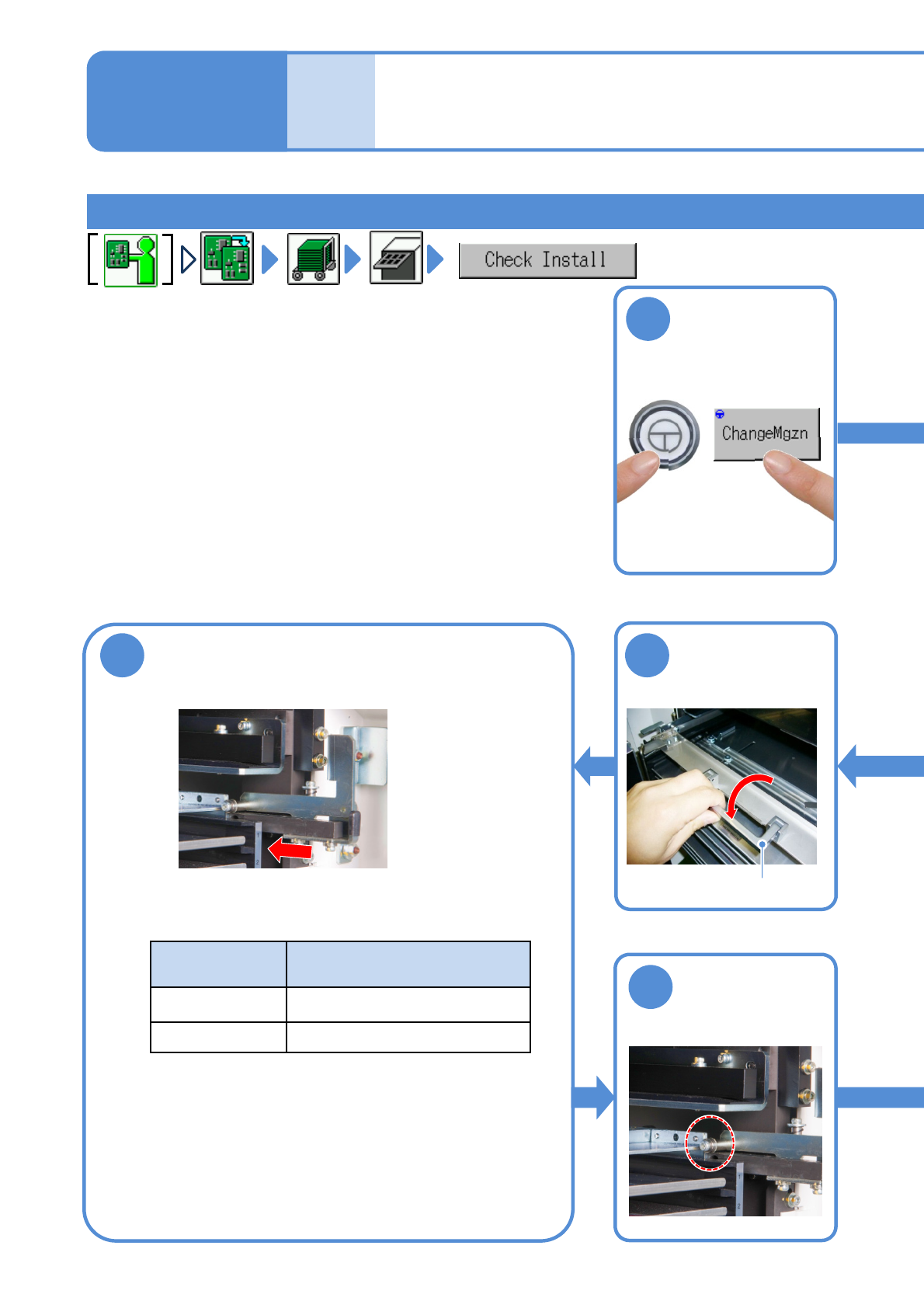
Setting the magazine to the tray feeder
2-4-2-3
Operating procedure
2-4-2
Prepara-
tions
before
produc-
tion
6
Push in the magazine
Push it all the way inside until it touches the stopper.
5
Fold the handle
toward you
Handle
7
Make sure the
magazine is
fixed
1
ENABLING
Feeder type
Number of pallets that can be
mounted on the magazine
Single tray Up to 20 pallets on two
Twin tray Up to 40 pallets on four